Components / forms
Fieldset
Gathers fields that belong together under a title, such as an address or a profile: legend, the group's description or error, spaced fields and action buttons.
Import
In a Flutter app where fliin init has run:
Examples
Described
A fieldset groups related fields under a legend and its description, with the actions that save them below.
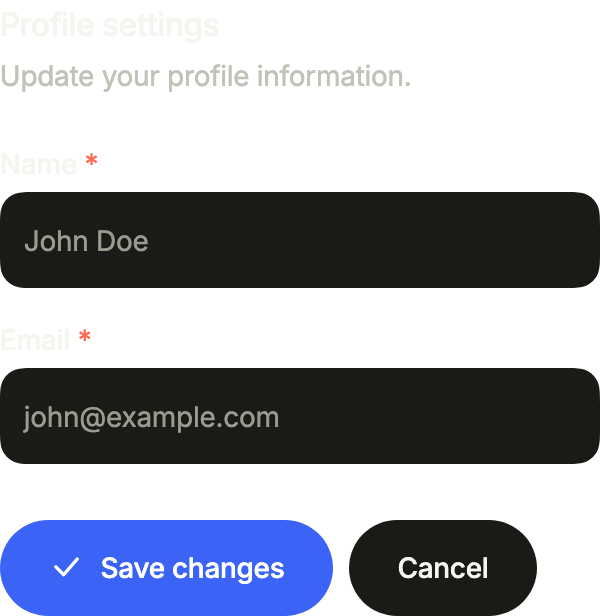
import 'package:your_app/ui/fliin/components/button/fl_button.dart';
import 'package:your_app/ui/fliin/components/fieldset/fl_fieldset.dart';
import 'package:your_app/ui/fliin/components/text_field/fl_text_field.dart';
import 'package:your_app/ui/fliin/core/fliin.dart';
import 'package:your_app/ui/fliin/icons/fl_icons.dart';
import 'package:flutter/widgets.dart';

class FieldsetDescribedExample extends StatelessWidget {
  const FieldsetDescribedExample({super.key});

  @override
  Widget build(BuildContext context) {
    return FlFieldset(
      legend: 'Profile settings',
      description: 'Update your profile information.',
      actions: [
        FlButton(label: 'Save changes', leading: FlIcon(FlIcons.check), onPressed: () {}),
        FlButton(label: 'Cancel', variant: FlButtonVariant.tertiary, onPressed: () {}),
      ],
      children: const [
        FlTextField(label: 'Name', placeholder: 'John Doe', required: true),
        FlTextField(label: 'Email', placeholder: '[email protected]', required: true),
      ],
    );
  }
}Error
error describes what is wrong with the group as a whole, when no single field is to blame.
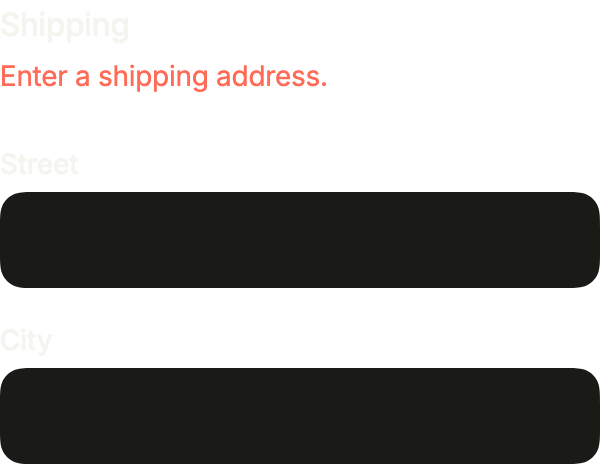
import 'package:your_app/ui/fliin/components/fieldset/fl_fieldset.dart';
import 'package:your_app/ui/fliin/components/text_field/fl_text_field.dart';
import 'package:flutter/widgets.dart';

class FieldsetErrorExample extends StatelessWidget {
  const FieldsetErrorExample({super.key});

  @override
  Widget build(BuildContext context) {
    return const FlFieldset(
      legend: 'Shipping',
      error: 'Enter a shipping address.',
      children: [
        FlTextField(label: 'Street'),
        FlTextField(label: 'City'),
      ],
    );
  }
}On surface
On a surface, the fields take the secondary variant, filled without a shadow, and the form reads as one card.
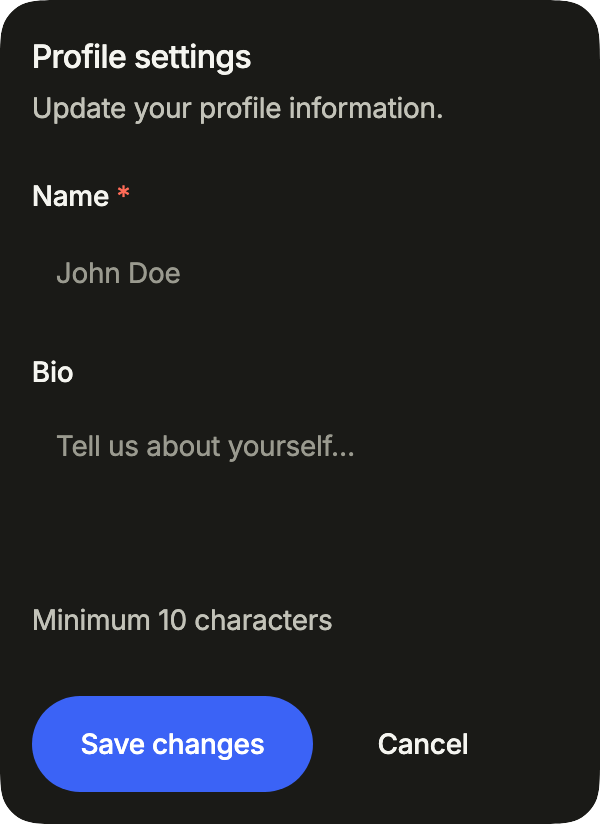
import 'package:your_app/ui/fliin/components/button/fl_button.dart';
import 'package:your_app/ui/fliin/components/fieldset/fl_fieldset.dart';
import 'package:your_app/ui/fliin/components/surface/fl_surface.dart';
import 'package:your_app/ui/fliin/components/text_field/fl_text_field.dart';
import 'package:flutter/widgets.dart';

class FieldsetOnSurfaceExample extends StatelessWidget {
  const FieldsetOnSurfaceExample({super.key});

  @override
  Widget build(BuildContext context) {
    return FlSurface(
      child: FlFieldset(
        legend: 'Profile settings',
        description: 'Update your profile information.',
        actions: [
          FlButton(label: 'Save changes', onPressed: () {}),
          FlButton(label: 'Cancel', variant: FlButtonVariant.tertiary, onPressed: () {}),
        ],
        children: const [
          FlTextField(label: 'Name', placeholder: 'John Doe', required: true, variant: FlInputVariant.secondary),
          FlTextField(
            label: 'Bio',
            placeholder: 'Tell us about yourself…',
            helper: 'Minimum 10 characters',
            multiline: true,
            variant: FlInputVariant.secondary,
          ),
        ],
      ),
    );
  }
}Trailing
trailing puts an action on the legend's line, here a reset link, and actionsAlignment sends the buttons to the end.
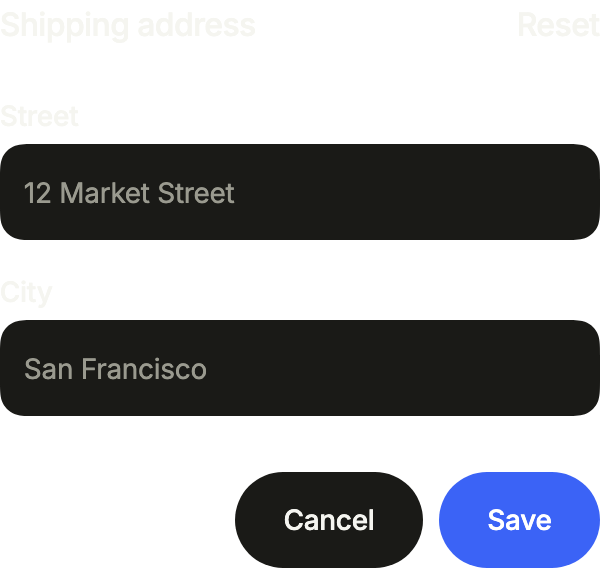
import 'package:your_app/ui/fliin/components/button/fl_button.dart';
import 'package:your_app/ui/fliin/components/fieldset/fl_fieldset.dart';
import 'package:your_app/ui/fliin/components/link_button/fl_link_button.dart';
import 'package:your_app/ui/fliin/components/text_field/fl_text_field.dart';
import 'package:flutter/widgets.dart';

class FieldsetTrailingExample extends StatelessWidget {
  const FieldsetTrailingExample({super.key});

  @override
  Widget build(BuildContext context) {
    return FlFieldset(
      legend: 'Shipping address',
      trailing: FlLinkButton(label: 'Reset', onPressed: () {}),
      actionsAlignment: WrapAlignment.end,
      actions: [
        FlButton(label: 'Cancel', variant: FlButtonVariant.tertiary, onPressed: () {}),
        FlButton(label: 'Save', onPressed: () {}),
      ],
      children: const [
        FlTextField(label: 'Street', placeholder: '12 Market Street'),
        FlTextField(label: 'City', placeholder: 'San Francisco'),
      ],
    );
  }
}Full width
On a phone, one action at the full width of the form: wrap the button in a SizedBox(width: double.infinity).
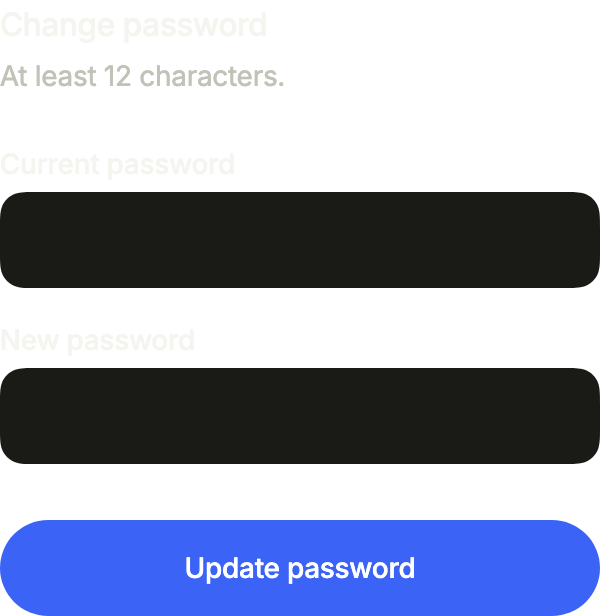
import 'package:your_app/ui/fliin/components/button/fl_button.dart';
import 'package:your_app/ui/fliin/components/fieldset/fl_fieldset.dart';
import 'package:your_app/ui/fliin/components/text_field/fl_text_field.dart';
import 'package:flutter/widgets.dart';

class FieldsetFullWidthExample extends StatelessWidget {
  const FieldsetFullWidthExample({super.key});

  @override
  Widget build(BuildContext context) {
    return FlFieldset(
      legend: 'Change password',
      description: 'At least 12 characters.',
      actions: [
        SizedBox(
          width: double.infinity,
          child: FlButton(label: 'Update password', onPressed: () {}),
        ),
      ],
      children: const [
        FlTextField(label: 'Current password', obscureText: true),
        FlTextField(label: 'New password', obscureText: true),
      ],
    );
  }
}Usage
The code the reference images render:
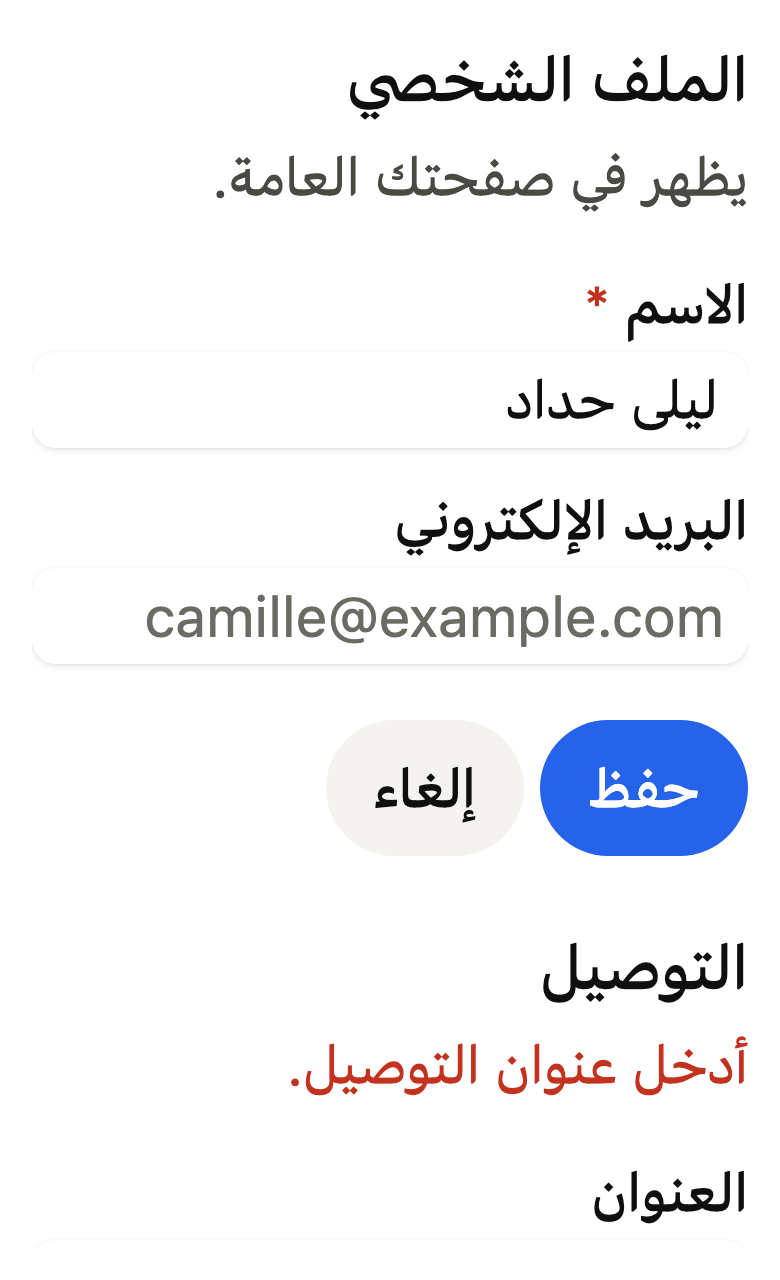
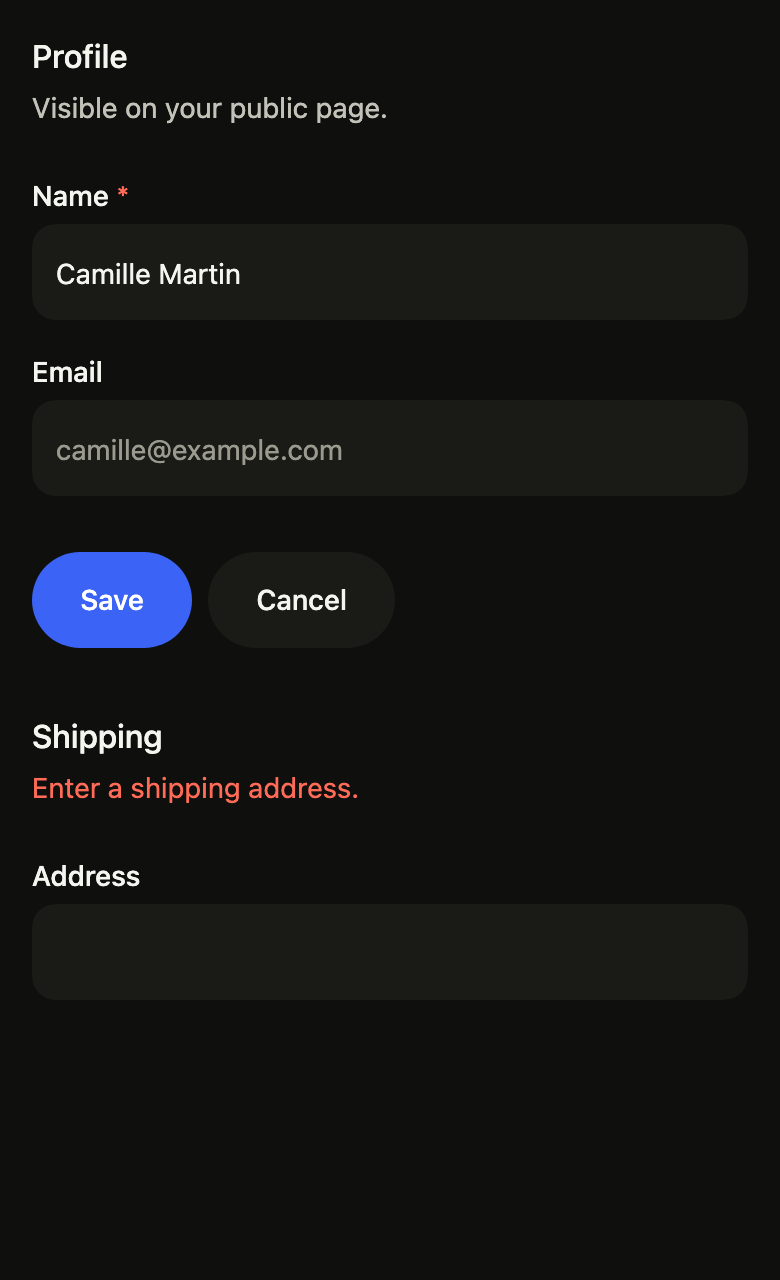
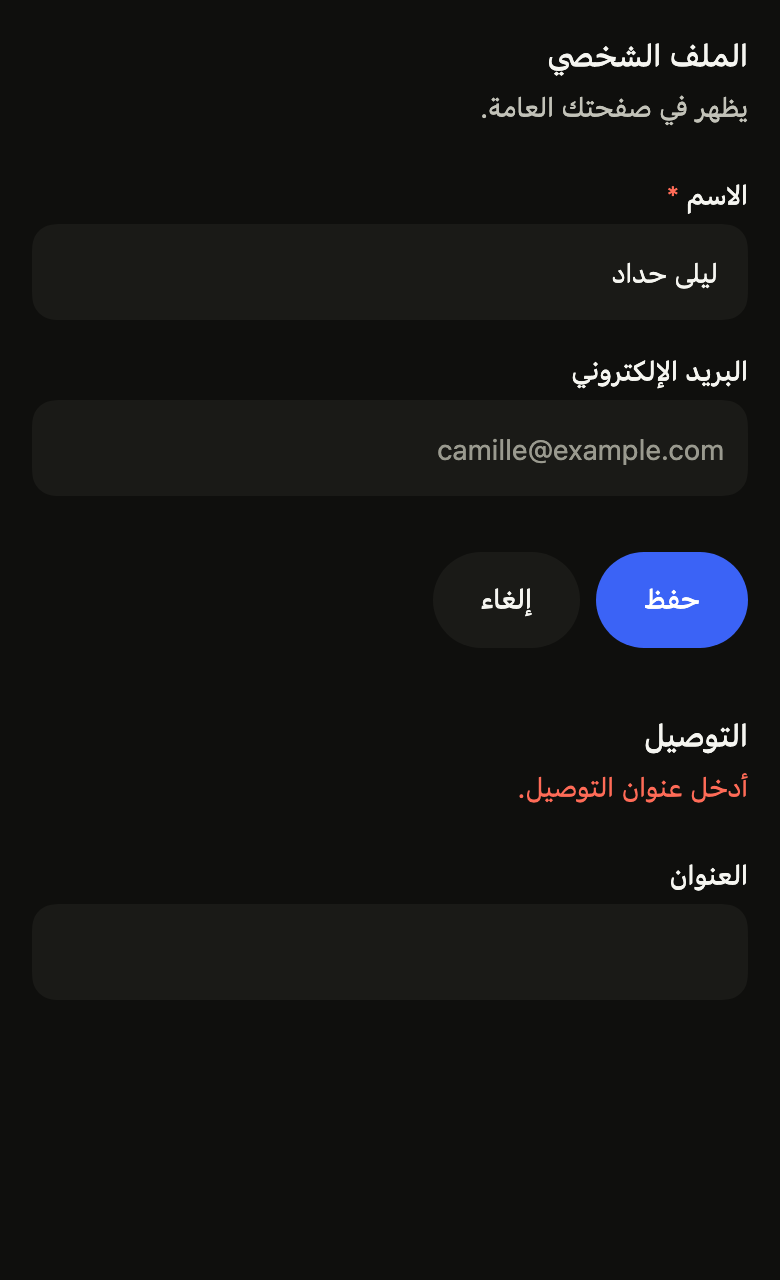
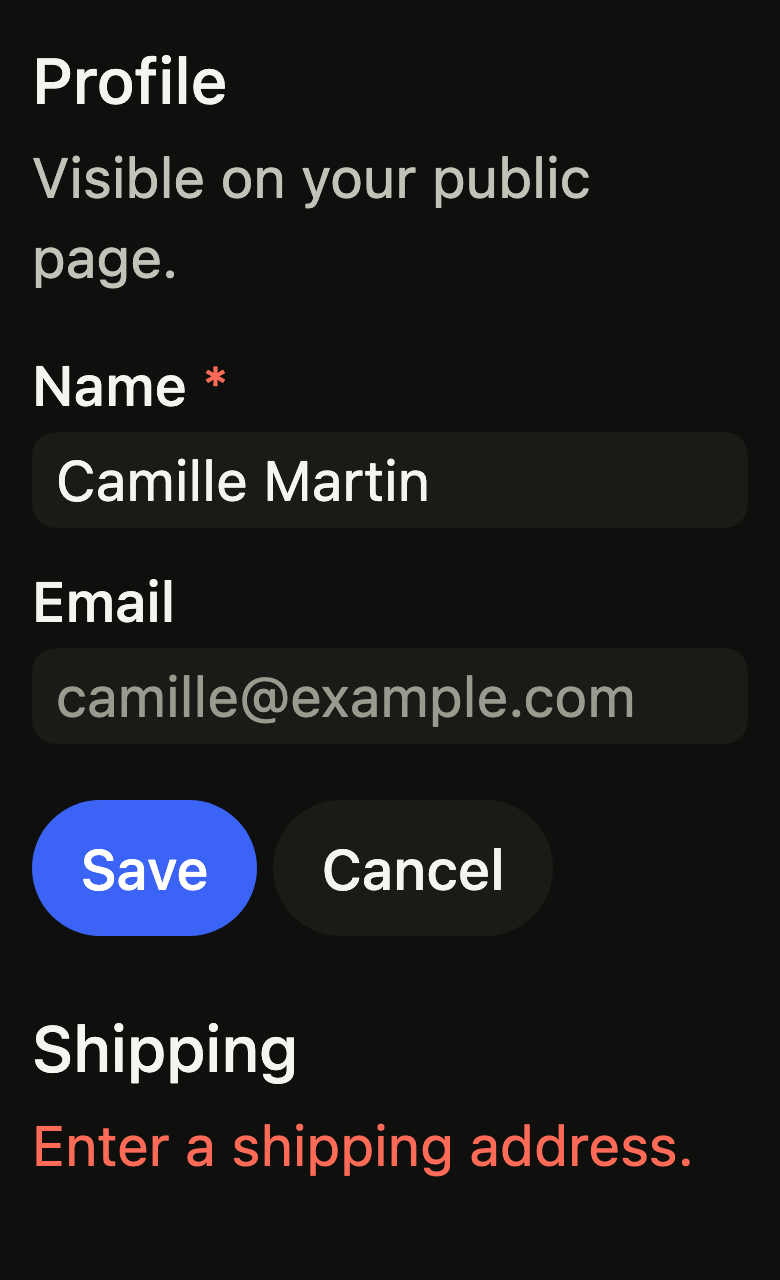
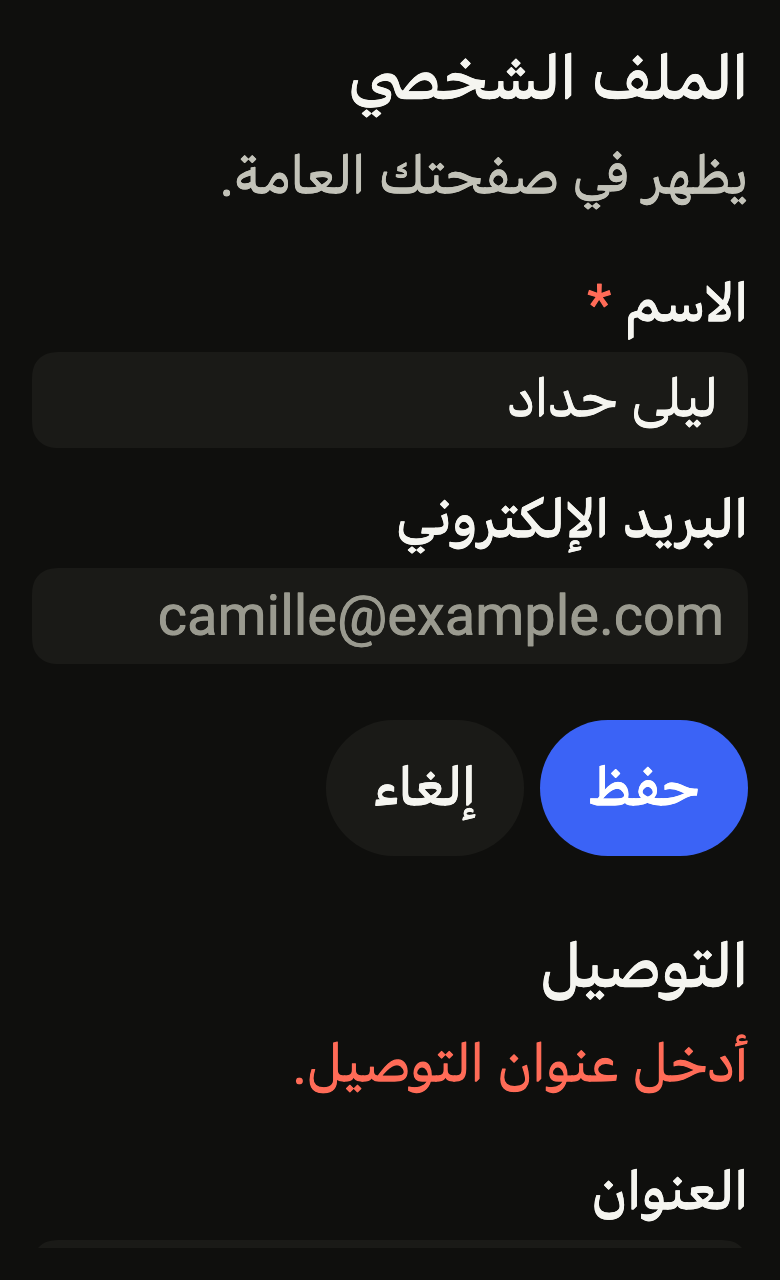
final example = Localizations(
  locale: const Locale('en'),
  delegates: const [DefaultWidgetsLocalizations.delegate],
  child: Directionality(
    textDirection: variant.dir,
    child: Overlay(
      initialEntries: [
        OverlayEntry(
          builder: (context) => ColoredBox(
            color: FlScope.of(context).colors.surface,
            child: Padding(
              padding: EdgeInsetsDirectional.all(FlScope.of(context).space.lg),
              child: SingleChildScrollView(
                child: Column(
                  crossAxisAlignment: CrossAxisAlignment.stretch,
                  spacing: FlScope.of(context).space.xxl,
                  children: [
                    FlFieldset(
                      legend: 'Profile',
                      description: 'Visible on your public page.',
                      actions: [
                        FlButton(label: 'Save', onPressed: () {}),
                        FlButton(
                          label: 'Cancel',
                          variant: FlButtonVariant.tertiary,
                          onPressed: () {},
                        ),
                      ],
                      children: [
                        FlTextField(
                          label: 'Name',
                          required: true,
                          controller: TextEditingController(
                            text: 'Camille Martin',
                          ),
                        ),
                        FlTextField(
                          label: 'Email',
                          placeholder: '[email protected]',
                        ),
                      ],
                    ),
                    FlFieldset(
                      legend: 'Shipping',
                      description: 'Where to send the order.',
                      error: 'Enter a shipping address.',
                      children: [FlTextField(label: 'Address')],
                    ),
                  ],
                ),
              ),
            ),
          ),
        ),
      ],
    ),
  ),
);API
FlFieldset: class extends StatelessWidget
FlFieldset.new: const new({super.key, required String legend, required List<Widget> children, String? description, String? error, List<Widget> actions, Widget? trailing, WrapAlignment actionsAlignment})
FlFieldset.legend: get String
FlFieldset.description: get String?
FlFieldset.children: get List<Widget>
FlFieldset.error: get String?
FlFieldset.actions: get List<Widget>
FlFieldset.trailing: get Widget?
FlFieldset.actionsAlignment: get WrapAlignment
FlFieldset.build: Widget(BuildContext context)
Reference renders
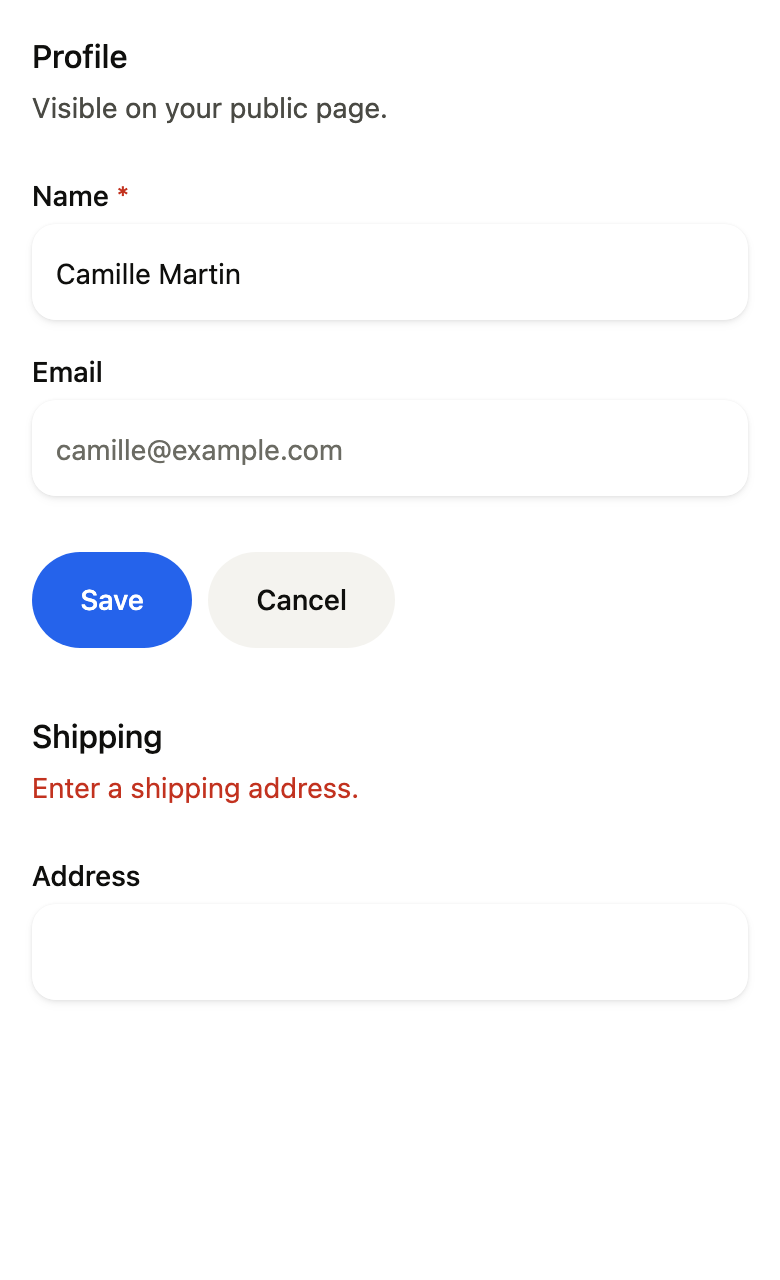
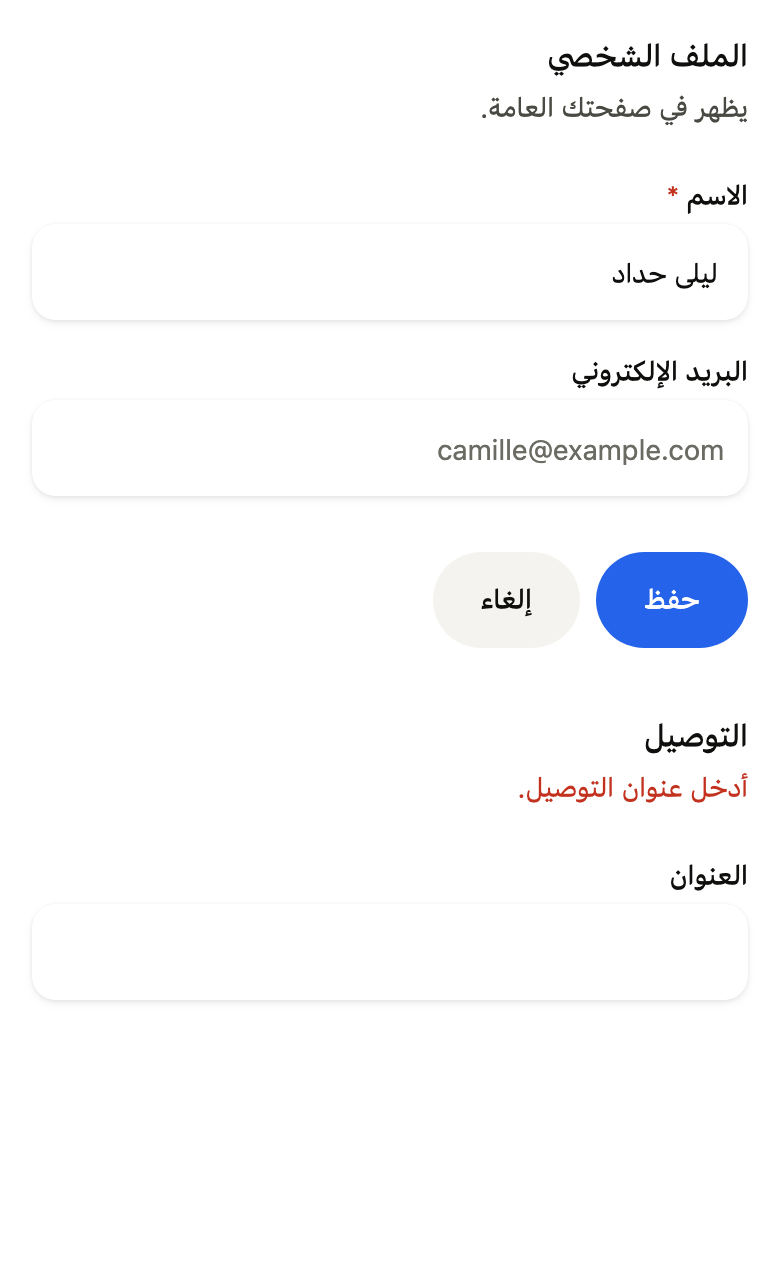
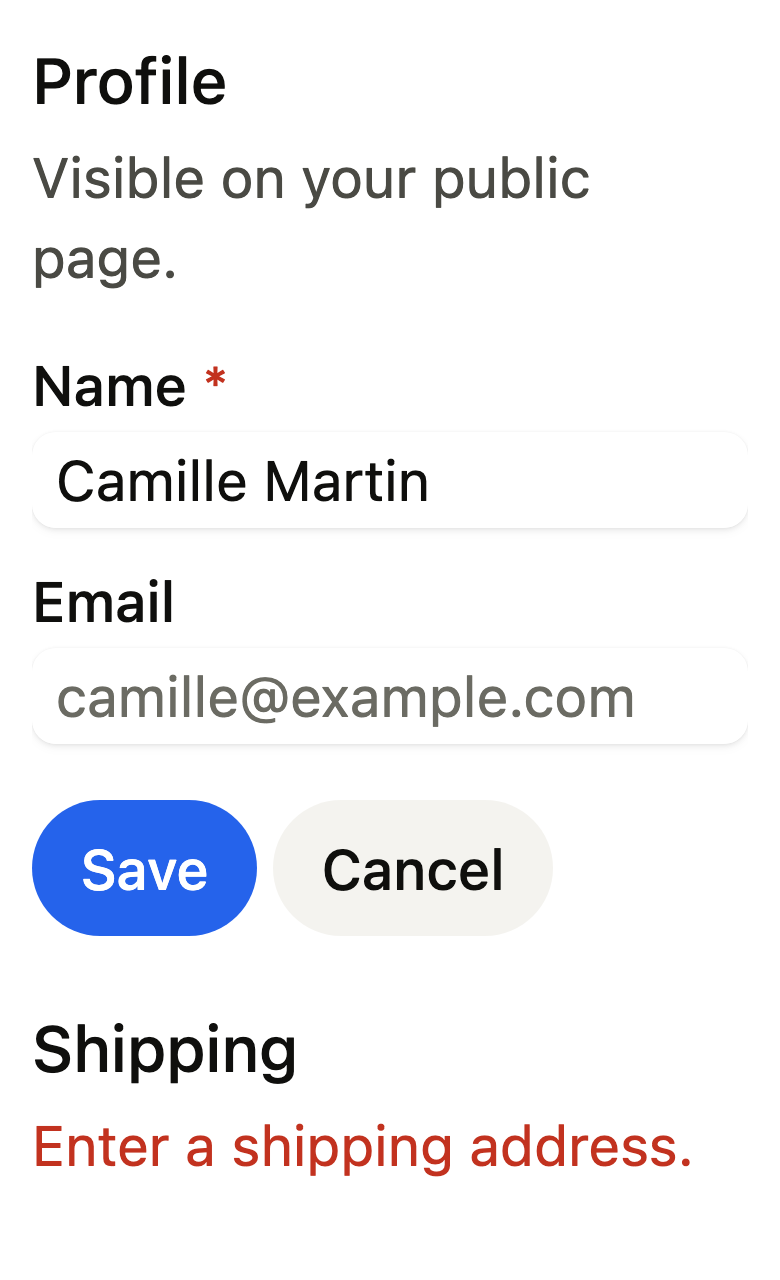
The 16 images published with version 0.1.1, rendered by the shared harness on macOS with Flutter 3.47.7. fliin verify fieldset compares your copy to them.
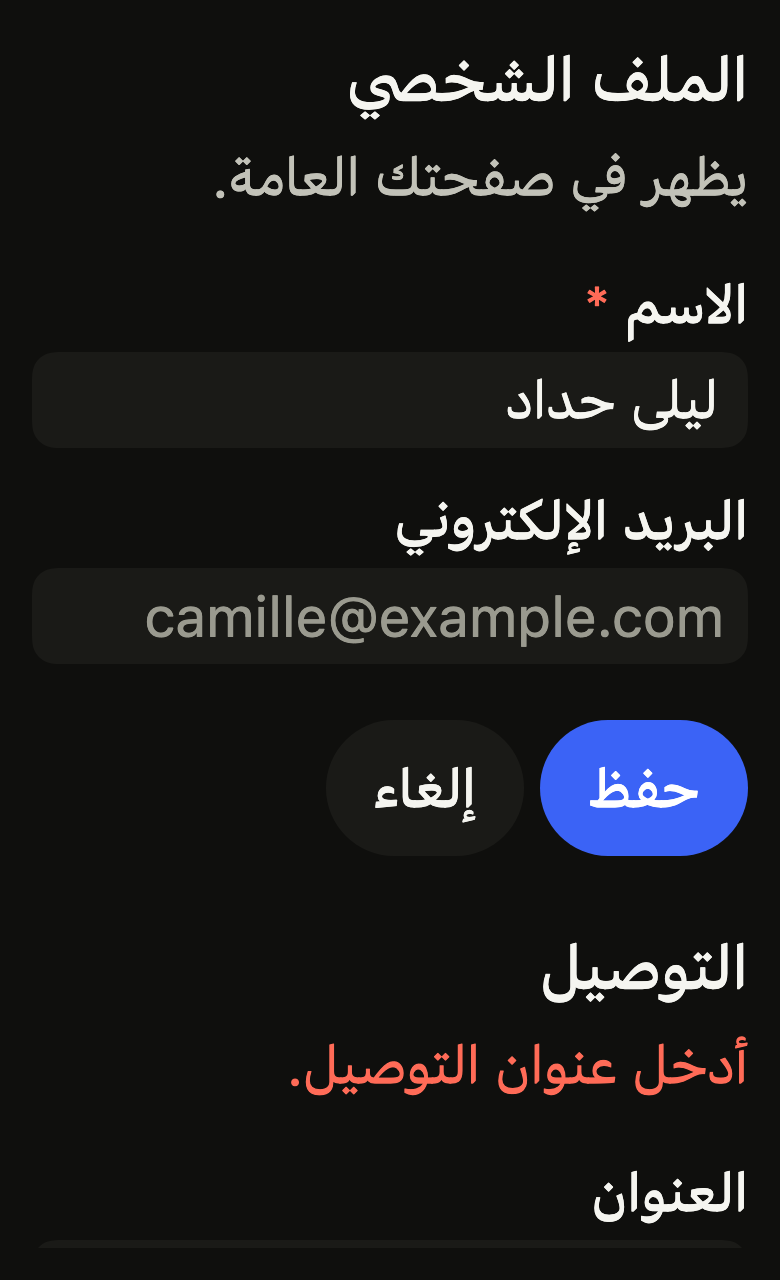
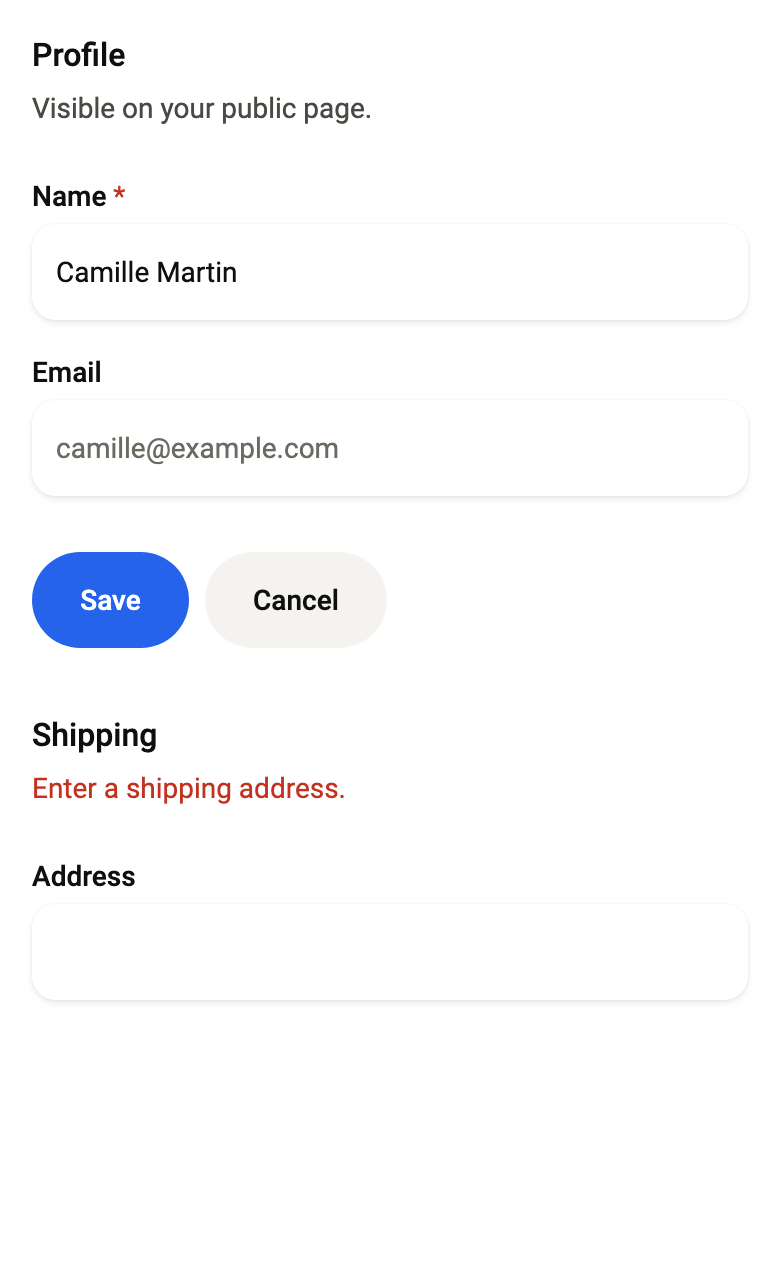
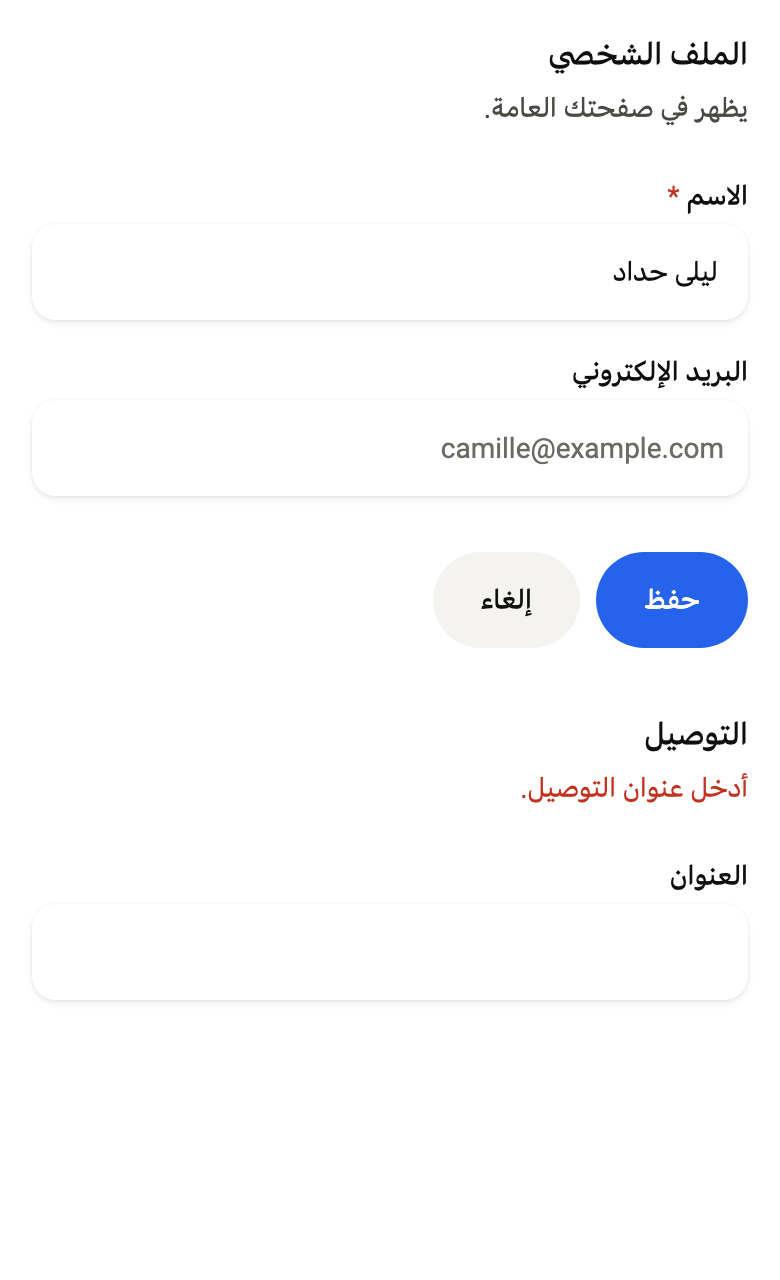
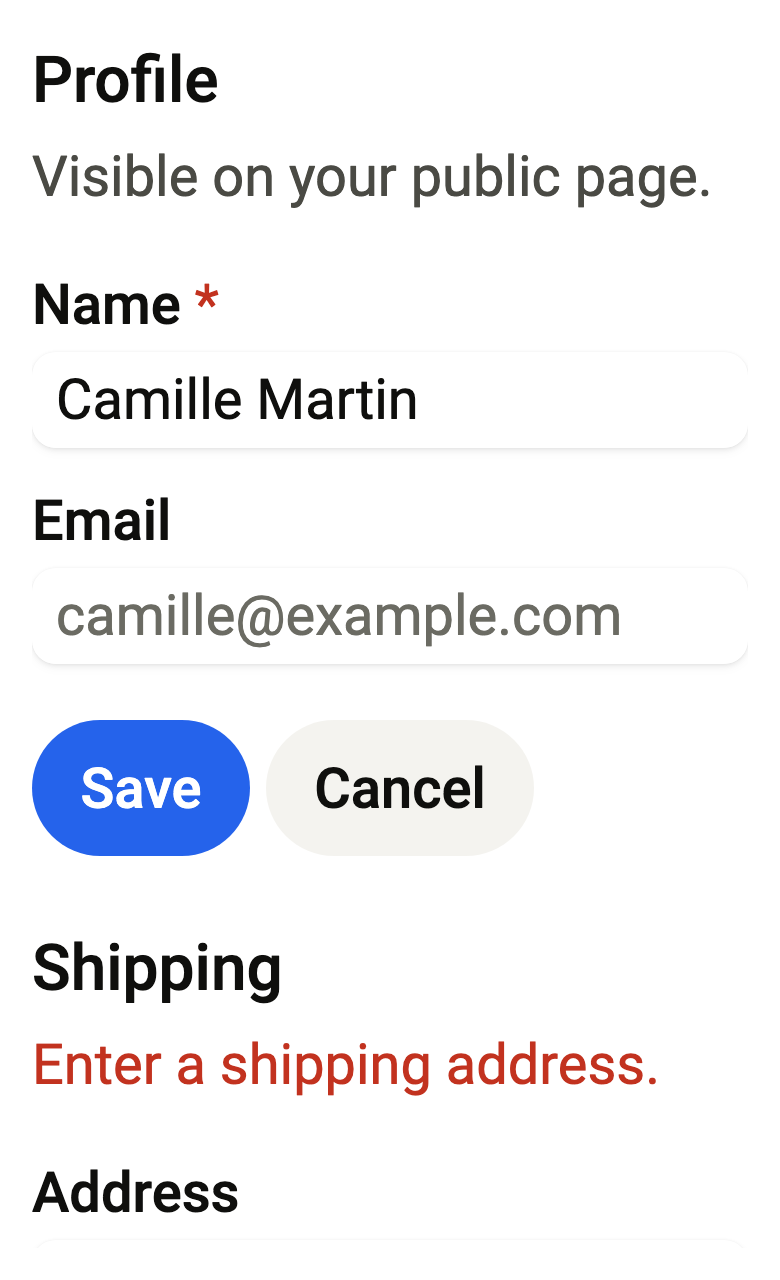
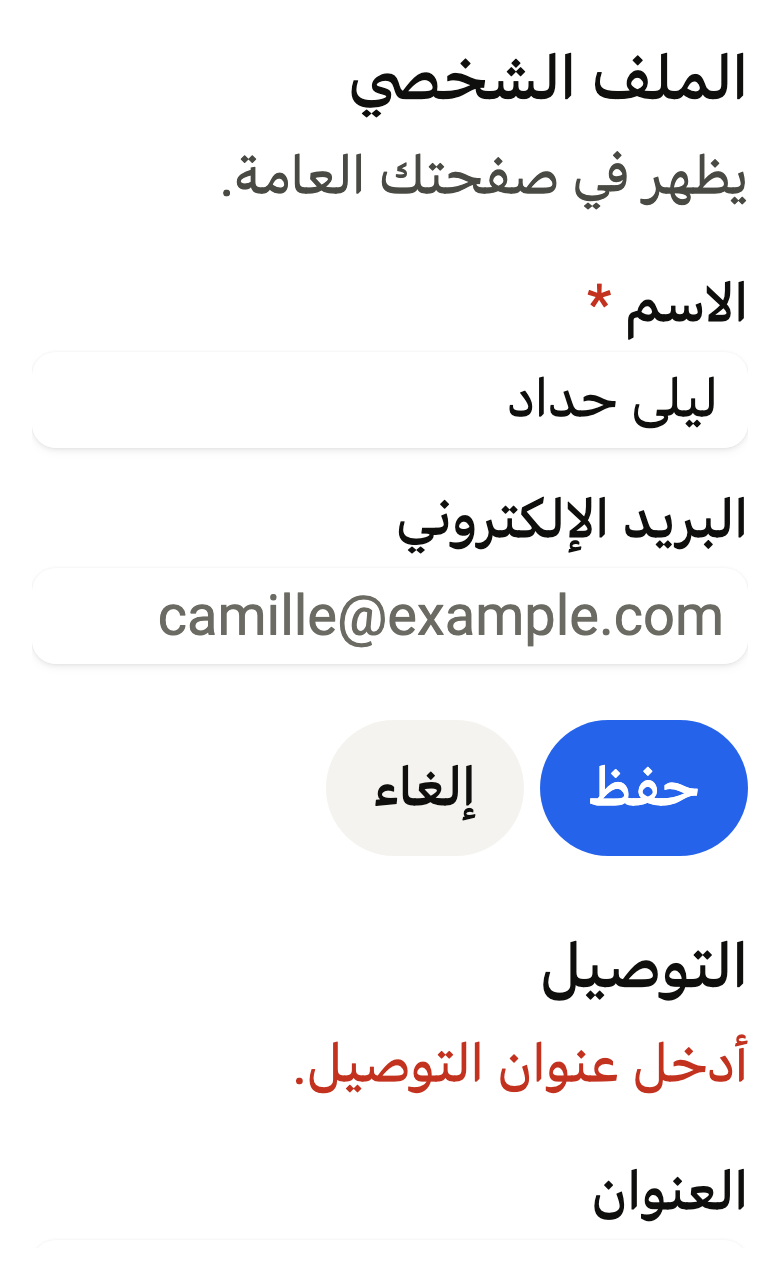
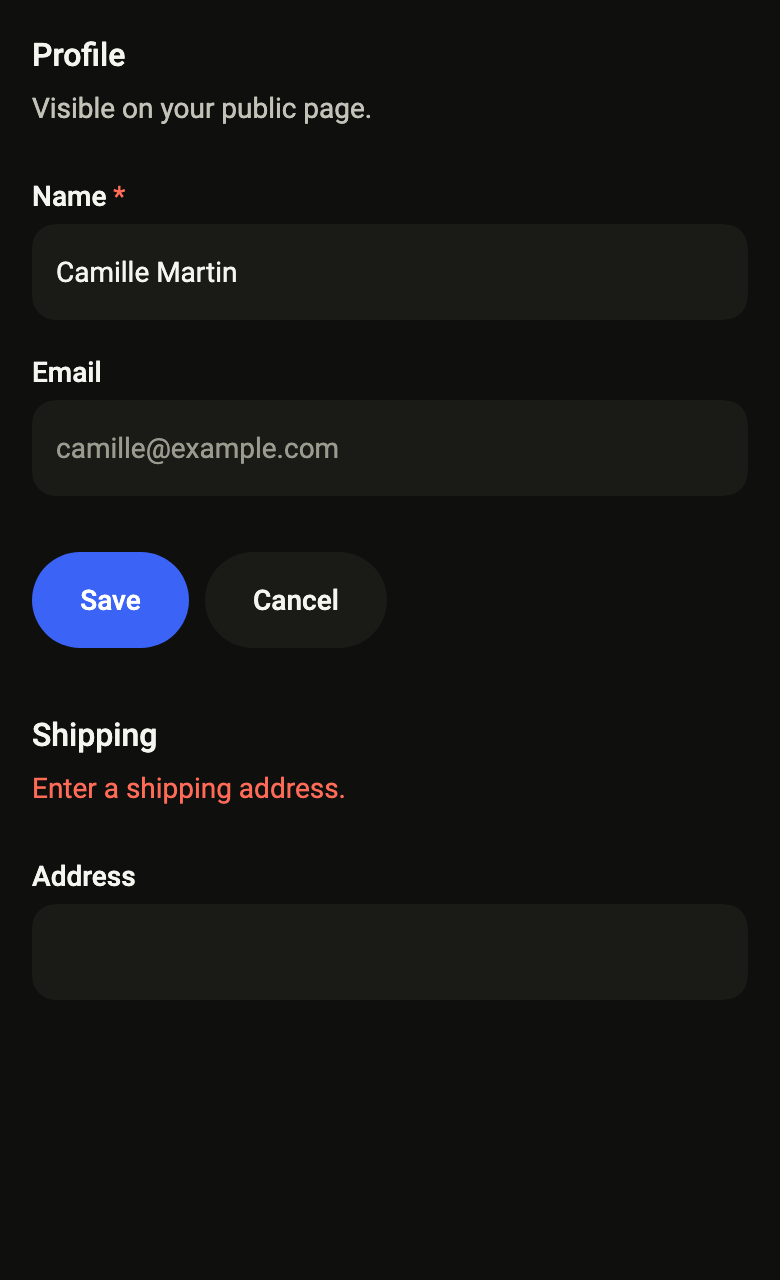
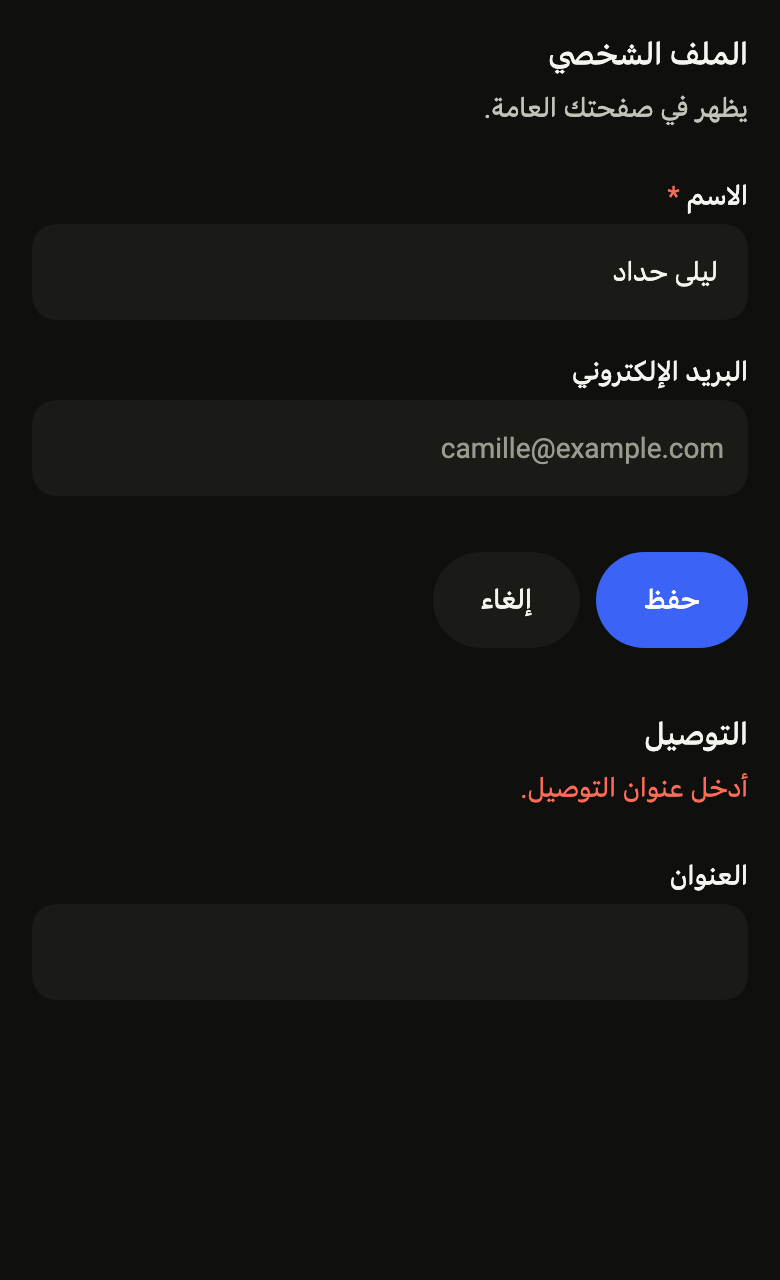
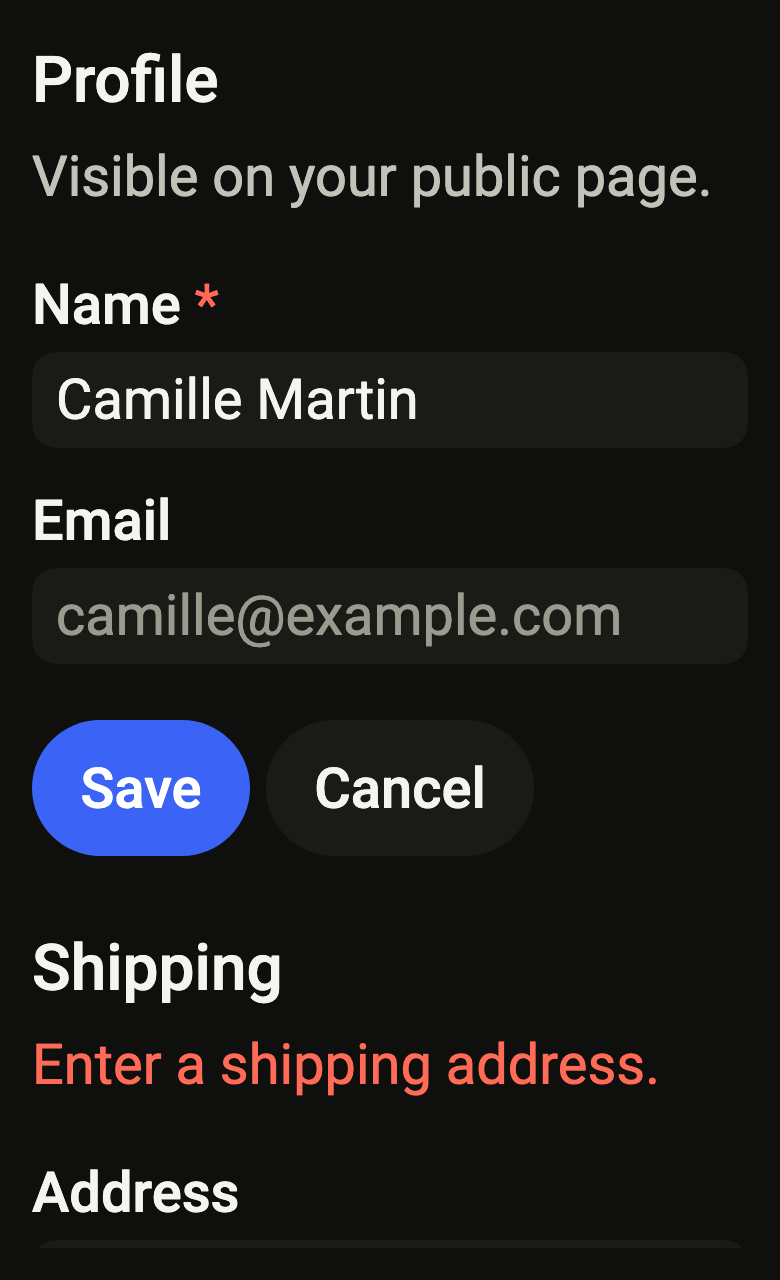
Use it to
- keep shipping address fields together under a heading
- split a long form into named sections
- add a legend and a description above related inputs
- show one error for a whole group of fields
- offer save and cancel under a block of inputs
- Not for
- a single field with its label and message: use the field (field)
- a section of settings rows: use the settings section (settings-section)
- a whole sign-in form: use the auth form (auth-form)
- States
Source
The files fliin add fieldset copies into your app, before your prefix and imports are applied.
fieldset/fl_fieldset.dart
// Modified from the Fieldset of HeroUI React v3, Copyright 2025 NextUI Inc.,
// licensed under Apache 2.0: https://www.apache.org/licenses/LICENSE-2.0
import 'package:flutter/widgets.dart';
import 'package:fliin_ui/components/field/fl_field.dart';
import 'package:fliin_ui/core/fliin.dart';

/// Fields that belong together under one title: a
/// [legend] in `textBase` medium, a [description] under it, then the
/// [children] `space.lg` apart, `space.xl` below the title, then the
/// [actions] in a row. When [error] is set, it replaces the description,
/// as in a field: a message for the whole group ("Pick at least one day"),
/// the fields keeping their own.
///
/// [trailing] sits at the end of the legend's line (an "Edit" link, a
/// badge); [actionsAlignment] moves the buttons to the end or the center,
/// and a button in a `SizedBox(width: double.infinity)` takes the full
/// width, as on a phone's form.
///
/// The screen reader reads the legend as a heading, then each field with
/// its own label.
///
/// ```dart
/// FlFieldset(
///   legend: 'Profile',
///   description: 'Shown on your public page.',
///   actions: [FlButton(label: 'Save', onPressed: save)],
///   children: [FlTextField(label: 'Name'), FlTextField(label: 'Email')],
/// )
/// ```
class FlFieldset extends StatelessWidget {
  /// A group of [children] titled [legend].
  const FlFieldset({
    super.key,
    required this.legend,
    required this.children,
    this.description,
    this.error,
    this.actions = const [],
    this.trailing,
    this.actionsAlignment = WrapAlignment.start,
  });

  /// The group's title.
  final String legend;

  /// A line under the title, in `onSurfaceMuted`.
  final String? description;

  /// The fields, in order, stretched to the group's width.
  final List<Widget> children;

  /// A message for the whole group, in `danger`, in place of [description].
  final String? error;

  /// The buttons under the fields ("Save", "Cancel"), `space.sm` apart; the
  /// row wraps when they do not fit.
  final List<Widget> actions;

  /// A widget at the end of the legend's line, centered on it: a link
  /// button, a badge, a switch for the whole group.
  final Widget? trailing;

  /// Where the [actions] sit on their row; at the start by default.
  final WrapAlignment actionsAlignment;

  @override
  Widget build(BuildContext context) {
    final theme = FlScope.of(context);
    const role = FlTextRole.textBase;
    final error = this.error;
    final description = this.description;
    final legend = Semantics(
      header: true,
      child: Text(
        this.legend,
        style: theme.typography
            .resolve(role)
            .copyWith(color: theme.colors.onSurface, fontWeight: theme.tokens.typography.weight.medium),
        strutStyle: theme.typography.strut(role, inheritedFamily: DefaultTextStyle.of(context).style.fontFamily),
      ),
    );
    final message = error != null
        ? FlFieldError(error, invalid: true)
        : description != null
        ? FlDescription(description, invalid: false)
        : null;
    return Column(
      mainAxisSize: MainAxisSize.min,
      crossAxisAlignment: CrossAxisAlignment.stretch,
      children: [
        // Tight around their text: at full width, the contrast check took
        // the field below as their background.
        if (trailing case final trailing?)
          Row(
            spacing: theme.space.sm,
            children: [
              Expanded(
                child: Align(alignment: AlignmentDirectional.centerStart, child: legend),
              ),
              trailing,
            ],
          )
        else
          Align(alignment: AlignmentDirectional.centerStart, child: legend),
        if (message != null)
          Padding(
            padding: EdgeInsetsDirectional.only(top: theme.space.xs),
            child: Align(alignment: AlignmentDirectional.centerStart, child: message),
          ),
        SizedBox(height: theme.space.xl),
        Column(
          mainAxisSize: MainAxisSize.min,
          crossAxisAlignment: CrossAxisAlignment.stretch,
          spacing: theme.space.lg,
          children: children,
        ),
        if (actions.isNotEmpty)
          Padding(
            // The gap between fields, plus 4 above the actions.
            padding: EdgeInsetsDirectional.only(top: theme.space.xl + theme.space.xs),
            child: Wrap(
              alignment: actionsAlignment,
              spacing: theme.space.sm,
              runSpacing: theme.space.sm,
              children: actions,
            ),
          ),
      ],
    );
  }
}