Blocks / settings
List section
Groups rows under a heading, with an optional link at the end of the heading: a topic of an account screen or a day of notifications.
Import
List section is part of Fliin Pro. With a license key, sign in once with fliin login, then add it in a Flutter app where fliin init has run:
fliin login
fliin add settings-section
Also installs: core, list-row, section-header, surface
Examples
Untitled
A group of settings without a title, when the screen already says what they are about.

import 'package:your_app/ui/fliin/components/list_row/fl_list_row.dart';
import 'package:your_app/ui/fliin/components/settings_section/fl_settings_section.dart';
import 'package:flutter/widgets.dart';

class SettingsSectionUntitledExample extends StatelessWidget {
  const SettingsSectionUntitledExample({super.key});

  @override
  Widget build(BuildContext context) {
    return FlSettingsSection(
      children: [
        FlListRow(title: 'Language', value: 'English', trailing: const FlListRowChevron(), onPressed: () {}),
      ],
    );
  }
}Titled
A titled group of switches. Each switch repeats its row title as label, so the screen reader names it.
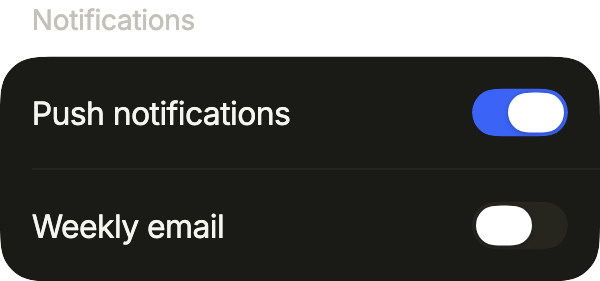
import 'package:your_app/ui/fliin/components/list_row/fl_list_row.dart';
import 'package:your_app/ui/fliin/components/settings_section/fl_settings_section.dart';
import 'package:your_app/ui/fliin/components/switch/fl_switch.dart';
import 'package:flutter/widgets.dart';

class SettingsSectionTitledExample extends StatefulWidget {
  const SettingsSectionTitledExample({super.key});

  @override
  State<SettingsSectionTitledExample> createState() => _SettingsSectionTitledExampleState();
}

class _SettingsSectionTitledExampleState extends State<SettingsSectionTitledExample> {
  var _push = true;
  var _weekly = false;

  @override
  Widget build(BuildContext context) {
    return FlSettingsSection(
      title: 'Notifications',
      children: [
        FlListRow(
          title: 'Push notifications',
          trailing: FlSwitch(
            value: _push,
            onChanged: (value) => setState(() => _push = value),
            label: 'Push notifications',
          ),
        ),
        FlListRow(
          title: 'Weekly email',
          trailing: FlSwitch(
            value: _weekly,
            onChanged: (value) => setState(() => _weekly = value),
            label: 'Weekly email',
          ),
        ),
      ],
    );
  }
}Action
An action in the title row acts on the whole section, like marking every notification as read.
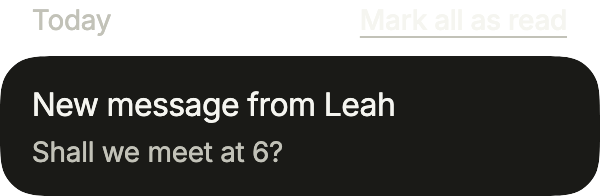
import 'package:your_app/ui/fliin/components/list_row/fl_list_row.dart';
import 'package:your_app/ui/fliin/components/section_header/fl_section_header.dart';
import 'package:your_app/ui/fliin/components/settings_section/fl_settings_section.dart';
import 'package:flutter/widgets.dart';

class SettingsSectionActionExample extends StatelessWidget {
  const SettingsSectionActionExample({super.key});

  @override
  Widget build(BuildContext context) {
    return FlSettingsSection(
      title: 'Today',
      action: FlSectionHeaderAction(label: 'Mark all as read', onPressed: () {}),
      children: [
        FlListRow(title: 'New message from Leah', subtitle: 'Shall we meet at 6?', onPressed: () {}),
      ],
    );
  }
}Footer
footer explains what the section's settings do, under the group, aligned with the rows' text.
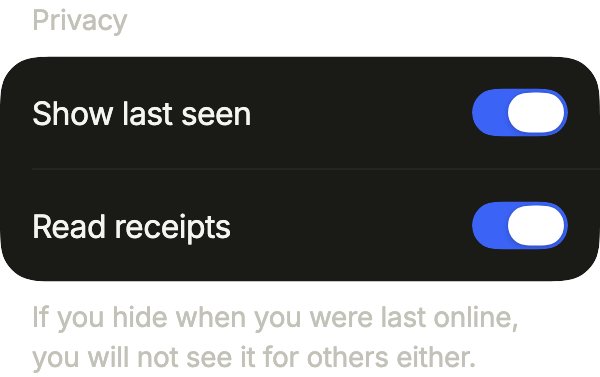
import 'package:your_app/ui/fliin/components/list_row/fl_list_row.dart';
import 'package:your_app/ui/fliin/components/settings_section/fl_settings_section.dart';
import 'package:your_app/ui/fliin/components/switch/fl_switch.dart';
import 'package:flutter/widgets.dart';

class SettingsSectionFooterExample extends StatefulWidget {
  const SettingsSectionFooterExample({super.key});

  @override
  State<SettingsSectionFooterExample> createState() => _SettingsSectionFooterExampleState();
}

class _SettingsSectionFooterExampleState extends State<SettingsSectionFooterExample> {
  var _lastSeen = true;
  var _receipts = true;

  @override
  Widget build(BuildContext context) {
    return FlSettingsSection(
      title: 'Privacy',
      footer: 'If you hide when you were last online, you will not see it for others either.',
      children: [
        FlListRow(
          title: 'Show last seen',
          trailing: FlSwitch(
            value: _lastSeen,
            onChanged: (value) => setState(() => _lastSeen = value),
            label: 'Show last seen',
          ),
        ),
        FlListRow(
          title: 'Read receipts',
          trailing: FlSwitch(
            value: _receipts,
            onChanged: (value) => setState(() => _receipts = value),
            label: 'Read receipts',
          ),
        ),
      ],
    );
  }
}Usage
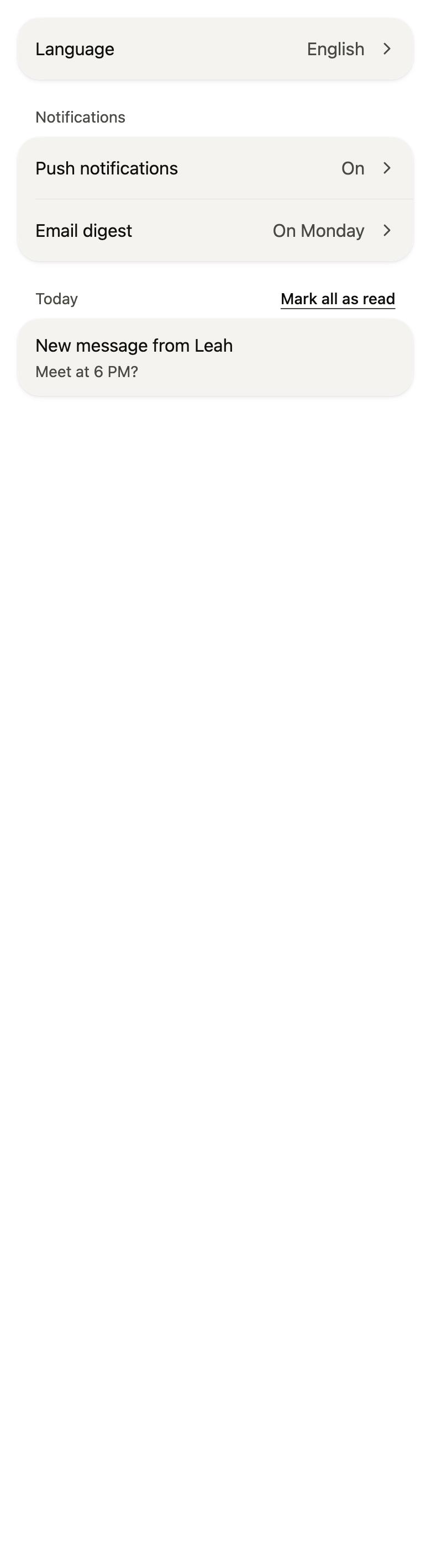
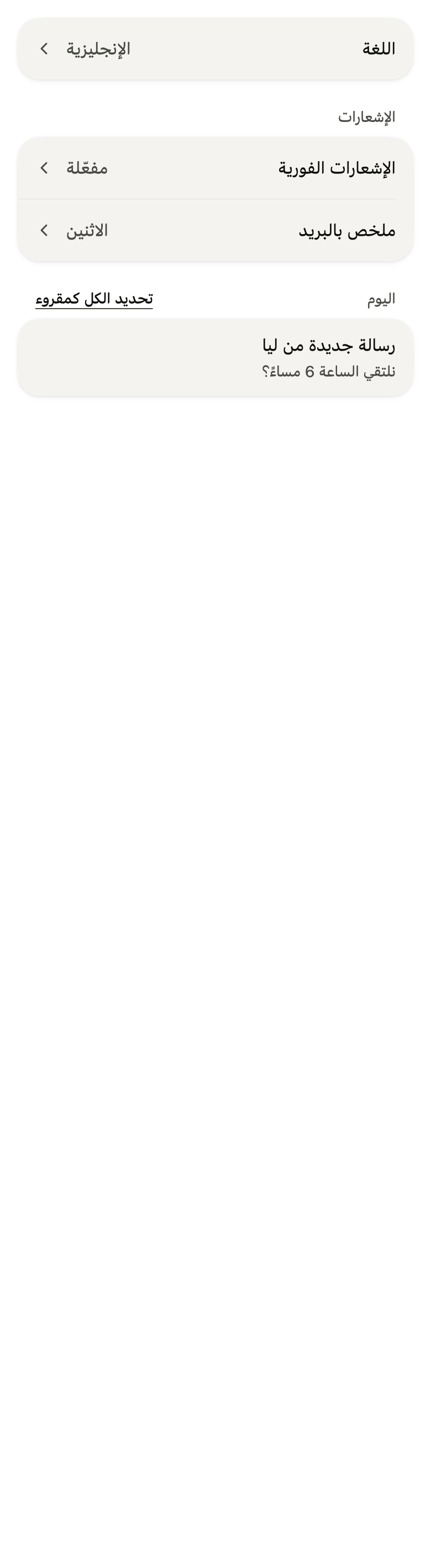
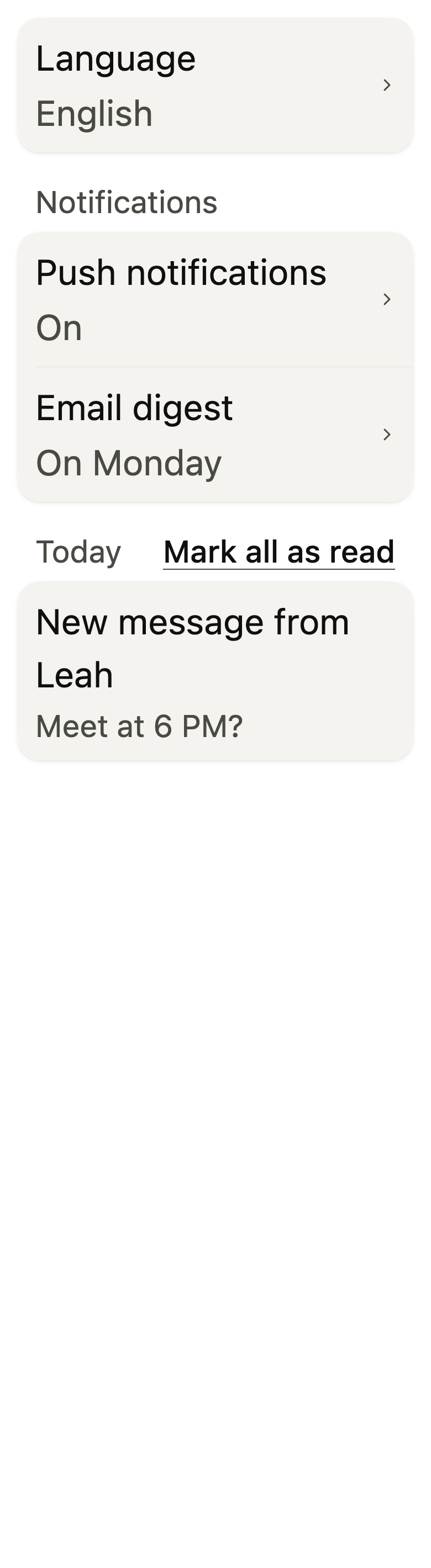
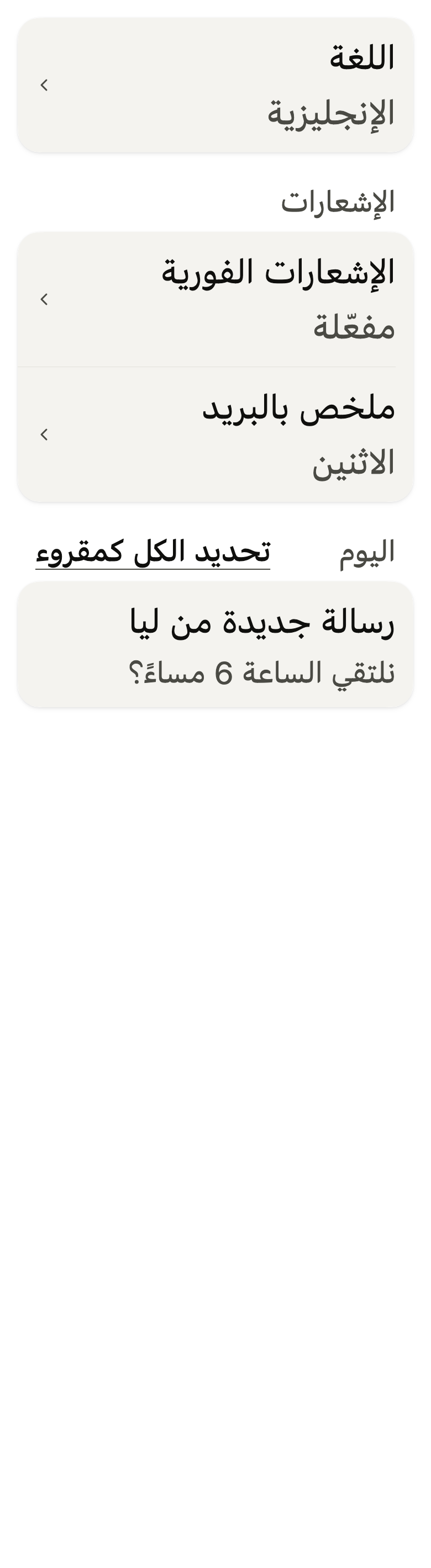
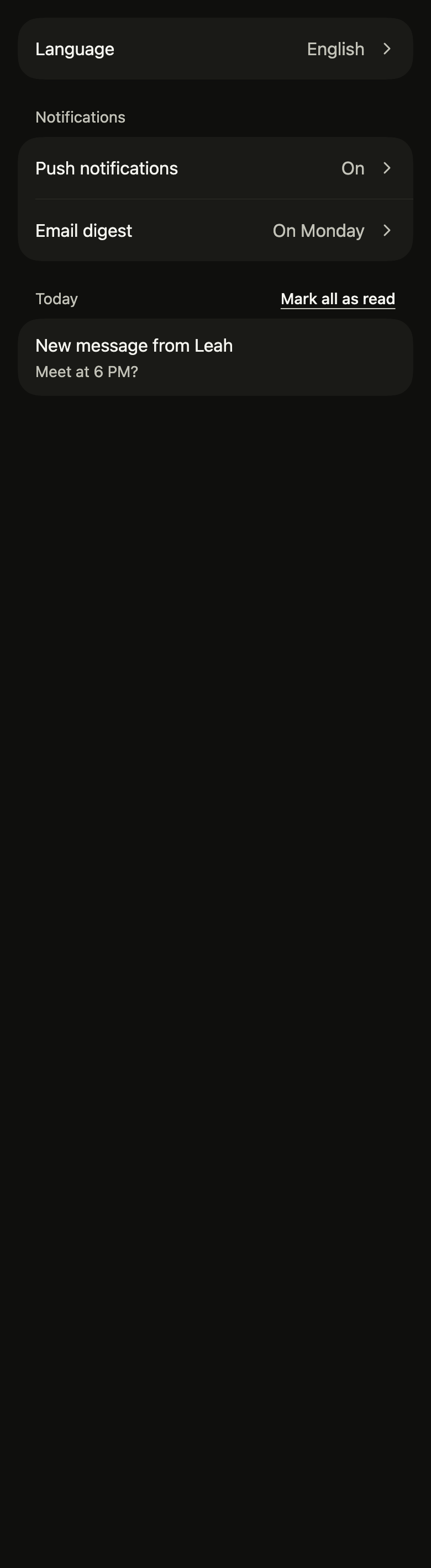
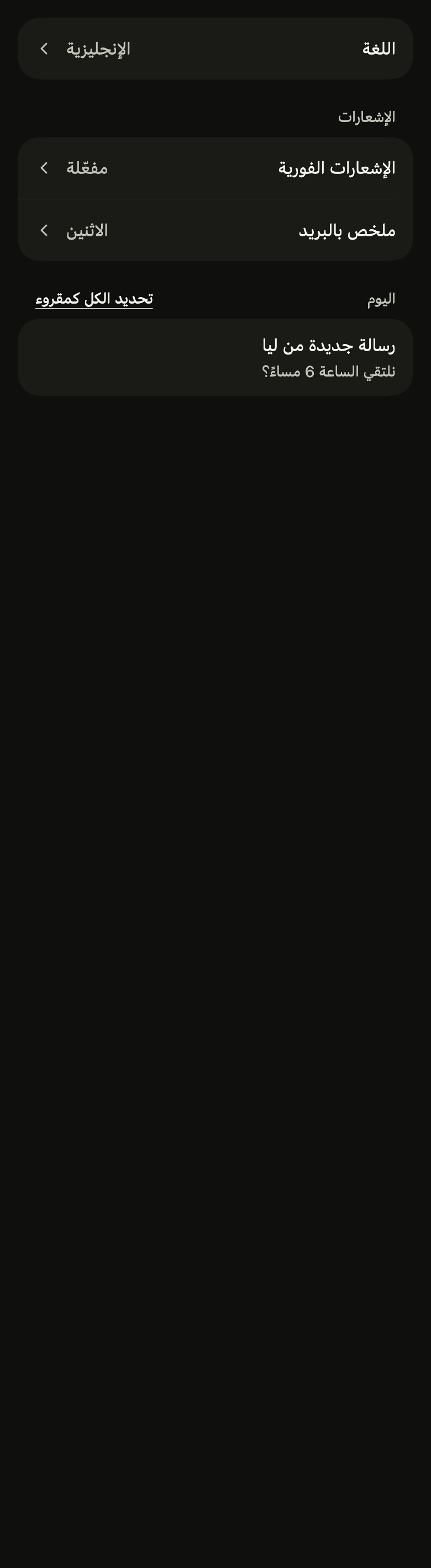
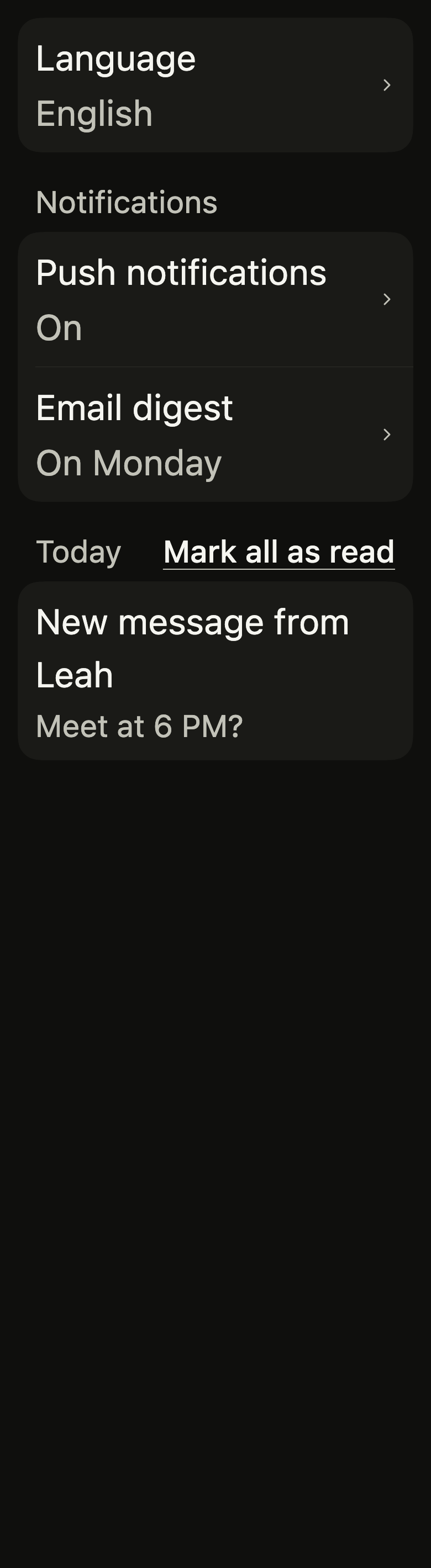
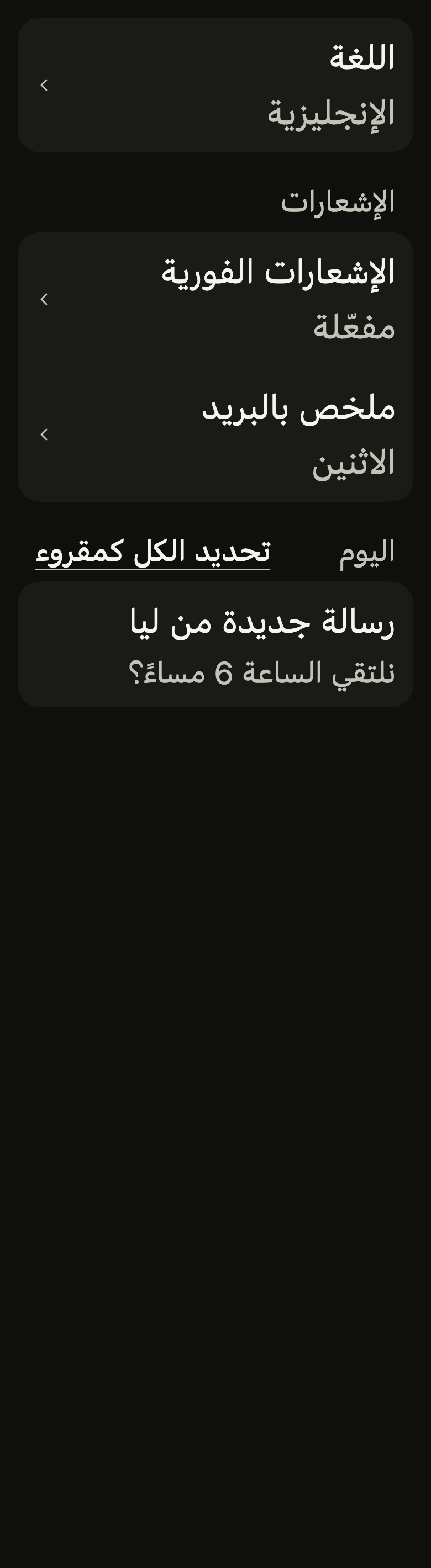
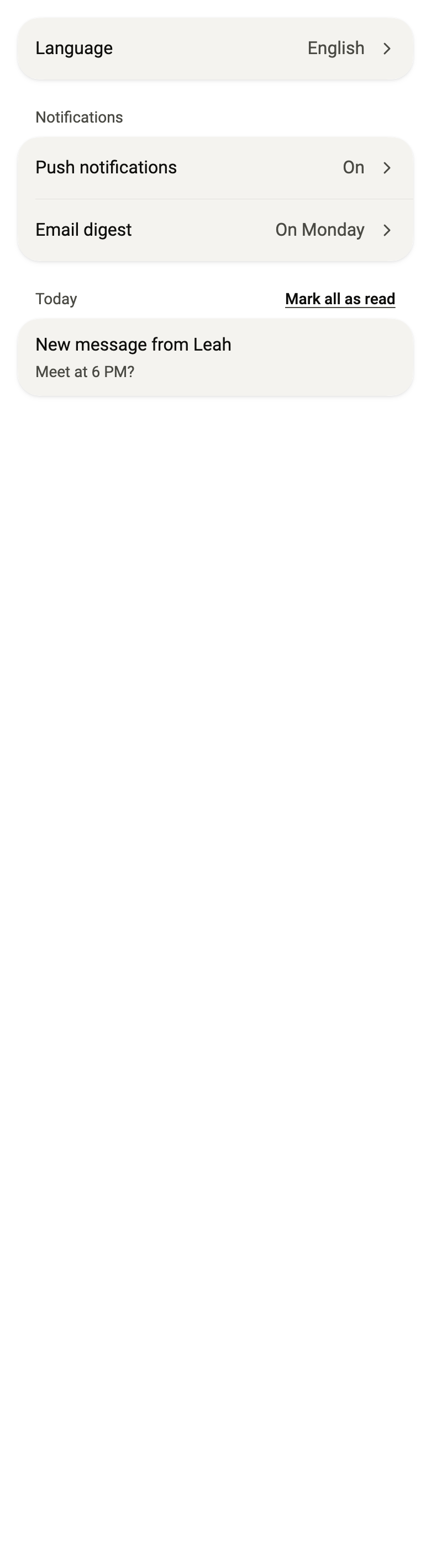
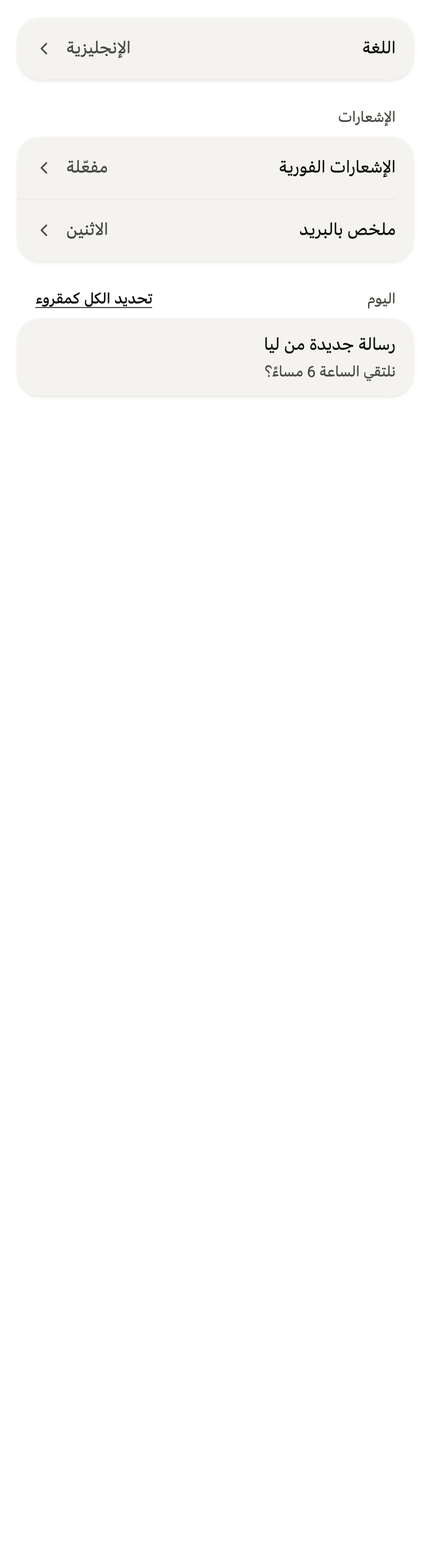
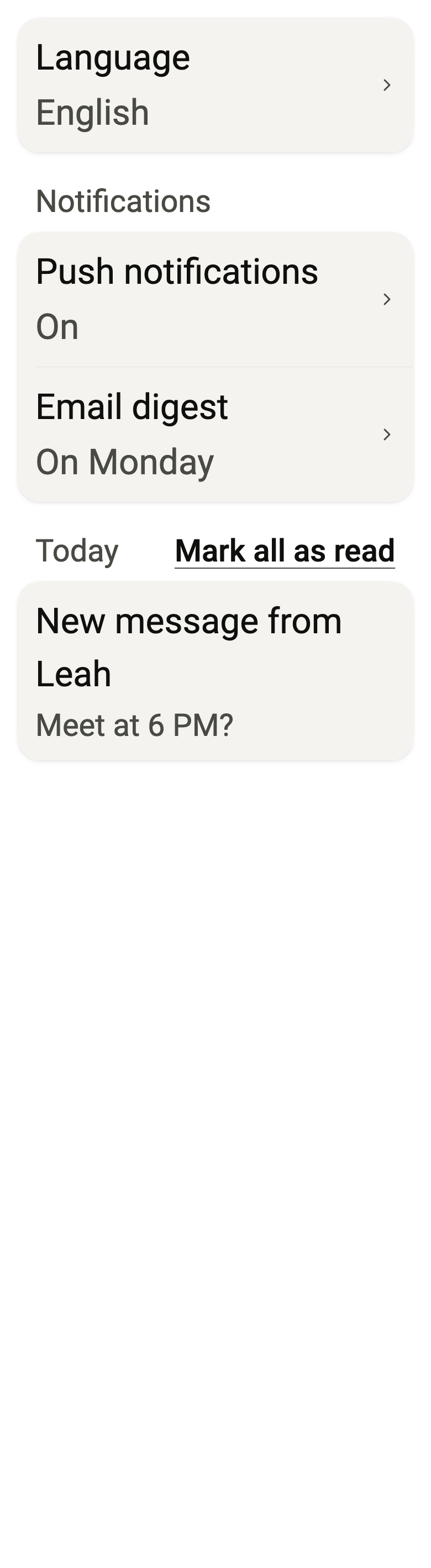
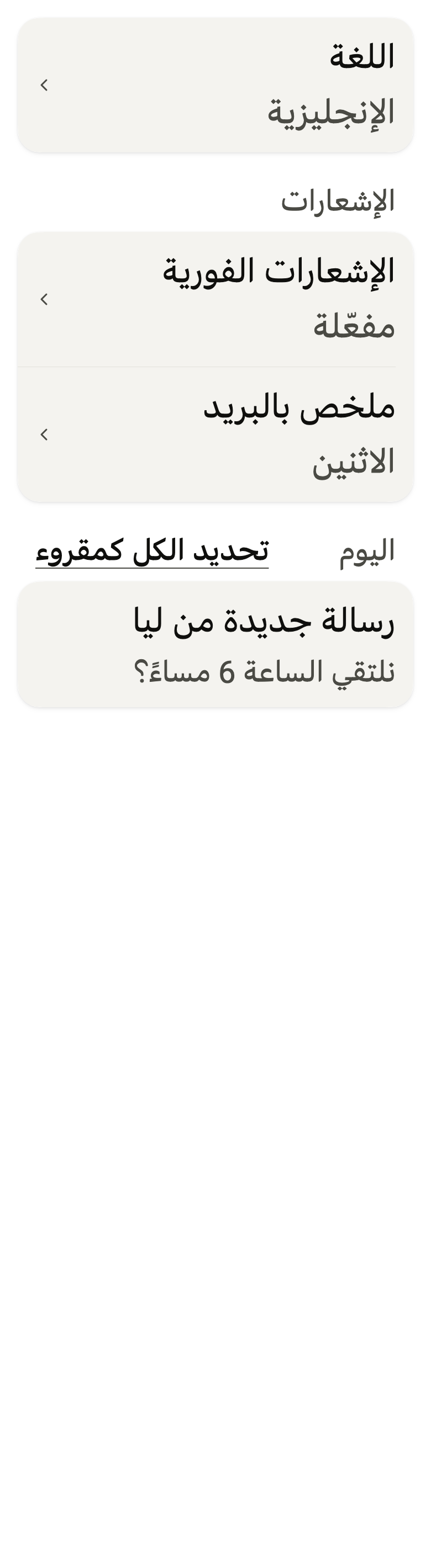
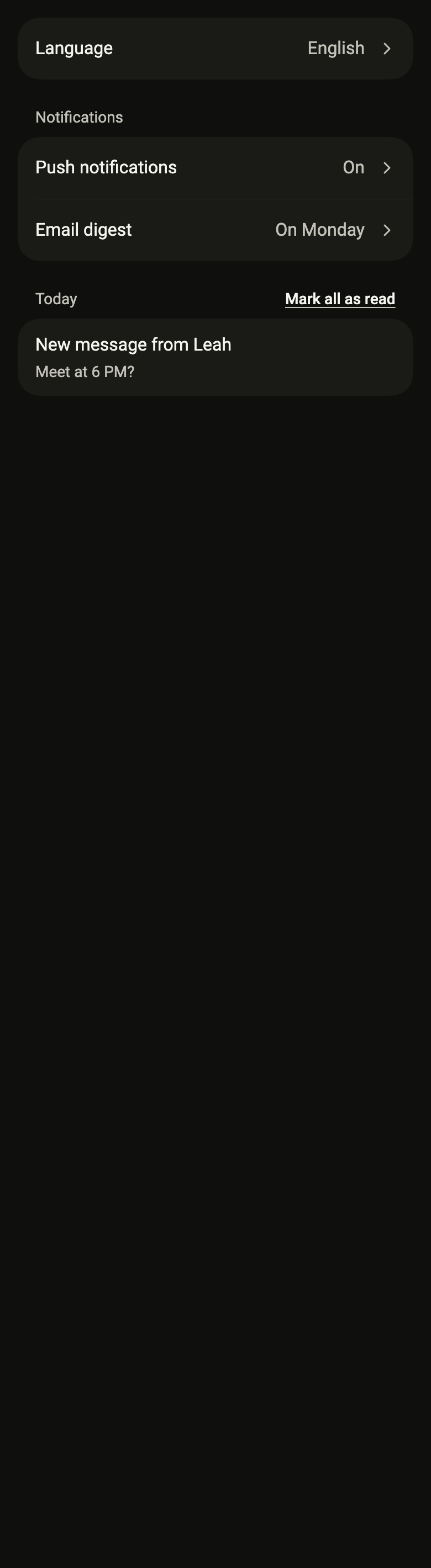
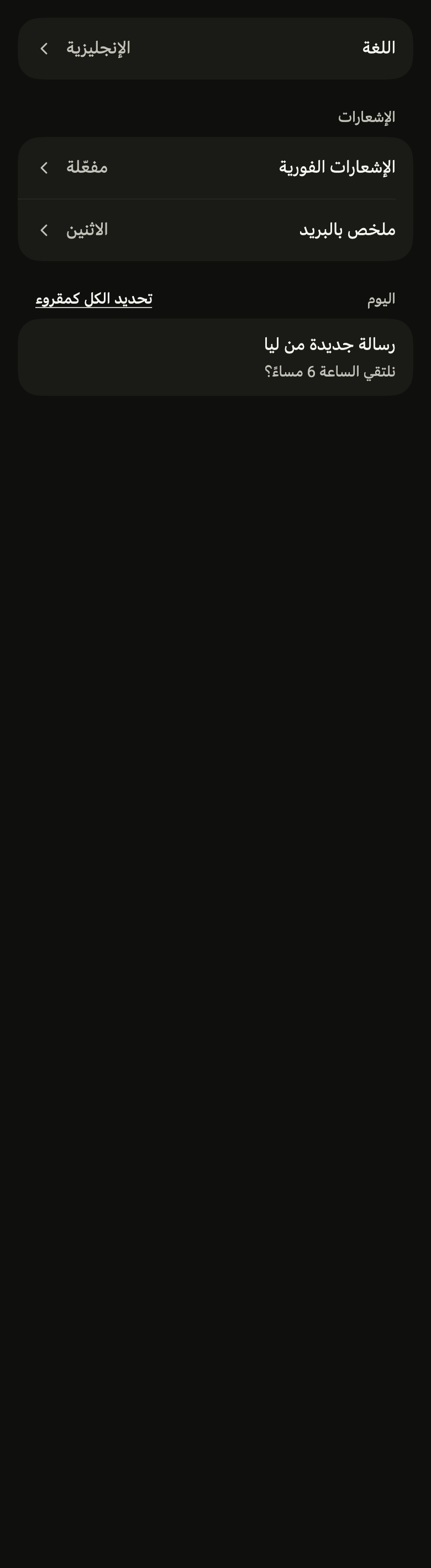
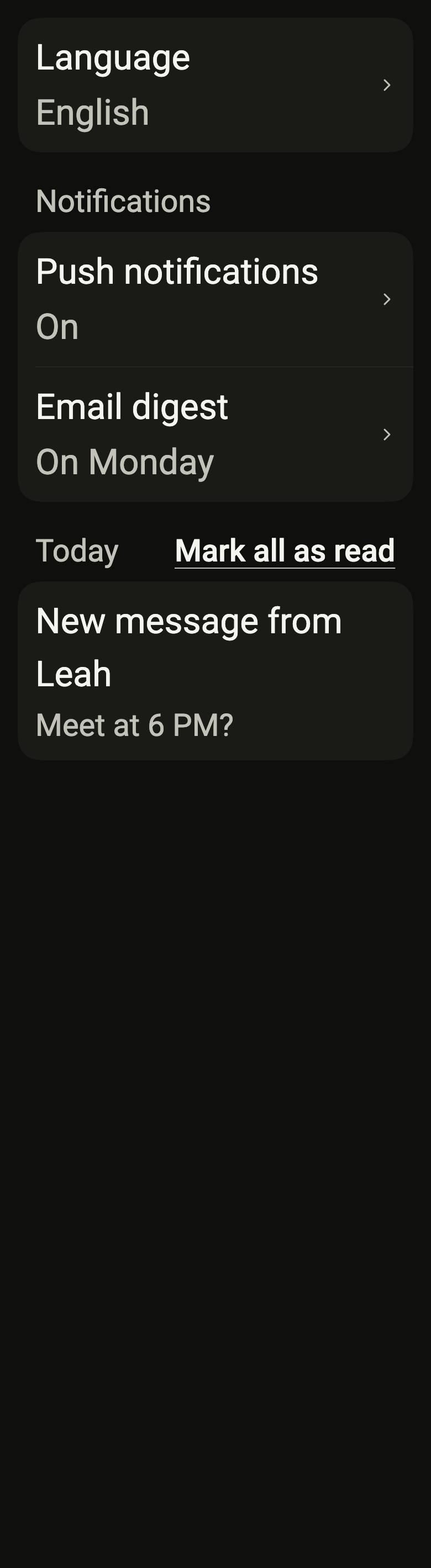
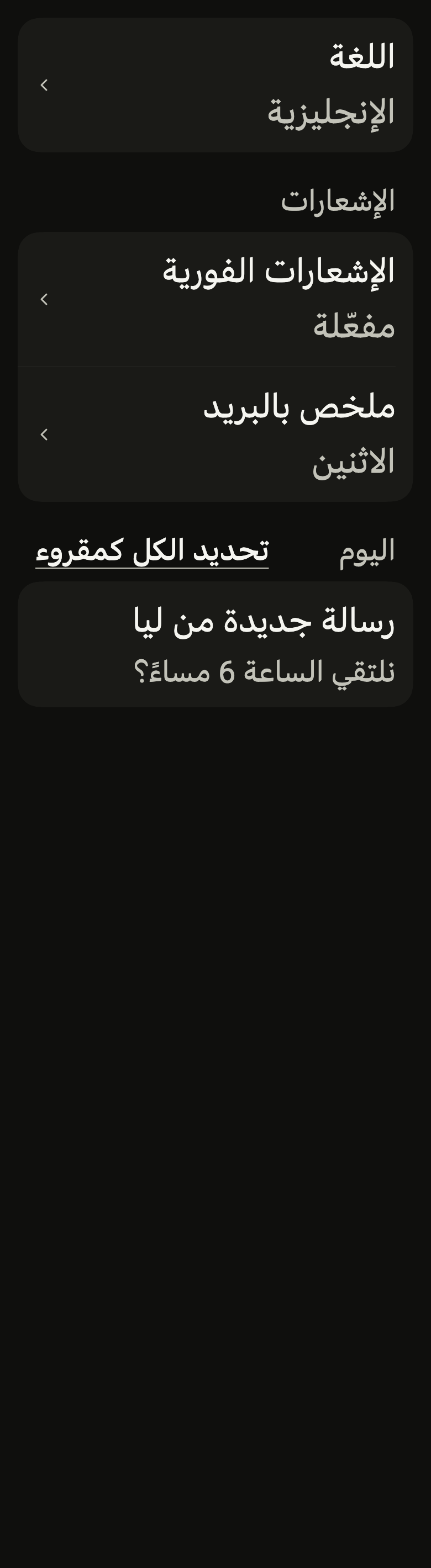
The code the reference images render:
final example = ColoredBox(
  color: FlScope.of(context).colors.surface,
  child: Padding(
    padding: EdgeInsetsDirectional.all(FlScope.of(context).space.lg),
    child: Column(
      crossAxisAlignment: CrossAxisAlignment.stretch,
      spacing: FlScope.of(context).space.xl,
      children: [
        FlSettingsSection(
          children: [
            FlListRow(
              title: (variant.dir == TextDirection.rtl ? "اللغة" : "Language"),
              value: (variant.dir == TextDirection.rtl
                  ? "الإنجليزية"
                  : "English"),
              trailing: const FlListRowChevron(),
              onPressed: () {},
            ),
          ],
        ),
        FlSettingsSection(
          title: (variant.dir == TextDirection.rtl
              ? "الإشعارات"
              : "Notifications"),
          children: [
            FlListRow(
              title: (variant.dir == TextDirection.rtl
                  ? "الإشعارات الفورية"
                  : "Push notifications"),
              value: (variant.dir == TextDirection.rtl ? "مفعّلة" : "On"),
              trailing: const FlListRowChevron(),
              onPressed: () {},
            ),
            FlListRow(
              title: (variant.dir == TextDirection.rtl
                  ? "ملخص بالبريد"
                  : "Email digest"),
              value: (variant.dir == TextDirection.rtl
                  ? "الاثنين"
                  : "On Monday"),
              trailing: const FlListRowChevron(),
              onPressed: () {},
            ),
          ],
        ),
        FlSettingsSection(
          title: (variant.dir == TextDirection.rtl ? "اليوم" : "Today"),
          action: FlSectionHeaderAction(
            label: (variant.dir == TextDirection.rtl
                ? "تحديد الكل كمقروء"
                : "Mark all as read"),
            onPressed: () {},
          ),
          children: [
            FlListRow(
              title: (variant.dir == TextDirection.rtl
                  ? "رسالة جديدة من ليا"
                  : "New message from Leah"),
              subtitle: (variant.dir == TextDirection.rtl
                  ? "نلتقي الساعة 6 مساءً؟"
                  : "Meet at 6 PM?"),
              onPressed: () {},
            ),
          ],
        ),
      ],
    ),
  ),
);API
FlSettingsSection: class extends StatelessWidget
FlSettingsSection.new: const new({super.key, String? title, FlSectionHeaderAction? action, required List<Widget> children, String? footer, FlSurfaceVariant variant, bool separators})
FlSettingsSection.title: get String?
FlSettingsSection.action: get FlSectionHeaderAction?
FlSettingsSection.children: get List<Widget>
FlSettingsSection.footer: get String?
FlSettingsSection.variant: get FlSurfaceVariant
FlSettingsSection.separators: get bool
FlSettingsSection.build: Widget(BuildContext context)
Reference renders
The 16 images published with version 0.2.2, rendered by the shared harness on macOS with Flutter 3.47.7. fliin verify settings-section compares your copy to them.
Use it to
- separate the rows of a screen by topic under a heading
- keep topics in rounded groups
- show a list of notifications by day
- add a link at the end of a group heading
- split a long screen of topics into sections
- Not for
- a single row in a page: use a list row (list-row)
- a heading alone above a grid: use a section header (section-header)
- States