Blocks / auth
Access form
Groups the fields of an access screen and its main button: autofill, a form frozen while sending, an alert on top, and the field and button kept above the keyboard.
Import
Access form is part of Fliin Pro. With a license key, sign in once with fliin login, then add it in a Flutter app where fliin init has run:
fliin login
fliin add auth-form
Also installs: core, alert, button, link-button, text-field
Examples
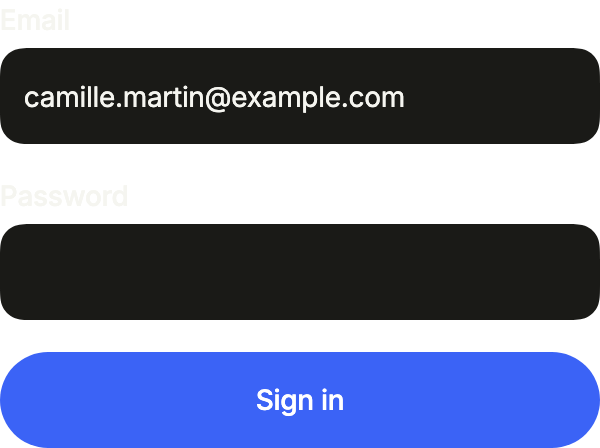
Ready
The fields of a sign-in form and its submit button, wired for autofill: the system offers to save the credentials after onSubmit.
import 'package:your_app/ui/fliin/components/auth_form/fl_auth_form.dart';
import 'package:your_app/ui/fliin/components/text_field/fl_text_field.dart';
import 'package:flutter/services.dart';
import 'package:flutter/widgets.dart';

class AuthFormReadyExample extends StatefulWidget {
  const AuthFormReadyExample({super.key});

  @override
  State<AuthFormReadyExample> createState() => _AuthFormReadyExampleState();
}

class _AuthFormReadyExampleState extends State<AuthFormReadyExample> {
  final _email = TextEditingController(text: '[email protected]');

  @override
  void dispose() {
    _email.dispose();
    super.dispose();
  }

  @override
  Widget build(BuildContext context) {
    return FlAuthForm(
      submitLabel: 'Sign in',
      onSubmit: () {},
      children: [
        FlTextField(
          label: 'Email',
          controller: _email,
          keyboardType: TextInputType.emailAddress,
          textInputAction: TextInputAction.next,
          autofillHints: const [AutofillHints.email],
        ),
        FlTextField(
          label: 'Password',
          obscureText: true,
          textInputAction: TextInputAction.done,
          autofillHints: const [AutofillHints.password],
        ),
      ],
    );
  }
}Invalid
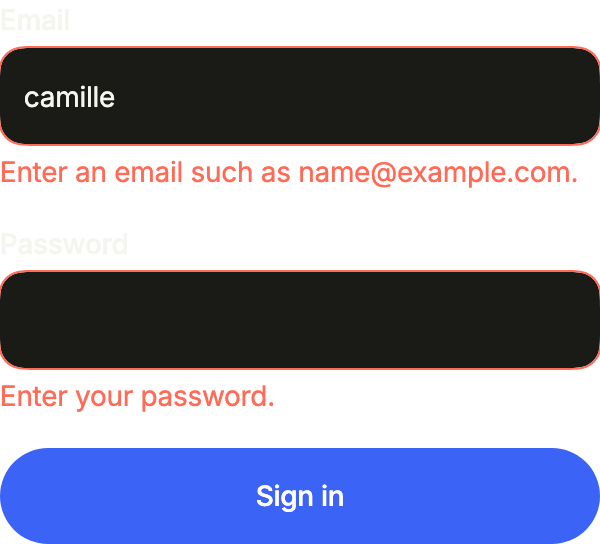
Each field says what is wrong under it with error; the form keeps what was typed.
import 'package:your_app/ui/fliin/components/auth_form/fl_auth_form.dart';
import 'package:your_app/ui/fliin/components/text_field/fl_text_field.dart';
import 'package:flutter/services.dart';
import 'package:flutter/widgets.dart';

class AuthFormInvalidExample extends StatefulWidget {
  const AuthFormInvalidExample({super.key});

  @override
  State<AuthFormInvalidExample> createState() => _AuthFormInvalidExampleState();
}

class _AuthFormInvalidExampleState extends State<AuthFormInvalidExample> {
  final _email = TextEditingController(text: 'camille');

  @override
  void dispose() {
    _email.dispose();
    super.dispose();
  }

  @override
  Widget build(BuildContext context) {
    return FlAuthForm(
      submitLabel: 'Sign in',
      onSubmit: () {},
      children: [
        FlTextField(
          label: 'Email',
          controller: _email,
          keyboardType: TextInputType.emailAddress,
          textInputAction: TextInputAction.next,
          autofillHints: const [AutofillHints.email],
          error: 'Enter an email such as [email protected].',
        ),
        FlTextField(
          label: 'Password',
          obscureText: true,
          textInputAction: TextInputAction.done,
          autofillHints: const [AutofillHints.password],
          error: 'Enter your password.',
        ),
      ],
    );
  }
}Sending
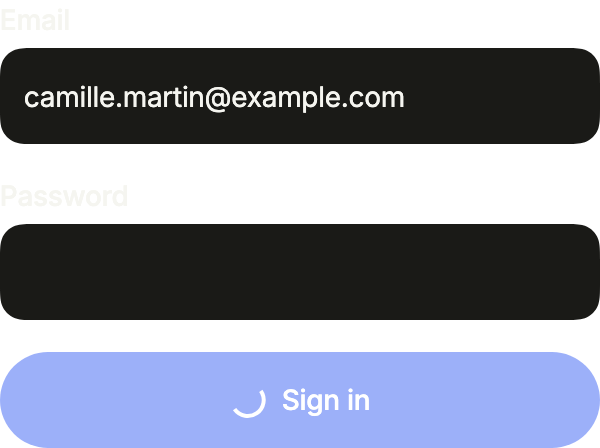
busy shows a spinner in the submit button and locks the fields while the request runs.
import 'package:your_app/ui/fliin/components/auth_form/fl_auth_form.dart';
import 'package:your_app/ui/fliin/components/text_field/fl_text_field.dart';
import 'package:flutter/services.dart';
import 'package:flutter/widgets.dart';

class AuthFormSendingExample extends StatefulWidget {
  const AuthFormSendingExample({super.key});

  @override
  State<AuthFormSendingExample> createState() => _AuthFormSendingExampleState();
}

class _AuthFormSendingExampleState extends State<AuthFormSendingExample> {
  final _email = TextEditingController(text: '[email protected]');

  @override
  void dispose() {
    _email.dispose();
    super.dispose();
  }

  @override
  Widget build(BuildContext context) {
    return FlAuthForm(
      busy: true,
      submitLabel: 'Sign in',
      onSubmit: () {},
      children: [
        FlTextField(
          label: 'Email',
          controller: _email,
          keyboardType: TextInputType.emailAddress,
          textInputAction: TextInputAction.next,
          autofillHints: const [AutofillHints.email],
        ),
        FlTextField(
          label: 'Password',
          obscureText: true,
          textInputAction: TextInputAction.done,
          autofillHints: const [AutofillHints.password],
        ),
      ],
    );
  }
}Alert
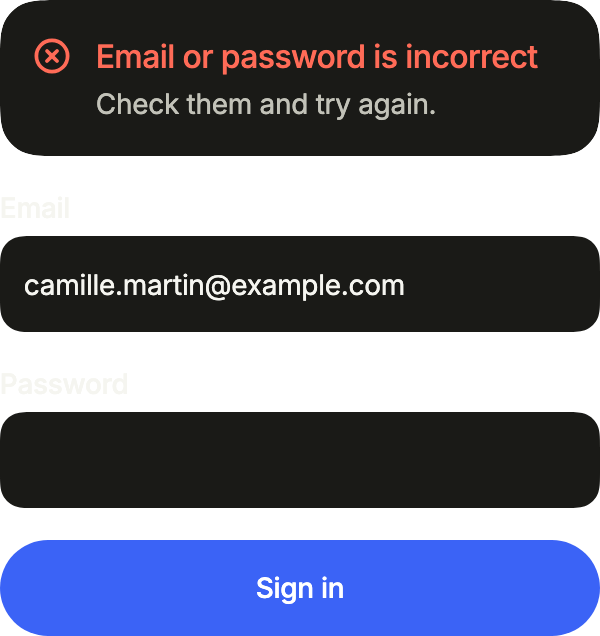
A problem with the whole form goes in alert, above the fields: here, credentials the server refused.
import 'package:your_app/ui/fliin/components/alert/fl_alert.dart';
import 'package:your_app/ui/fliin/components/auth_form/fl_auth_form.dart';
import 'package:your_app/ui/fliin/components/text_field/fl_text_field.dart';
import 'package:flutter/services.dart';
import 'package:flutter/widgets.dart';

class AuthFormAlertExample extends StatefulWidget {
  const AuthFormAlertExample({super.key});

  @override
  State<AuthFormAlertExample> createState() => _AuthFormAlertExampleState();
}

class _AuthFormAlertExampleState extends State<AuthFormAlertExample> {
  final _email = TextEditingController(text: '[email protected]');

  @override
  void dispose() {
    _email.dispose();
    super.dispose();
  }

  @override
  Widget build(BuildContext context) {
    return FlAuthForm(
      alert: const FlAlert(
        status: FlAlertStatus.danger,
        title: 'Email or password is incorrect',
        description: 'Check them and try again.',
      ),
      submitLabel: 'Sign in',
      onSubmit: () {},
      children: [
        FlTextField(
          label: 'Email',
          controller: _email,
          keyboardType: TextInputType.emailAddress,
          textInputAction: TextInputAction.next,
          autofillHints: const [AutofillHints.email],
        ),
        FlTextField(
          label: 'Password',
          obscureText: true,
          textInputAction: TextInputAction.done,
          autofillHints: const [AutofillHints.password],
        ),
      ],
    );
  }
}Card
A sign-in in a card, as on a wide screen: the header at h4, the fields, the button, then "Forgot password?" in footer, under it.
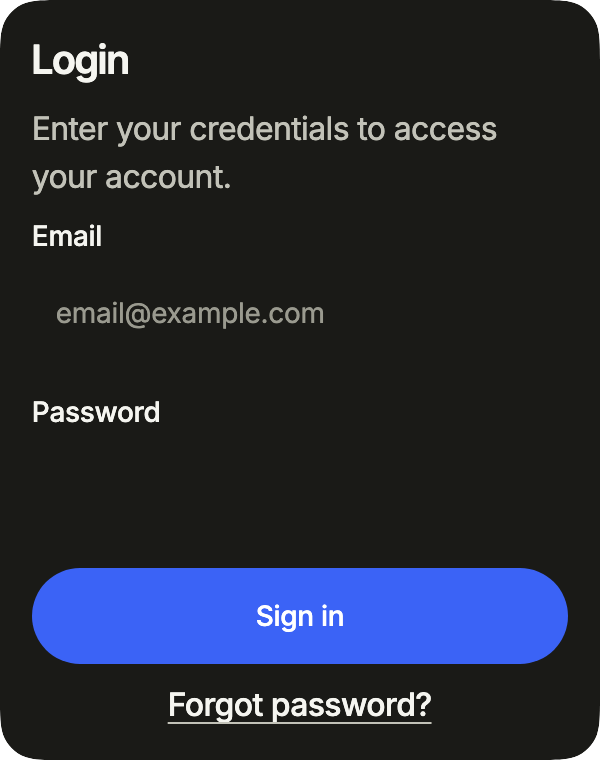
import 'package:your_app/ui/fliin/components/auth_form/fl_auth_form.dart';
import 'package:your_app/ui/fliin/components/auth_header/fl_auth_header.dart';
import 'package:your_app/ui/fliin/components/card/fl_card.dart';
import 'package:your_app/ui/fliin/components/link_button/fl_link_button.dart';
import 'package:your_app/ui/fliin/components/text/fl_text.dart';
import 'package:your_app/ui/fliin/components/text_field/fl_text_field.dart';
import 'package:your_app/ui/fliin/core/fliin.dart';
import 'package:flutter/services.dart';
import 'package:flutter/widgets.dart';

class AuthFormCardExample extends StatelessWidget {
  const AuthFormCardExample({super.key});

  @override
  Widget build(BuildContext context) {
    return FlCard(
      children: [
        FlCardBody(
          children: [
            const FlAuthHeader(
              titleType: FlTextType.h4,
              title: 'Login',
              subtitle: 'Enter your credentials to access your account.',
            ),
            SizedBox(height: FlScope.of(context).space.sm),
            FlAuthForm(
              submitLabel: 'Sign in',
              onSubmit: () {},
              footer: FlLinkButton(label: 'Forgot password?', underline: true, onPressed: () {}),
              children: const [
                FlTextField(
                  label: 'Email',
                  placeholder: '[email protected]',
                  keyboardType: TextInputType.emailAddress,
                  textInputAction: TextInputAction.next,
                  autofillHints: [AutofillHints.email],
                ),
                FlTextField(
                  label: 'Password',
                  obscureText: true,
                  textInputAction: TextInputAction.done,
                  autofillHints: [AutofillHints.password],
                ),
              ],
            ),
          ],
        ),
      ],
    );
  }
}Usage
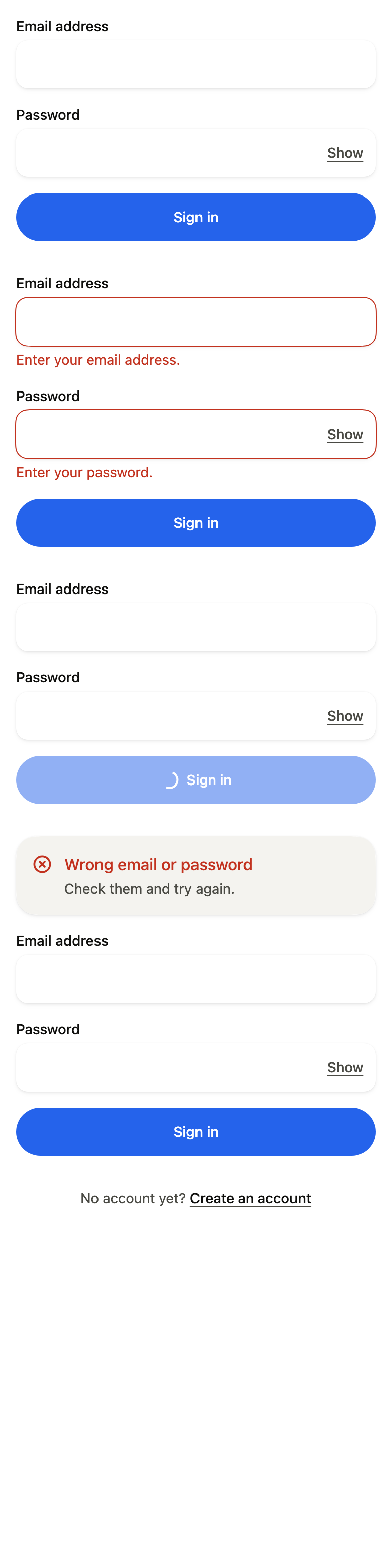
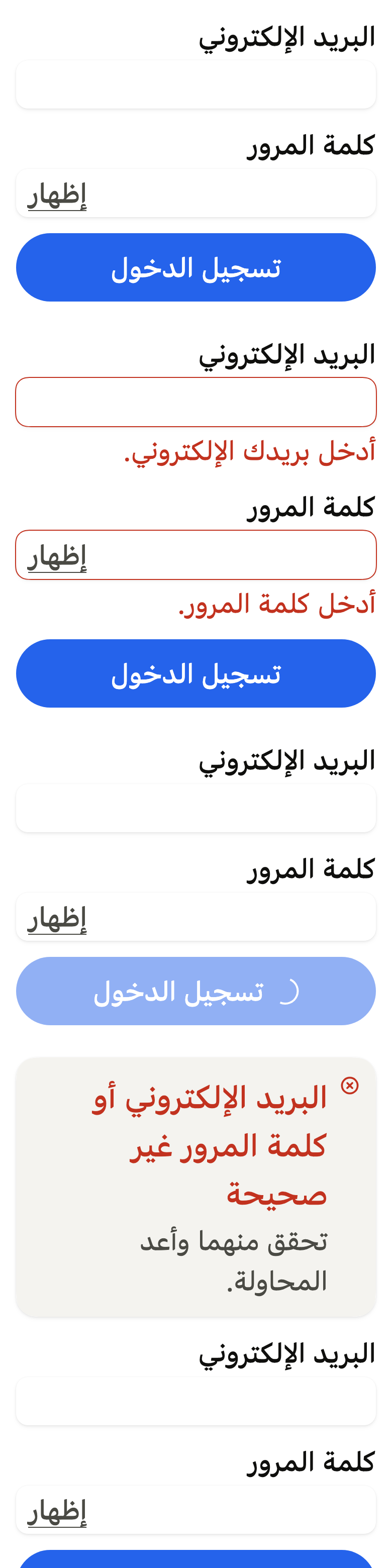
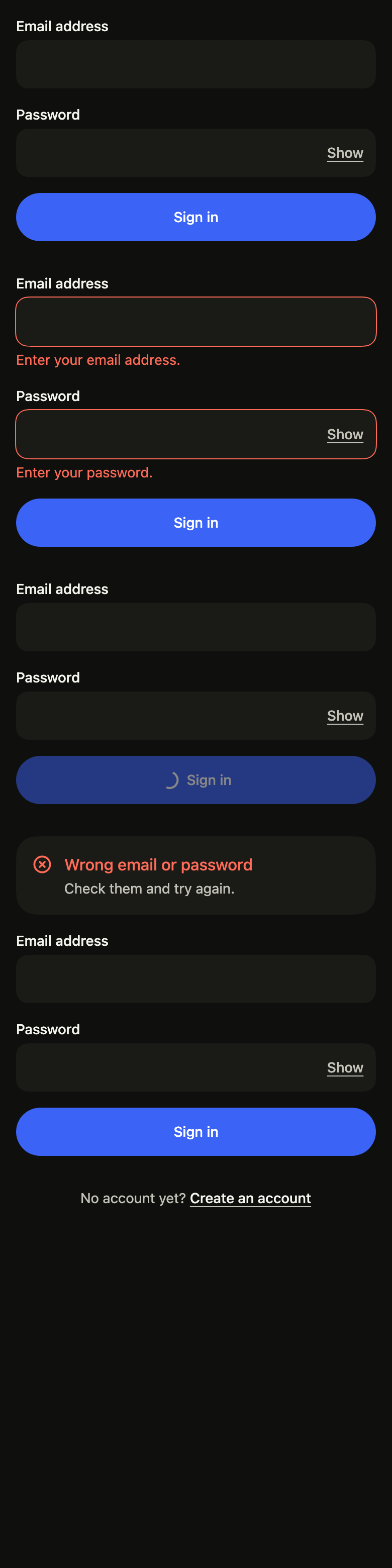
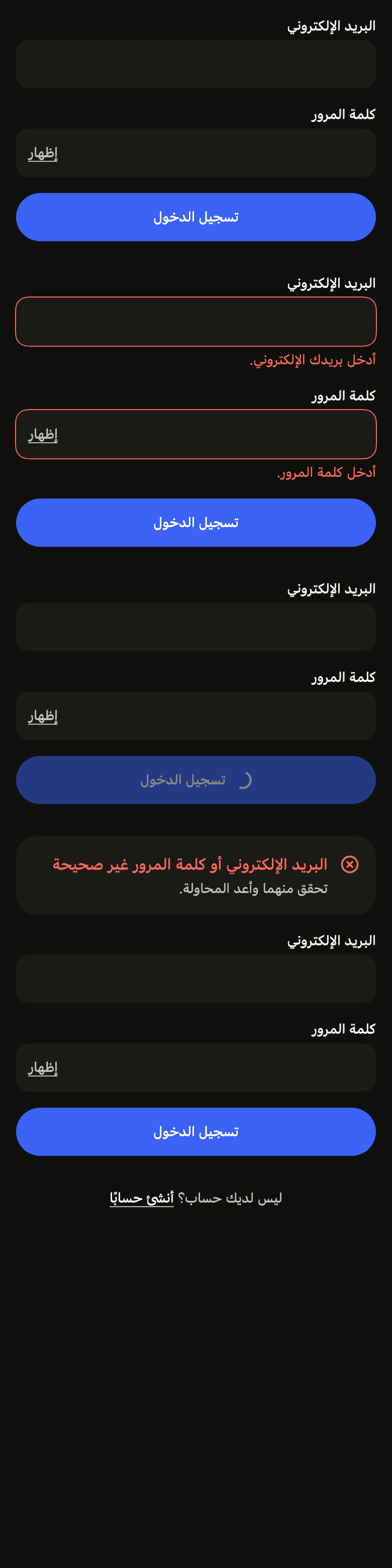
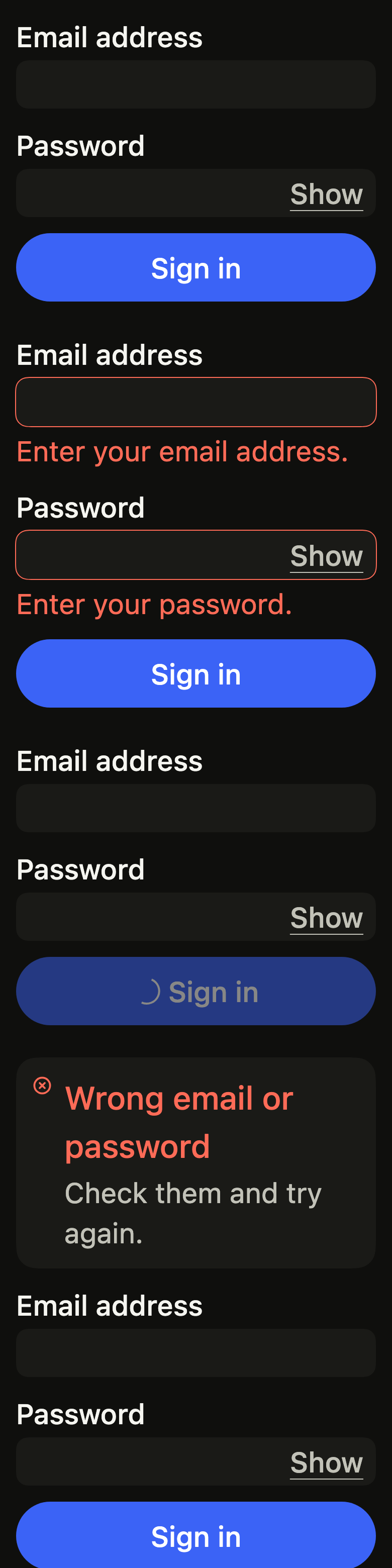
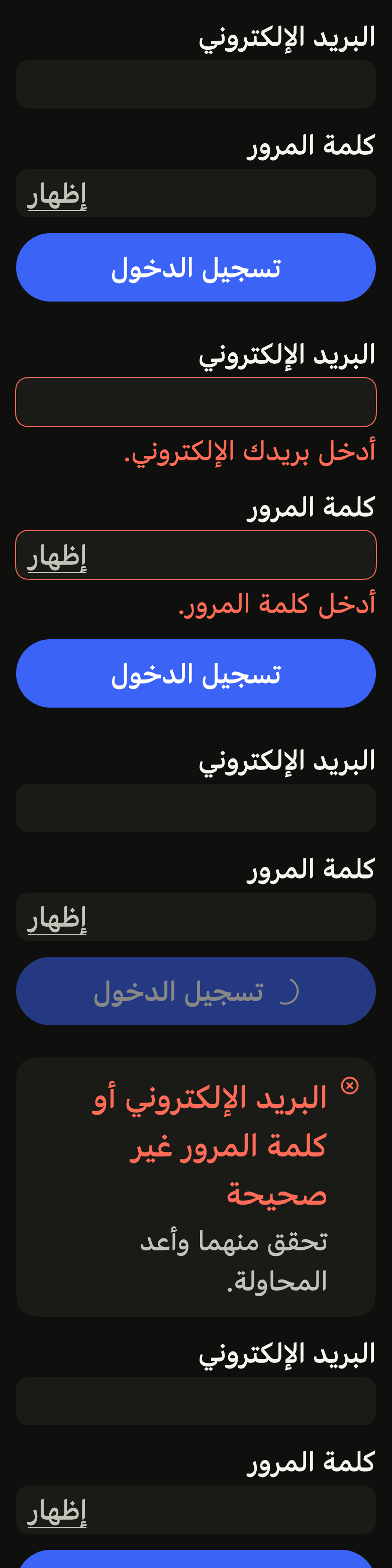
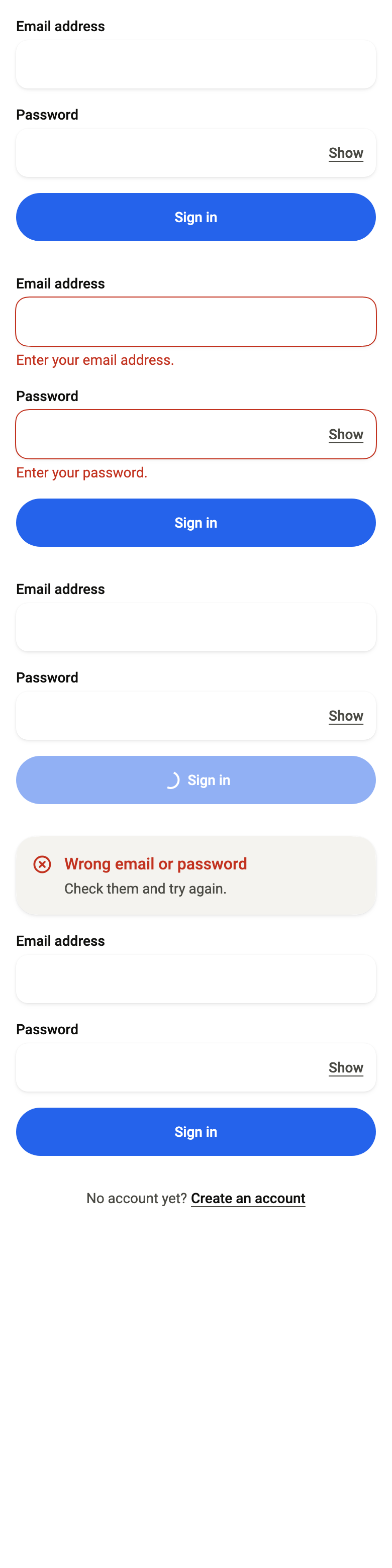
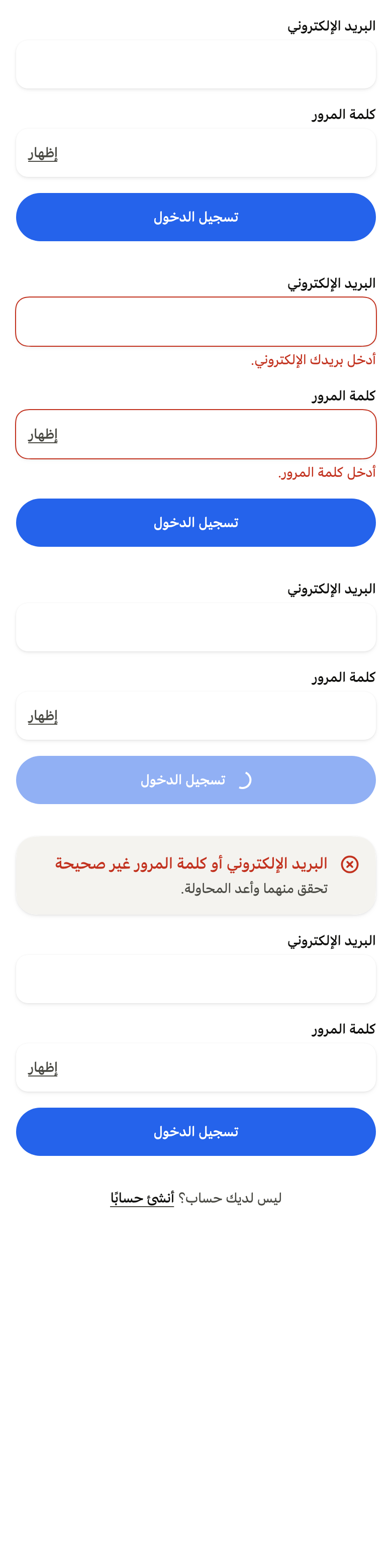
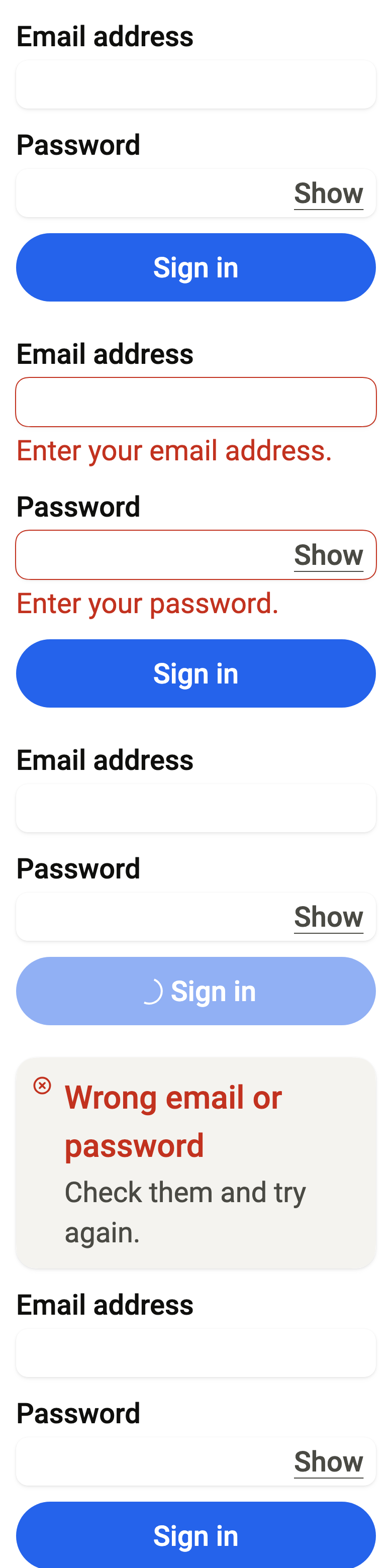
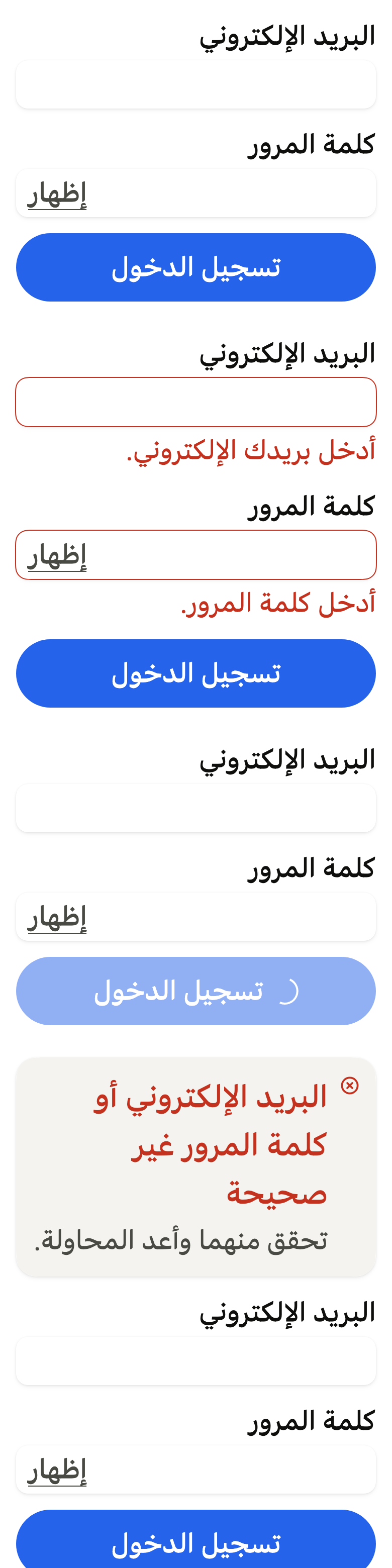
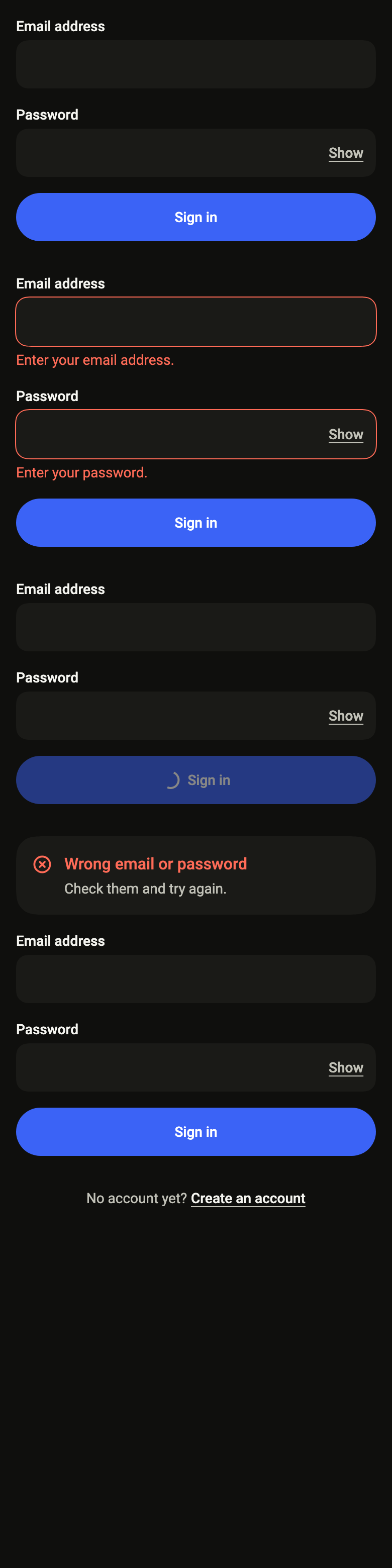
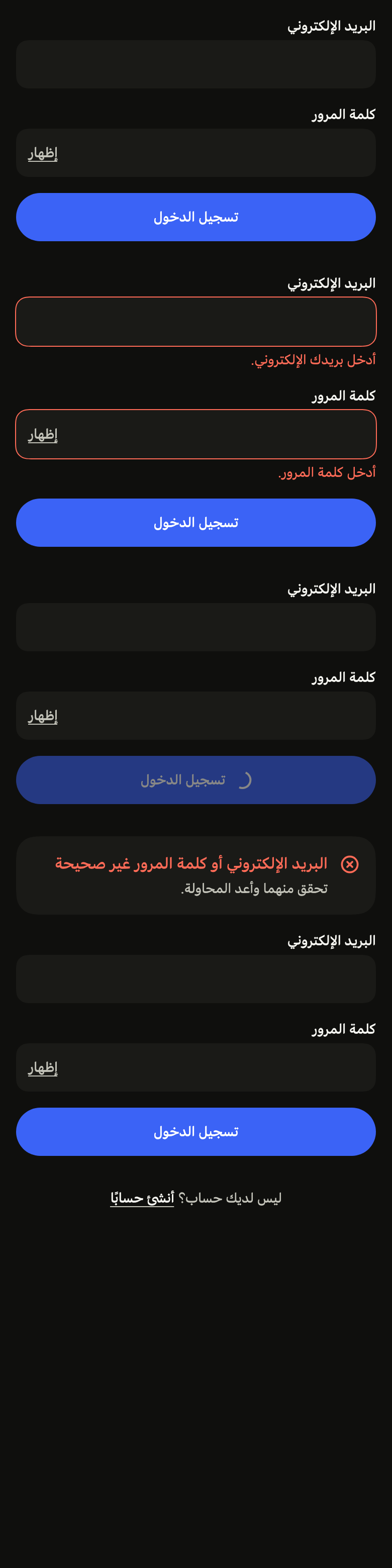
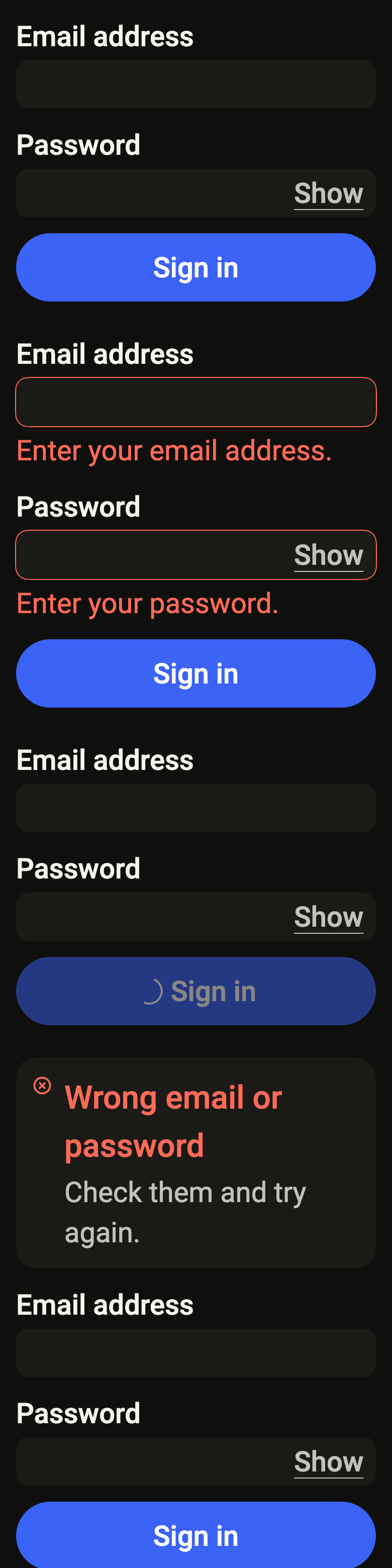
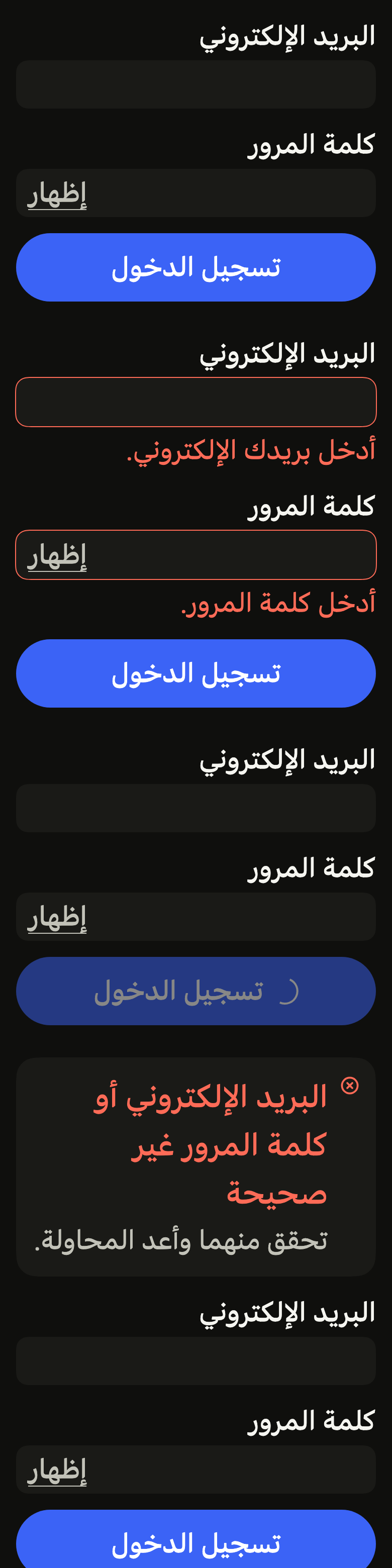
The code the reference images render:
final example = ColoredBox(
  color: FlScope.of(context).colors.surface,
  child: SingleChildScrollView(
    padding: EdgeInsetsDirectional.all(FlScope.of(context).space.lg),
    child: Column(
      crossAxisAlignment: CrossAxisAlignment.stretch,
      spacing: FlScope.of(context).space.xxl,
      children: [
        FlAuthForm(
          submitLabel: 'Sign in',
          onSubmit: () {},
          children: [
            FlTextField(
              label: 'Email address',
              keyboardType: TextInputType.emailAddress,
              autofillHints: const [AutofillHints.email],
            ),
            FlTextField(
              label: 'Password',
              obscureText: true,
              showLabel: 'Show',
              hideLabel: 'Hide',
              autofillHints: const [AutofillHints.password],
            ),
          ],
        ),
        FlAuthForm(
          submitLabel: 'Sign in',
          onSubmit: () {},
          children: [
            FlTextField(
              label: 'Email address',
              keyboardType: TextInputType.emailAddress,
              autofillHints: const [AutofillHints.email],
              error: 'Enter your email address.',
            ),
            FlTextField(
              label: 'Password',
              obscureText: true,
              showLabel: 'Show',
              hideLabel: 'Hide',
              autofillHints: const [AutofillHints.password],
              error: 'Enter your password.',
            ),
          ],
        ),
        FlAuthForm(
          submitLabel: 'Sign in',
          onSubmit: () {},
          busy: true,
          children: [
            FlTextField(
              label: 'Email address',
              keyboardType: TextInputType.emailAddress,
              autofillHints: const [AutofillHints.email],
            ),
            FlTextField(
              label: 'Password',
              obscureText: true,
              showLabel: 'Show',
              hideLabel: 'Hide',
              autofillHints: const [AutofillHints.password],
            ),
          ],
        ),
        FlAuthForm(
          submitLabel: 'Sign in',
          onSubmit: () {},
          alert: FlAlert(
            status: FlAlertStatus.danger,
            title: 'Wrong email or password',
            description: 'Check them and try again.',
          ),
          children: [
            FlTextField(
              label: 'Email address',
              keyboardType: TextInputType.emailAddress,
              autofillHints: const [AutofillHints.email],
            ),
            FlTextField(
              label: 'Password',
              obscureText: true,
              showLabel: 'Show',
              hideLabel: 'Hide',
              autofillHints: const [AutofillHints.password],
            ),
          ],
        ),
        FlAuthPrompt(
          question: 'No account yet?',
          action: 'Create an account',
          onPressed: () {},
        ),
      ],
    ),
  ),
);API
FlAuthForm: class extends StatefulWidget
FlAuthForm.new: const new({super.key, Widget? alert, required List<Widget> children, required String submitLabel, required VoidCallback? onSubmit, bool busy, bool savesCredentials, FlButtonSize? submitSize, Widget? footer})
FlAuthForm.alert: get Widget?
FlAuthForm.children: get List<Widget>
FlAuthForm.submitLabel: get String
FlAuthForm.onSubmit: get VoidCallback?
FlAuthForm.busy: get bool
FlAuthForm.savesCredentials: get bool
FlAuthForm.submitSize: get FlButtonSize?
FlAuthForm.footer: get Widget?
FlAuthForm.createState: State<FlAuthForm>()
FlAuthPrompt: class extends StatelessWidget
FlAuthPrompt.new: const new({super.key, required String question, required String action, required VoidCallback? onPressed})
FlAuthPrompt.question: get String
FlAuthPrompt.action: get String
FlAuthPrompt.onPressed: get VoidCallback?
FlAuthPrompt.build: Widget(BuildContext context)Reference renders
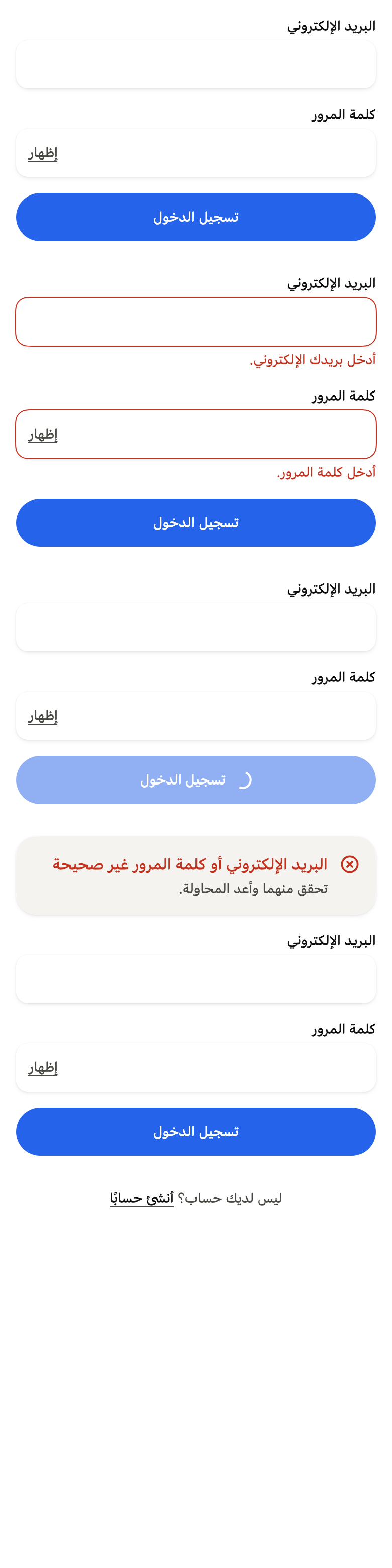
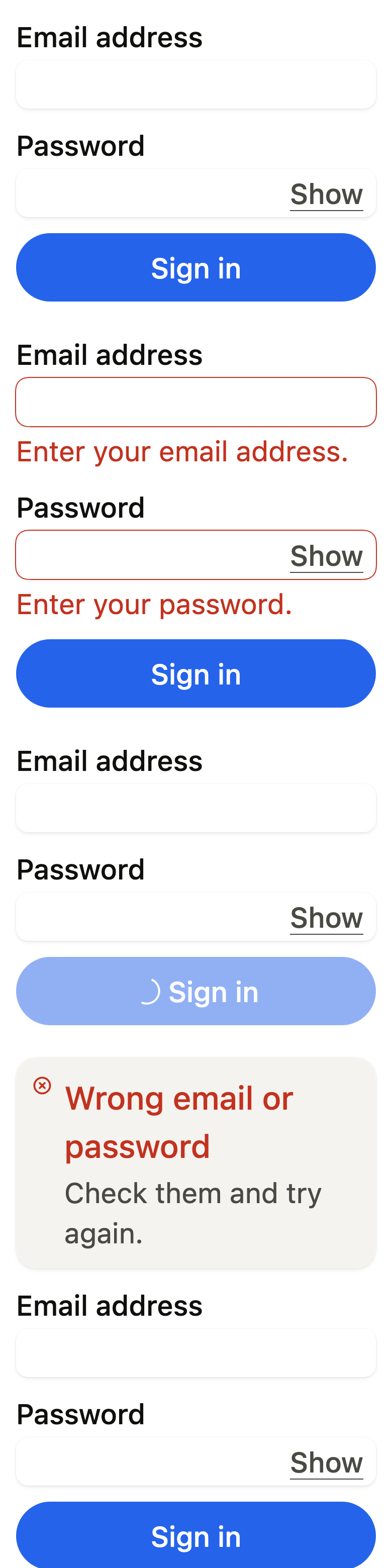
The 16 images published with version 0.2.4, rendered by the shared harness on macOS with Flutter 3.47.7. fliin verify auth-form compares your copy to them.
Use it to
- let the password manager autofill email and password together
- keep the active field and the main button above the keyboard
- make a sign in form read only while it is sent
- show rejected credentials at the top of the form
- offer a link to sign up below the form
- Not for
- a single text field: use a text field (text-field)
- a single link under a form, such as the legal notice: use a link (link-button)
- a box to accept the terms before sending the form: use a checkbox (checkbox)
- a code received by SMS or email: use a one-time code (input-otp)
- a complete sign-in screen: use the sign-in screen (sign-in)
- States