Blocks / messaging
Conversation row
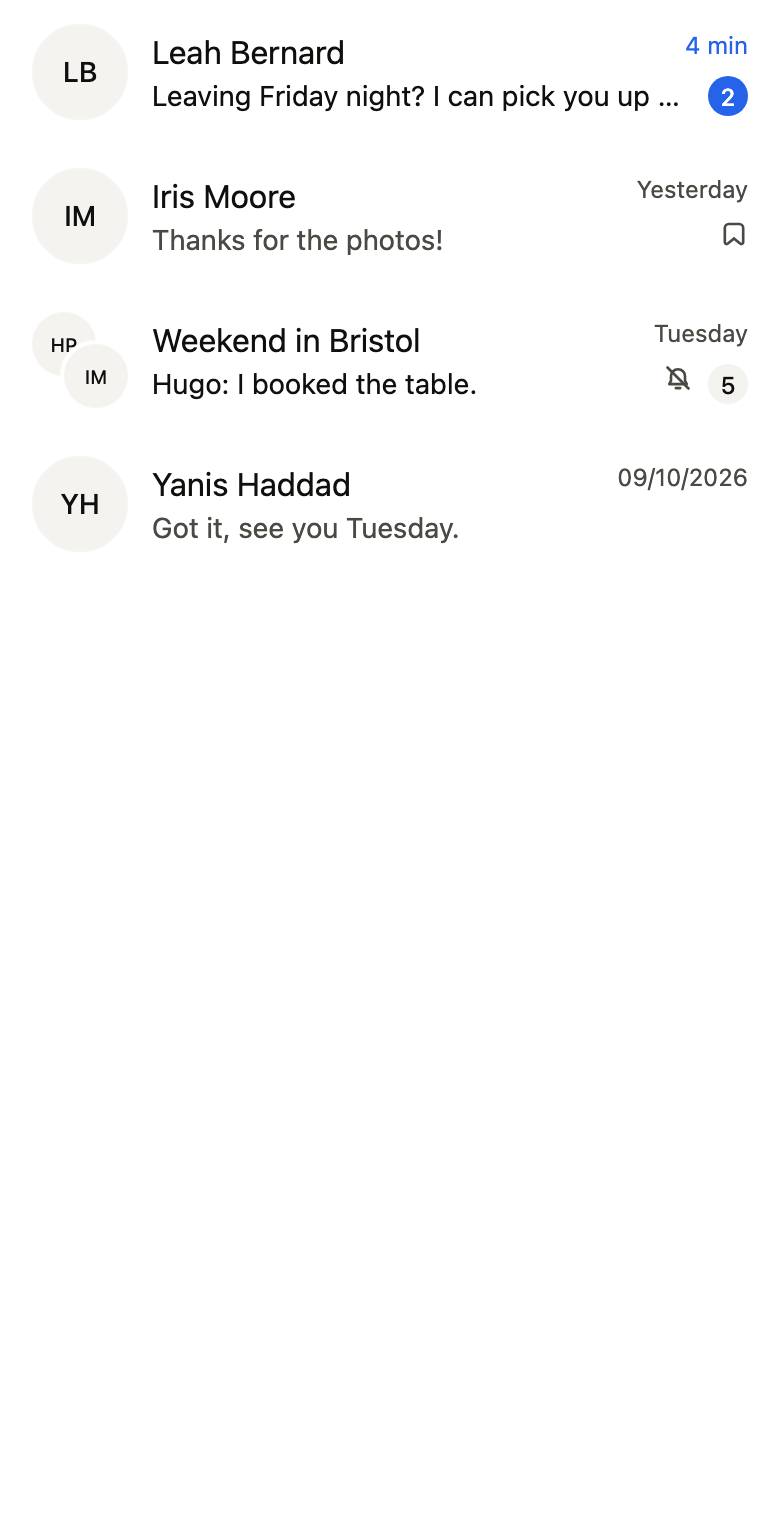
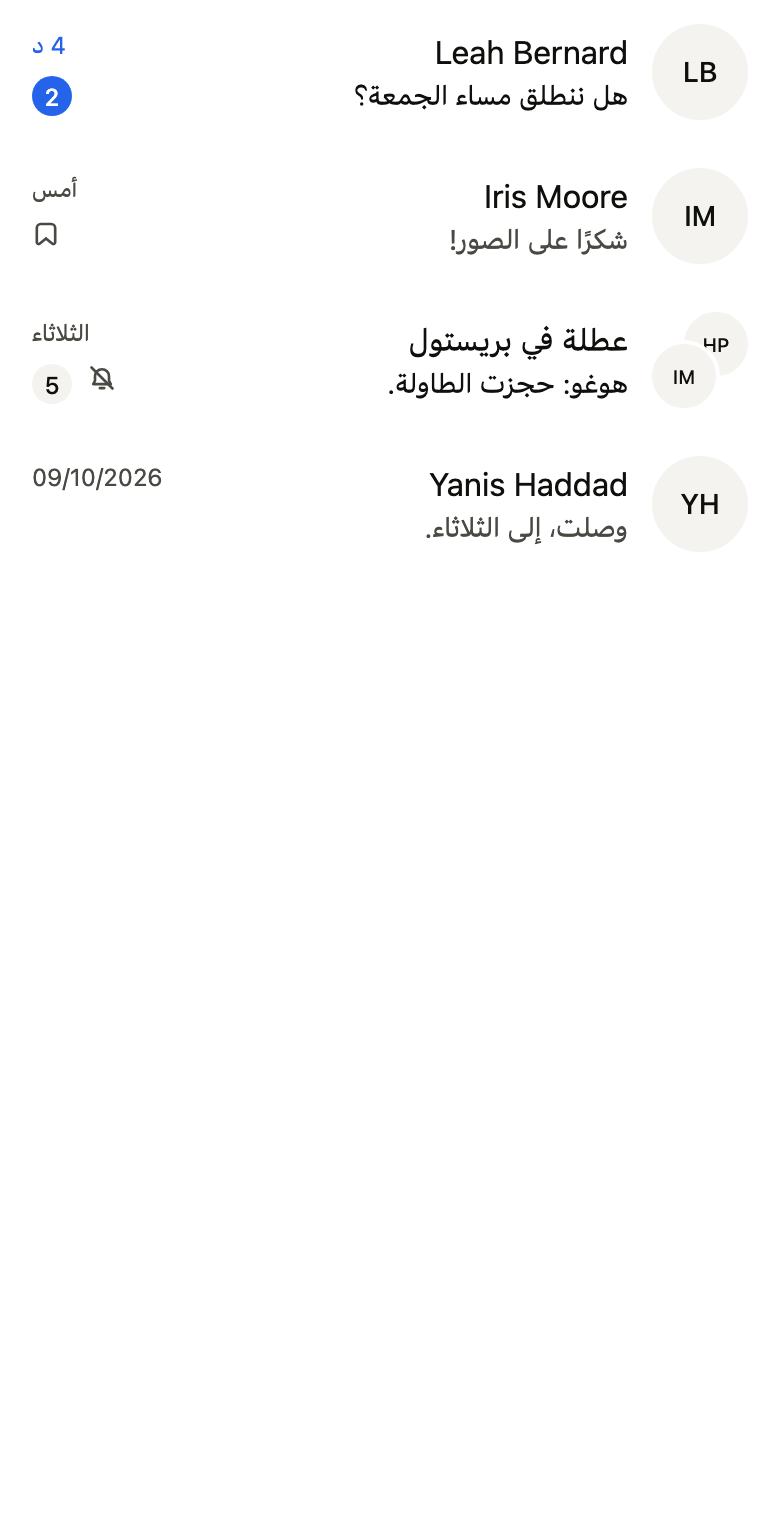
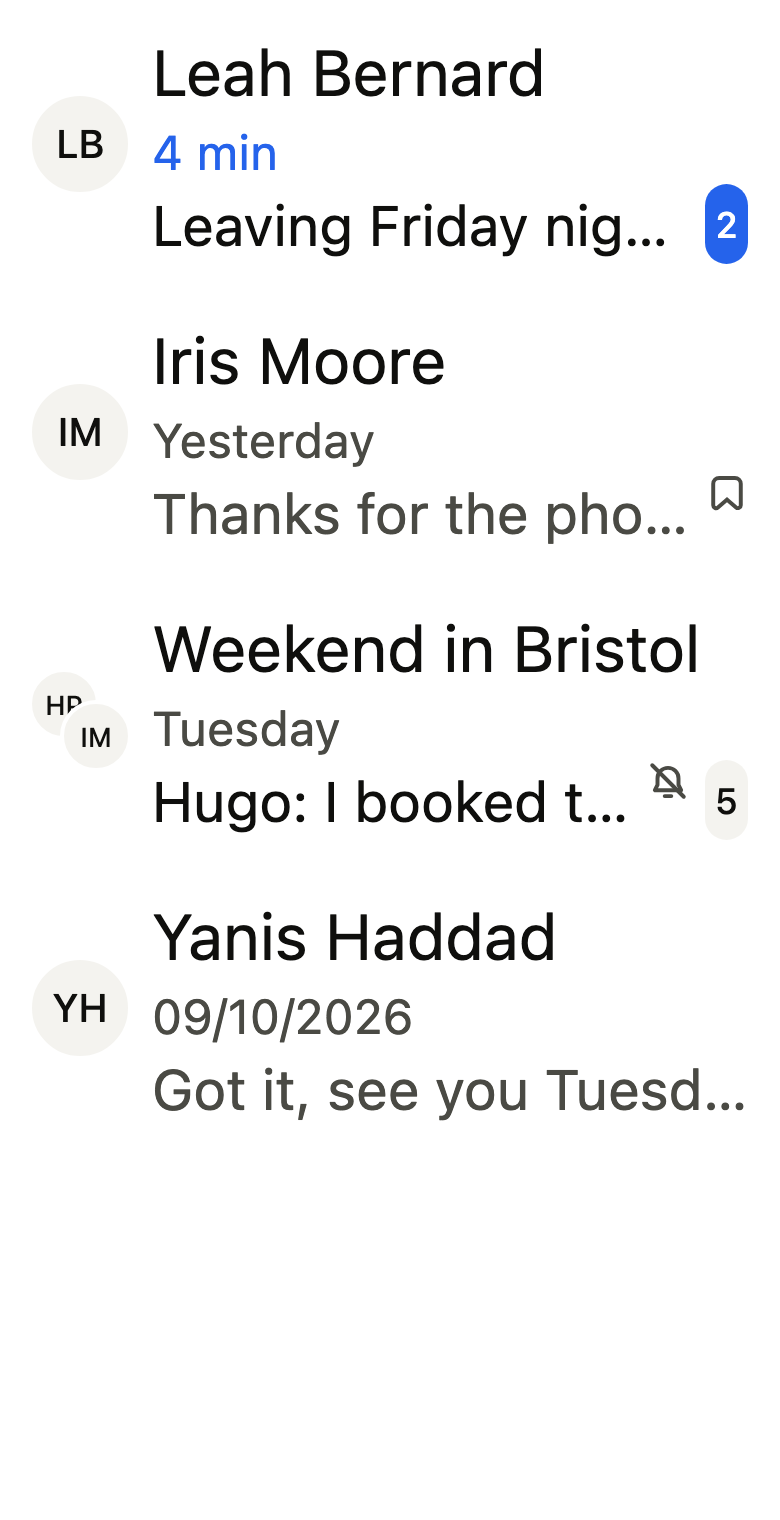
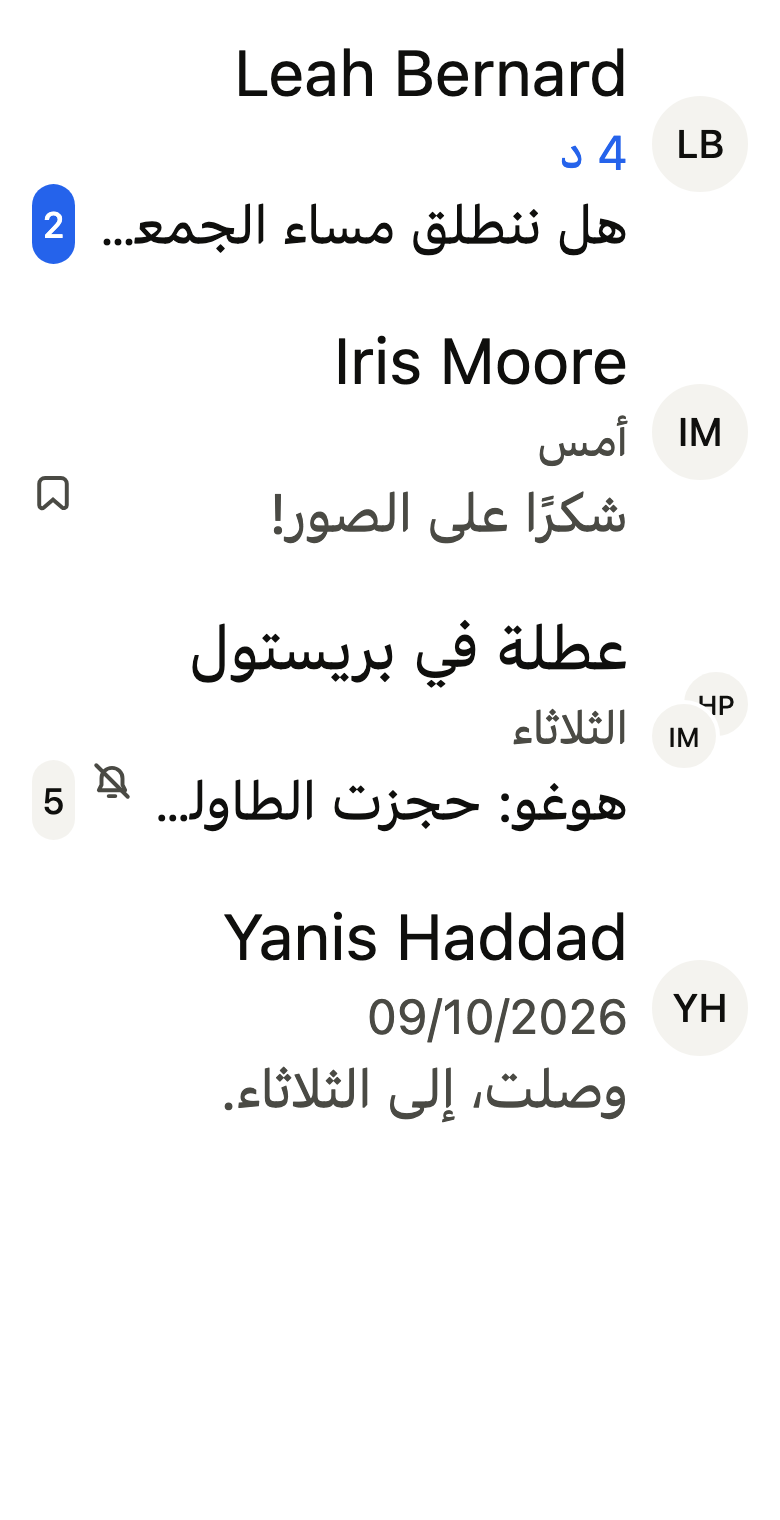
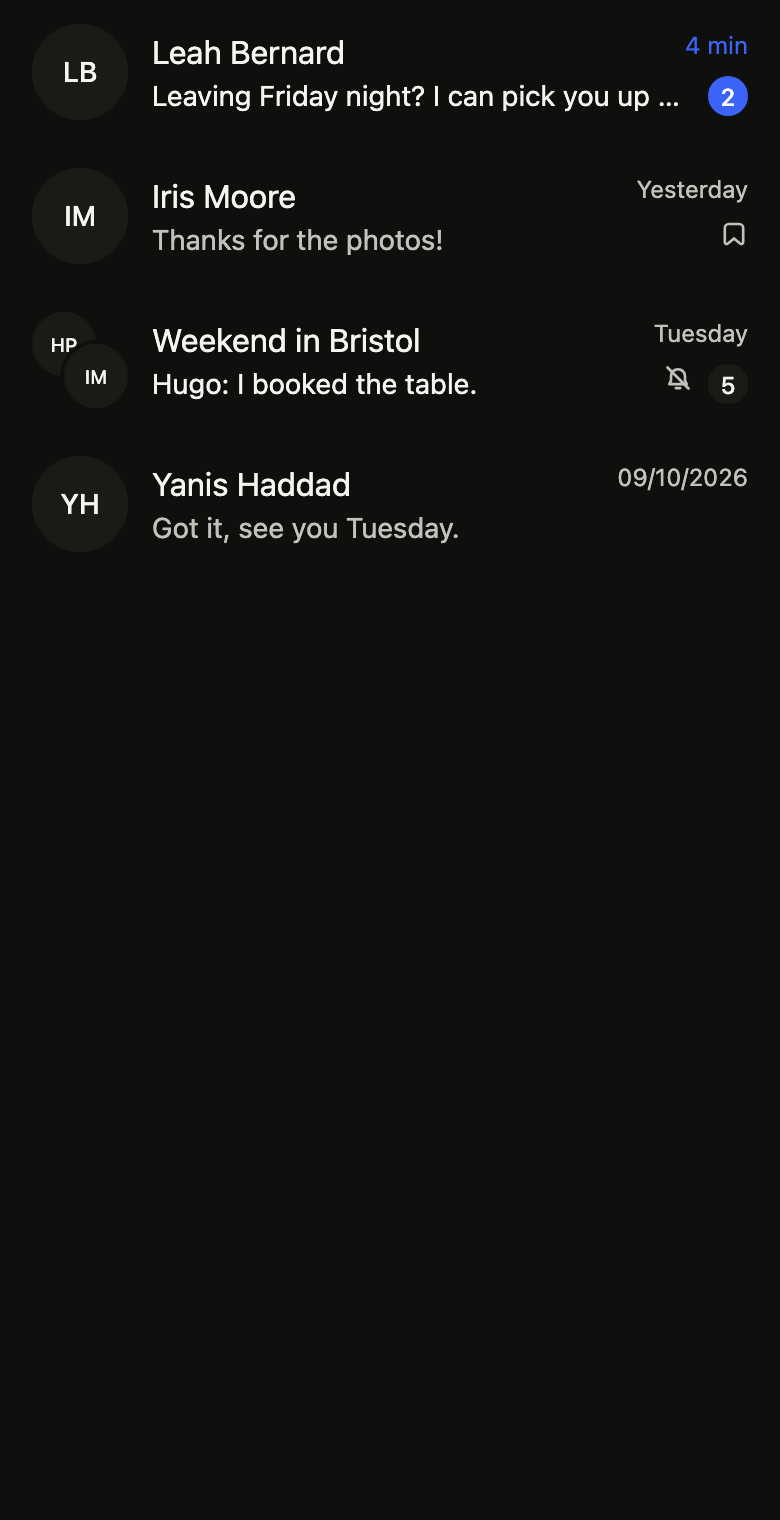
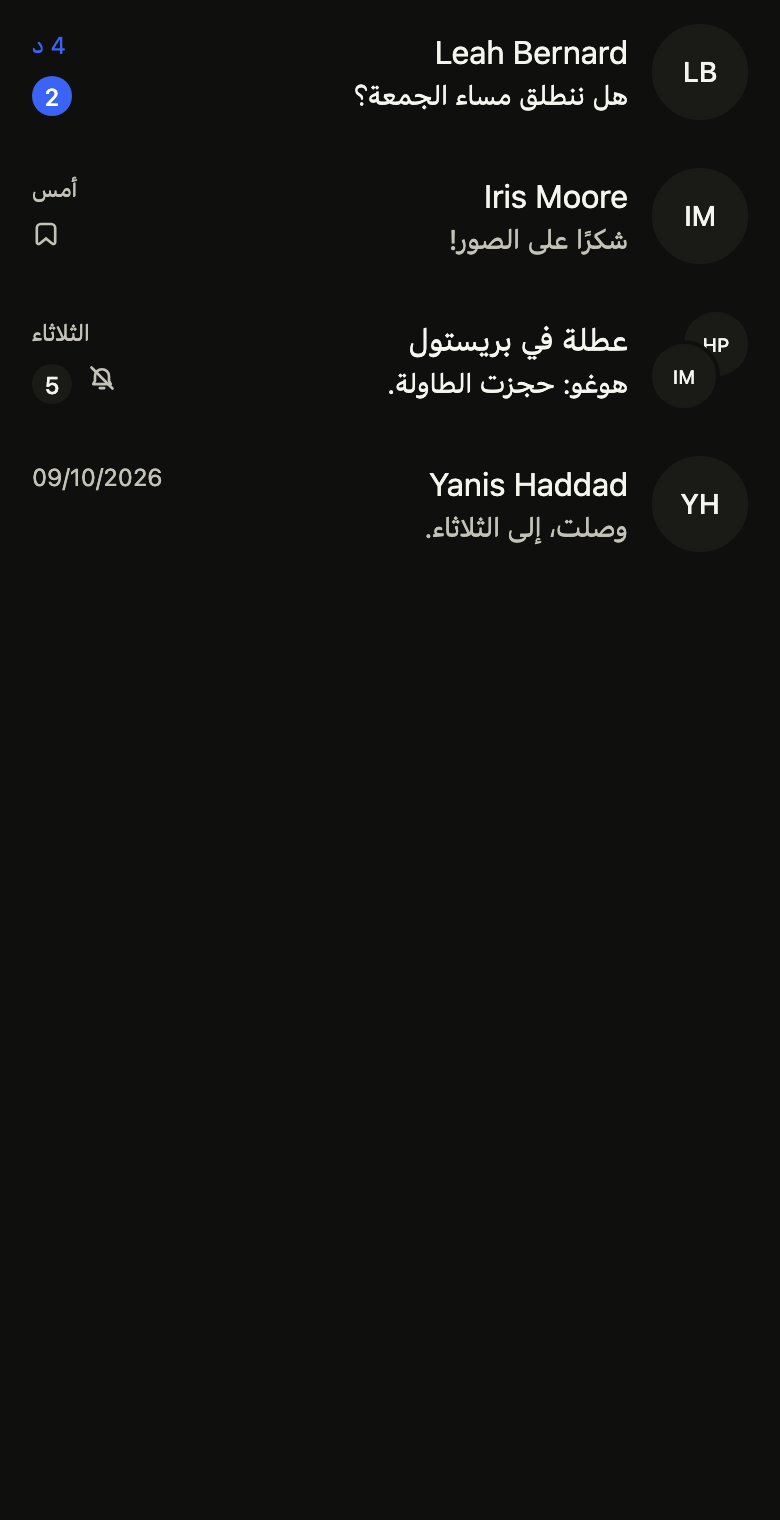
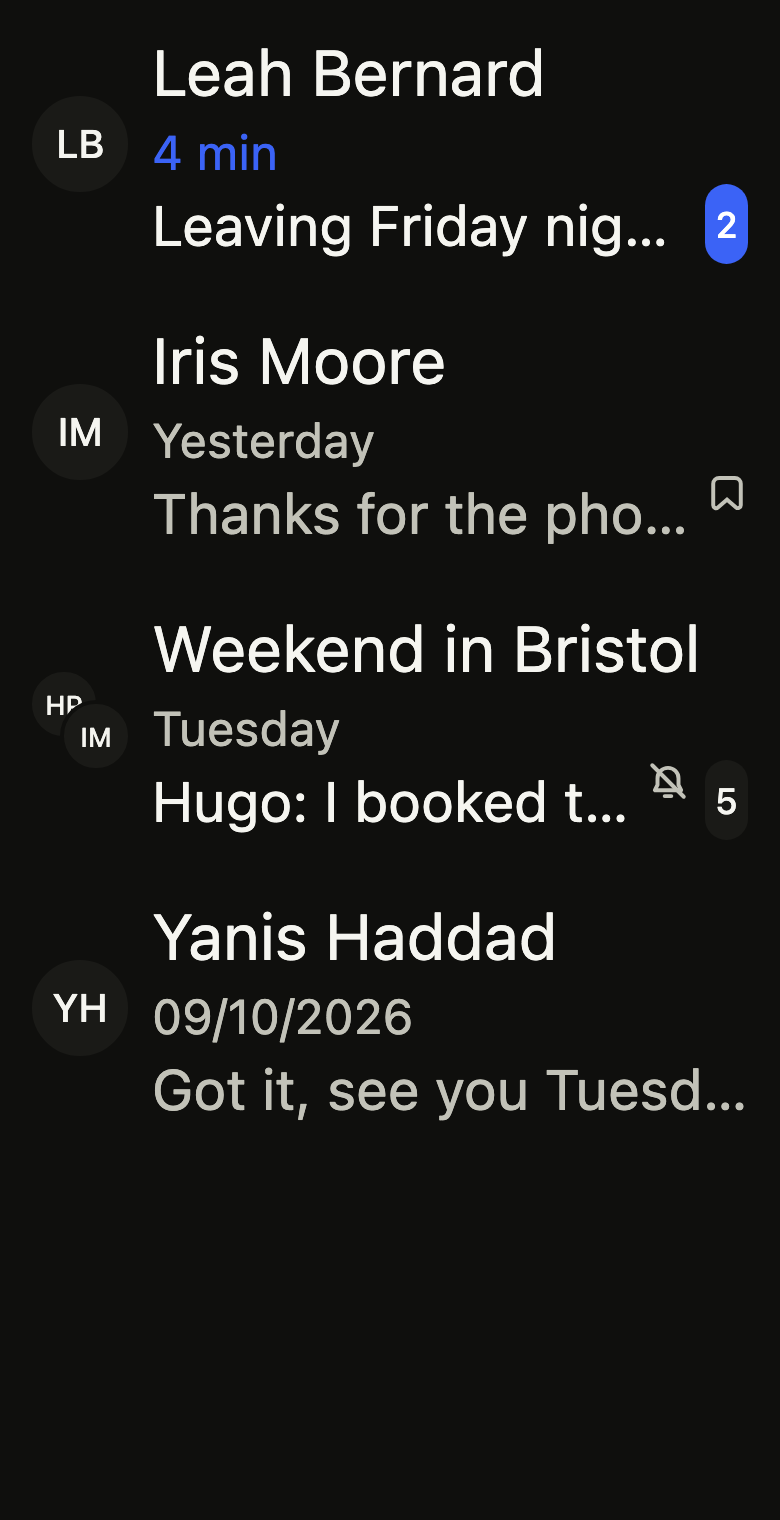
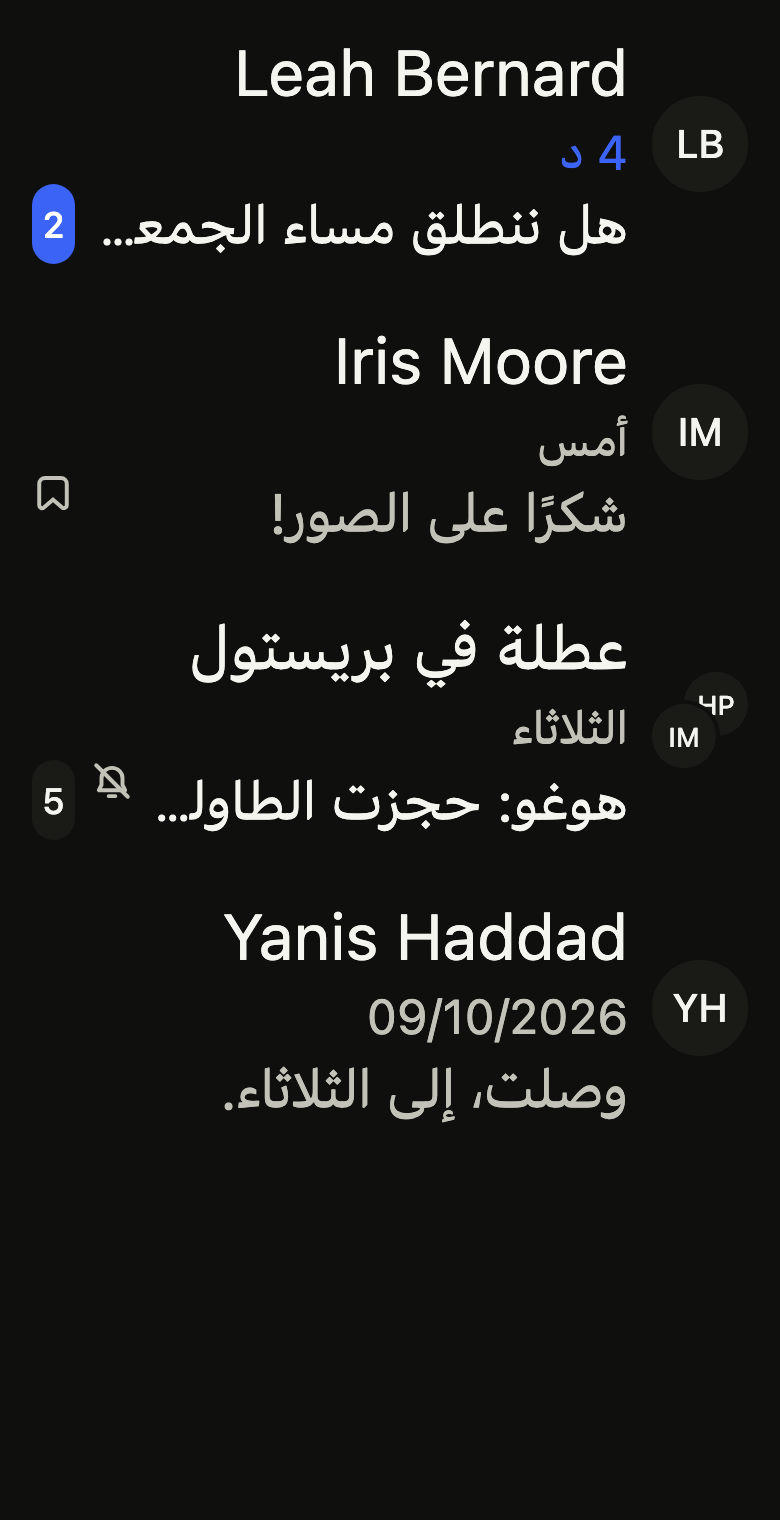
Shows one conversation in a list: avatar or group of avatars, name, last message on two lines at most, its age, an unread count, muted and pinned marks, and its actions on long press.
Import
Conversation row is part of Fliin Pro. With a license key, sign in once with fliin login, then add it in a Flutter app where fliin init has run:
fliin login
fliin add conversation-rowExamples
Unread
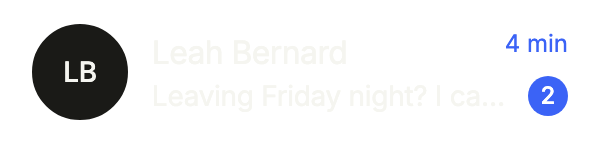
A conversation with new messages: unread shows their count, and labels says it to the screen reader. Actions open on a long press.
import 'package:your_app/ui/fliin/components/avatar/fl_avatar.dart';
import 'package:your_app/ui/fliin/components/conversation_row/fl_conversation_row.dart';
import 'package:flutter/widgets.dart';

class ConversationRowUnreadExample extends StatelessWidget {
  const ConversationRowUnreadExample({super.key});

  @override
  Widget build(BuildContext context) {
    return FlConversationRow(
      title: 'Leah Bernard',
      avatar: const FlAvatar(initials: 'LB'),
      labels: FlConversationRowLabels(
        unread: (count) => '$count unread',
        muted: 'Muted',
        pinned: 'Pinned',
        actions: 'Actions',
      ),
      preview: 'Leaving Friday night? I can pick you up around 7.',
      time: '4 min',
      unread: 2,
      onPressed: () {},
      actions: [
        FlConversationAction(label: 'Archive', onPressed: () {}),
        FlConversationAction(label: 'Delete', destructive: true, onPressed: () {}),
      ],
    );
  }
}Pinned
pinned: true marks a conversation kept at the top of the list.

import 'package:your_app/ui/fliin/components/avatar/fl_avatar.dart';
import 'package:your_app/ui/fliin/components/conversation_row/fl_conversation_row.dart';
import 'package:flutter/widgets.dart';

class ConversationRowPinnedExample extends StatelessWidget {
  const ConversationRowPinnedExample({super.key});

  @override
  Widget build(BuildContext context) {
    return FlConversationRow(
      title: 'Iris Moore',
      avatar: const FlAvatar(initials: 'IM'),
      labels: FlConversationRowLabels(
        unread: (count) => '$count unread',
        muted: 'Muted',
        pinned: 'Pinned',
        actions: 'Actions',
      ),
      preview: 'Thanks for the photos!',
      time: 'Yesterday',
      pinned: true,
      onPressed: () {},
      actions: [
        FlConversationAction(label: 'Archive', onPressed: () {}),
        FlConversationAction(label: 'Delete', destructive: true, onPressed: () {}),
      ],
    );
  }
}Muted group
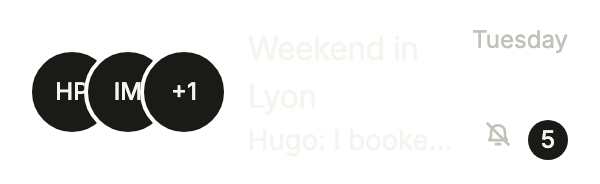
A group conversation: its avatar is an FlAvatarGroup, and muted: true quiets its unread count.
import 'package:your_app/ui/fliin/components/avatar/fl_avatar.dart';
import 'package:your_app/ui/fliin/components/avatar_group/fl_avatar_group.dart';
import 'package:your_app/ui/fliin/components/conversation_row/fl_conversation_row.dart';
import 'package:flutter/widgets.dart';

class ConversationRowMutedGroupExample extends StatelessWidget {
  const ConversationRowMutedGroupExample({super.key});

  @override
  Widget build(BuildContext context) {
    return FlConversationRow(
      title: 'Weekend in Lyon',
      avatar: const FlAvatarGroup(
        size: FlAvatarSize.sm,
        max: 2,
        avatars: [
          FlAvatar(initials: 'HP'),
          FlAvatar(initials: 'IM'),
          FlAvatar(initials: 'YH'),
        ],
      ),
      labels: FlConversationRowLabels(
        unread: (count) => '$count unread',
        muted: 'Muted',
        pinned: 'Pinned',
        actions: 'Actions',
      ),
      preview: 'Hugo: I booked the table.',
      time: 'Tuesday',
      unread: 5,
      muted: true,
      onPressed: () {},
      actions: [
        FlConversationAction(label: 'Archive', onPressed: () {}),
        FlConversationAction(label: 'Delete', destructive: true, onPressed: () {}),
      ],
    );
  }
}Read
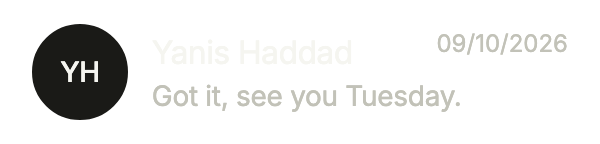
A conversation with nothing new: no count, an older date.
import 'package:your_app/ui/fliin/components/avatar/fl_avatar.dart';
import 'package:your_app/ui/fliin/components/conversation_row/fl_conversation_row.dart';
import 'package:flutter/widgets.dart';

class ConversationRowReadExample extends StatelessWidget {
  const ConversationRowReadExample({super.key});

  @override
  Widget build(BuildContext context) {
    return FlConversationRow(
      title: 'Yanis Haddad',
      avatar: const FlAvatar(initials: 'YH'),
      labels: FlConversationRowLabels(
        unread: (count) => '$count unread',
        muted: 'Muted',
        pinned: 'Pinned',
        actions: 'Actions',
      ),
      preview: 'Got it, see you Tuesday.',
      time: '09/10/2026',
      onPressed: () {},
      actions: [
        FlConversationAction(label: 'Archive', onPressed: () {}),
        FlConversationAction(label: 'Delete', destructive: true, onPressed: () {}),
      ],
    );
  }
}Typing
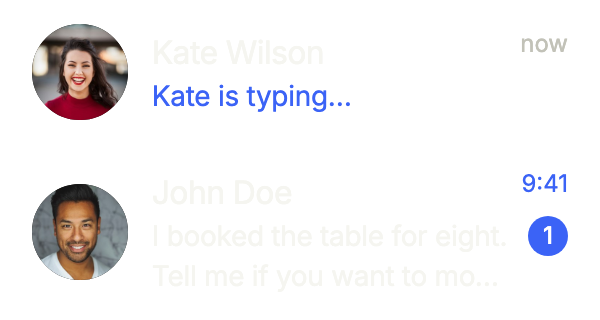
Conversations with photos: typingLabel replaces the preview while the other person writes, and previewLines: 2 lets the last message run on two lines, as in Messages.
import 'package:your_app/ui/fliin/components/avatar/fl_avatar.dart';
import 'package:your_app/ui/fliin/components/conversation_row/fl_conversation_row.dart';
import 'package:flutter/widgets.dart';

final _labels = FlConversationRowLabels(
  unread: (count) => '$count unread',
  muted: 'Muted',
  pinned: 'Pinned',
  actions: 'Actions',
);

class ConversationRowTypingExample extends StatelessWidget {
  const ConversationRowTypingExample({super.key});

  @override
  Widget build(BuildContext context) {
    return Column(
      mainAxisSize: MainAxisSize.min,
      children: [
        FlConversationRow(
          title: 'Kate Wilson',
          avatar: const FlAvatar(image: AssetImage('images/people/1.jpg'), initials: 'KW'),
          labels: _labels,
          preview: 'See you there!',
          typingLabel: 'Kate is typing…',
          time: 'now',
          onPressed: () {},
        ),
        FlConversationRow(
          title: 'John Doe',
          avatar: const FlAvatar(image: AssetImage('images/people/2.jpg'), initials: 'JD'),
          labels: _labels,
          preview: 'I booked the table for eight. Tell me if you want to move it, the place is open until midnight.',
          previewLines: 2,
          time: '9:41',
          unread: 1,
          onPressed: () {},
        ),
      ],
    );
  }
}Usage
The code the reference images render:
final example = Builder(
  builder: (context) {
    final labels = FlConversationRowLabels(
      unread: (count) => 'Unread: $count',
      muted: 'Muted',
      pinned: 'Pinned',
      actions: 'Actions',
    );
    final actions = [
      FlConversationAction(label: 'Archive', onPressed: () {}),
      FlConversationAction(
        label: 'Delete',
        destructive: true,
        onPressed: () {},
      ),
    ];
    return ColoredBox(
      color: FlScope.of(context).colors.surface,
      child: SingleChildScrollView(
        child: Column(
          crossAxisAlignment: CrossAxisAlignment.stretch,
          children: [
            FlConversationRow(
              title: 'Leah Bernard',
              avatar: const FlAvatar(initials: 'LB'),
              labels: labels,
              preview: 'Leaving Friday night? I can pick you up around 7.',
              time: '4 min',
              unread: 2,
              onPressed: () {},
              actions: actions,
            ),
            FlConversationRow(
              title: 'Iris Moore',
              avatar: const FlAvatar(initials: 'IM'),
              labels: labels,
              preview: 'Thanks for the photos!',
              time: 'Yesterday',
              pinned: true,
              onPressed: () {},
              actions: actions,
            ),
            FlConversationRow(
              title: 'Weekend in Bristol',
              avatar: const FlConversationGroupAvatar(
                avatars: [
                  FlAvatar(initials: 'HP', size: FlAvatarSize.sm),
                  FlAvatar(initials: 'IM', size: FlAvatarSize.sm),
                ],
              ),
              labels: labels,
              preview: 'Hugo: I booked the table.',
              time: 'Tuesday',
              unread: 5,
              muted: true,
              onPressed: () {},
              actions: actions,
            ),
            FlConversationRow(
              title: 'Yanis Haddad',
              avatar: const FlAvatar(initials: 'YH'),
              labels: labels,
              preview: 'Got it, see you Tuesday.',
              time: '09/10/2026',
            ),
          ],
        ),
      ),
    );
  },
);API
FlConversationAction: final class
FlConversationAction.new: const new({required String label, required VoidCallback onPressed, bool destructive})
FlConversationAction.label: get String
FlConversationAction.onPressed: get VoidCallback
FlConversationAction.destructive: get bool
FlConversationRowLabels: final class
FlConversationRowLabels.new: const new({required String Function(int count) unread, required String muted, required String pinned, required String actions})
FlConversationRowLabels.unread: get String Function(int count)
FlConversationRowLabels.muted: get String
FlConversationRowLabels.pinned: get String
FlConversationRowLabels.actions: get String
FlConversationRow: class extends StatelessWidget
FlConversationRow.new: const new({super.key, required String title, required Widget avatar, required FlConversationRowLabels labels, String? preview, String? time, int unread, bool muted, bool pinned, VoidCallback? onPressed, List<FlConversationAction> actions, String? typingLabel, int previewLines})
FlConversationRow.title: get String
FlConversationRow.avatar: get Widget
FlConversationRow.labels: get FlConversationRowLabels
FlConversationRow.preview: get String?
FlConversationRow.time: get String?
FlConversationRow.unread: get int
FlConversationRow.muted: get bool
FlConversationRow.pinned: get bool
FlConversationRow.onPressed: get VoidCallback?
FlConversationRow.actions: get List<FlConversationAction>
FlConversationRow.typingLabel: get String?
FlConversationRow.previewLines: get int
FlConversationRow.build: Widget(BuildContext context)
FlConversationGlyph: enum {muted, pinned}
FlConversationGlyph.muted: static final FlConversationGlyph
FlConversationGlyph.pinned: static final FlConversationGlyph
FlConversationIcon: class extends StatelessWidget
FlConversationIcon.new: const new(FlConversationGlyph glyph, {super.key, required double size, required Color color})
FlConversationIcon.glyph: get FlConversationGlyph
FlConversationIcon.size: get double
FlConversationIcon.color: get Color
FlConversationIcon.build: Widget(BuildContext context)
FlConversationGroupAvatar: class extends StatelessWidget
FlConversationGroupAvatar.new: const new({super.key, required List<Widget> avatars})
FlConversationGroupAvatar.avatars: get List<Widget>
FlConversationGroupAvatar.build: Widget(BuildContext context)Reference renders
The 16 images published with version 0.2.3, rendered by the shared harness on macOS with Flutter 3.47.7. fliin verify conversation-row compares your copy to them.
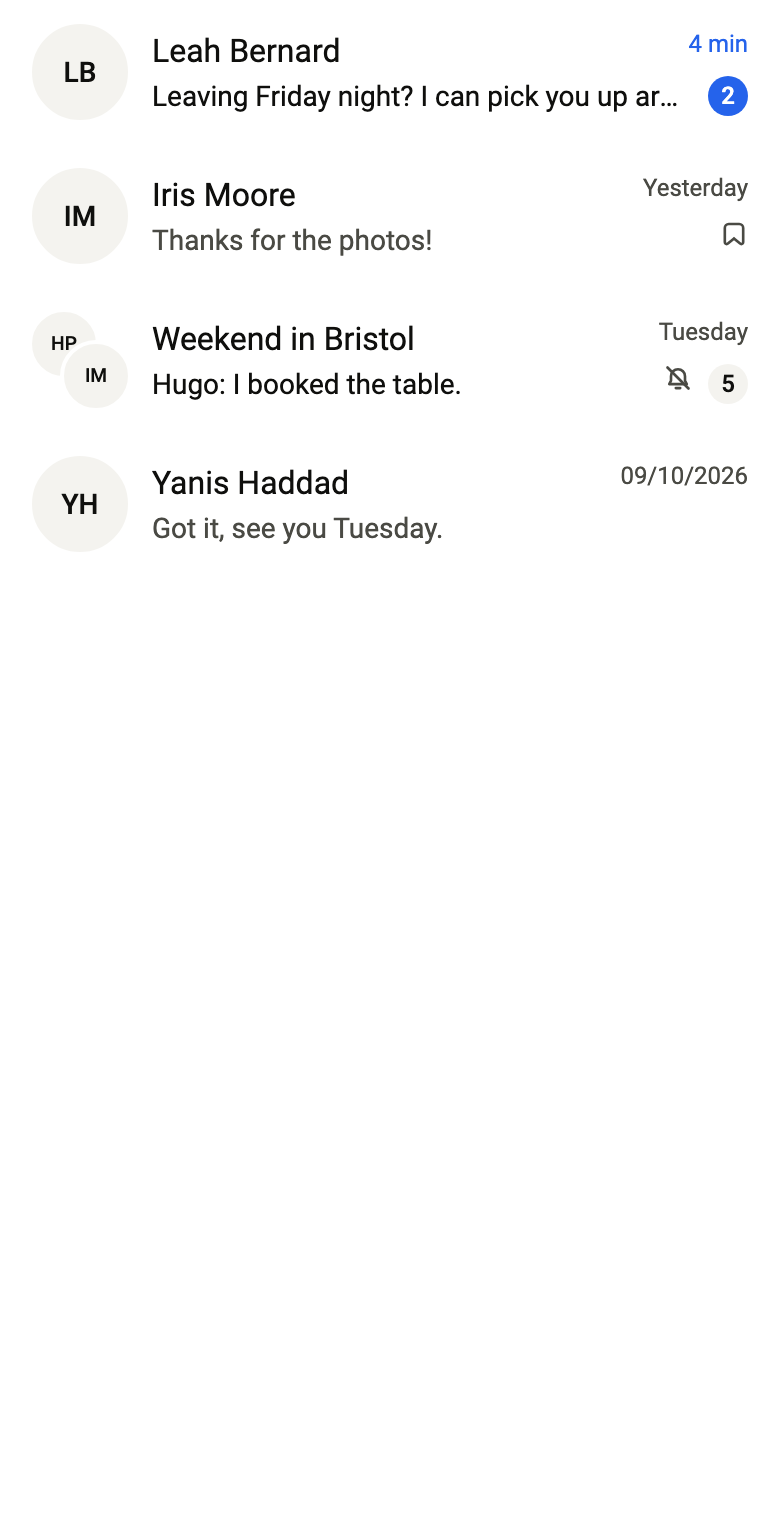
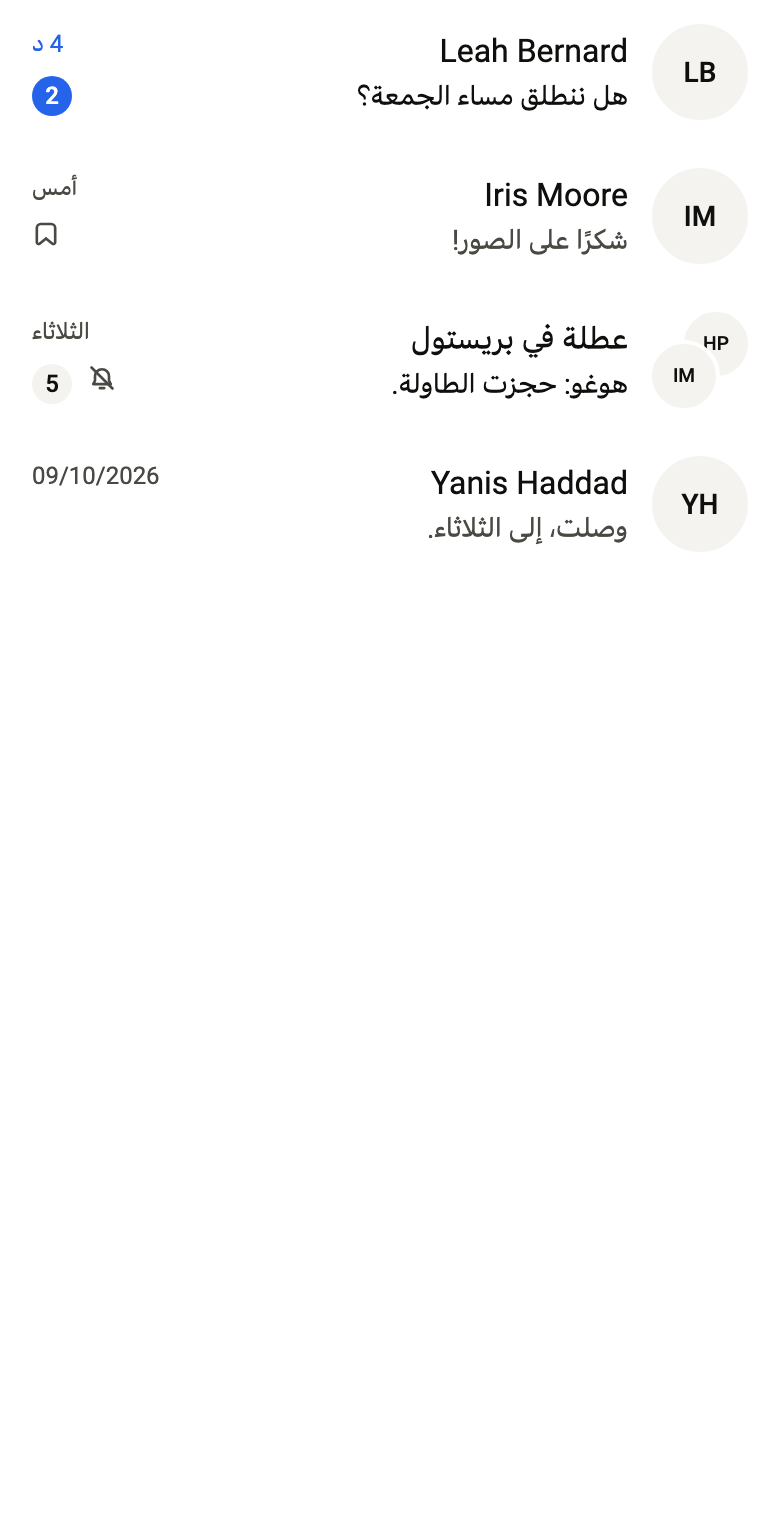
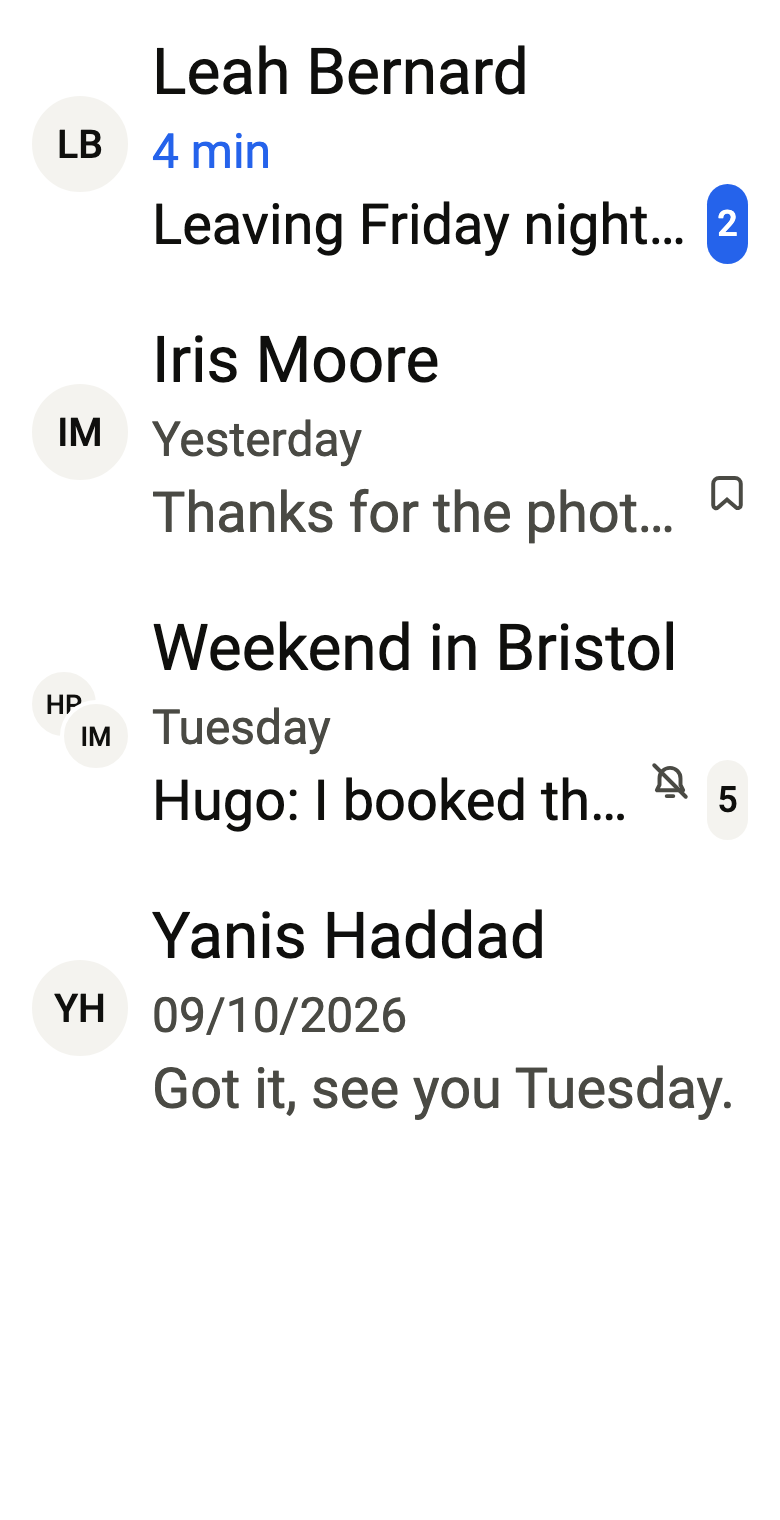
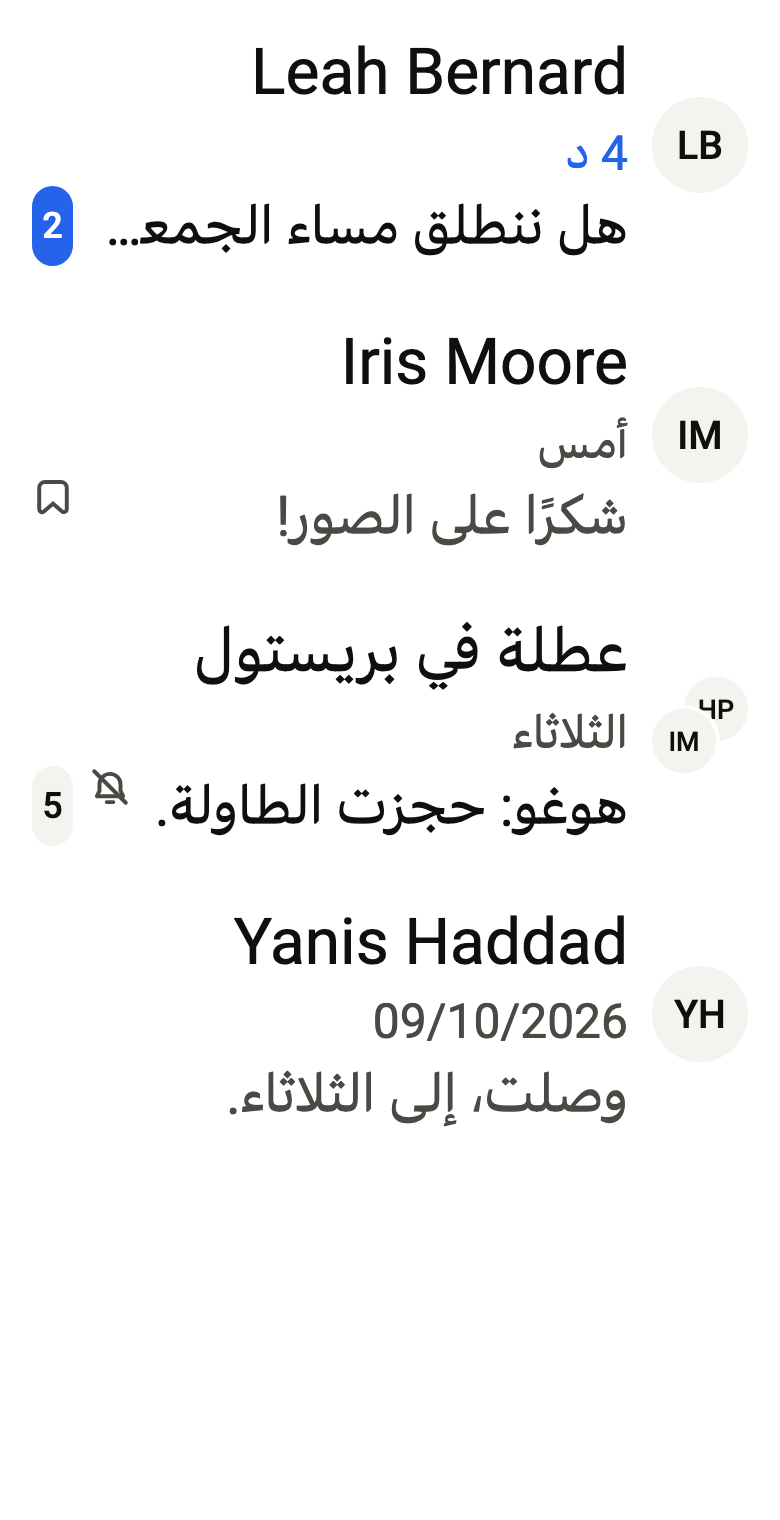
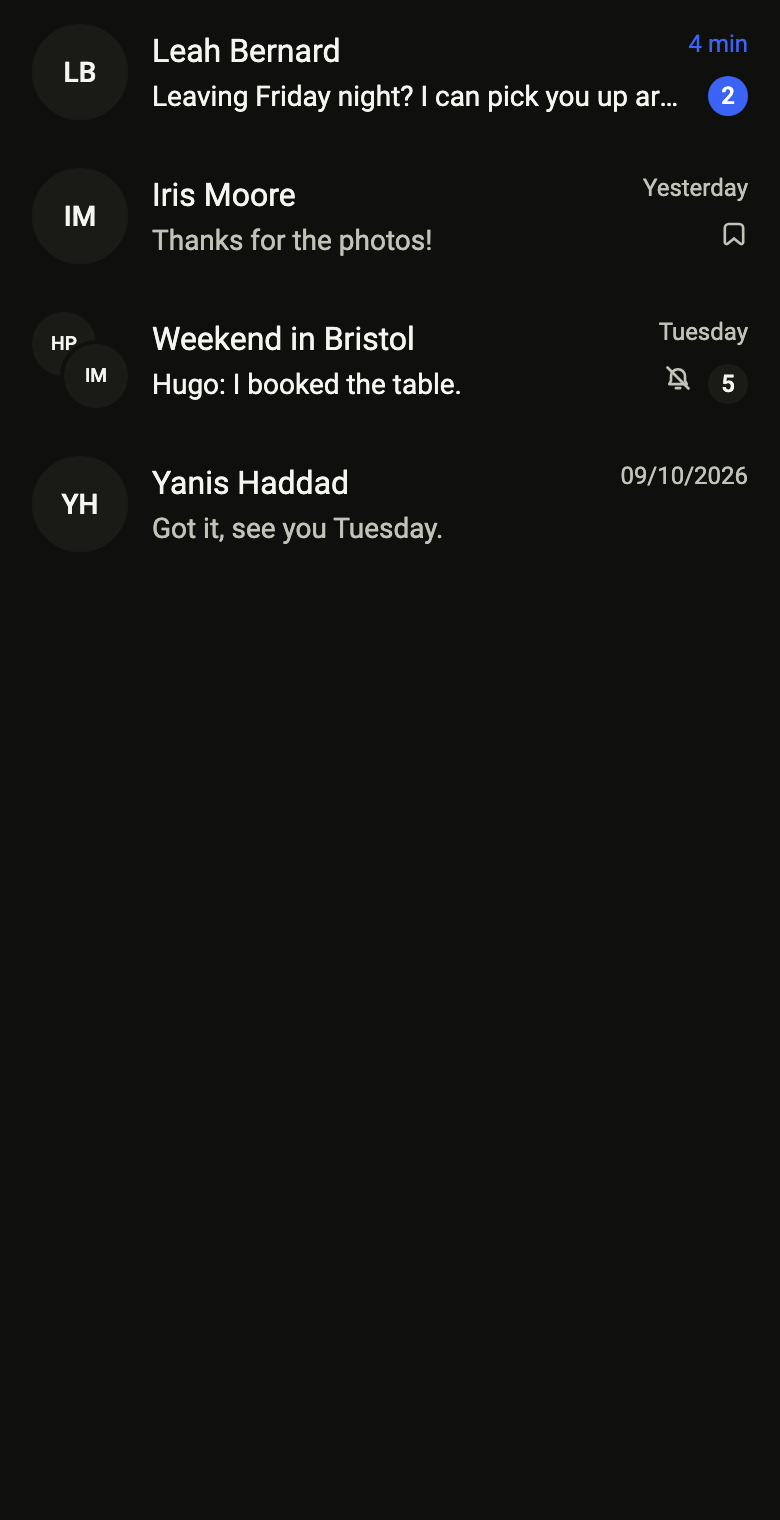

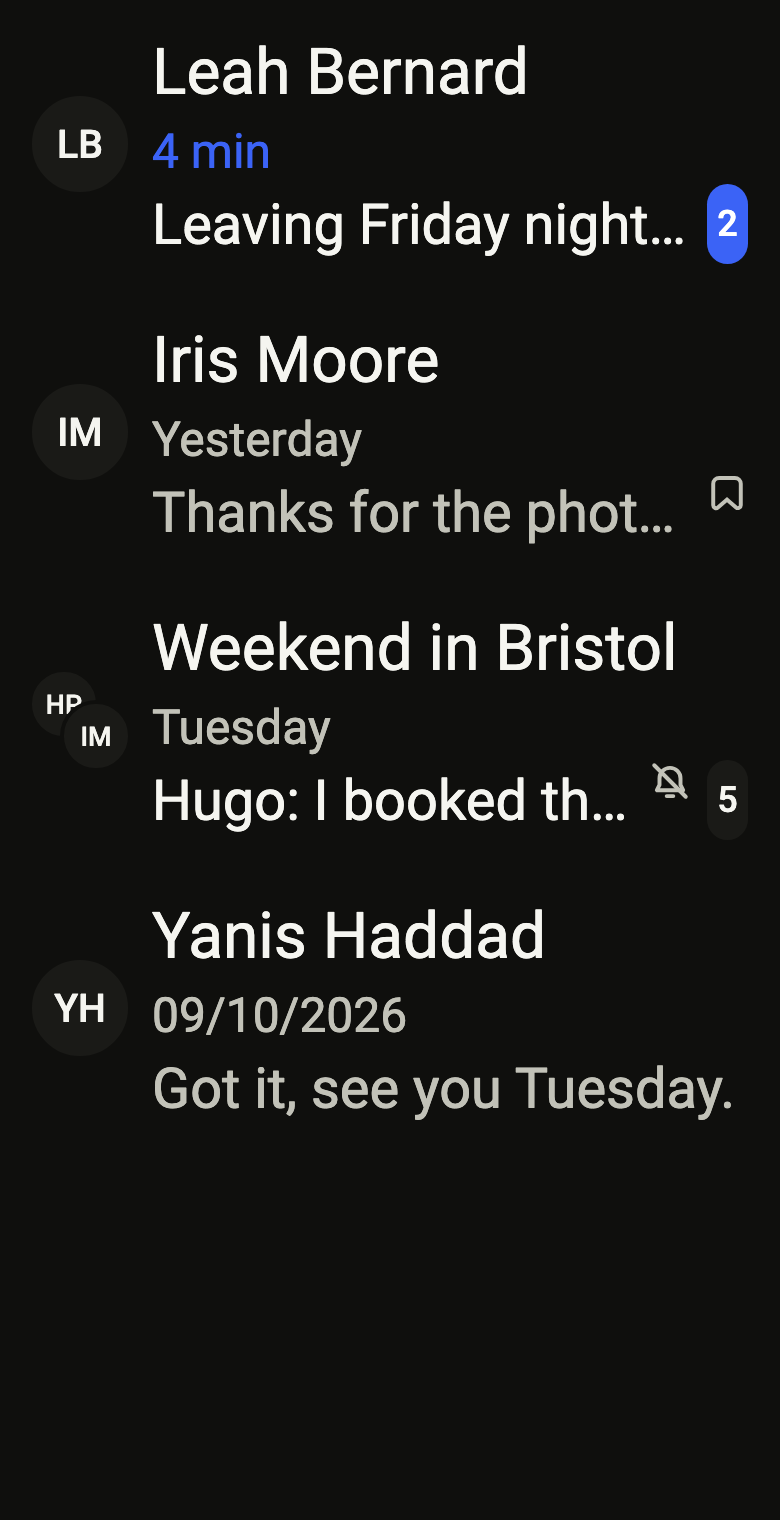
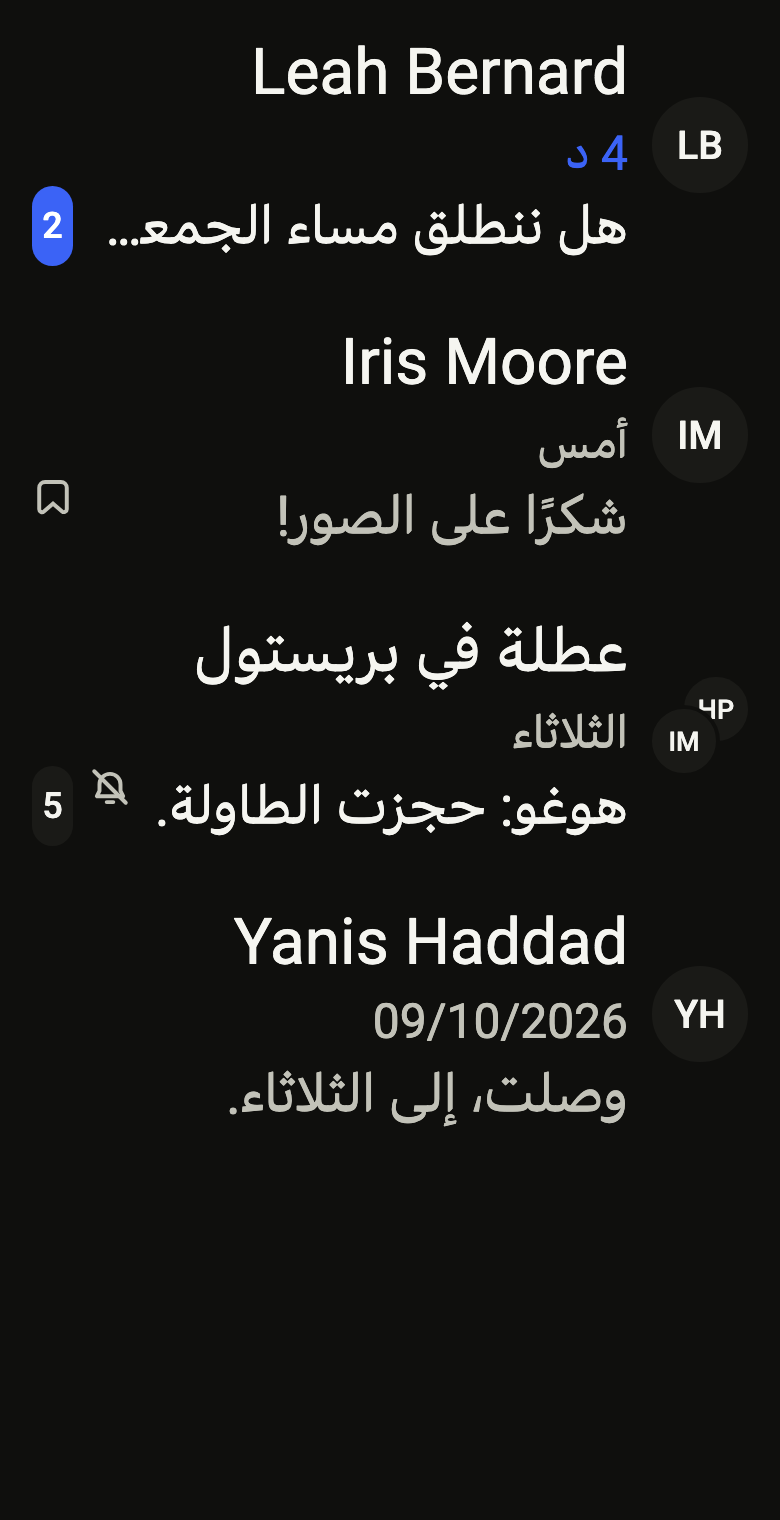
Use it to
- show chats with their latest message and its time
- show the unread count of a chat beside its time
- show that a chat is muted or pinned
- offer archive or delete on a long press of a chat
- present a group chat with stacked avatars
- Not for
- a simple settings or list row: use a list row (list-row)
- the whole conversations screen: use the conversations list (conversations)
- States