Blocks / lists
Event row
Shows an agenda event with the time it starts and the time it stops, its place, and the word now while it is happening, read as one node.
Import
Event row is part of Fliin Pro. With a license key, sign in once with fliin login, then add it in a Flutter app where fliin init has run:
fliin login
fliin add event-rowExamples
Upcoming
An event to come, in a list group: its time range, written out in timeLabel for the screen reader, and its place.
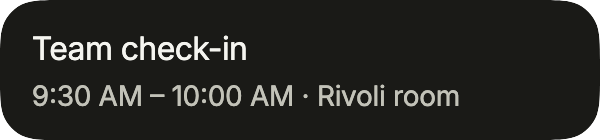
import 'package:your_app/ui/fliin/components/event_row/fl_event_row.dart';
import 'package:your_app/ui/fliin/components/list_row/fl_list_row.dart';
import 'package:flutter/widgets.dart';

class EventRowUpcomingExample extends StatelessWidget {
  const EventRowUpcomingExample({super.key});

  @override
  Widget build(BuildContext context) {
    return FlListGroup(
      children: [
        FlEventRow(
          title: 'Team check-in',
          time: '9:30 AM – 10:00 AM',
          timeLabel: 'from 9:30 AM to 10:00 AM',
          location: 'Rivoli room',
          onPressed: () {},
        ),
      ],
    );
  }
}Current
An event under way: currentLabel marks it as happening now.
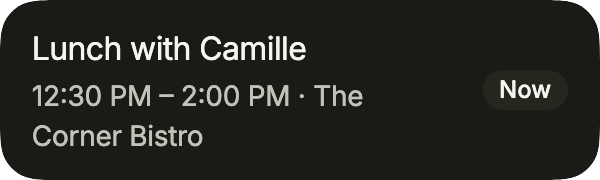
import 'package:your_app/ui/fliin/components/event_row/fl_event_row.dart';
import 'package:your_app/ui/fliin/components/list_row/fl_list_row.dart';
import 'package:flutter/widgets.dart';

class EventRowCurrentExample extends StatelessWidget {
  const EventRowCurrentExample({super.key});

  @override
  Widget build(BuildContext context) {
    return FlListGroup(
      children: [
        FlEventRow(
          title: 'Lunch with Camille',
          time: '12:30 PM – 2:00 PM',
          timeLabel: 'from 12:30 PM to 2:00 PM',
          location: 'The Corner Bistro',
          currentLabel: 'Now',
          onPressed: () {},
        ),
      ],
    );
  }
}All day
An all-day event: no hours, the time says so in words.
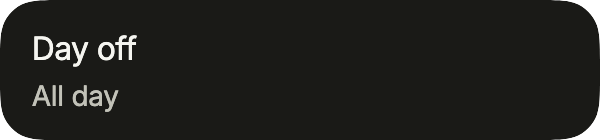
import 'package:your_app/ui/fliin/components/event_row/fl_event_row.dart';
import 'package:your_app/ui/fliin/components/list_row/fl_list_row.dart';
import 'package:flutter/widgets.dart';

class EventRowAllDayExample extends StatelessWidget {
  const EventRowAllDayExample({super.key});

  @override
  Widget build(BuildContext context) {
    return FlListGroup(
      children: [
        FlEventRow(title: 'Day off', time: 'All day', timeLabel: 'all day', onPressed: () {}),
      ],
    );
  }
}Overnight
An event that ends the next day: the end carries its day, and timeLabel spells out the full range.
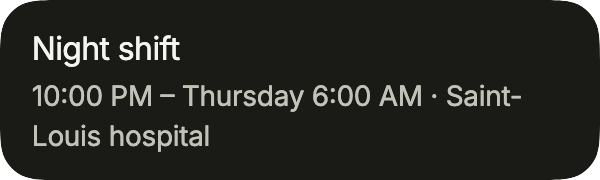
import 'package:your_app/ui/fliin/components/event_row/fl_event_row.dart';
import 'package:your_app/ui/fliin/components/list_row/fl_list_row.dart';
import 'package:flutter/widgets.dart';

class EventRowOvernightExample extends StatelessWidget {
  const EventRowOvernightExample({super.key});

  @override
  Widget build(BuildContext context) {
    return FlListGroup(
      children: [
        FlEventRow(
          title: 'Night shift',
          time: '10:00 PM – Thursday 6:00 AM',
          timeLabel: 'from 10:00 PM to 6:00 AM on Thursday, October 29',
          location: 'Saint-Louis hospital',
          onPressed: () {},
        ),
      ],
    );
  }
}Calendars
A day across several calendars: color puts each calendar's dot before the title, the location saying which one when it matters.
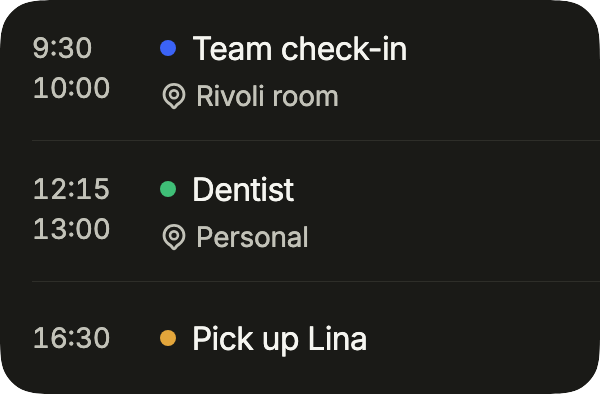
import 'package:your_app/ui/fliin/components/event_row/fl_event_row.dart';
import 'package:your_app/ui/fliin/components/list_row/fl_list_row.dart';
import 'package:your_app/ui/fliin/core/fliin.dart';
import 'package:flutter/widgets.dart';

class EventRowCalendarsExample extends StatelessWidget {
  const EventRowCalendarsExample({super.key});

  @override
  Widget build(BuildContext context) {
    final colors = FlScope.of(context).colors;
    return FlListGroup(
      children: [
        FlEventRow(
          title: 'Team check-in',
          start: '9:30',
          end: '10:00',
          time: '9:30 – 10:00',
          timeLabel: 'from 9:30 to 10:00',
          location: 'Rivoli room',
          color: colors.accent,
          onPressed: () {},
        ),
        FlEventRow(
          title: 'Dentist',
          start: '12:15',
          end: '13:00',
          time: '12:15 – 13:00',
          timeLabel: 'from 12:15 to 13:00',
          location: 'Personal',
          color: colors.success,
          onPressed: () {},
        ),
        FlEventRow(
          title: 'Pick up Lina',
          start: '16:30',
          time: '16:30',
          timeLabel: 'at 16:30',
          color: colors.warning,
          onPressed: () {},
        ),
      ],
    );
  }
}Usage
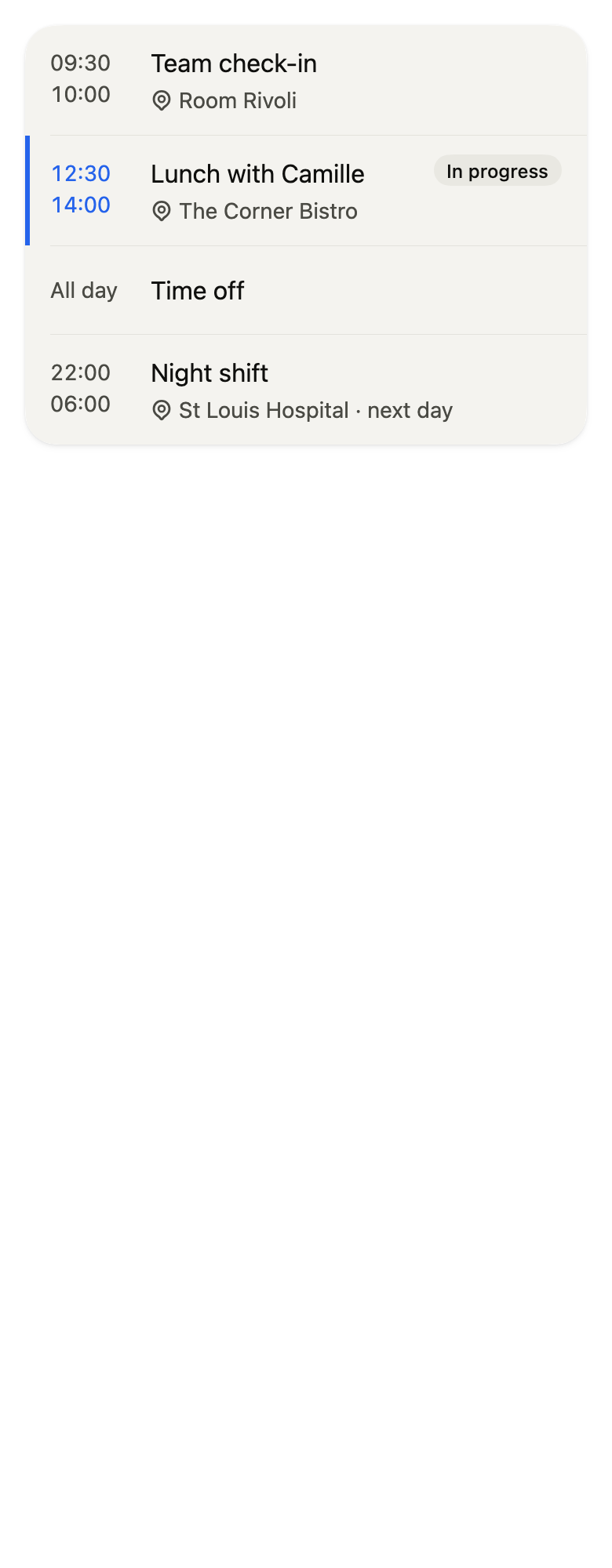
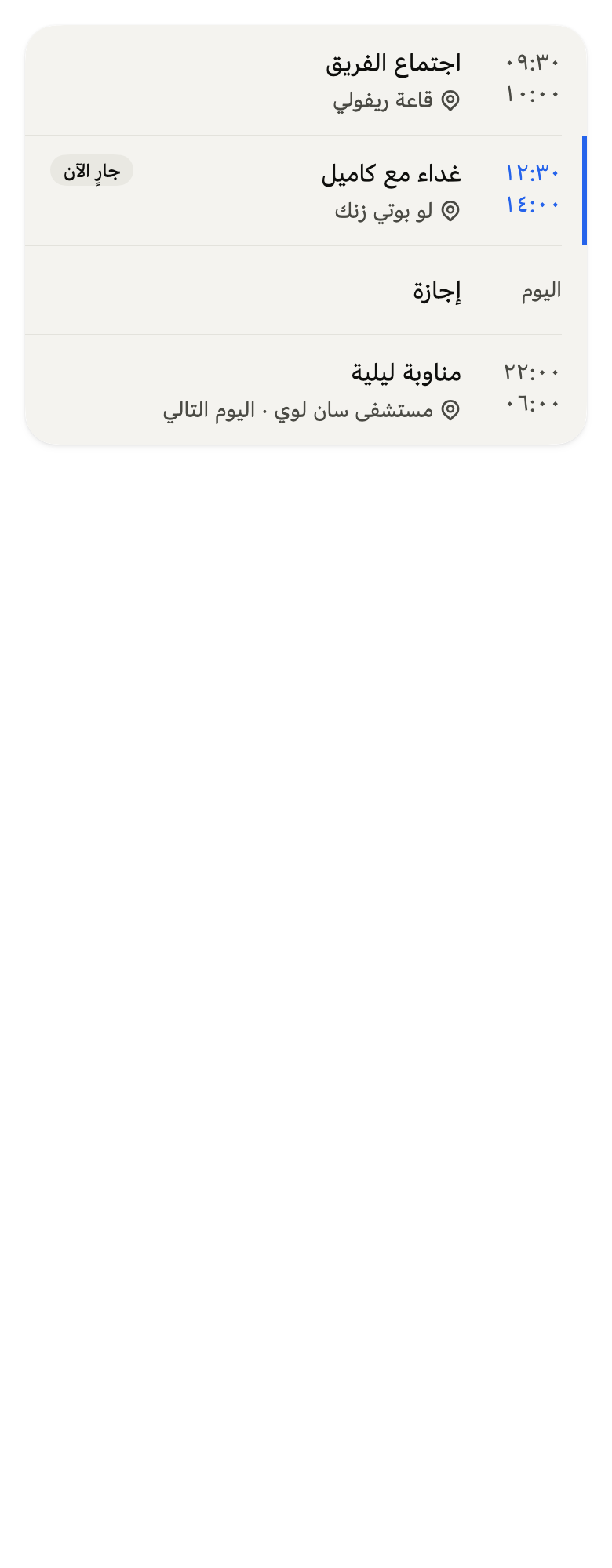
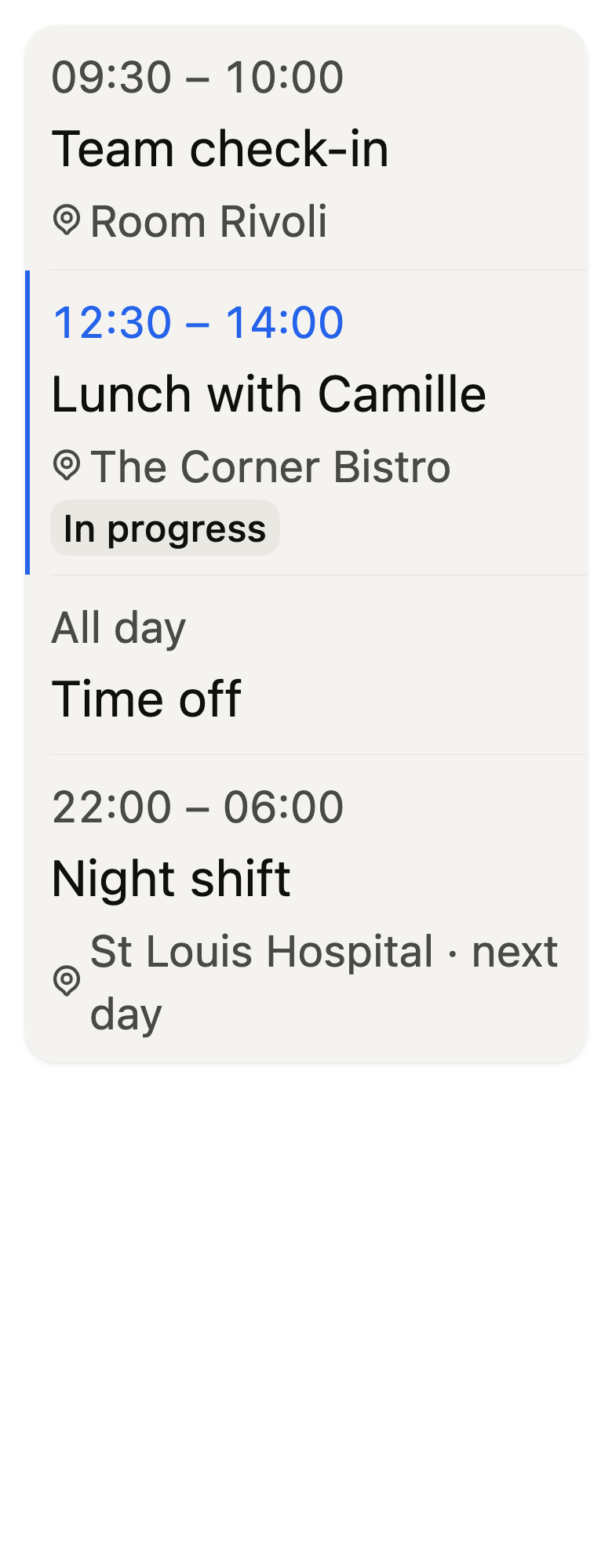
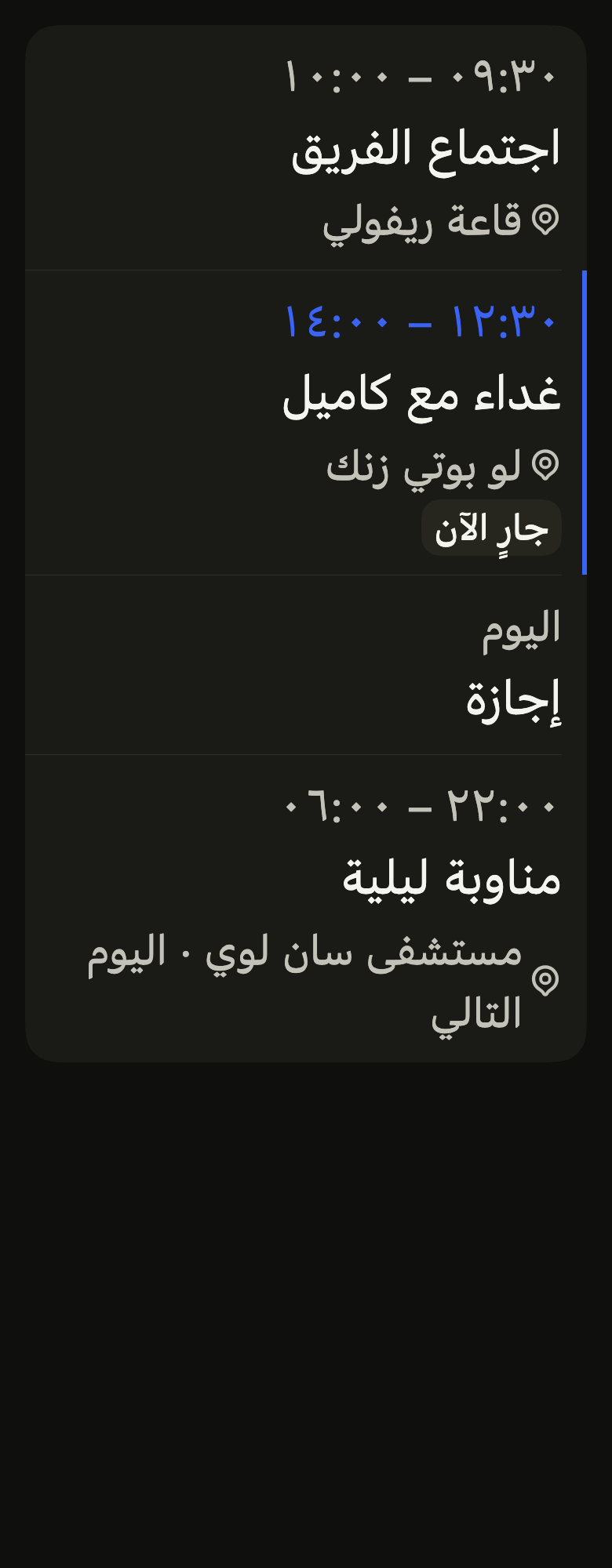
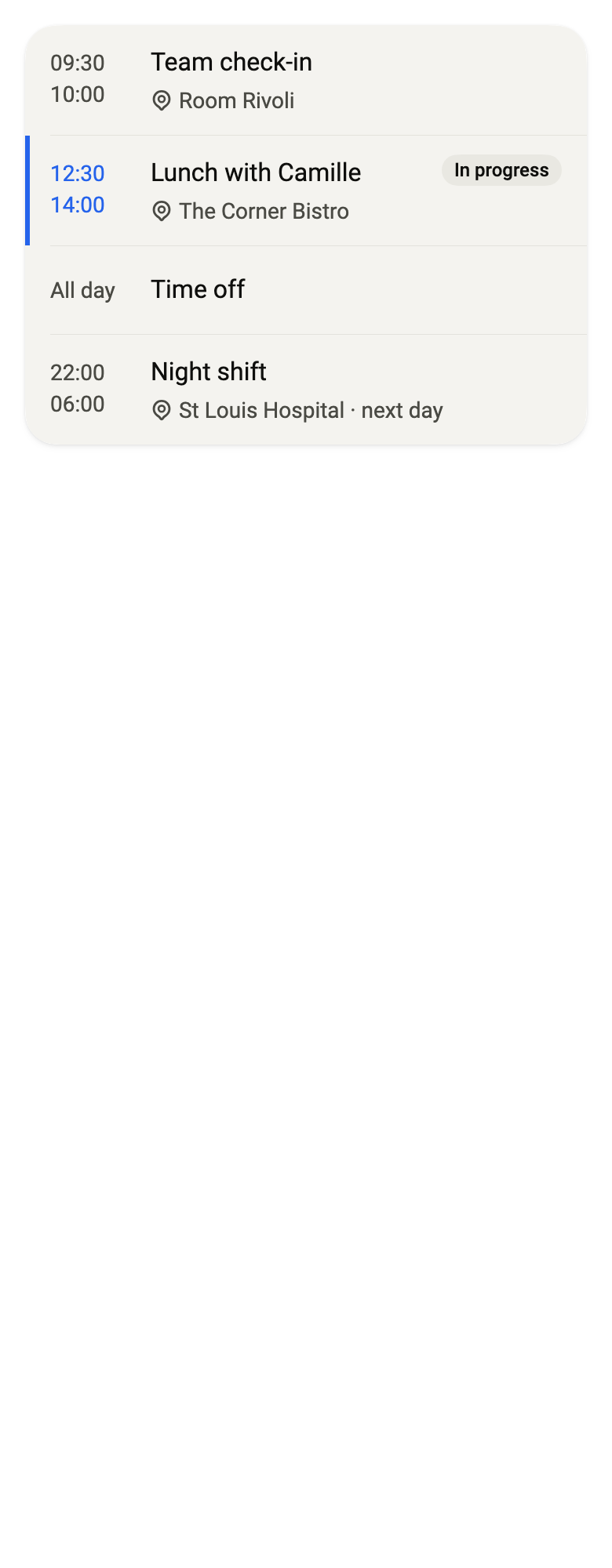
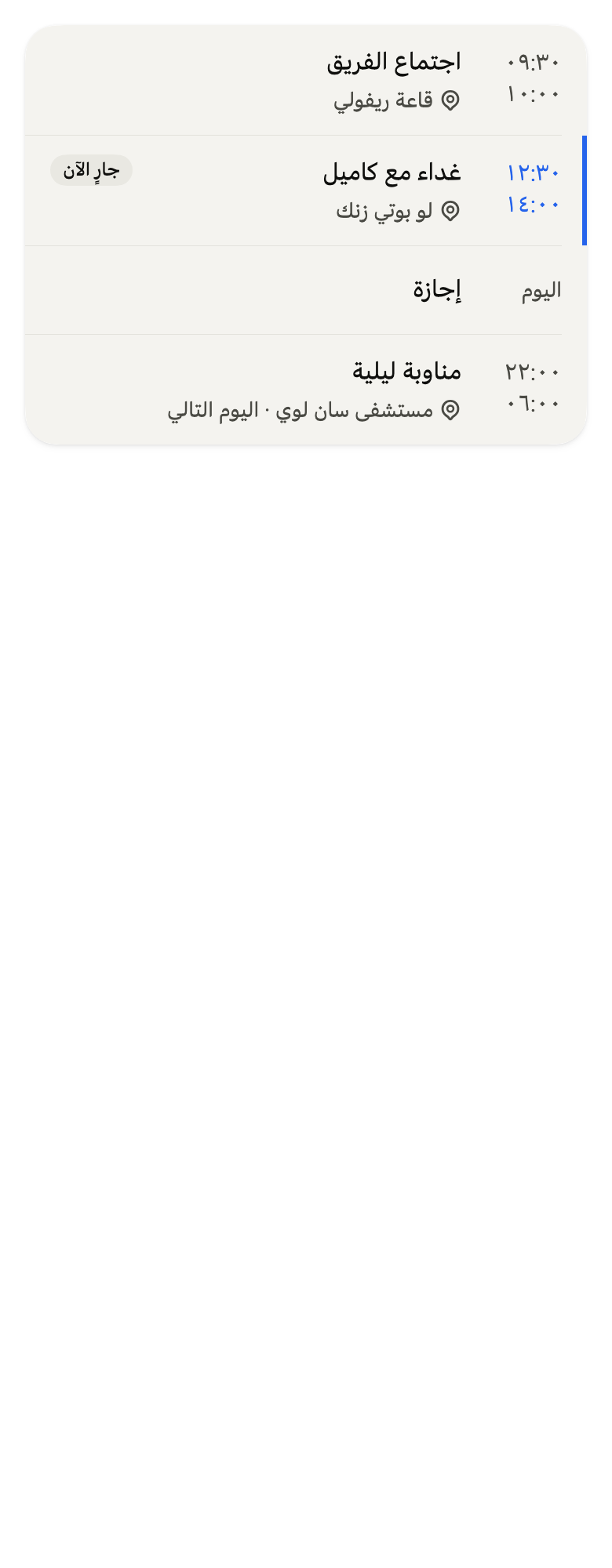
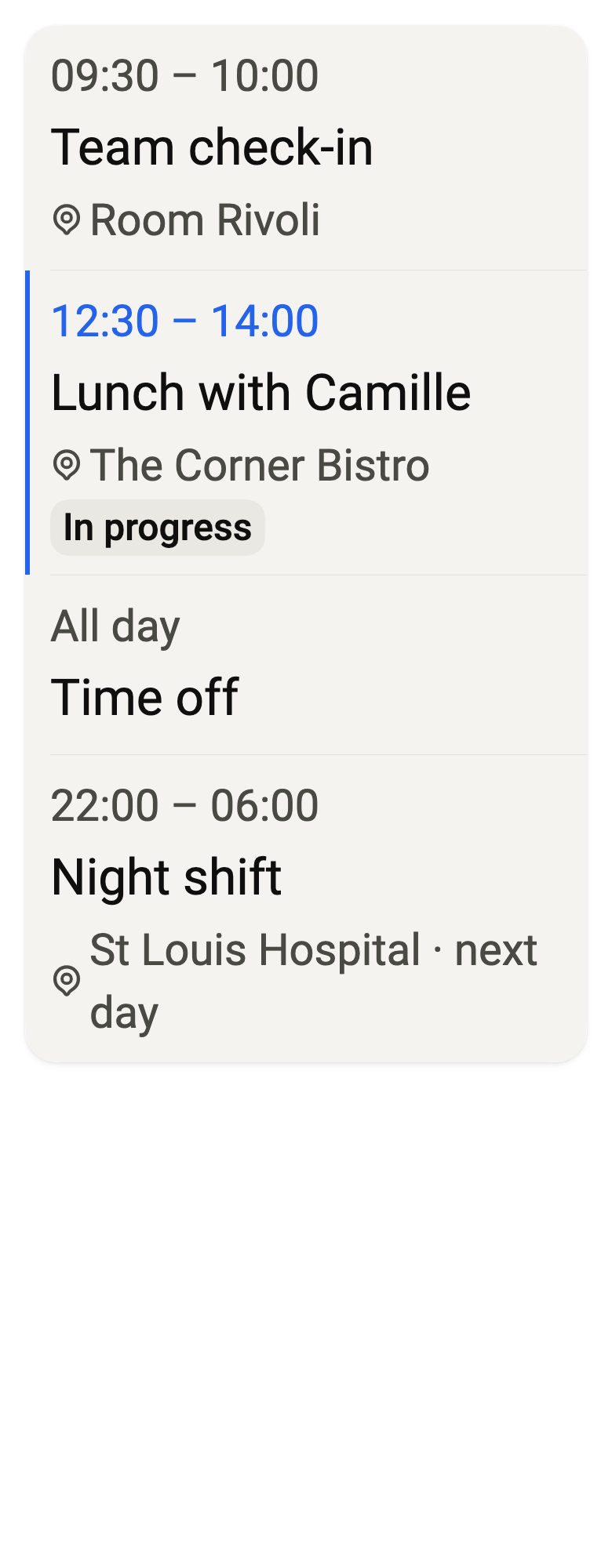
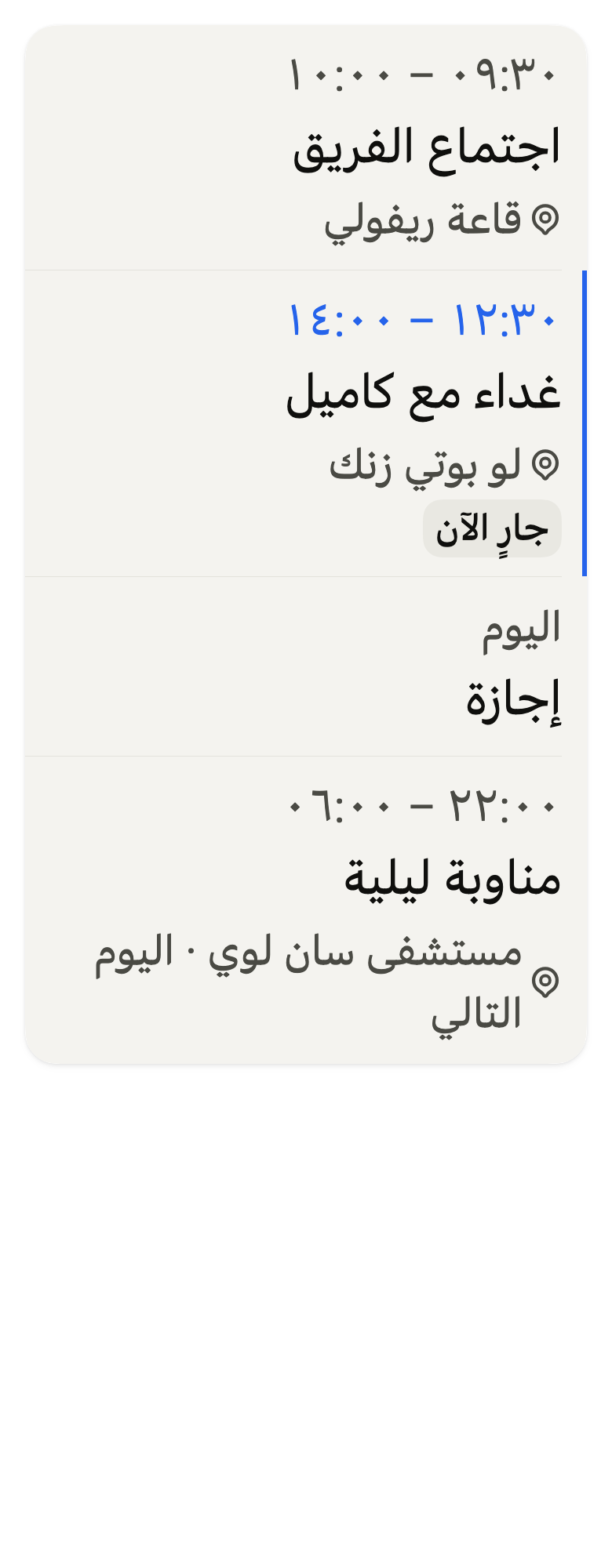
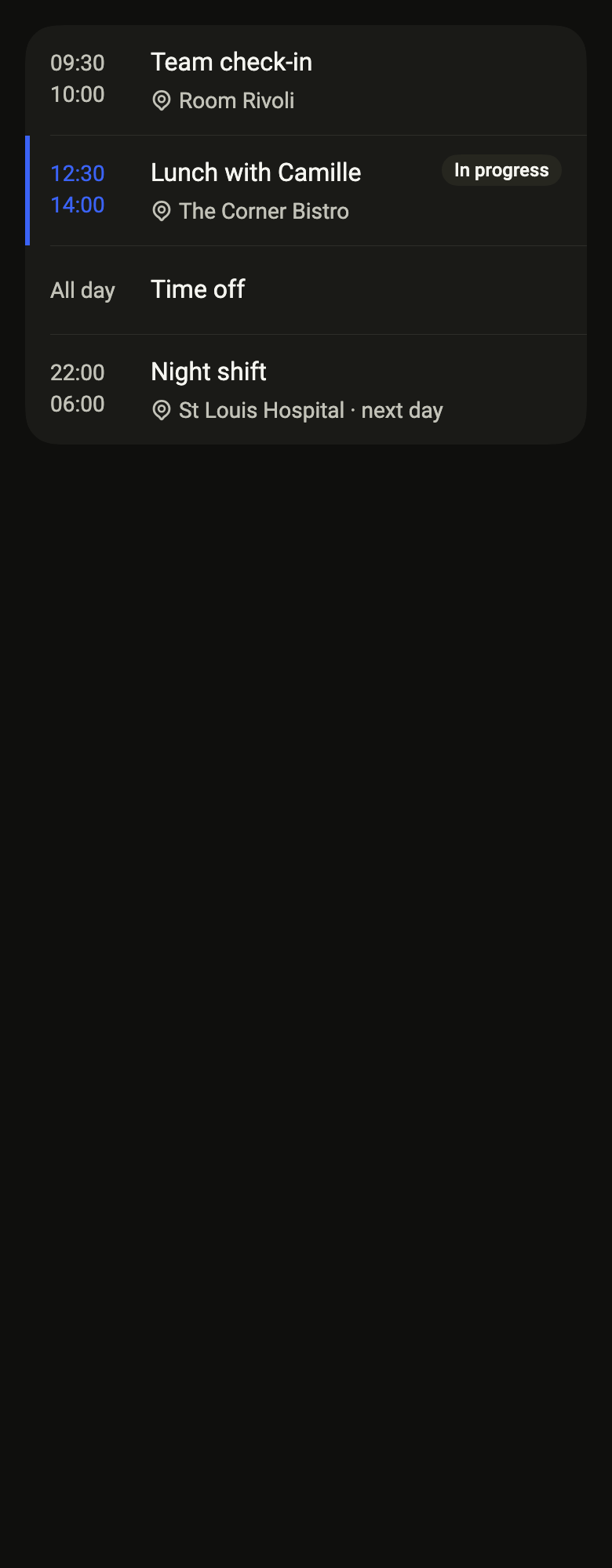
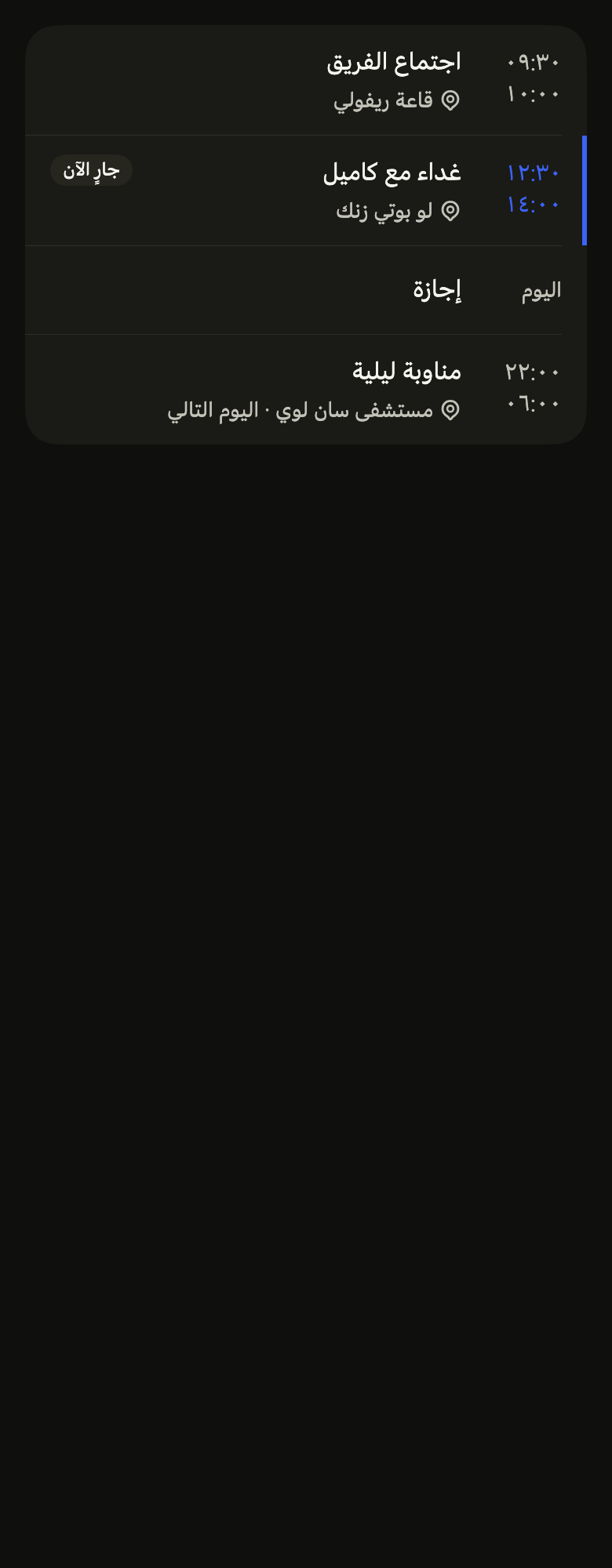
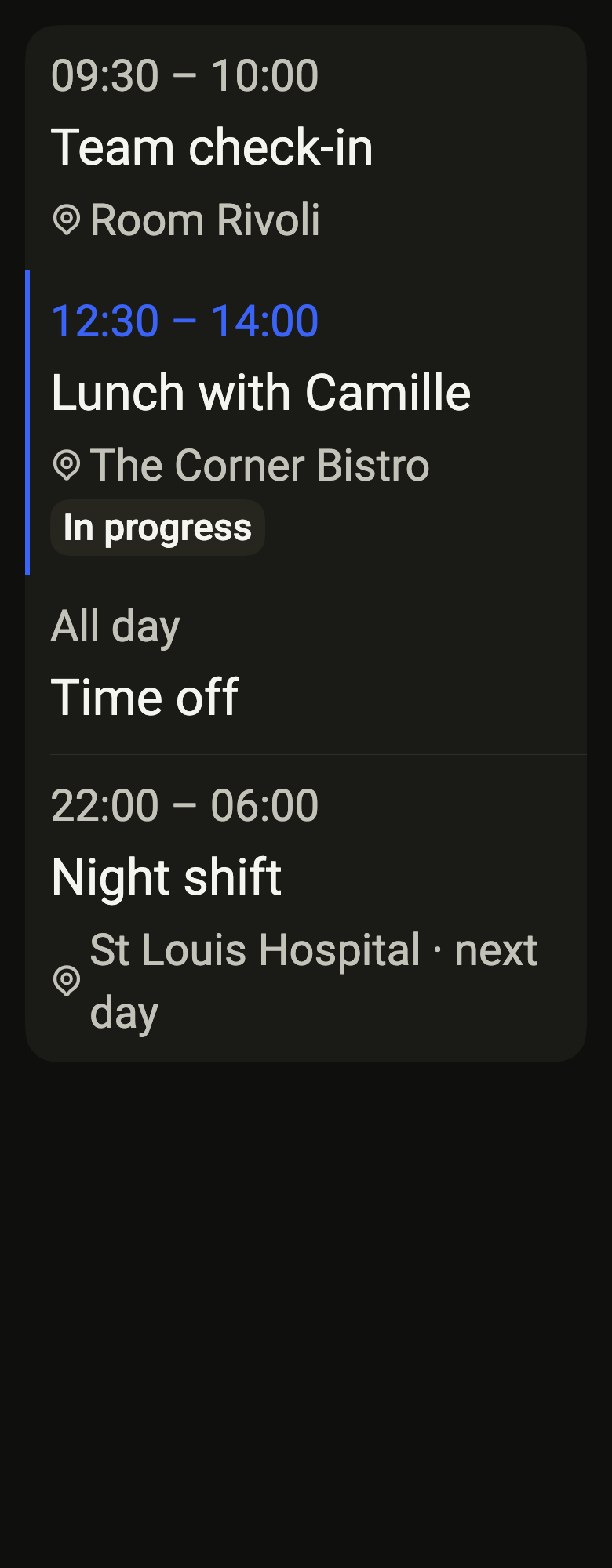
The code the reference images render:
final example = ColoredBox(
  color: FlScope.of(context).colors.surface,
  child: SingleChildScrollView(
    padding: EdgeInsetsDirectional.all(FlScope.of(context).space.lg),
    child: Column(
      crossAxisAlignment: CrossAxisAlignment.stretch,
      children: [
        FlListGroup(
          children: [
            FlEventRow(
              title: (variant.dir == TextDirection.rtl
                  ? "اجتماع الفريق"
                  : "Team check-in"),
              time: (variant.dir == TextDirection.rtl
                  ? "\u2066٠٩:٣٠ – ١٠:٠٠\u2069"
                  : "09:30 – 10:00"),
              start: (variant.dir == TextDirection.rtl ? "٠٩:٣٠" : "09:30"),
              end: (variant.dir == TextDirection.rtl ? "١٠:٠٠" : "10:00"),
              timeLabel: (variant.dir == TextDirection.rtl
                  ? "من ٠٩:٣٠ إلى ١٠:٠٠"
                  : "from 09:30 to 10:00"),
              location: (variant.dir == TextDirection.rtl
                  ? "قاعة ريفولي"
                  : "Room Rivoli"),
              onPressed: () {},
            ),
            FlEventRow(
              title: (variant.dir == TextDirection.rtl
                  ? "غداء مع كاميل"
                  : "Lunch with Camille"),
              time: (variant.dir == TextDirection.rtl
                  ? "\u2066١٢:٣٠ – ١٤:٠٠\u2069"
                  : "12:30 – 14:00"),
              start: (variant.dir == TextDirection.rtl ? "١٢:٣٠" : "12:30"),
              end: (variant.dir == TextDirection.rtl ? "١٤:٠٠" : "14:00"),
              timeLabel: (variant.dir == TextDirection.rtl
                  ? "من ١٢:٣٠ إلى ١٤:٠٠"
                  : "from 12:30 to 14:00"),
              location: (variant.dir == TextDirection.rtl
                  ? "لو بوتي زنك"
                  : "The Corner Bistro"),
              currentLabel: (variant.dir == TextDirection.rtl
                  ? "جارٍ الآن"
                  : "In progress"),
              onPressed: () {},
            ),
            FlEventRow(
              title: (variant.dir == TextDirection.rtl ? "إجازة" : "Time off"),
              time: (variant.dir == TextDirection.rtl
                  ? "طوال اليوم"
                  : "All day"),
              start: (variant.dir == TextDirection.rtl ? "اليوم" : "All day"),
              timeLabel: (variant.dir == TextDirection.rtl
                  ? "طوال اليوم"
                  : "all day"),
              onPressed: () {},
            ),
            FlEventRow(
              title: (variant.dir == TextDirection.rtl
                  ? "مناوبة ليلية"
                  : "Night shift"),
              time: (variant.dir == TextDirection.rtl
                  ? "\u2066٢٢:٠٠ – ٠٦:٠٠\u2069 (اليوم التالي)"
                  : "22:00 – 06:00 (next day)"),
              start: (variant.dir == TextDirection.rtl ? "٢٢:٠٠" : "22:00"),
              end: (variant.dir == TextDirection.rtl ? "٠٦:٠٠" : "06:00"),
              timeLabel: (variant.dir == TextDirection.rtl
                  ? "من ٢٢:٠٠ إلى ٠٦:٠٠ في اليوم التالي"
                  : "from 22:00 to 06:00 the next day"),
              location: (variant.dir == TextDirection.rtl
                  ? "مستشفى سان لوي · اليوم التالي"
                  : "St Louis Hospital · next day"),
              onPressed: () {},
            ),
          ],
        ),
      ],
    ),
  ),
);API
FlEventRow: class extends StatelessWidget
FlEventRow.new: const new({super.key, required String title, required String time, required String timeLabel, String? location, String? currentLabel, VoidCallback? onPressed, String separator, String? start, String? end, Color? color})
FlEventRow.color: get Color?
FlEventRow.start: get String?
FlEventRow.end: get String?
FlEventRow.title: get String
FlEventRow.time: get String
FlEventRow.timeLabel: get String
FlEventRow.location: get String?
FlEventRow.currentLabel: get String?
FlEventRow.onPressed: get VoidCallback?
FlEventRow.separator: get String
FlEventRow.build: Widget(BuildContext context)Reference renders
The 16 images published with version 0.2.4, rendered by the shared harness on macOS with Flutter 3.47.7. fliin verify event-row compares your copy to them.
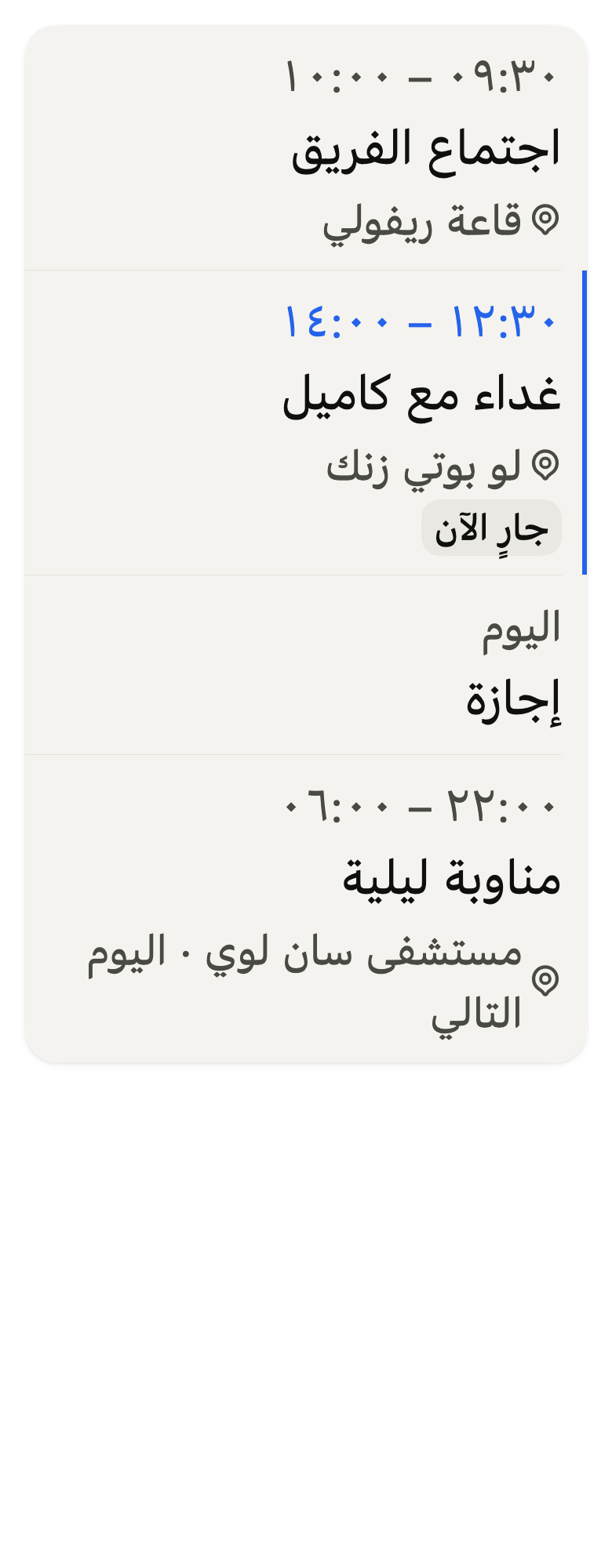
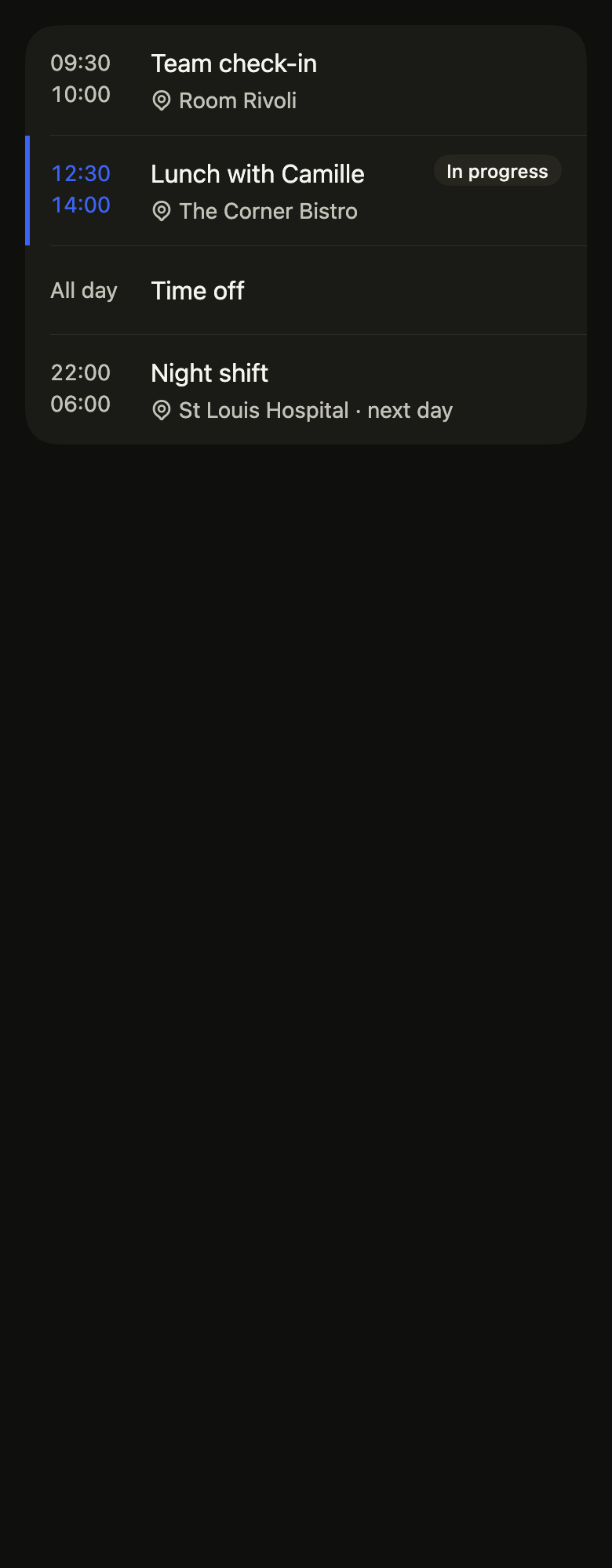
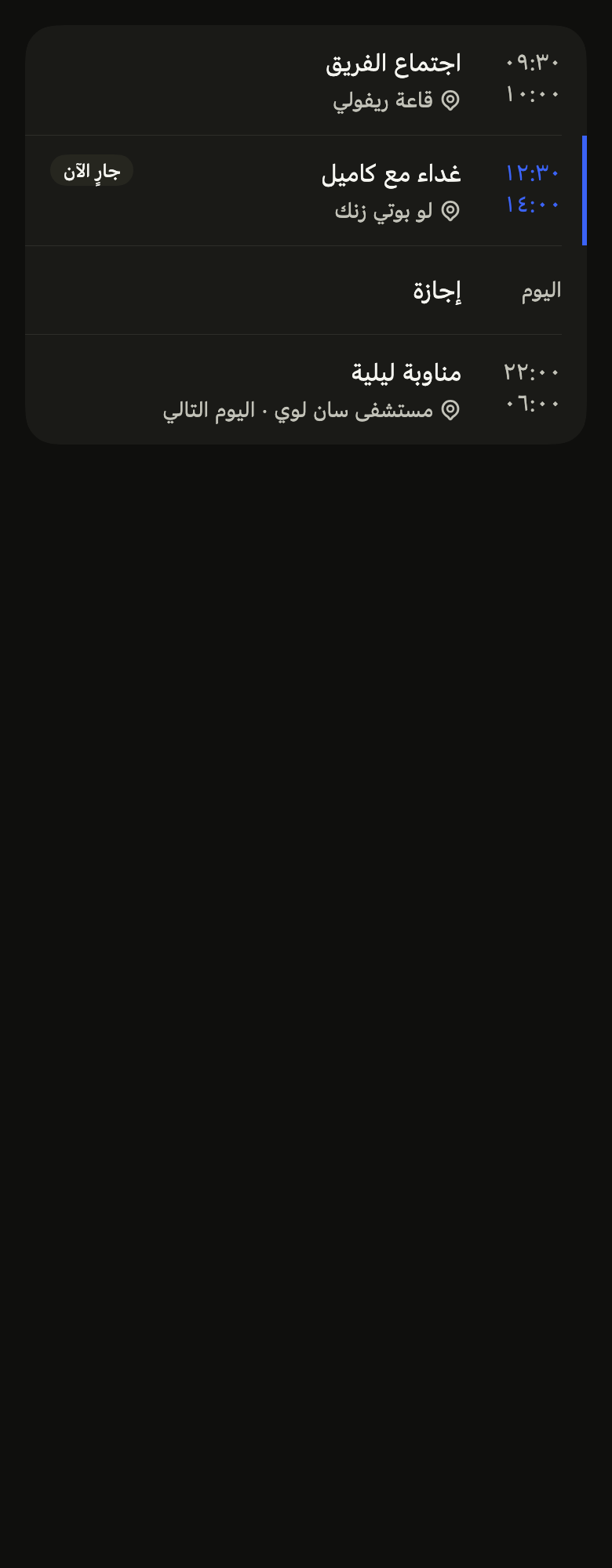
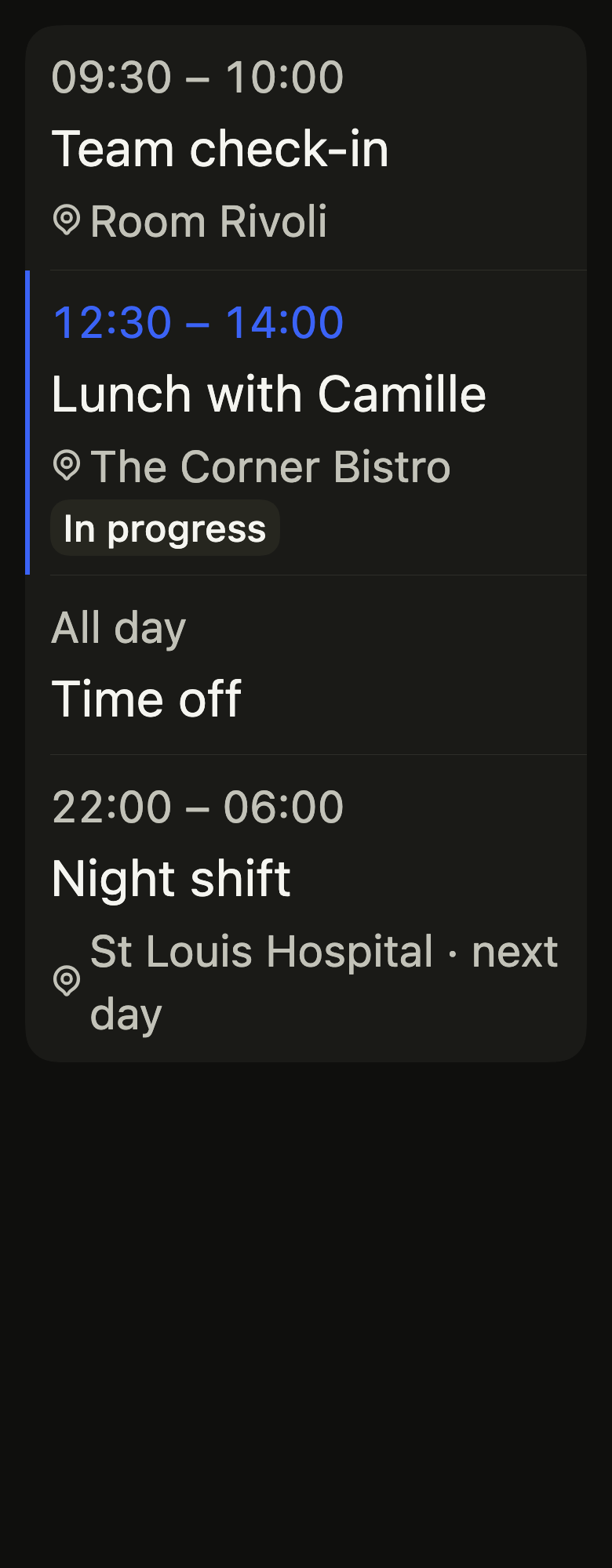
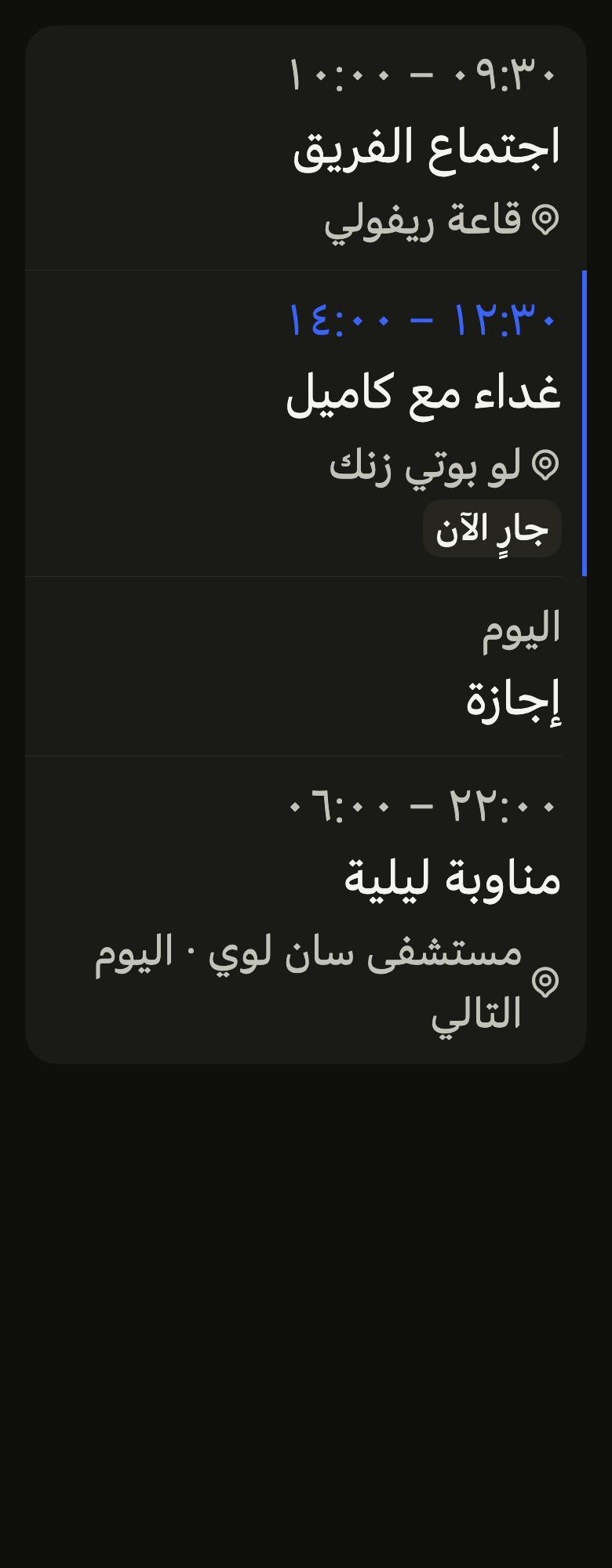
Use it to
- show agenda entries with the time they start and stop
- show which agenda entry is happening now
- show the room or address of a meeting
- open an agenda entry
- make all-day agenda entries stand apart
- Not for
- a task to check off: use a task row (task-row)
- a step of a delivery tracking: use the tracking steps (tracking-steps)
- the whole agenda for the day or week: use the agenda (agenda)
- a time typed on the keyboard in a form: use the time field (time-field)
- States