Blocks / messaging
Message bubble
Shows one message of a chat thread: sent at the end, received at the start, grouped by author, with the quoted reply, the time, and sending, sent, read or failed with retry.
Import
Message bubble is part of Fliin Pro. With a license key, sign in once with fliin login, then add it in a Flutter app where fliin init has run:
fliin login
fliin add message-bubble
Also installs: core, button, icons, link-button, menu
Examples
Received
A message from someone else: outgoing: false puts it on the start side, and showFooter adds its time. Its actions open on a long press.
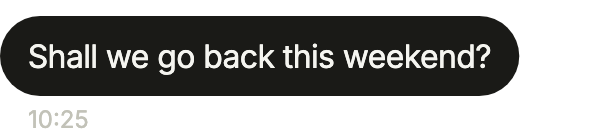
import 'package:your_app/ui/fliin/components/message_bubble/fl_message_bubble.dart';
import 'package:flutter/widgets.dart';

class MessageBubbleReceivedExample extends StatelessWidget {
  const MessageBubbleReceivedExample({super.key});

  @override
  Widget build(BuildContext context) {
    return FlMessageBubble(
      text: 'Shall we go back this weekend?',
      outgoing: false,
      author: 'Leah Bernard',
      time: '10:25',
      showFooter: true,
      actions: [FlMessageAction(label: 'Copy', onPressed: () {})],
      actionsLabel: 'Actions',
    );
  }
}Group author
Two messages in a row from the same person, as in a group: the first shows the author, the last the time, and position joins their corners.
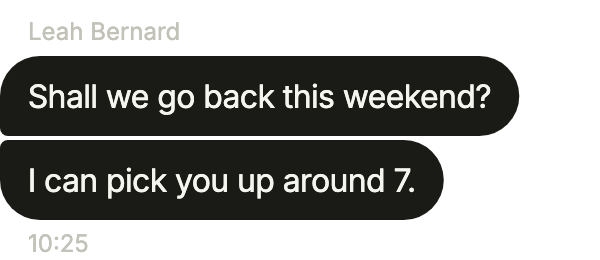
import 'package:your_app/ui/fliin/components/message_bubble/fl_message_bubble.dart';
import 'package:flutter/widgets.dart';

class MessageBubbleGroupAuthorExample extends StatelessWidget {
  const MessageBubbleGroupAuthorExample({super.key});

  @override
  Widget build(BuildContext context) {
    return Column(
      crossAxisAlignment: CrossAxisAlignment.stretch,
      children: [
        FlMessageBubble(
          text: 'Shall we go back this weekend?',
          outgoing: false,
          author: 'Leah Bernard',
          time: '10:25',
          showAuthor: true,
          position: FlMessageGroupPosition.first,
          actions: [FlMessageAction(label: 'Copy', onPressed: () {})],
          actionsLabel: 'Actions',
        ),
        FlMessageBubble(
          text: 'I can pick you up around 7.',
          outgoing: false,
          author: 'Leah Bernard',
          time: '10:25',
          showFooter: true,
          position: FlMessageGroupPosition.last,
          actions: [FlMessageAction(label: 'Copy', onPressed: () {})],
          actionsLabel: 'Actions',
        ),
      ],
    );
  }
}Reply
The user's answer to an earlier message: quote shows what it replies to, and status that it was sent.
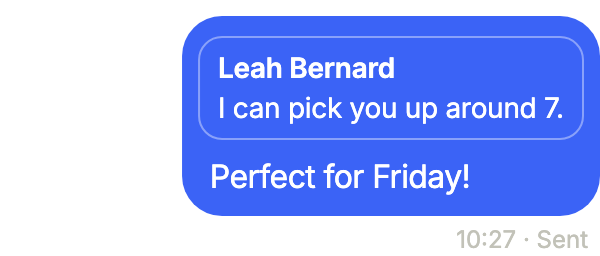
import 'package:your_app/ui/fliin/components/message_bubble/fl_message_bubble.dart';
import 'package:flutter/widgets.dart';

class MessageBubbleReplyExample extends StatelessWidget {
  const MessageBubbleReplyExample({super.key});

  @override
  Widget build(BuildContext context) {
    return FlMessageBubble(
      text: 'Perfect for Friday!',
      outgoing: true,
      author: 'You',
      time: '10:27',
      status: FlMessageStatus.sent,
      statusLabel: 'Sent',
      showFooter: true,
      quote: const FlMessageQuote(author: 'Leah Bernard', text: 'I can pick you up around 7.'),
      actions: [FlMessageAction(label: 'Copy', onPressed: () {})],
      actionsLabel: 'Actions',
    );
  }
}Read
FlMessageStatus.read once the other person has seen the message.
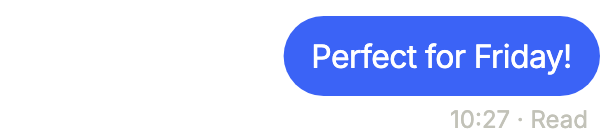
import 'package:your_app/ui/fliin/components/message_bubble/fl_message_bubble.dart';
import 'package:flutter/widgets.dart';

class MessageBubbleReadExample extends StatelessWidget {
  const MessageBubbleReadExample({super.key});

  @override
  Widget build(BuildContext context) {
    return FlMessageBubble(
      text: 'Perfect for Friday!',
      outgoing: true,
      author: 'You',
      time: '10:27',
      status: FlMessageStatus.read,
      statusLabel: 'Read',
      showFooter: true,
      actions: [FlMessageAction(label: 'Copy', onPressed: () {})],
      actionsLabel: 'Actions',
    );
  }
}Sending
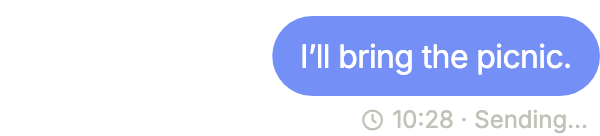
A message on its way: FlMessageStatus.sending, with no actions yet.
import 'package:your_app/ui/fliin/components/message_bubble/fl_message_bubble.dart';
import 'package:flutter/widgets.dart';

class MessageBubbleSendingExample extends StatelessWidget {
  const MessageBubbleSendingExample({super.key});

  @override
  Widget build(BuildContext context) {
    return const FlMessageBubble(
      text: 'I’ll bring the picnic.',
      outgoing: true,
      author: 'You',
      time: '10:28',
      status: FlMessageStatus.sending,
      statusLabel: 'Sending…',
      showFooter: true,
    );
  }
}Failed
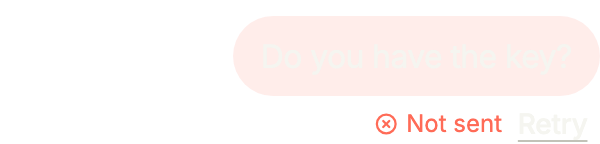
A message that could not be sent: FlMessageStatus.failed and onRetry let the user send it again.
import 'package:your_app/ui/fliin/components/message_bubble/fl_message_bubble.dart';
import 'package:flutter/widgets.dart';

class MessageBubbleFailedExample extends StatelessWidget {
  const MessageBubbleFailedExample({super.key});

  @override
  Widget build(BuildContext context) {
    return FlMessageBubble(
      text: 'Do you have the key?',
      outgoing: true,
      author: 'You',
      time: '10:29',
      status: FlMessageStatus.failed,
      statusLabel: 'Not sent',
      onRetry: () {},
      retryLabel: 'Retry',
      actions: [FlMessageAction(label: 'Copy', onPressed: () {})],
      actionsLabel: 'Actions',
    );
  }
}Reactions
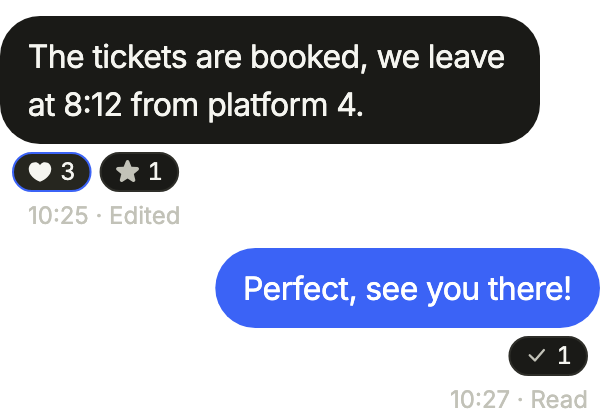
Reactions under a bubble, each a pill the user taps to add or remove their own (selected), and editedLabel after the time of a message changed since it was sent.
import 'package:your_app/ui/fliin/components/message_bubble/fl_message_bubble.dart';
import 'package:your_app/ui/fliin/core/fliin.dart';
import 'package:your_app/ui/fliin/icons/fl_icons.dart';
import 'package:flutter/widgets.dart';

class MessageBubbleReactionsExample extends StatefulWidget {
  const MessageBubbleReactionsExample({super.key});

  @override
  State<MessageBubbleReactionsExample> createState() => _MessageBubbleReactionsExampleState();
}

class _MessageBubbleReactionsExampleState extends State<MessageBubbleReactionsExample> {
  var _hearted = true;

  @override
  Widget build(BuildContext context) {
    final hearts = _hearted ? 3 : 2;
    return Column(
      crossAxisAlignment: CrossAxisAlignment.stretch,
      children: [
        FlMessageBubble(
          text: 'The tickets are booked, we leave at 8:12 from platform 4.',
          outgoing: false,
          author: 'Leah Bernard',
          time: '10:25',
          editedLabel: 'Edited',
          showFooter: true,
          reactions: [
            FlMessageReaction(
              icon: FlIcon(FlIcons.heartFill),
              text: '$hearts',
              semanticLabel: _hearted ? 'Heart, $hearts, including you' : 'Heart, $hearts',
              selected: _hearted,
              onPressed: () => setState(() => _hearted = !_hearted),
            ),
            FlMessageReaction(icon: FlIcon(FlIcons.starFill), text: '1', semanticLabel: 'Star, 1', onPressed: () {}),
          ],
        ),
        FlMessageBubble(
          text: 'Perfect, see you there!',
          outgoing: true,
          author: 'You',
          time: '10:27',
          status: FlMessageStatus.read,
          statusLabel: 'Read',
          showFooter: true,
          reactions: [FlMessageReaction(icon: FlIcon(FlIcons.check), text: '1', semanticLabel: 'Check, 1')],
        ),
      ],
    );
  }
}Usage
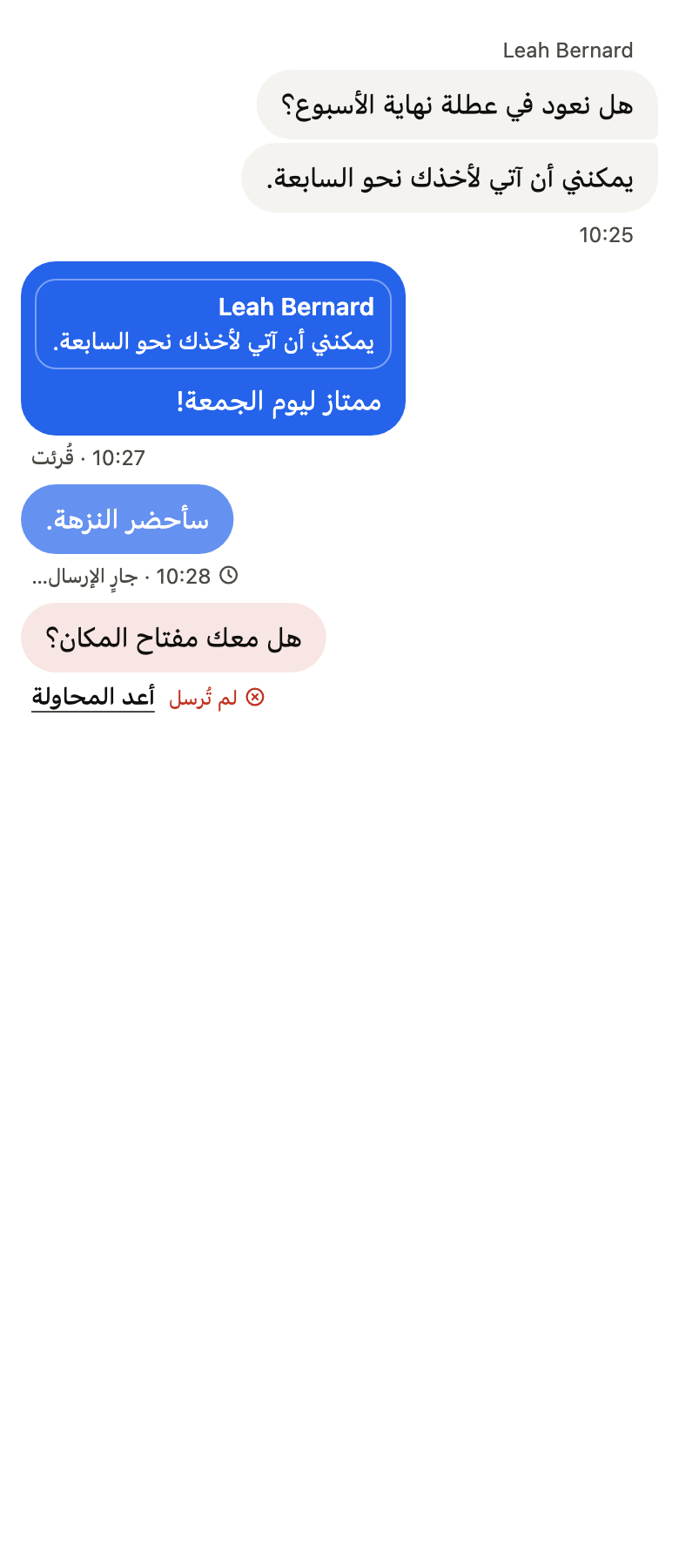
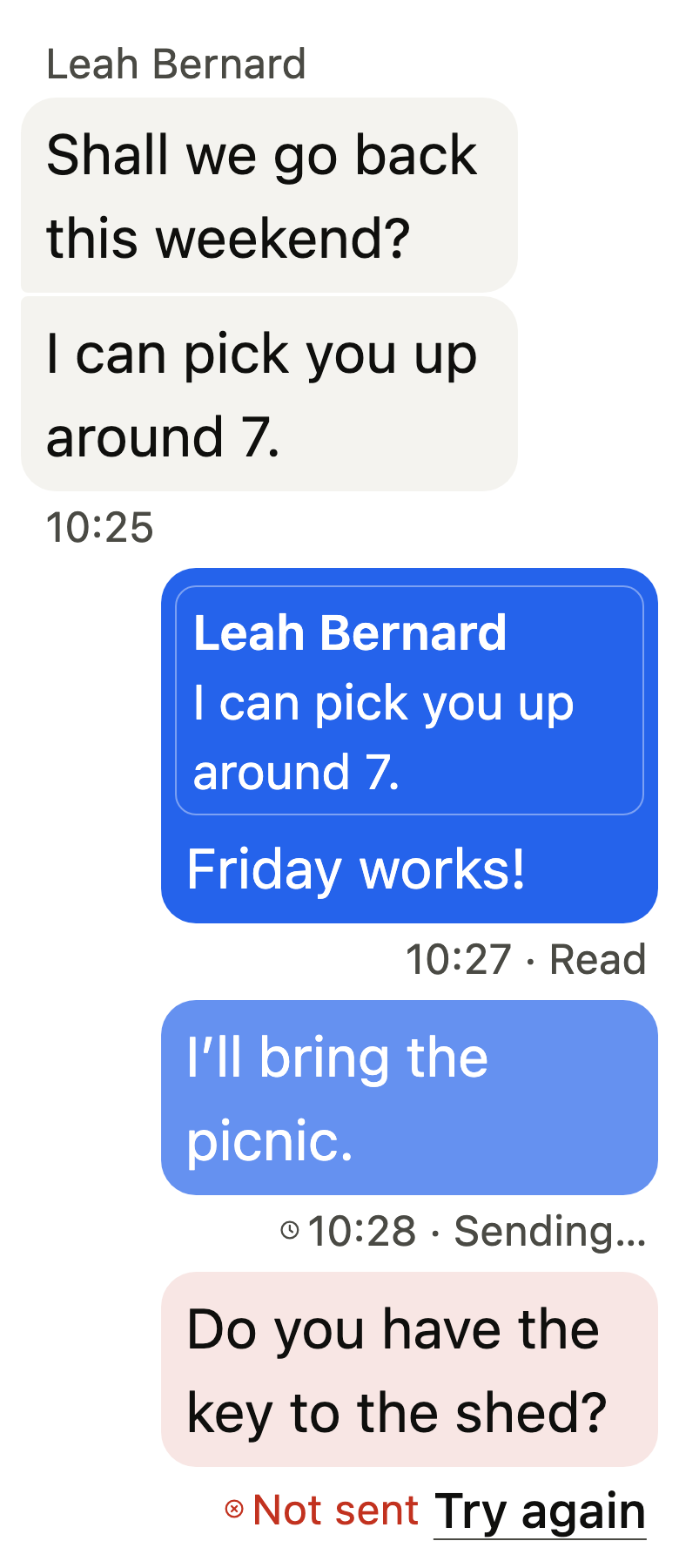
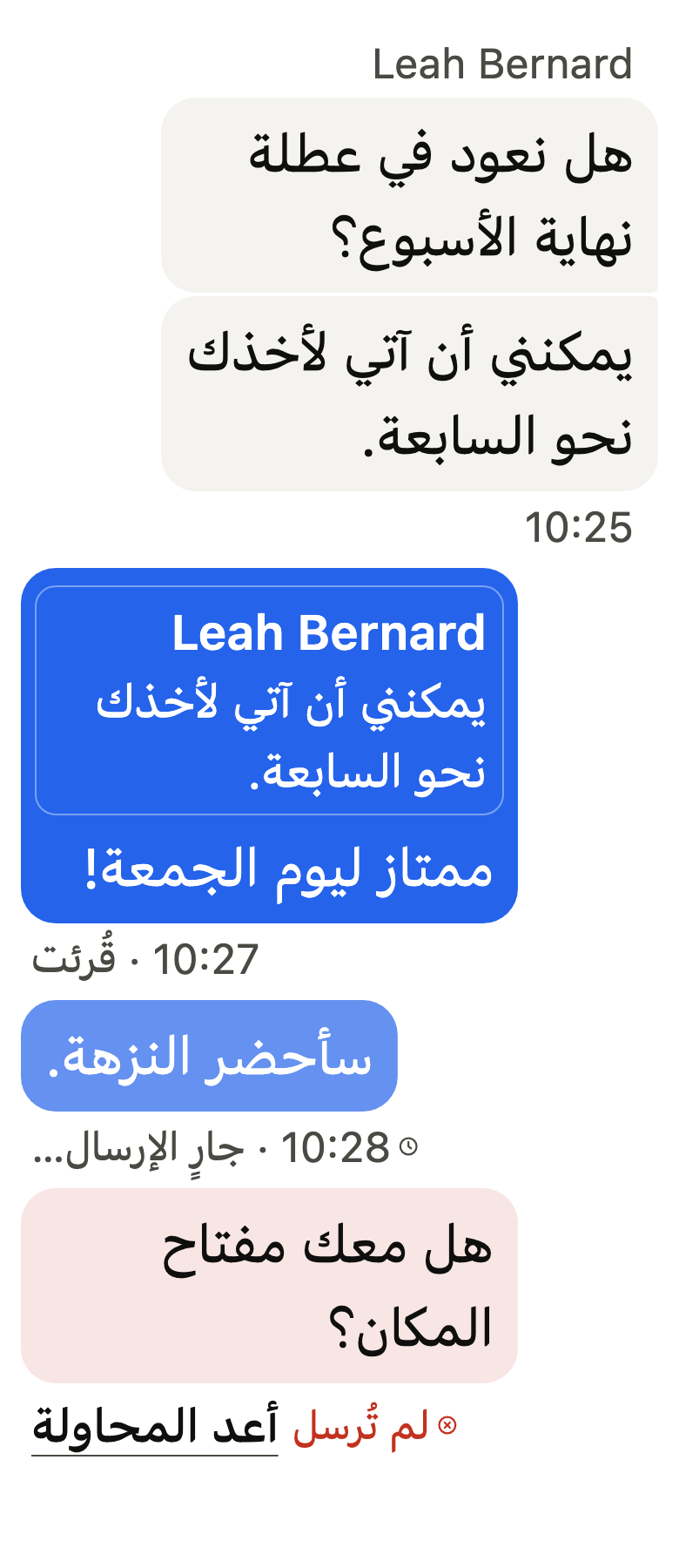
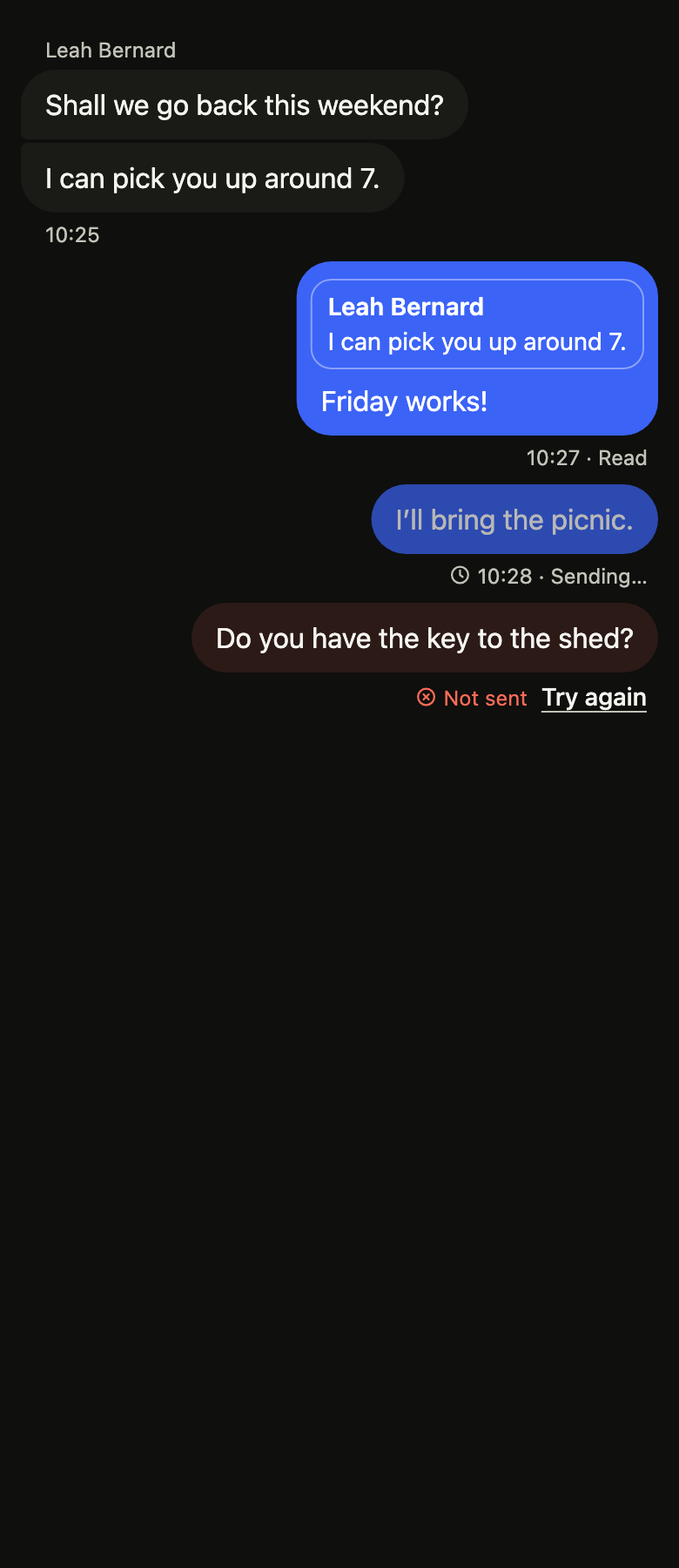
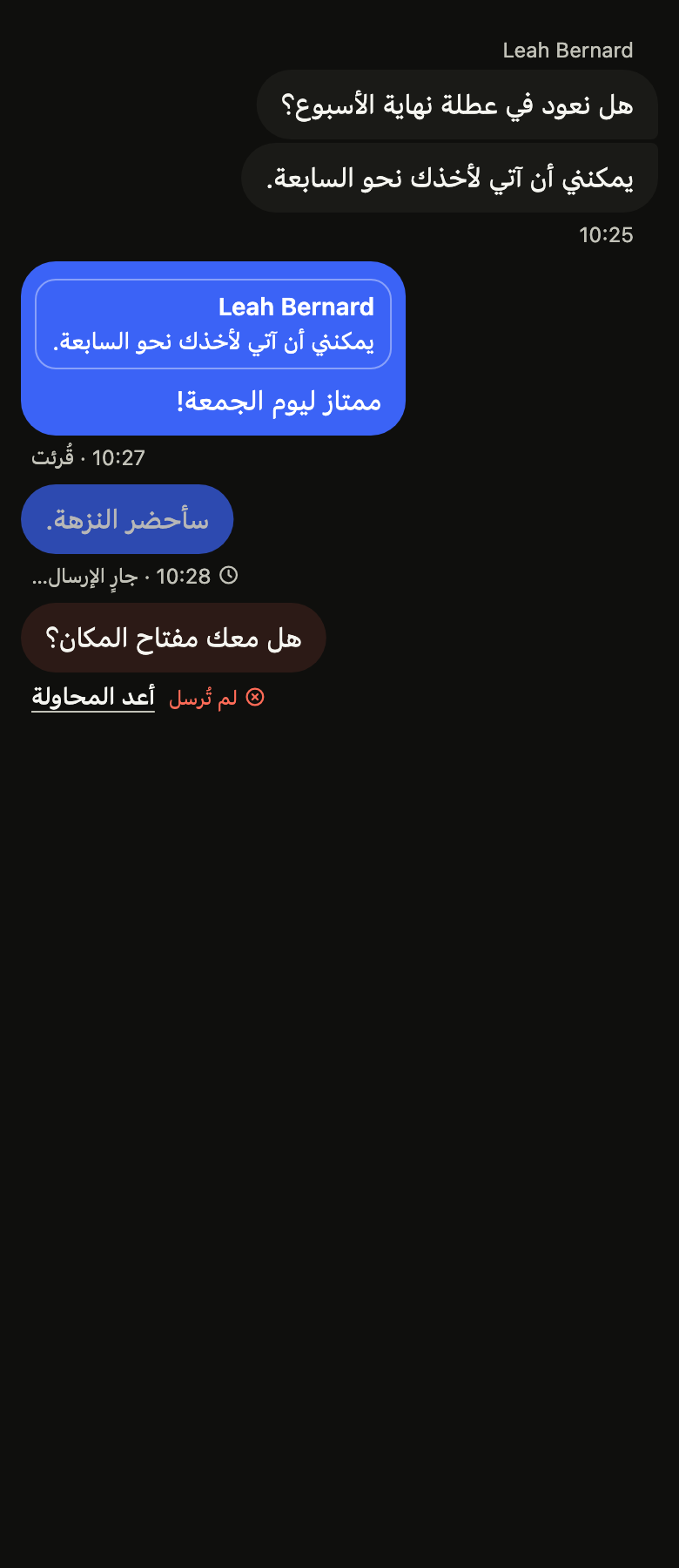
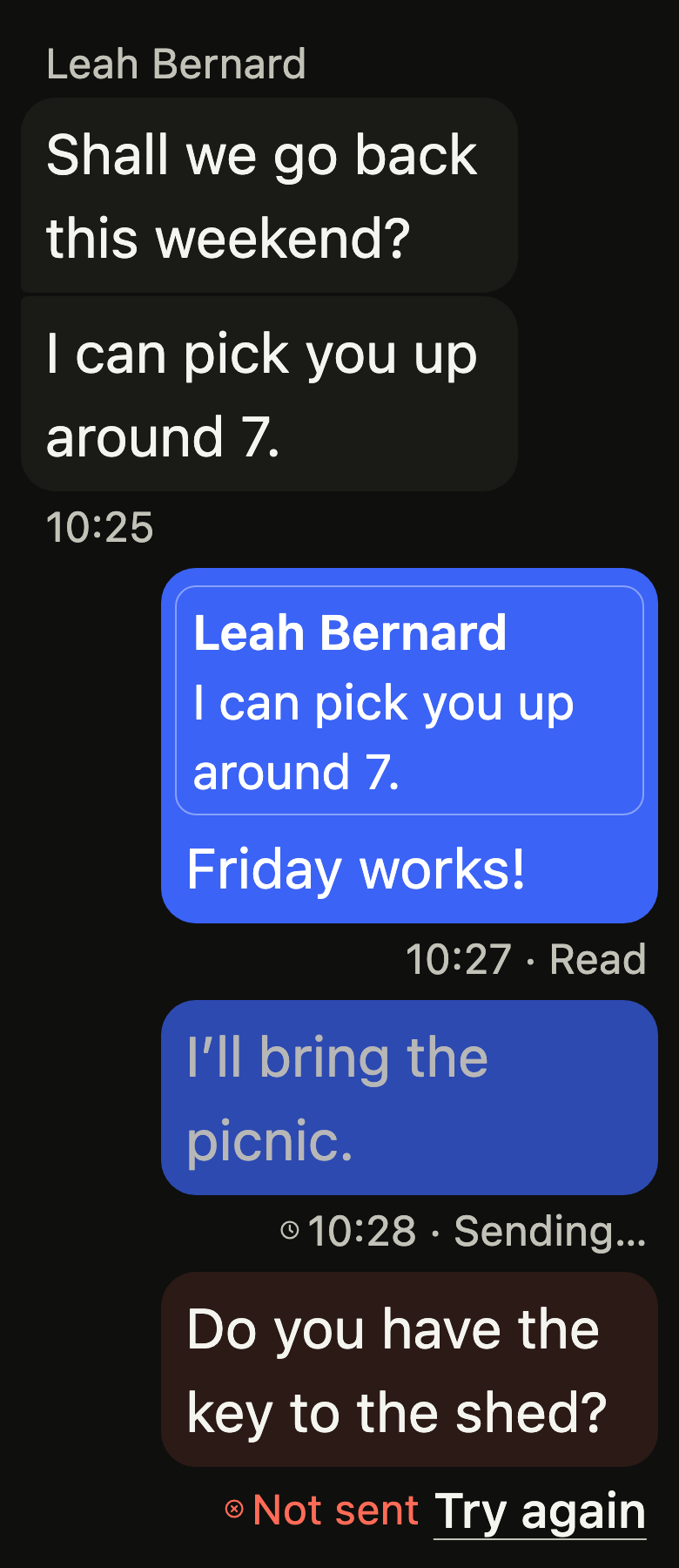
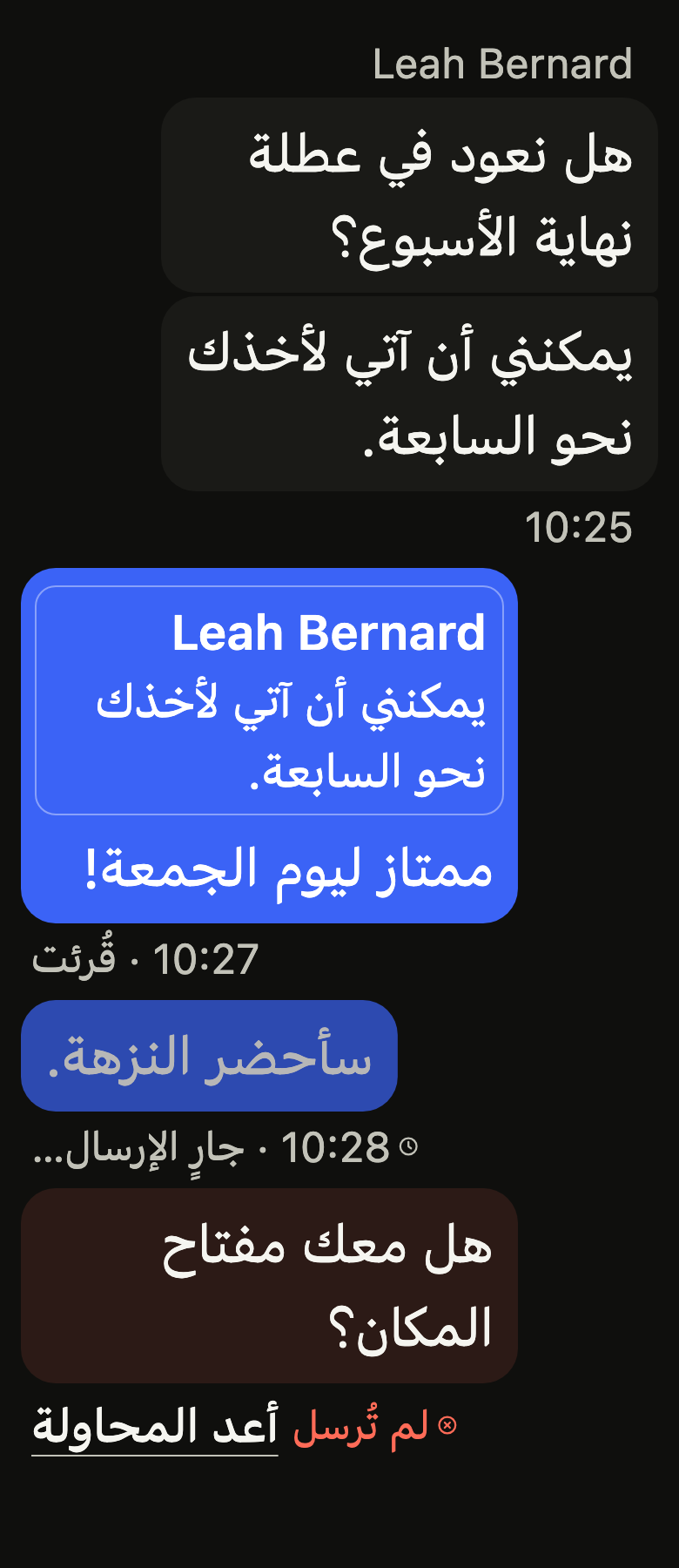
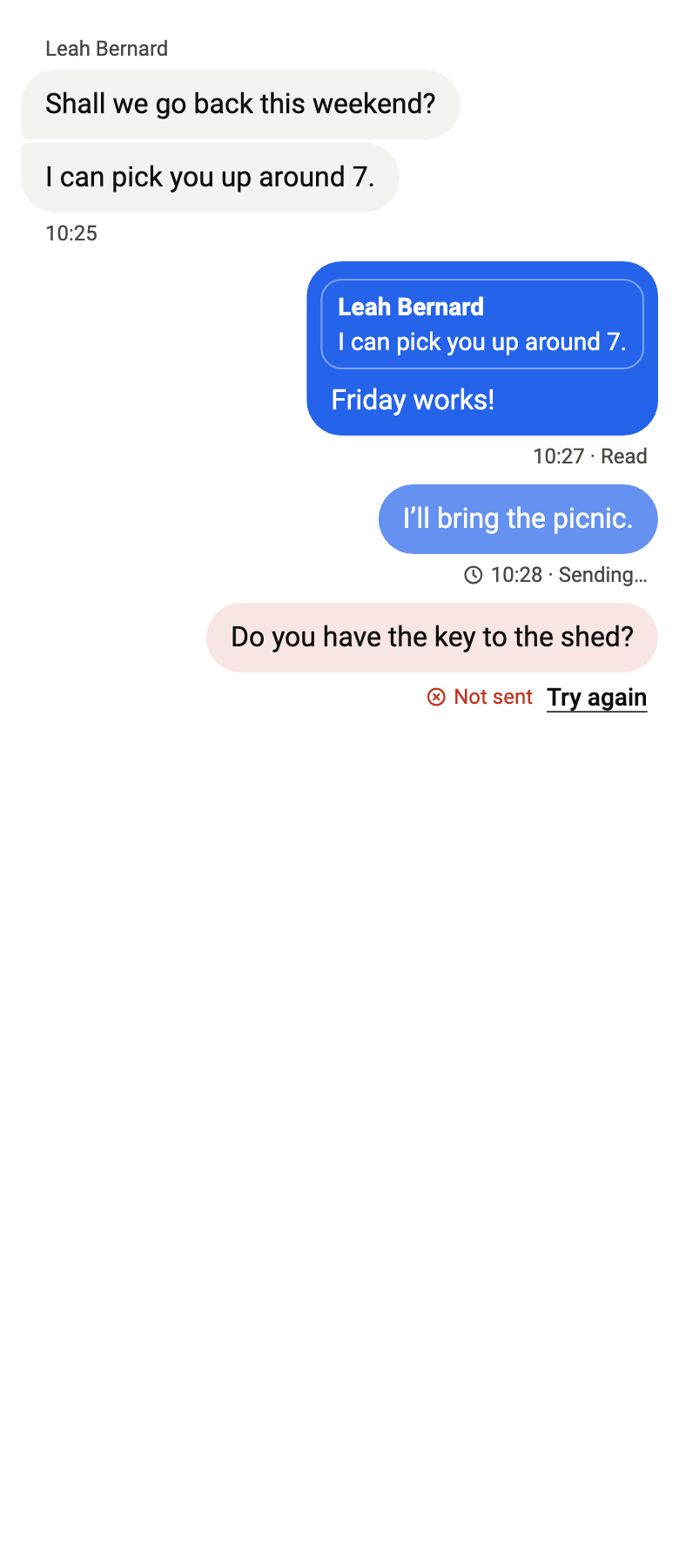
The code the reference images render:
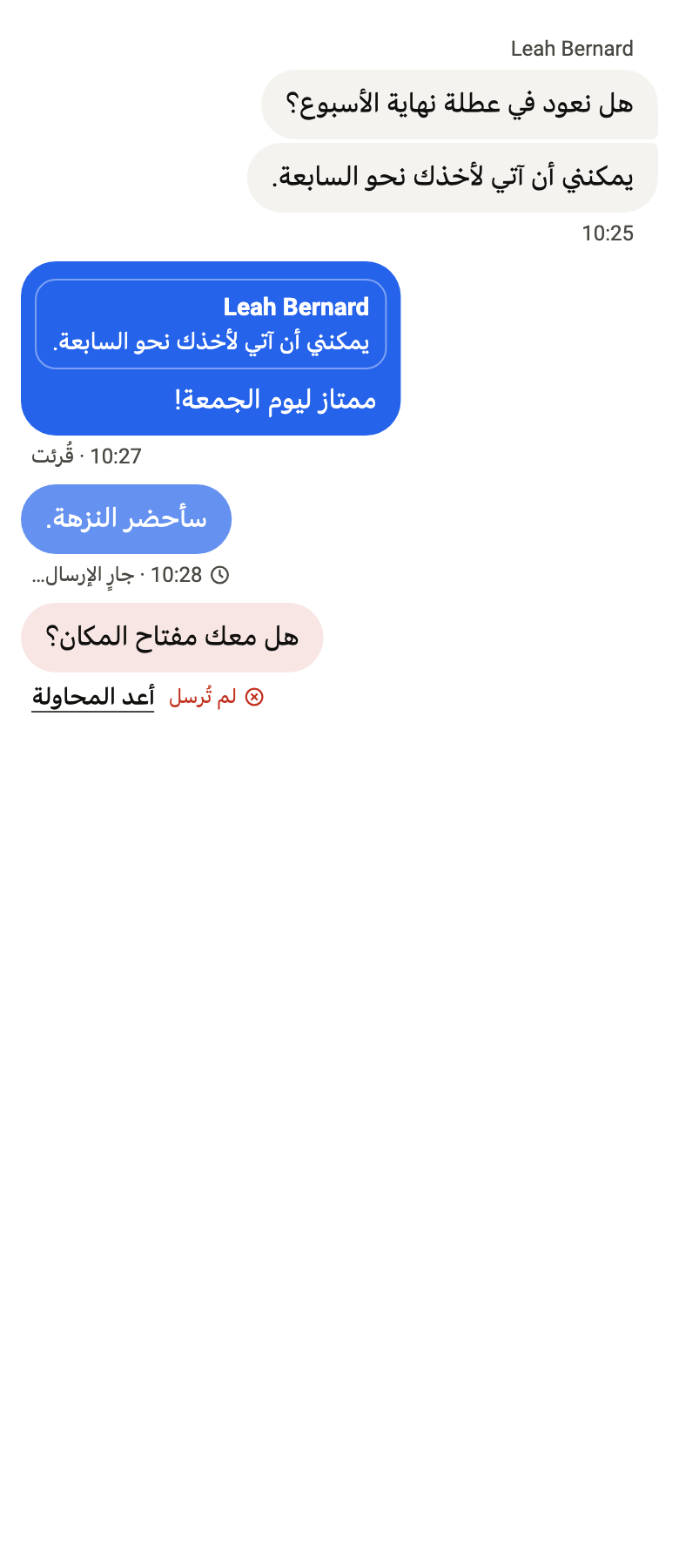
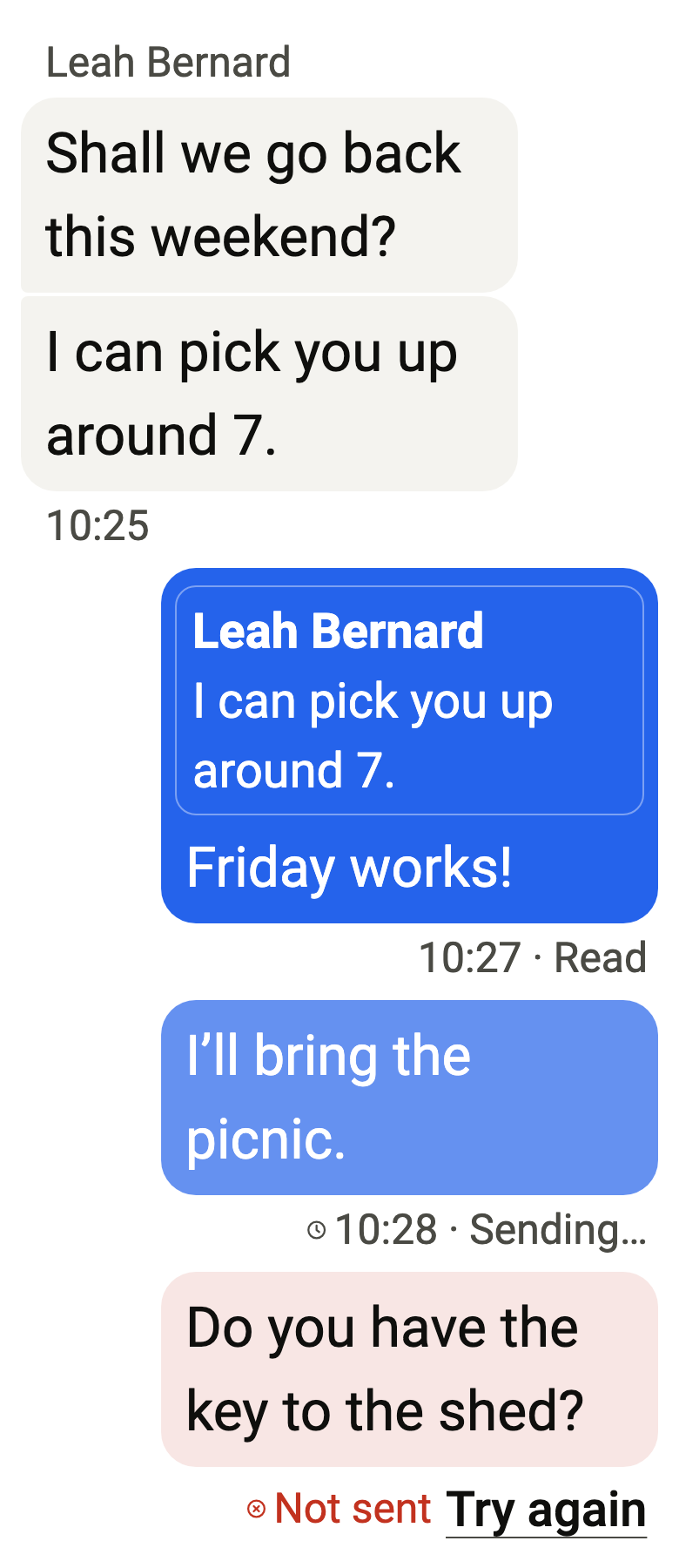
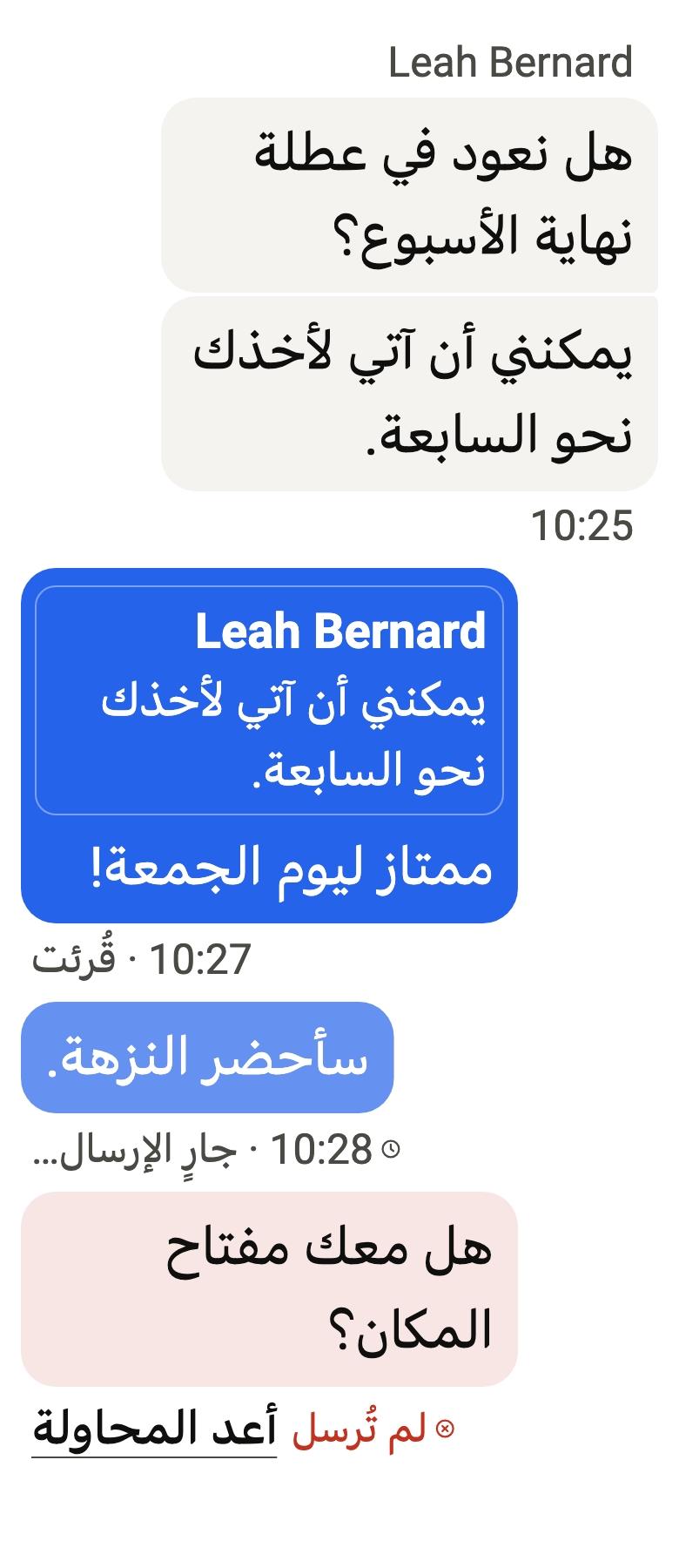
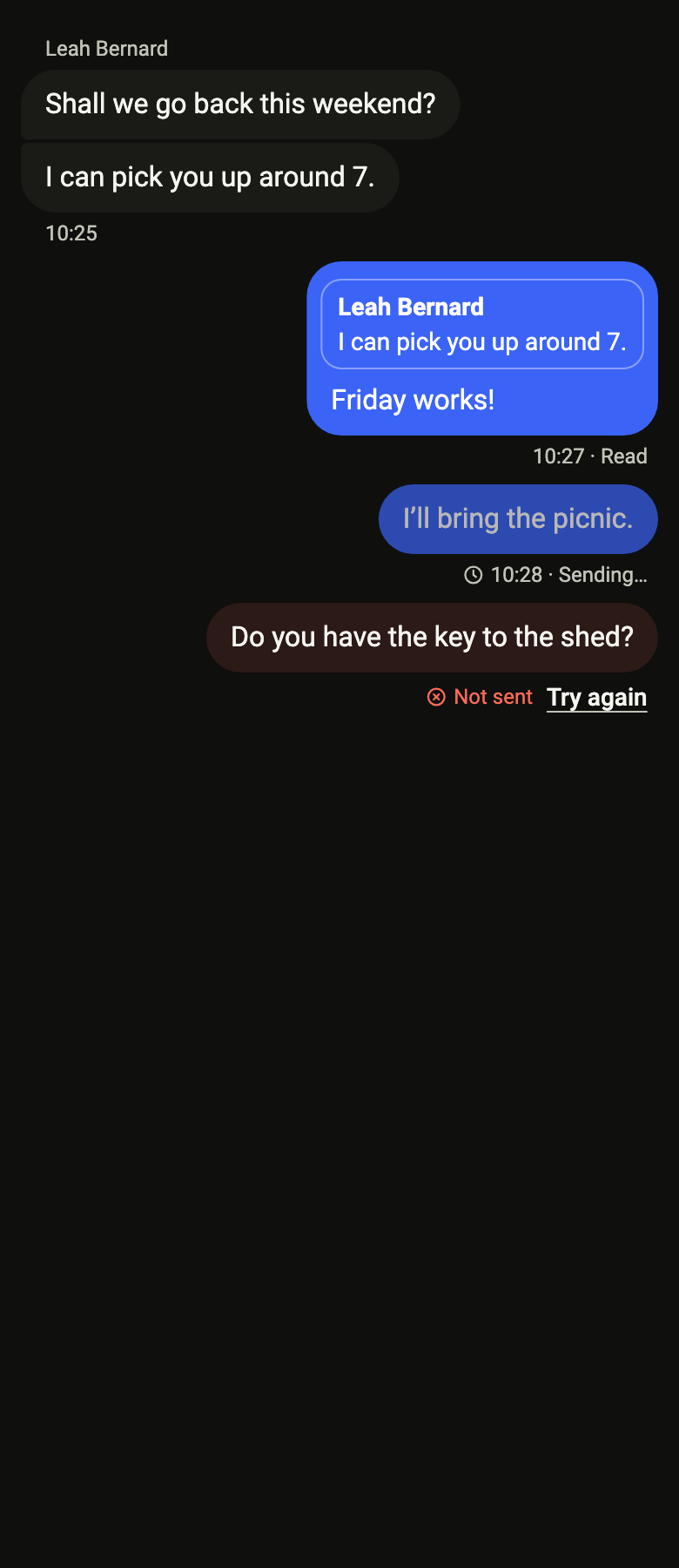
final example = Builder(
  builder: (context) {
    final theme = FlScope.of(context);
    final actions = [FlMessageAction(label: 'Copy', onPressed: () {})];
    final actionsLabel = 'Actions';
    return ColoredBox(
      color: theme.colors.surface,
      child: SingleChildScrollView(
        padding: EdgeInsetsDirectional.all(theme.space.md),
        child: Column(
          crossAxisAlignment: CrossAxisAlignment.stretch,
          children: [
            FlMessageBubble(
              text: 'Shall we go back this weekend?',
              outgoing: false,
              author: 'Leah Bernard',
              time: '10:25',
              showAuthor: true,
              position: FlMessageGroupPosition.first,
              actions: actions,
              actionsLabel: actionsLabel,
            ),
            FlMessageBubble(
              text: 'I can pick you up around 7.',
              outgoing: false,
              author: 'Leah Bernard',
              time: '10:25',
              showFooter: true,
              position: FlMessageGroupPosition.last,
              actions: actions,
              actionsLabel: actionsLabel,
            ),
            FlMessageBubble(
              text: 'Friday works!',
              outgoing: true,
              author: 'You',
              time: '10:27',
              status: FlMessageStatus.read,
              statusLabel: 'Read',
              showFooter: true,
              quote: FlMessageQuote(
                author: 'Leah Bernard',
                text: 'I can pick you up around 7.',
              ),
              actions: actions,
              actionsLabel: actionsLabel,
            ),
            FlMessageBubble(
              text: 'I’ll bring the picnic.',
              outgoing: true,
              author: 'You',
              time: '10:28',
              status: FlMessageStatus.sending,
              statusLabel: 'Sending…',
              showFooter: true,
            ),
            FlMessageBubble(
              text: 'Do you have the key to the shed?',
              outgoing: true,
              author: 'You',
              time: '10:29',
              status: FlMessageStatus.failed,
              statusLabel: 'Not sent',
              onRetry: () {},
              retryLabel: 'Try again',
              actions: actions,
              actionsLabel: actionsLabel,
            ),
          ],
        ),
      ),
    );
  },
);API
FlMessageStatus: enum {sending, sent, read, failed}
FlMessageStatus.sending: static final FlMessageStatus
FlMessageStatus.sent: static final FlMessageStatus
FlMessageStatus.read: static final FlMessageStatus
FlMessageStatus.failed: static final FlMessageStatus
FlMessageGroupPosition: enum {single, first, middle, last}
FlMessageGroupPosition.single: static final FlMessageGroupPosition
FlMessageGroupPosition.first: static final FlMessageGroupPosition
FlMessageGroupPosition.middle: static final FlMessageGroupPosition
FlMessageGroupPosition.last: static final FlMessageGroupPosition
FlMessageQuote: final class
FlMessageQuote.new: const new({required String author, required String text})
FlMessageQuote.author: get String
FlMessageQuote.text: get String
FlMessageAction: final class
FlMessageAction.new: const new({required String label, required VoidCallback onPressed, bool destructive})
FlMessageAction.label: get String
FlMessageAction.onPressed: get VoidCallback
FlMessageAction.destructive: get bool
FlMessageReaction: final class
FlMessageReaction.new: const new({required String text, required String semanticLabel, Widget? icon, bool selected, VoidCallback? onPressed})
FlMessageReaction.text: get String
FlMessageReaction.icon: get Widget?
FlMessageReaction.semanticLabel: get String
FlMessageReaction.selected: get bool
FlMessageReaction.onPressed: get VoidCallback?
FlMessageBubble: class extends StatefulWidget
FlMessageBubble.new: const new({super.key, required String text, required bool outgoing, required String author, required String time, FlMessageStatus? status, String? statusLabel, bool showAuthor, bool showFooter, FlMessageQuote? quote, FlMessageGroupPosition position, VoidCallback? onRetry, String? retryLabel, List<FlMessageAction> actions, String? actionsLabel, List<FlMessageReaction> reactions, String? editedLabel})
FlMessageBubble.text: get String
FlMessageBubble.outgoing: get bool
FlMessageBubble.author: get String
FlMessageBubble.time: get String
FlMessageBubble.status: get FlMessageStatus?
FlMessageBubble.statusLabel: get String?
FlMessageBubble.showAuthor: get bool
FlMessageBubble.showFooter: get bool
FlMessageBubble.quote: get FlMessageQuote?
FlMessageBubble.position: get FlMessageGroupPosition
FlMessageBubble.onRetry: get VoidCallback?
FlMessageBubble.retryLabel: get String?
FlMessageBubble.actions: get List<FlMessageAction>
FlMessageBubble.actionsLabel: get String?
FlMessageBubble.reactions: get List<FlMessageReaction>
FlMessageBubble.editedLabel: get String?
FlMessageBubble.createState: State<FlMessageBubble>()Reference renders
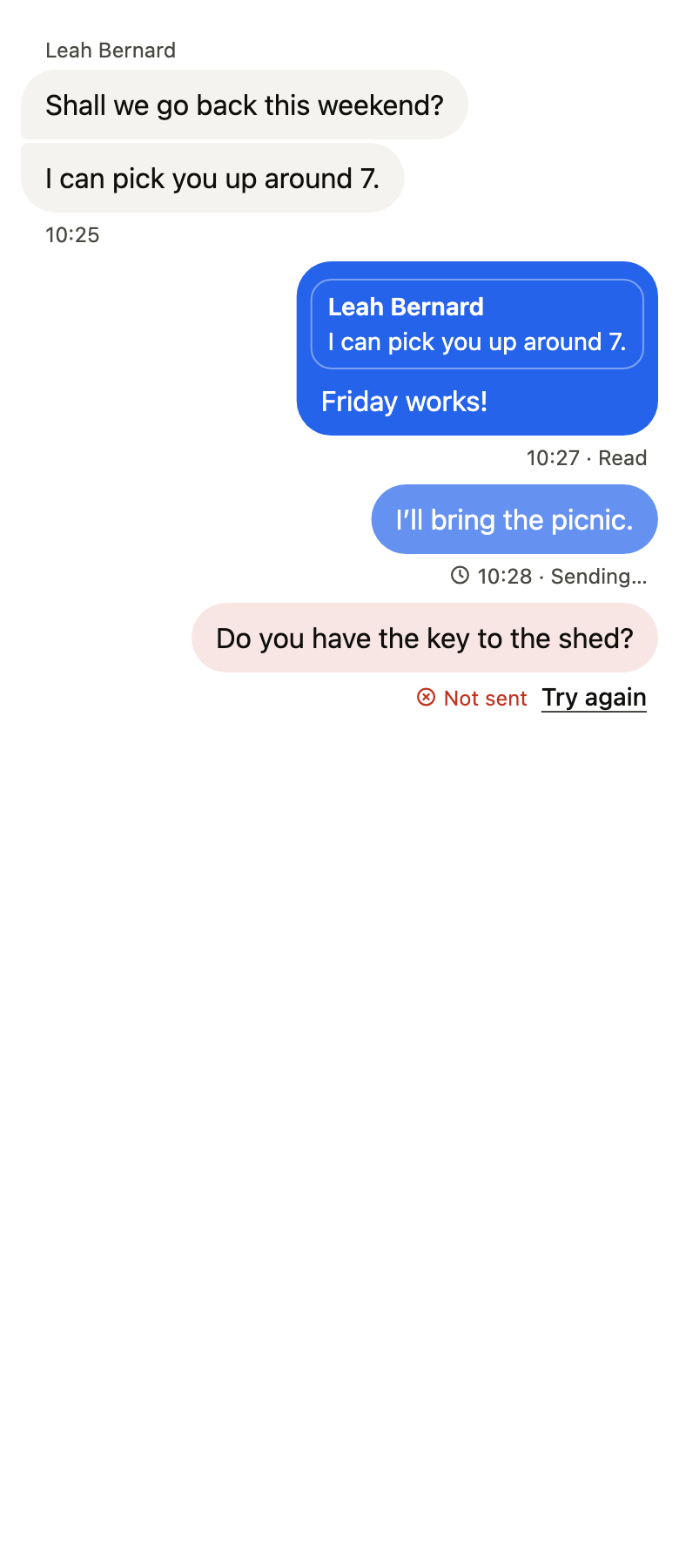
The 16 images published with version 0.2.5, rendered by the shared harness on macOS with Flutter 3.47.7. fliin verify message-bubble compares your copy to them.
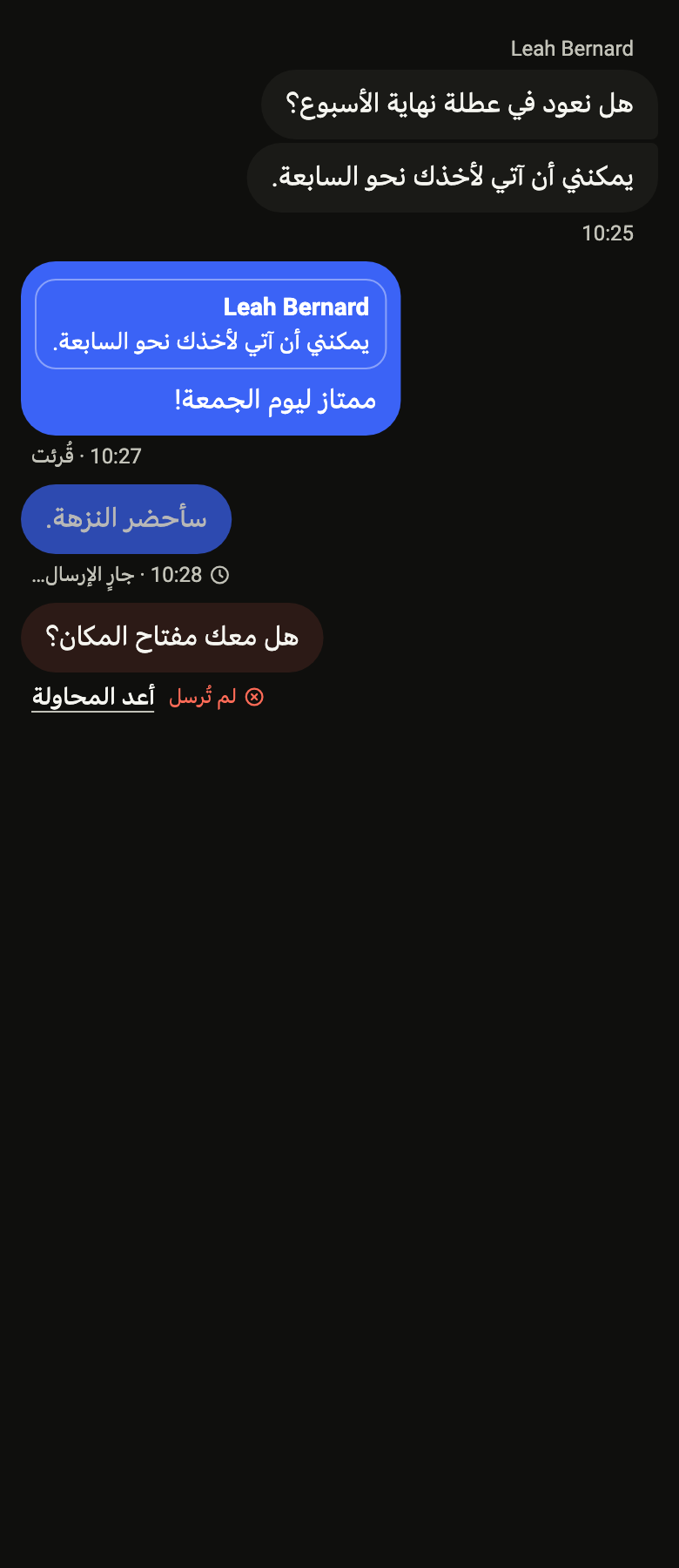
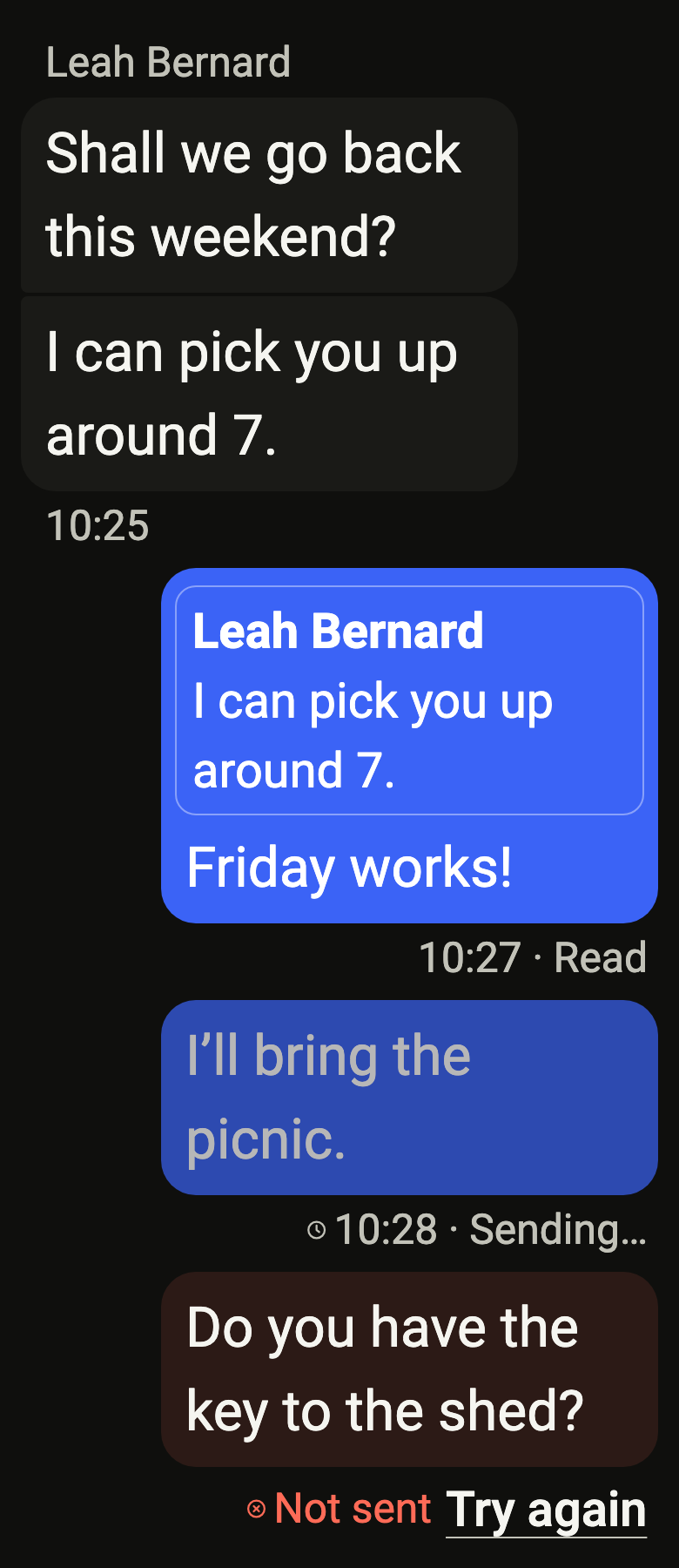
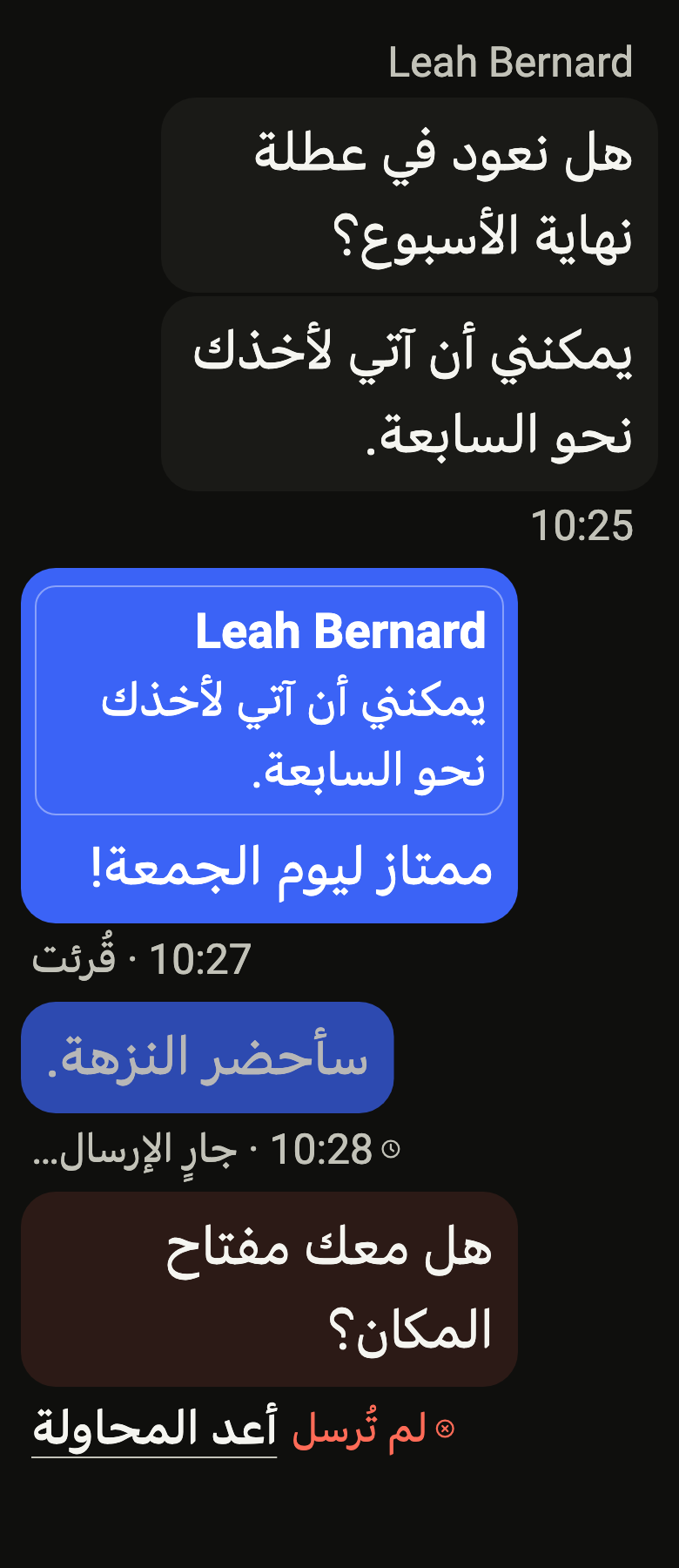
Use it to
- show a sent or received chat message in a bubble
- show whether a message went out, was read or failed
- offer a retry on a message whose delivery failed
- show the quoted message a reply answers above it
- let people copy or delete a message on a long press
- Not for
- a brief message that disappears on its own: use a toast (toast)
- a status message in a page: use an alert (alert)
- States