Blocks / commerce
Cart line
Shows an item in a cart with its thumbnail, name, variant and price, a quantity stepper and remove, or a read-only summary on a past order.
Import
Cart line is part of Fliin Pro. With a license key, sign in once with fliin login, then add it in a Flutter app where fliin init has run:
fliin login
fliin add cart-line
Also installs: core, button, icons, link-button
Examples
Editable
A line the user can edit: the stepper changes quantity up to maxQuantity, and onRemove adds the remove action. Update the price as the quantity changes.
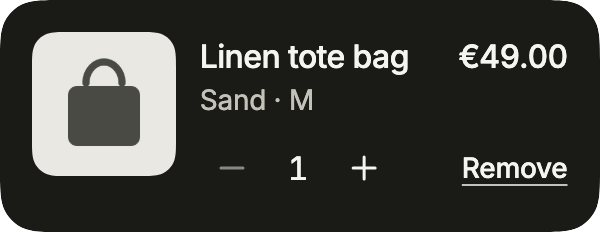
import 'package:your_app/ui/fliin/components/cart_line/fl_cart_line.dart';
import 'package:your_app/ui/fliin/components/result_card/fl_result_card.dart';
import 'package:your_app/ui/fliin/components/surface/fl_surface.dart';
import 'package:flutter/widgets.dart';

class CartLineEditableExample extends StatefulWidget {
  const CartLineEditableExample({super.key});

  @override
  State<CartLineEditableExample> createState() => _CartLineEditableExampleState();
}

class _CartLineEditableExampleState extends State<CartLineEditableExample> {
  var _quantity = 1;

  @override
  Widget build(BuildContext context) {
    return FlSurface(
      child: FlCartLine(
        title: 'Linen tote bag',
        variant: 'Sand · M',
        price: '€${49 * _quantity}.00',
        quantity: _quantity,
        maxQuantity: 5,
        media: const FlResultImage(image: FlSampleImage(FlSampleArt.bag)),
        quantityLabel: 'Quantity',
        decrementLabel: 'Decrease quantity',
        incrementLabel: 'Increase quantity',
        onQuantityChanged: (quantity) => setState(() => _quantity = quantity),
        removeLabel: 'Remove',
        onRemove: () {},
      ),
    );
  }
}At limit
At maxQuantity, the increase button is disabled: the stock, or your shop’s limit, is reached.
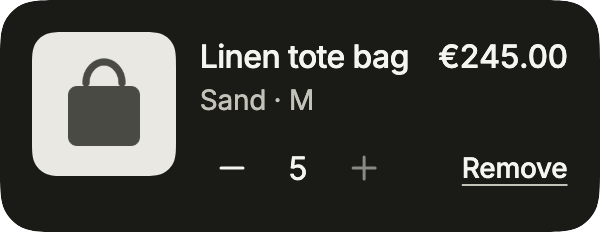
import 'package:your_app/ui/fliin/components/cart_line/fl_cart_line.dart';
import 'package:your_app/ui/fliin/components/result_card/fl_result_card.dart';
import 'package:your_app/ui/fliin/components/surface/fl_surface.dart';
import 'package:flutter/widgets.dart';

class CartLineAtLimitExample extends StatefulWidget {
  const CartLineAtLimitExample({super.key});

  @override
  State<CartLineAtLimitExample> createState() => _CartLineAtLimitExampleState();
}

class _CartLineAtLimitExampleState extends State<CartLineAtLimitExample> {
  var _quantity = 5;

  @override
  Widget build(BuildContext context) {
    return FlSurface(
      child: FlCartLine(
        title: 'Linen tote bag',
        variant: 'Sand · M',
        price: '€${49 * _quantity}.00',
        quantity: _quantity,
        maxQuantity: 5,
        media: const FlResultImage(image: FlSampleImage(FlSampleArt.bag)),
        quantityLabel: 'Quantity',
        decrementLabel: 'Decrease quantity',
        incrementLabel: 'Increase quantity',
        onQuantityChanged: (quantity) => setState(() => _quantity = quantity),
        removeLabel: 'Remove',
        onRemove: () {},
      ),
    );
  }
}Summary
Without onQuantityChanged the line is read-only: quantitySummary replaces the stepper, as on an order confirmation.
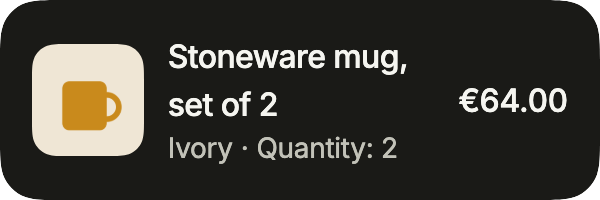
import 'package:your_app/ui/fliin/components/cart_line/fl_cart_line.dart';
import 'package:your_app/ui/fliin/components/result_card/fl_result_card.dart';
import 'package:your_app/ui/fliin/components/surface/fl_surface.dart';
import 'package:flutter/widgets.dart';

class CartLineSummaryExample extends StatelessWidget {
  const CartLineSummaryExample({super.key});

  @override
  Widget build(BuildContext context) {
    return const FlSurface(
      child: FlCartLine(
        title: 'Stoneware mug, set of 2',
        variant: 'Ivory',
        price: '€64.00',
        quantity: 2,
        quantitySummary: 'Quantity: 2',
        media: FlResultImage(image: FlSampleImage(FlSampleArt.mug)),
      ),
    );
  }
}Discounted
A line on sale: originalPrice writes the price before the discount, struck through under the price; originalPriceSemanticLabel says it to the screen reader.
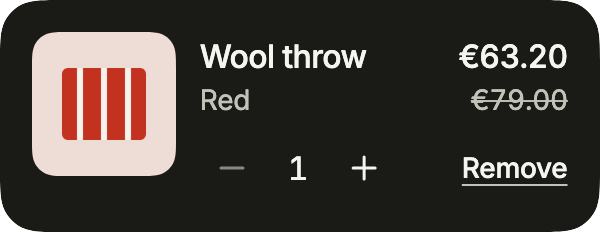
import 'package:your_app/ui/fliin/components/cart_line/fl_cart_line.dart';
import 'package:your_app/ui/fliin/components/result_card/fl_result_card.dart';
import 'package:your_app/ui/fliin/components/surface/fl_surface.dart';
import 'package:flutter/widgets.dart';

class CartLineDiscountedExample extends StatefulWidget {
  const CartLineDiscountedExample({super.key});

  @override
  State<CartLineDiscountedExample> createState() => _CartLineDiscountedExampleState();
}

class _CartLineDiscountedExampleState extends State<CartLineDiscountedExample> {
  var _quantity = 1;

  @override
  Widget build(BuildContext context) {
    return FlSurface(
      child: FlCartLine(
        title: 'Wool throw',
        variant: 'Red',
        price: '€${(63.2 * _quantity).toStringAsFixed(2)}',
        originalPrice: '€${79 * _quantity}.00',
        originalPriceSemanticLabel: 'was €${79 * _quantity}.00',
        quantity: _quantity,
        maxQuantity: 3,
        media: const FlResultImage(image: FlSampleImage(FlSampleArt.throwBlanket)),
        quantityLabel: 'Quantity',
        decrementLabel: 'Decrease quantity',
        incrementLabel: 'Increase quantity',
        onQuantityChanged: (quantity) => setState(() => _quantity = quantity),
        removeLabel: 'Remove',
        onRemove: () {},
      ),
    );
  }
}Usage
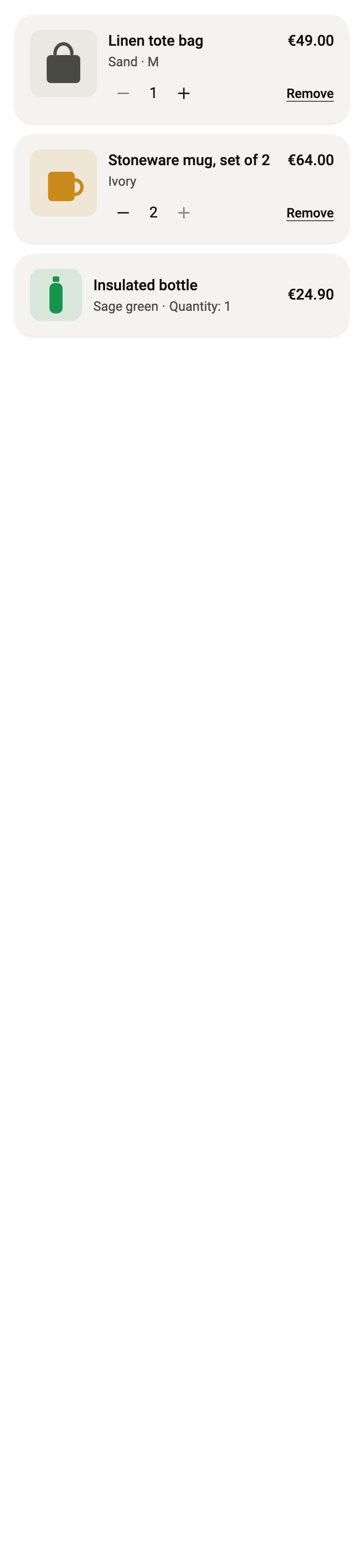
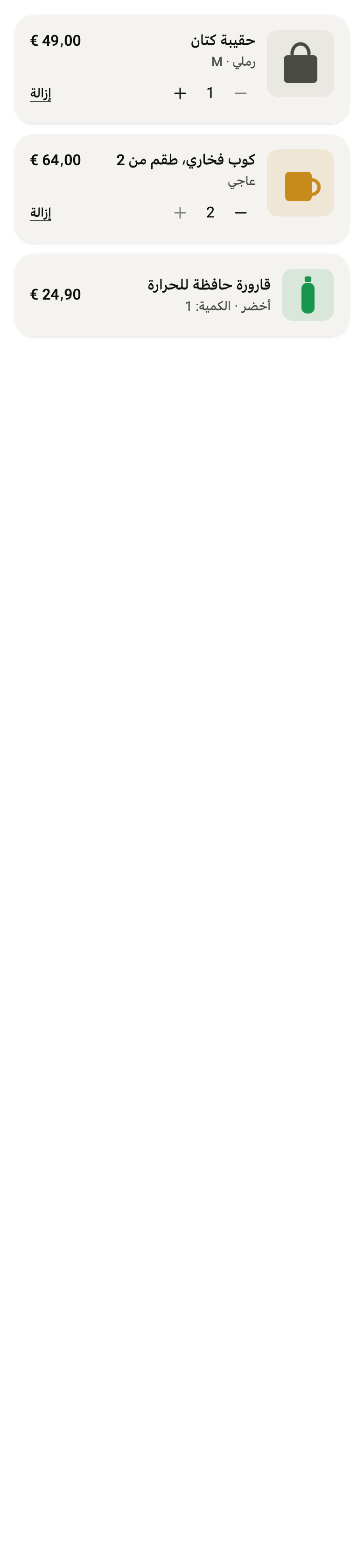
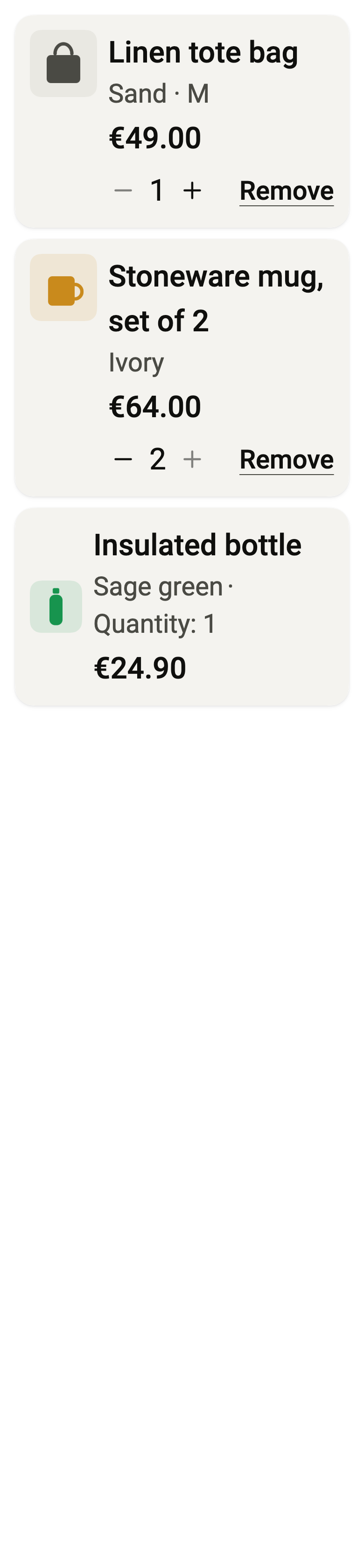
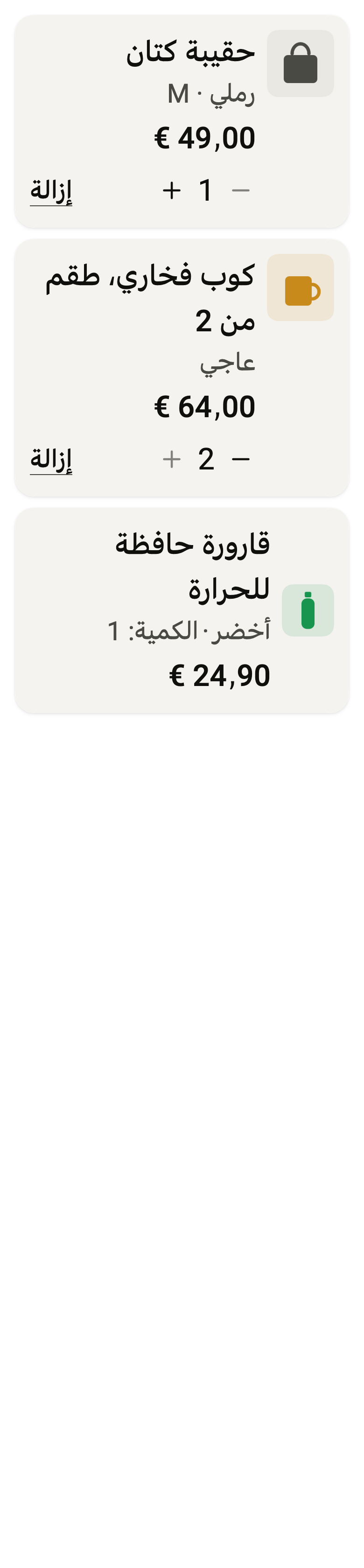
The code the reference images render:
final example = ColoredBox(
  color: FlScope.of(context).colors.surface,
  child: Padding(
    padding: EdgeInsetsDirectional.all(FlScope.of(context).space.lg),
    child: Column(
      crossAxisAlignment: CrossAxisAlignment.stretch,
      spacing: FlScope.of(context).space.md,
      children: [
        FlSurface(
          child: FlCartLine(
            title: (variant.dir == TextDirection.rtl
                ? "حقيبة كتان"
                : "Linen tote bag"),
            variant: (variant.dir == TextDirection.rtl
                ? "رملي · M"
                : "Sand · M"),
            price: (variant.dir == TextDirection.rtl ? "49٫00 €" : "€49.00"),
            quantity: 1,
            media: const FlResultImage(image: FlSampleImage(FlSampleArt.bag)),
            maxQuantity: 5,
            quantityLabel: (variant.dir == TextDirection.rtl
                ? "الكمية"
                : "Quantity"),
            decrementLabel: (variant.dir == TextDirection.rtl
                ? "إنقاص الكمية"
                : "Decrease quantity"),
            incrementLabel: (variant.dir == TextDirection.rtl
                ? "زيادة الكمية"
                : "Increase quantity"),
            onQuantityChanged: (_) {},
            removeLabel: (variant.dir == TextDirection.rtl
                ? "إزالة"
                : "Remove"),
            onRemove: () {},
          ),
        ),
        FlSurface(
          child: FlCartLine(
            title: (variant.dir == TextDirection.rtl
                ? "كوب فخاري، طقم من 2"
                : "Stoneware mug, set of 2"),
            variant: (variant.dir == TextDirection.rtl ? "عاجي" : "Ivory"),
            price: (variant.dir == TextDirection.rtl ? "64٫00 €" : "€64.00"),
            quantity: 2,
            media: const FlResultImage(image: FlSampleImage(FlSampleArt.mug)),
            maxQuantity: 2,
            quantityLabel: (variant.dir == TextDirection.rtl
                ? "الكمية"
                : "Quantity"),
            decrementLabel: (variant.dir == TextDirection.rtl
                ? "إنقاص الكمية"
                : "Decrease quantity"),
            incrementLabel: (variant.dir == TextDirection.rtl
                ? "زيادة الكمية"
                : "Increase quantity"),
            onQuantityChanged: (_) {},
            removeLabel: (variant.dir == TextDirection.rtl
                ? "إزالة"
                : "Remove"),
            onRemove: () {},
          ),
        ),
        FlSurface(
          child: FlCartLine(
            title: (variant.dir == TextDirection.rtl
                ? "قارورة حافظة للحرارة"
                : "Insulated bottle"),
            variant: (variant.dir == TextDirection.rtl ? "أخضر" : "Sage green"),
            price: (variant.dir == TextDirection.rtl ? "24٫90 €" : "€24.90"),
            quantity: 1,
            media: const FlResultImage(
              image: FlSampleImage(FlSampleArt.bottle),
            ),
            quantitySummary: (variant.dir == TextDirection.rtl
                ? "الكمية: 1"
                : "Quantity: 1"),
          ),
        ),
      ],
    ),
  ),
);API
FlCartLine: class extends StatelessWidget
FlCartLine.new: const new({super.key, required String title, required String price, required int quantity, String? variant, Widget? media, int? maxQuantity, ValueChanged<int>? onQuantityChanged, String? quantityLabel, String? quantitySemanticLabel, String? decrementLabel, String? incrementLabel, String? quantitySummary, VoidCallback? onRemove, String? removeLabel, String? removeSemanticLabel, bool enabled, String? originalPrice, String? originalPriceSemanticLabel})
FlCartLine.title: get String
FlCartLine.price: get String
FlCartLine.quantity: get int
FlCartLine.variant: get String?
FlCartLine.media: get Widget?
FlCartLine.maxQuantity: get int?
FlCartLine.onQuantityChanged: get ValueChanged<int>?
FlCartLine.quantityLabel: get String?
FlCartLine.quantitySemanticLabel: get String?
FlCartLine.decrementLabel: get String?
FlCartLine.incrementLabel: get String?
FlCartLine.quantitySummary: get String?
FlCartLine.onRemove: get VoidCallback?
FlCartLine.removeLabel: get String?
FlCartLine.removeSemanticLabel: get String?
FlCartLine.enabled: get bool
FlCartLine.originalPrice: get String?
FlCartLine.originalPriceSemanticLabel: get String?
FlCartLine.build: Widget(BuildContext context)Reference renders
The 16 images published with version 0.2.3, rendered by the shared harness on macOS with Flutter 3.47.7. fliin verify cart-line compares your copy to them.
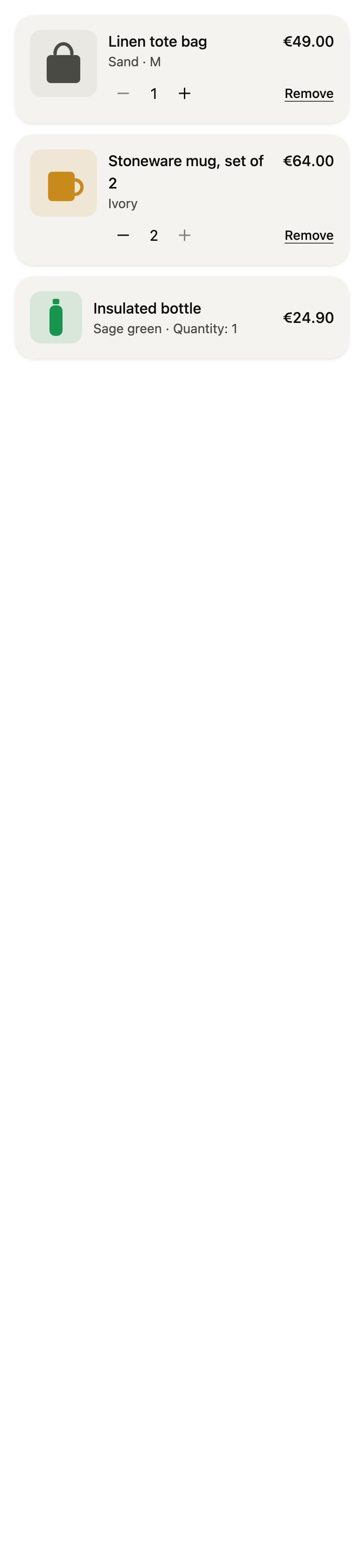
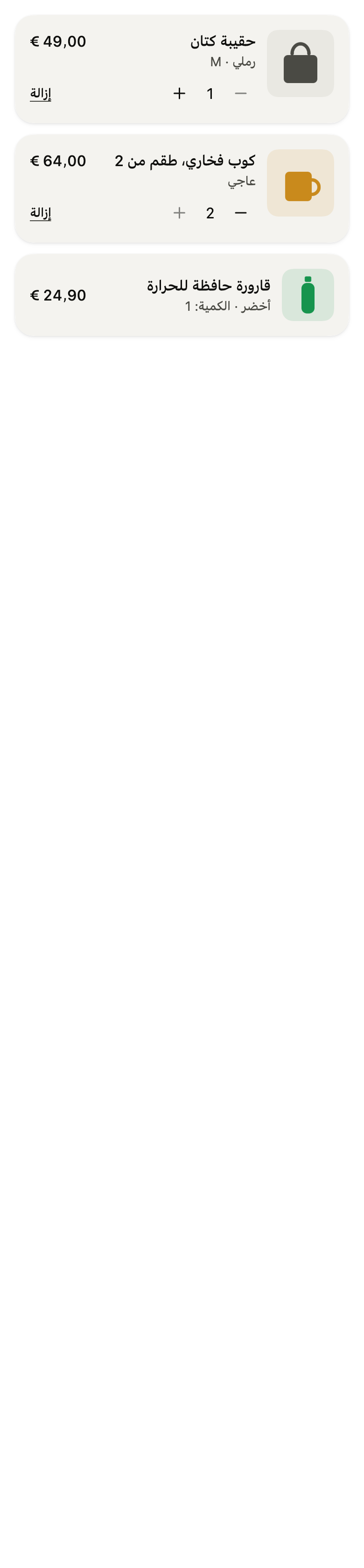
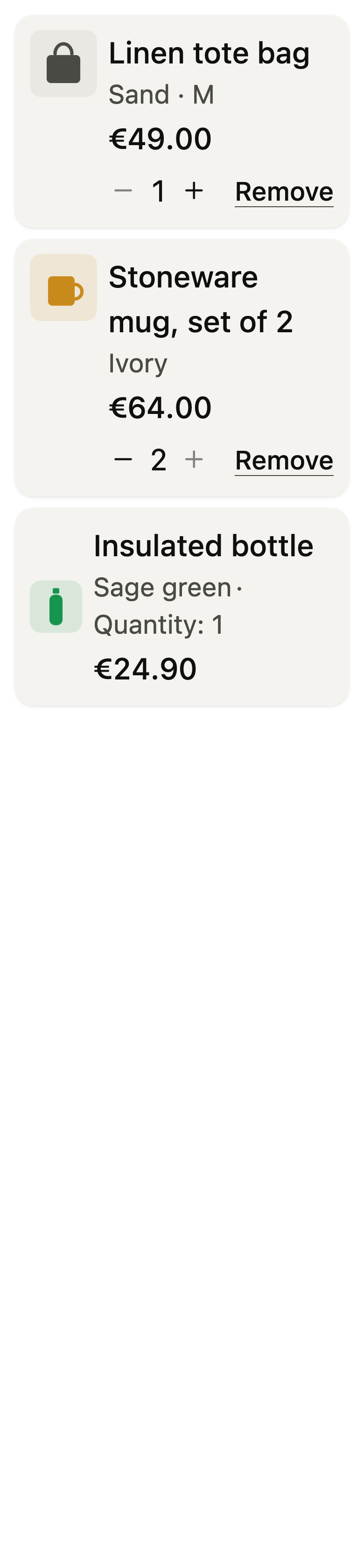
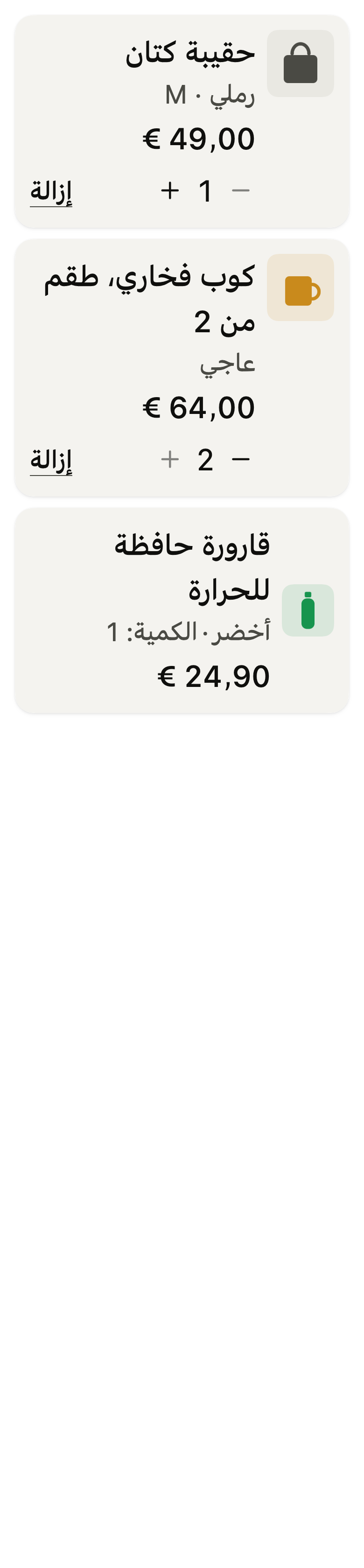
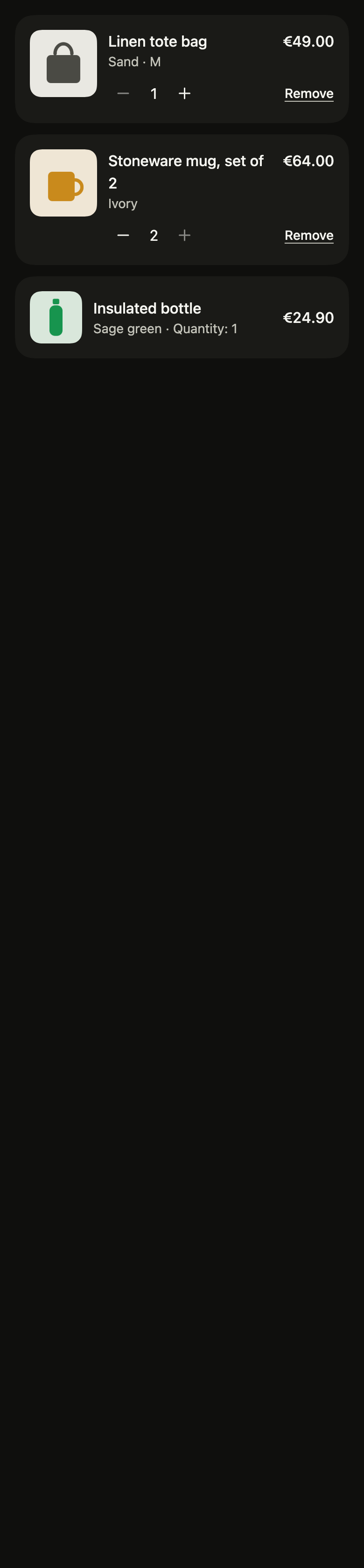
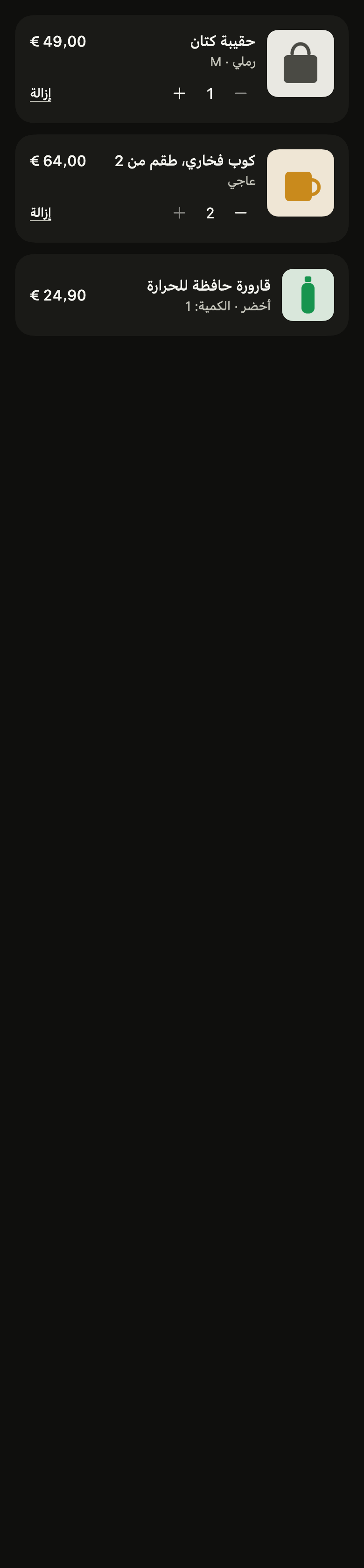
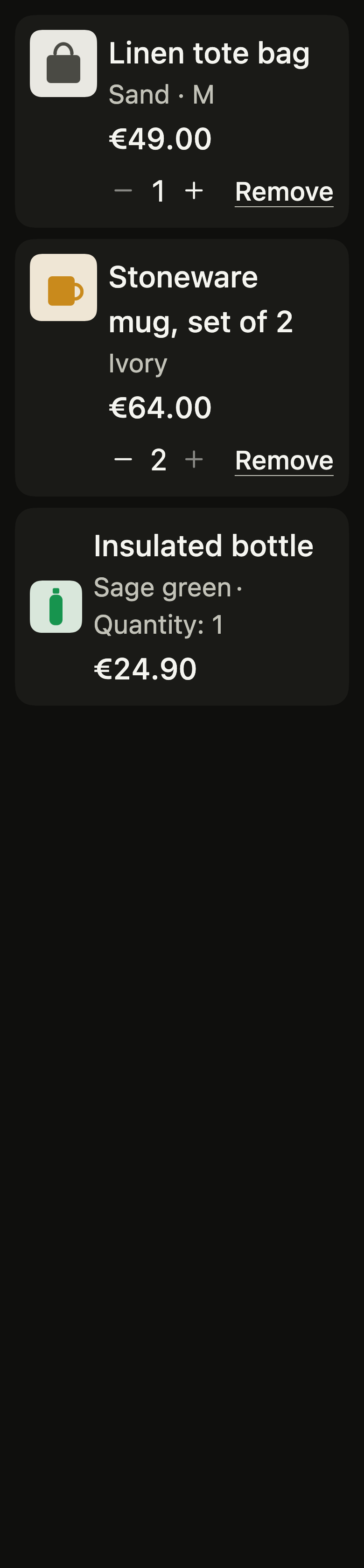
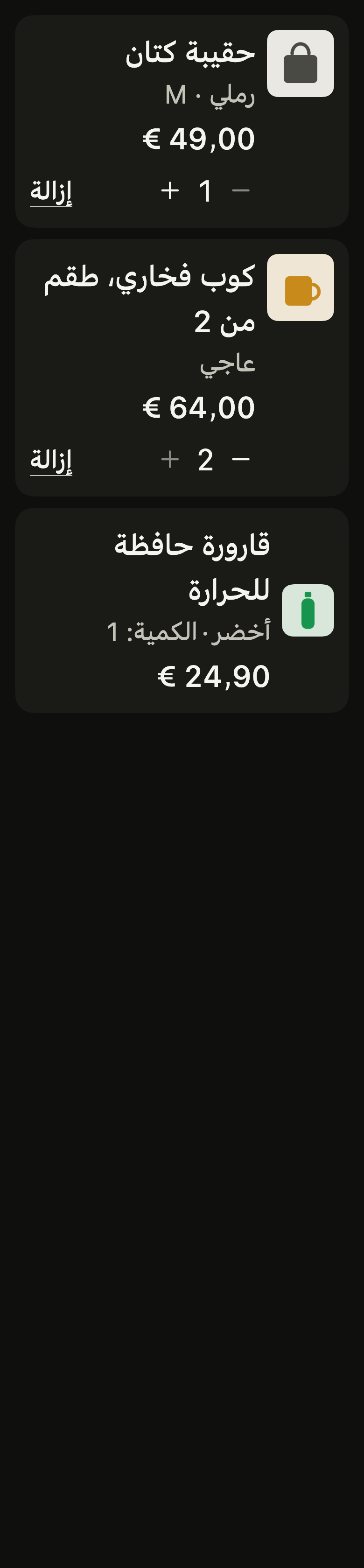
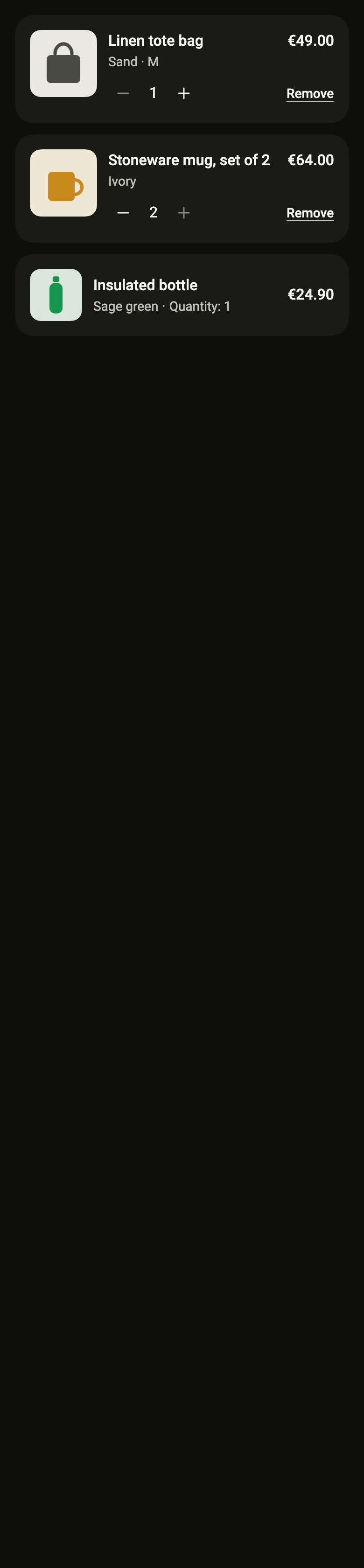
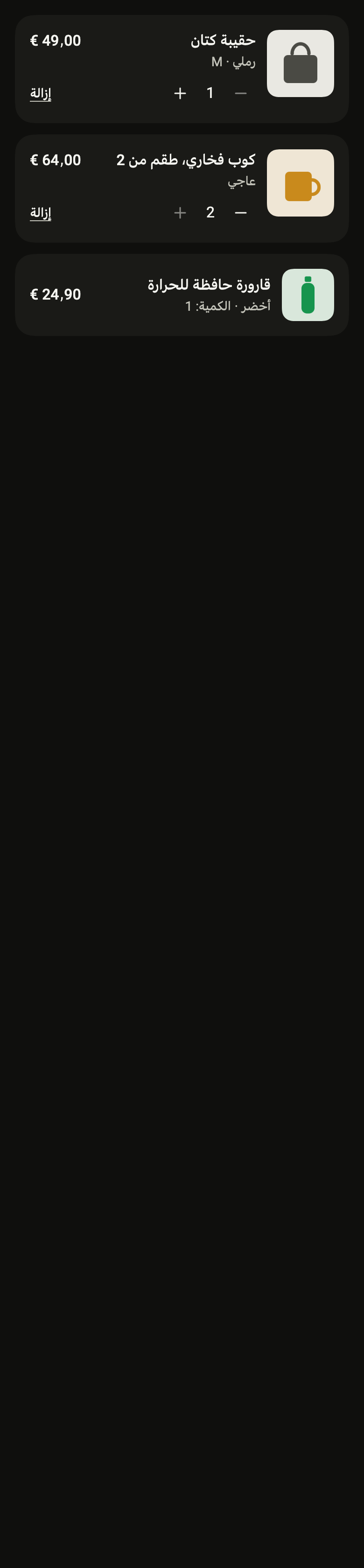
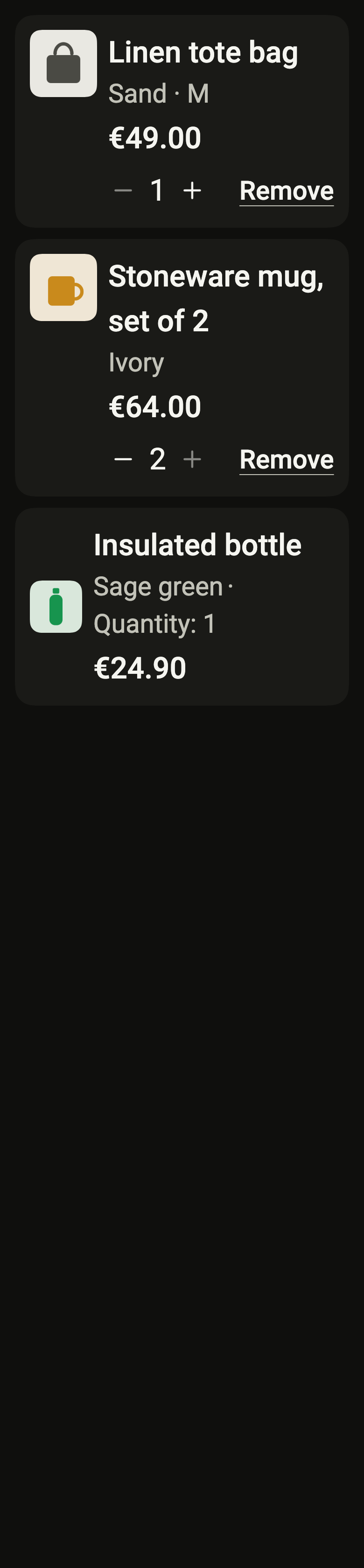
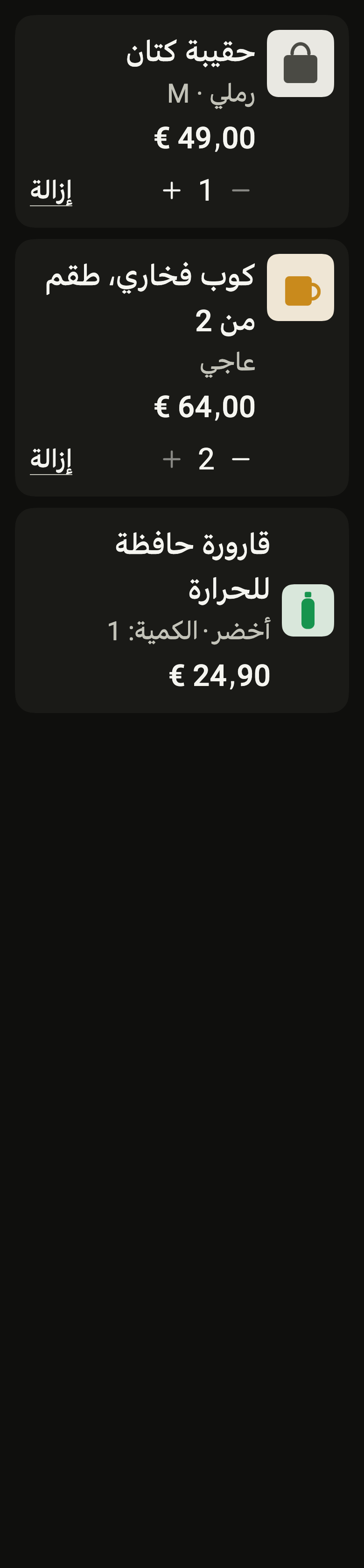
Use it to
- change how many of an item are in a bag
- remove an item from a bag
- show the chosen color or size under an item name
- show the items of a past order with their quantity
- show the thumbnail and price of a purchased item
- Not for
- a product in results: use a result card (result-card)
- a number set on its own: use a number field (number-field)
- States