Blocks / lists
Event card
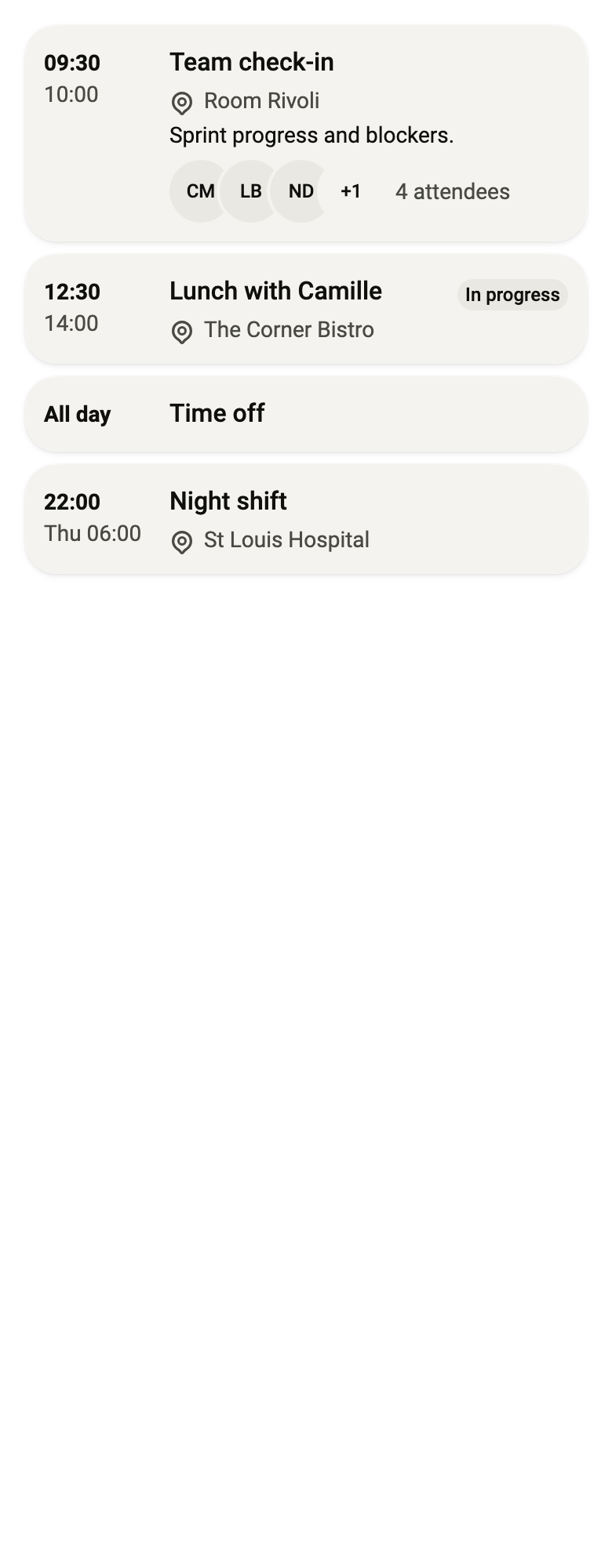
Shows an agenda event in its own card: the times it starts and ends in a column, its title, the word now while it is happening, and its place, description and attendees, read as one node.
Import
Event card is part of Fliin Pro. With a license key, sign in once with fliin login, then add it in a Flutter app where fliin init has run:
fliin login
fliin add event-card
Also installs: core, avatar, avatar-group, badge, icons, surface, text
Examples
Upcoming
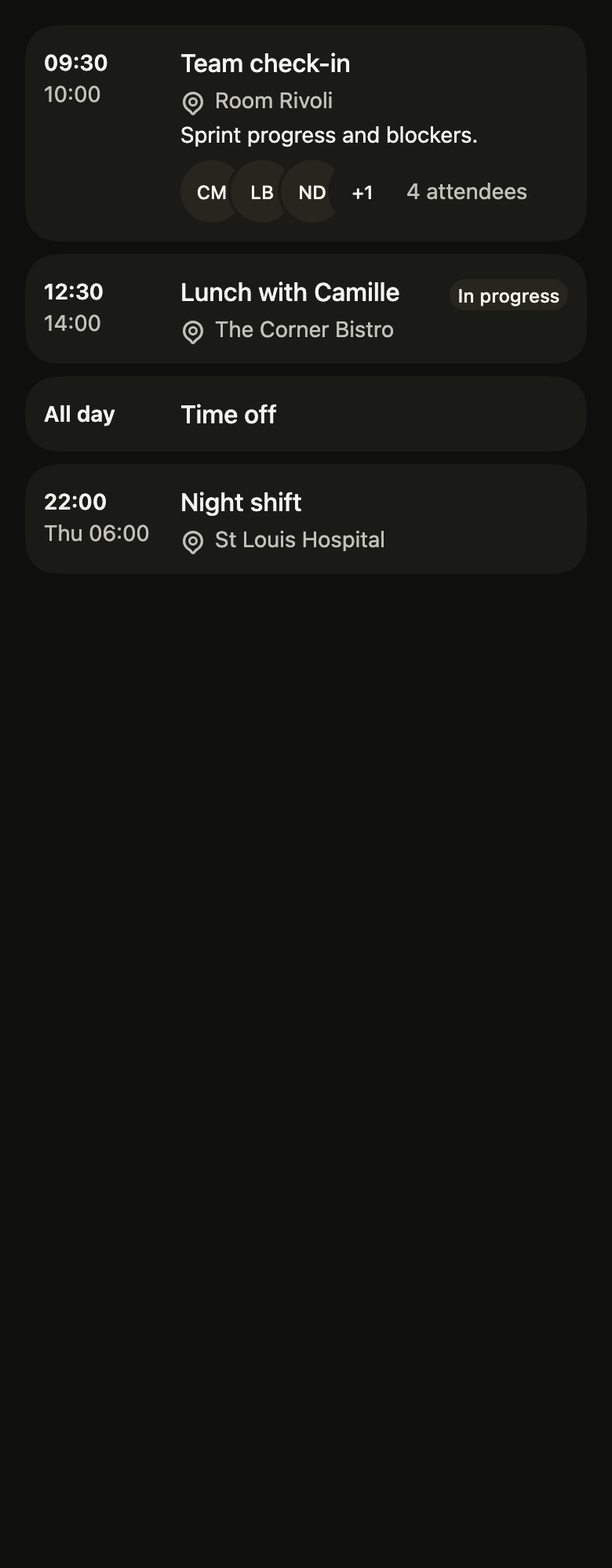
An event as a card: hours in a column, title, place, description and attendees, counted in attendeesLabel for the screen reader.
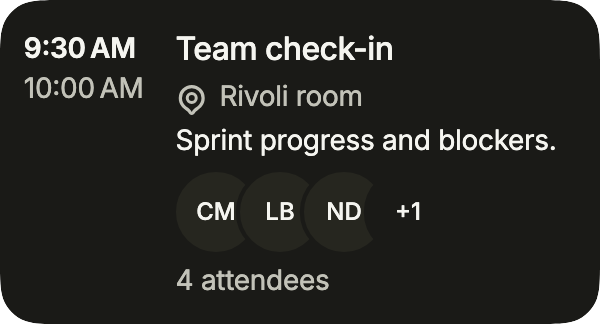
import 'package:your_app/ui/fliin/components/avatar/fl_avatar.dart';
import 'package:your_app/ui/fliin/components/event_card/fl_event_card.dart';
import 'package:flutter/widgets.dart';

class EventCardUpcomingExample extends StatelessWidget {
  const EventCardUpcomingExample({super.key});

  @override
  Widget build(BuildContext context) {
    return FlEventCard(
      title: 'Team check-in',
      start: '9:30\u202fAM',
      end: '10:00\u202fAM',
      timeLabel: 'from 9:30 AM to 10:00 AM',
      location: 'Rivoli room',
      description: 'Sprint progress and blockers.',
      attendees: [
        for (final initials in ['CM', 'LB', 'ND', 'TR']) FlAvatar(initials: initials, variant: FlAvatarVariant.soft),
      ],
      attendeesLabel: '4 attendees',
      onPressed: () {},
    );
  }
}Current
An event under way: currentLabel adds the "Now" tag.
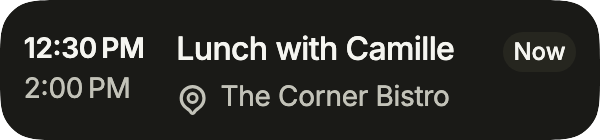
import 'package:your_app/ui/fliin/components/event_card/fl_event_card.dart';
import 'package:flutter/widgets.dart';

class EventCardCurrentExample extends StatelessWidget {
  const EventCardCurrentExample({super.key});

  @override
  Widget build(BuildContext context) {
    return FlEventCard(
      title: 'Lunch with Camille',
      start: '12:30\u202fPM',
      end: '2:00\u202fPM',
      timeLabel: 'from 12:30 PM to 2:00 PM',
      location: 'The Corner Bistro',
      currentLabel: 'Now',
      onPressed: () {},
    );
  }
}All day
An all-day event: start alone, in words, without an end.

import 'package:your_app/ui/fliin/components/event_card/fl_event_card.dart';
import 'package:flutter/widgets.dart';

class EventCardAllDayExample extends StatelessWidget {
  const EventCardAllDayExample({super.key});

  @override
  Widget build(BuildContext context) {
    return FlEventCard(
      title: 'Day off',
      start: 'All day',
      timeLabel: 'all day',
      onPressed: () {},
    );
  }
}Overnight
An event that ends the next day: end carries its day.
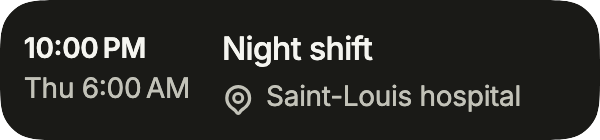
import 'package:your_app/ui/fliin/components/event_card/fl_event_card.dart';
import 'package:flutter/widgets.dart';

class EventCardOvernightExample extends StatelessWidget {
  const EventCardOvernightExample({super.key});

  @override
  Widget build(BuildContext context) {
    return FlEventCard(
      title: 'Night shift',
      start: '10:00\u202fPM',
      end: 'Thu 6:00\u202fAM',
      timeLabel: 'from 10:00 PM to 6:00 AM on Thursday, October 29',
      location: 'Saint-Louis hospital',
      onPressed: () {},
    );
  }
}Calendars
Events from several calendars: color draws each calendar's stripe along the card's start edge, on the row card as on the small tiles of a week.
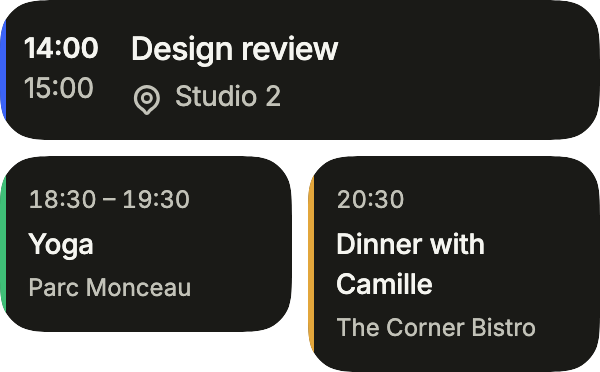
import 'package:your_app/ui/fliin/components/event_card/fl_event_card.dart';
import 'package:your_app/ui/fliin/core/fliin.dart';
import 'package:flutter/widgets.dart';

class EventCardCalendarsExample extends StatelessWidget {
  const EventCardCalendarsExample({super.key});

  @override
  Widget build(BuildContext context) {
    final theme = FlScope.of(context);
    final colors = theme.colors;
    return Column(
      crossAxisAlignment: CrossAxisAlignment.stretch,
      spacing: theme.space.sm,
      children: [
        FlEventCard(
          title: 'Design review',
          start: '14:00',
          end: '15:00',
          timeLabel: 'from 14:00 to 15:00',
          location: 'Studio 2',
          color: colors.accent,
          onPressed: () {},
        ),
        Row(
          crossAxisAlignment: CrossAxisAlignment.start,
          spacing: theme.space.sm,
          children: [
            Expanded(
              child: FlEventCard(
                variant: FlEventCardVariant.tile,
                title: 'Yoga',
                start: '18:30',
                end: '19:30',
                timeLabel: 'from 18:30 to 19:30',
                location: 'Parc Monceau',
                color: colors.success,
                onPressed: () {},
              ),
            ),
            Expanded(
              child: FlEventCard(
                variant: FlEventCardVariant.tile,
                title: 'Dinner with Camille',
                start: '20:30',
                timeLabel: 'at 20:30',
                location: 'The Corner Bistro',
                color: colors.warning,
                onPressed: () {},
              ),
            ),
          ],
        ),
      ],
    );
  }
}Usage
The code the reference images render:
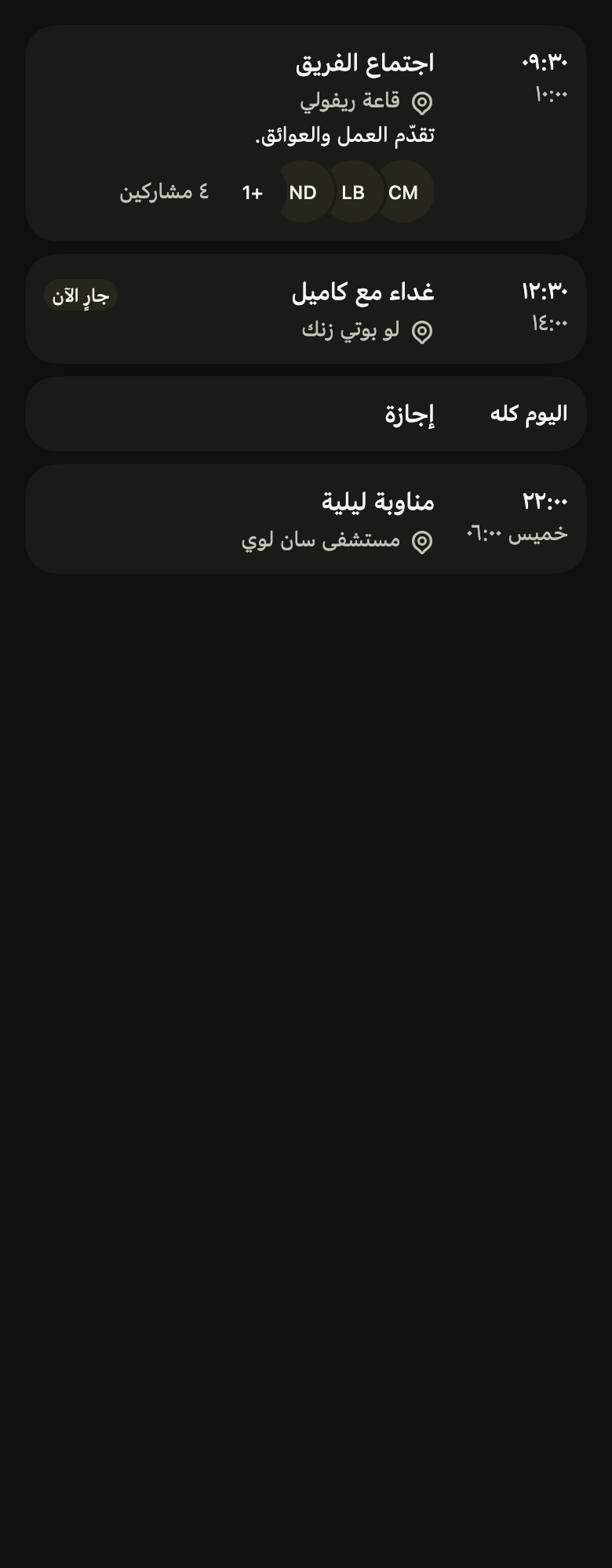
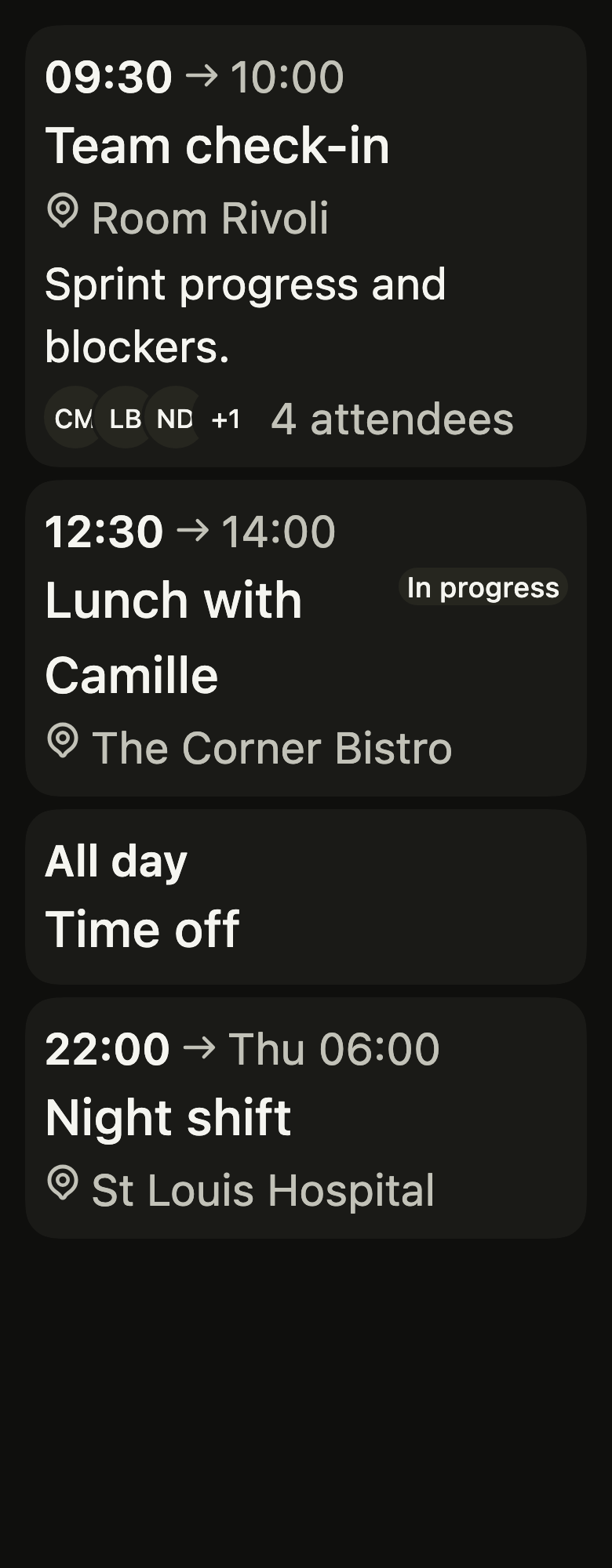
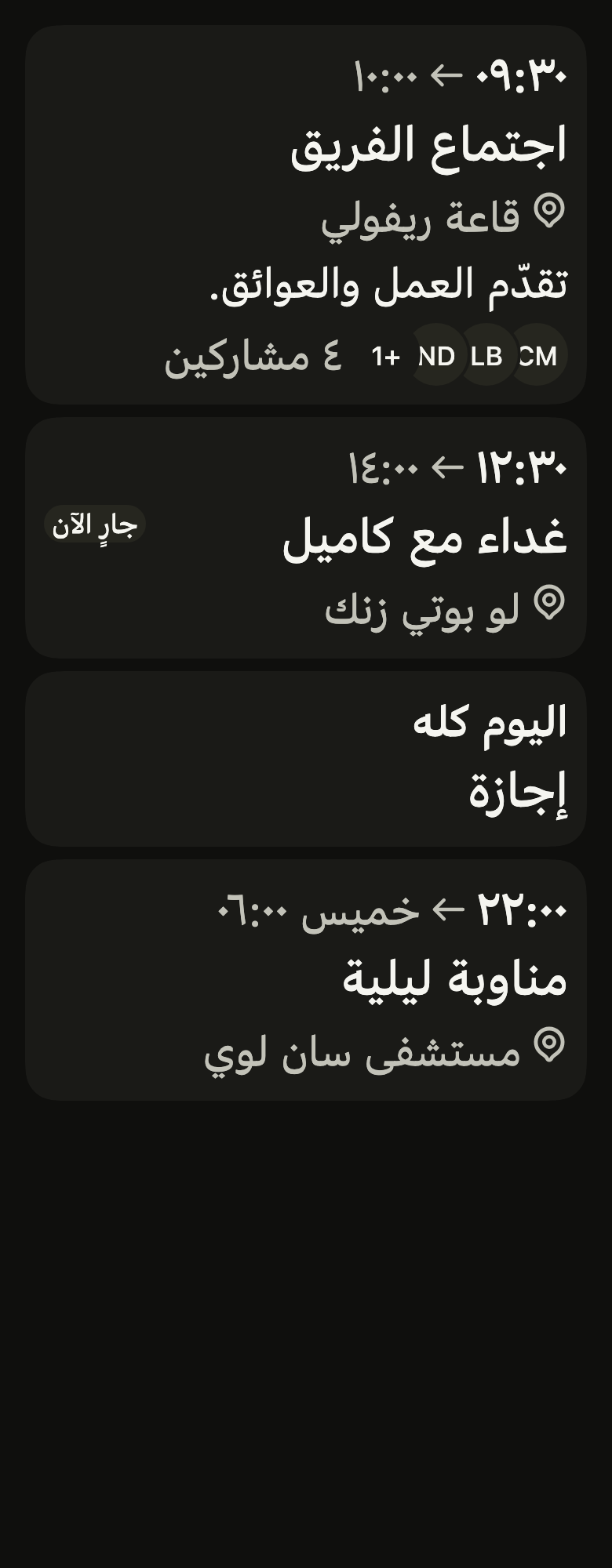
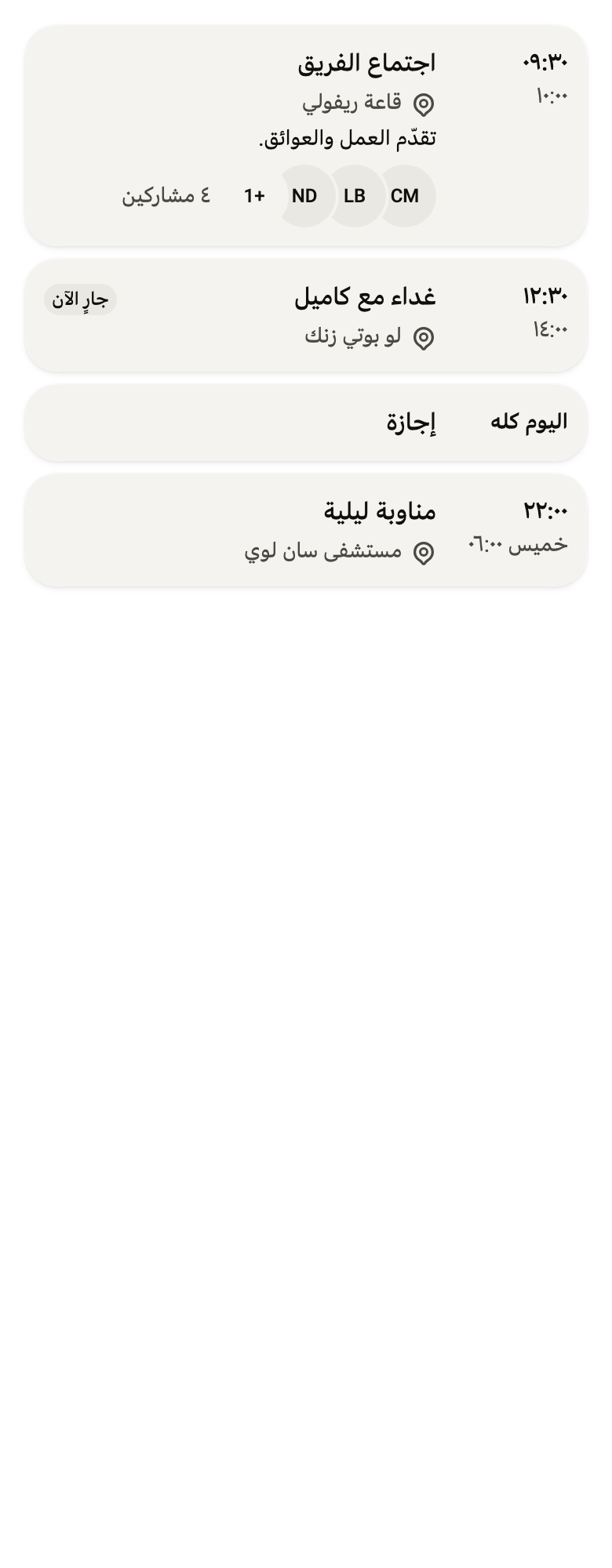
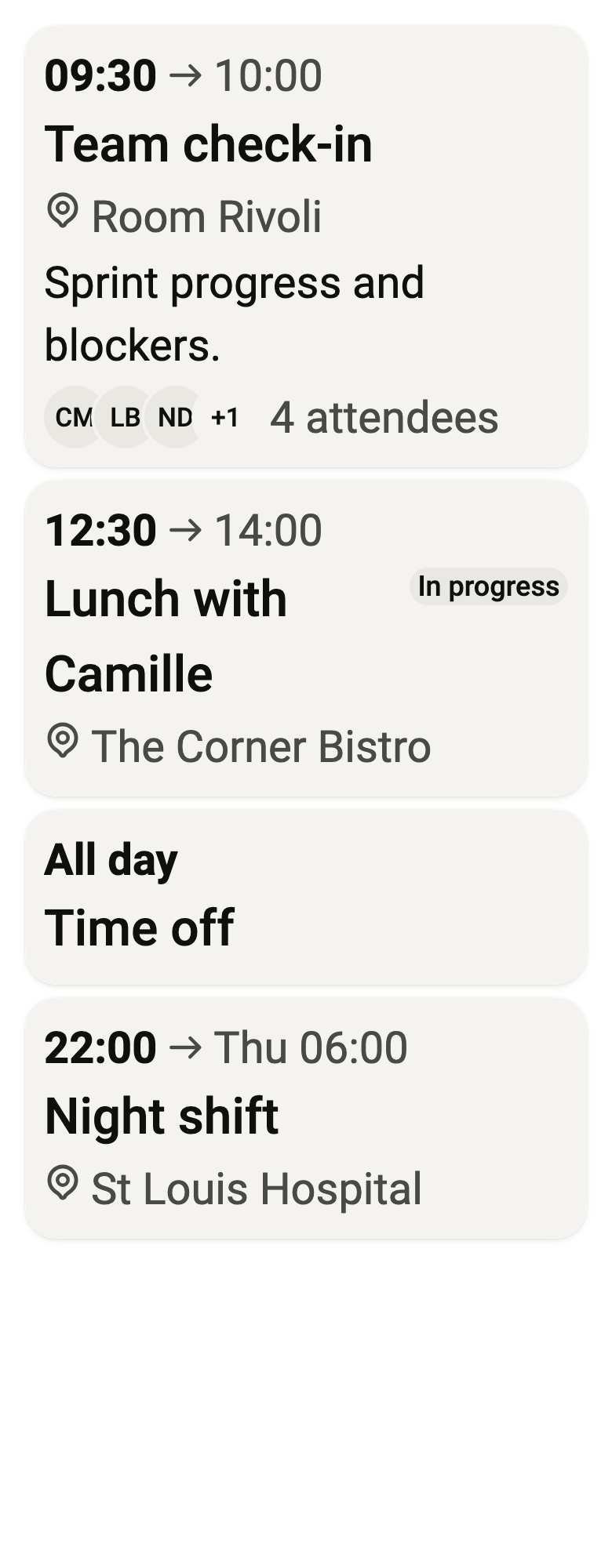
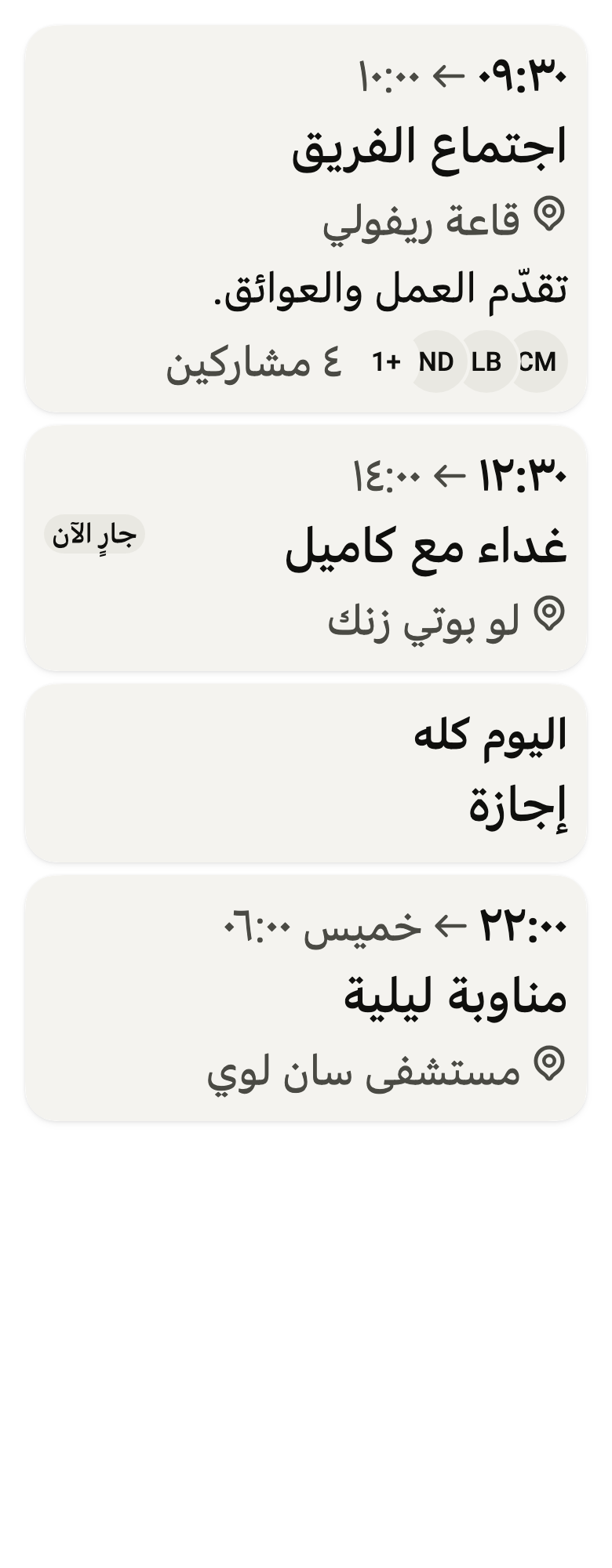
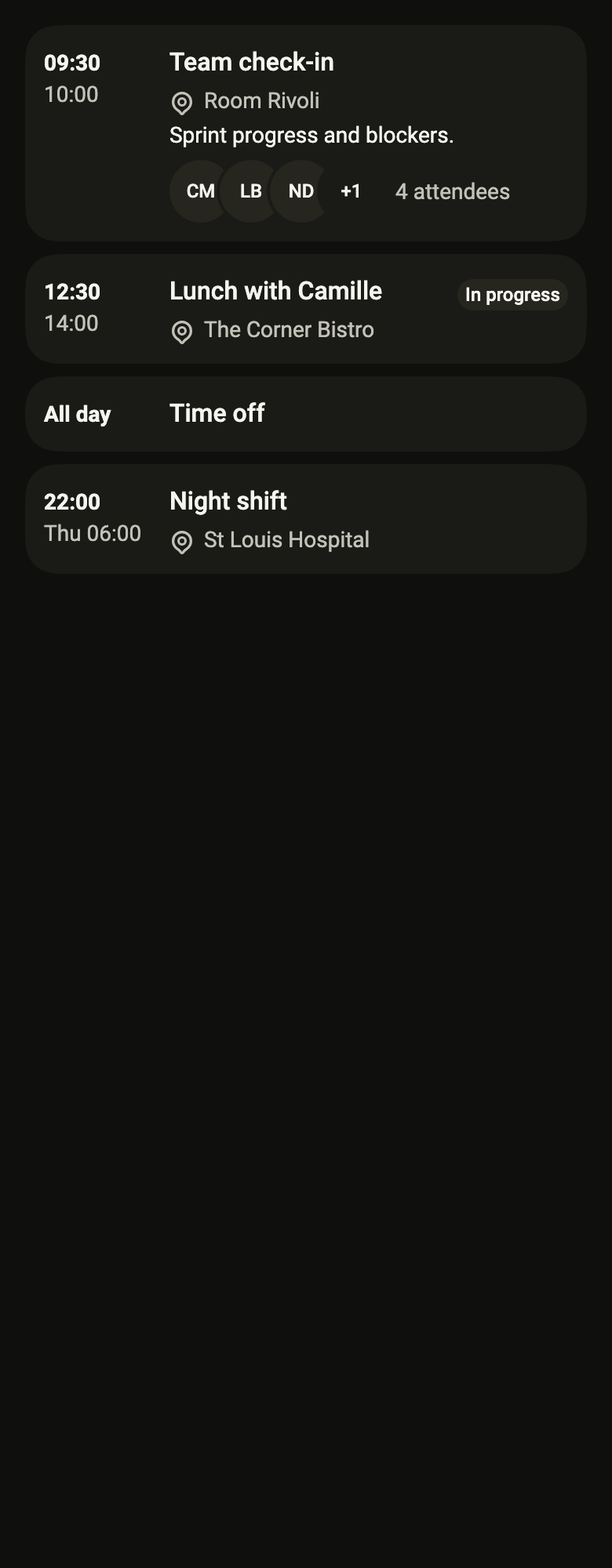
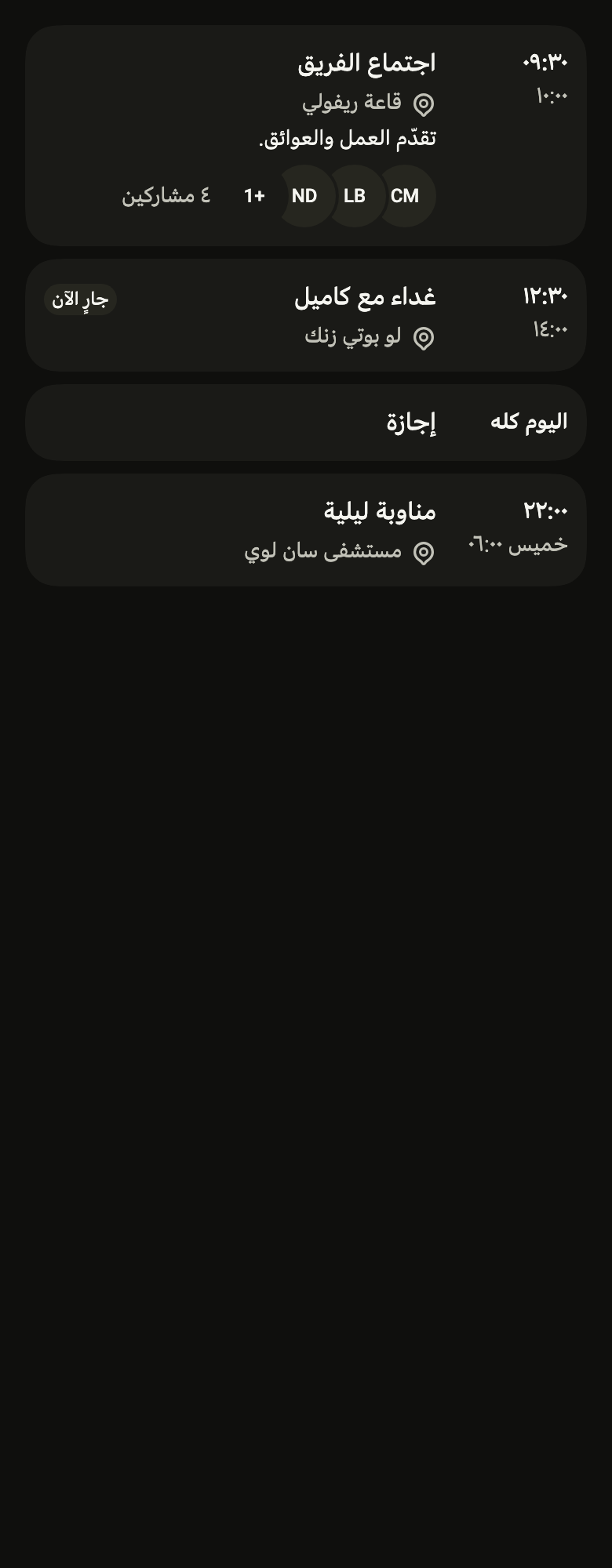
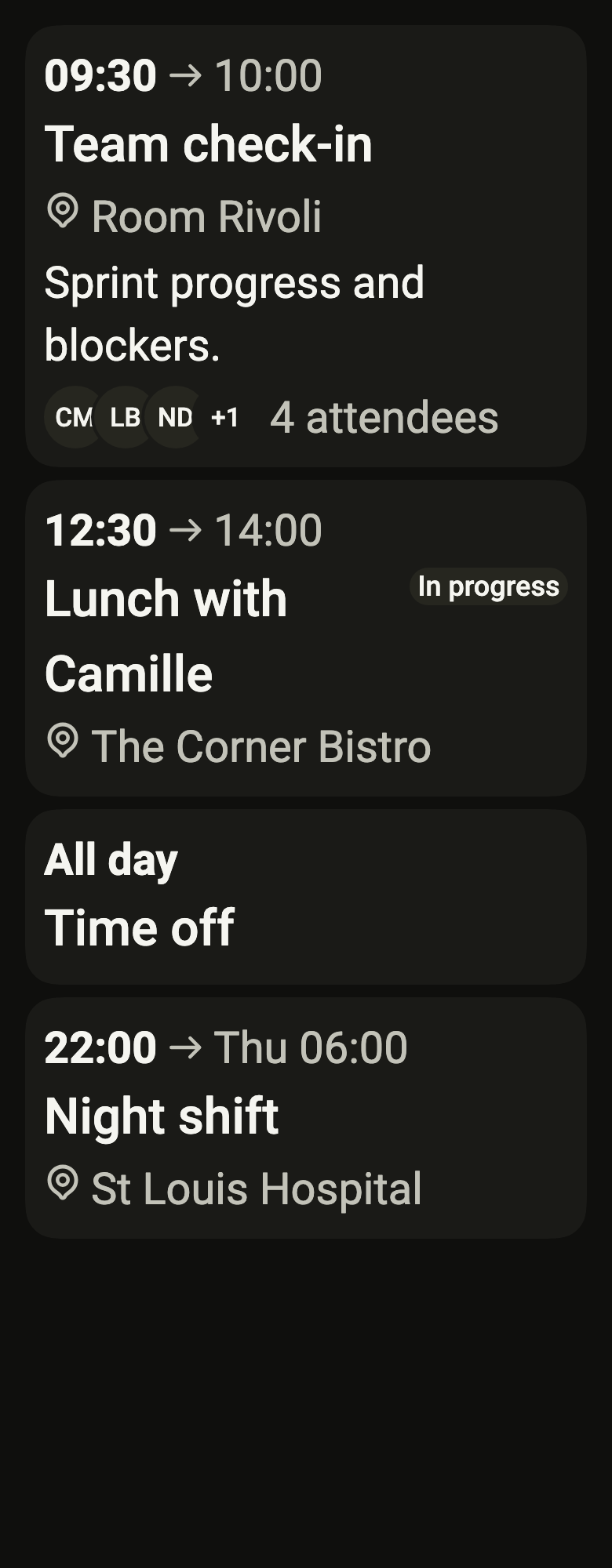
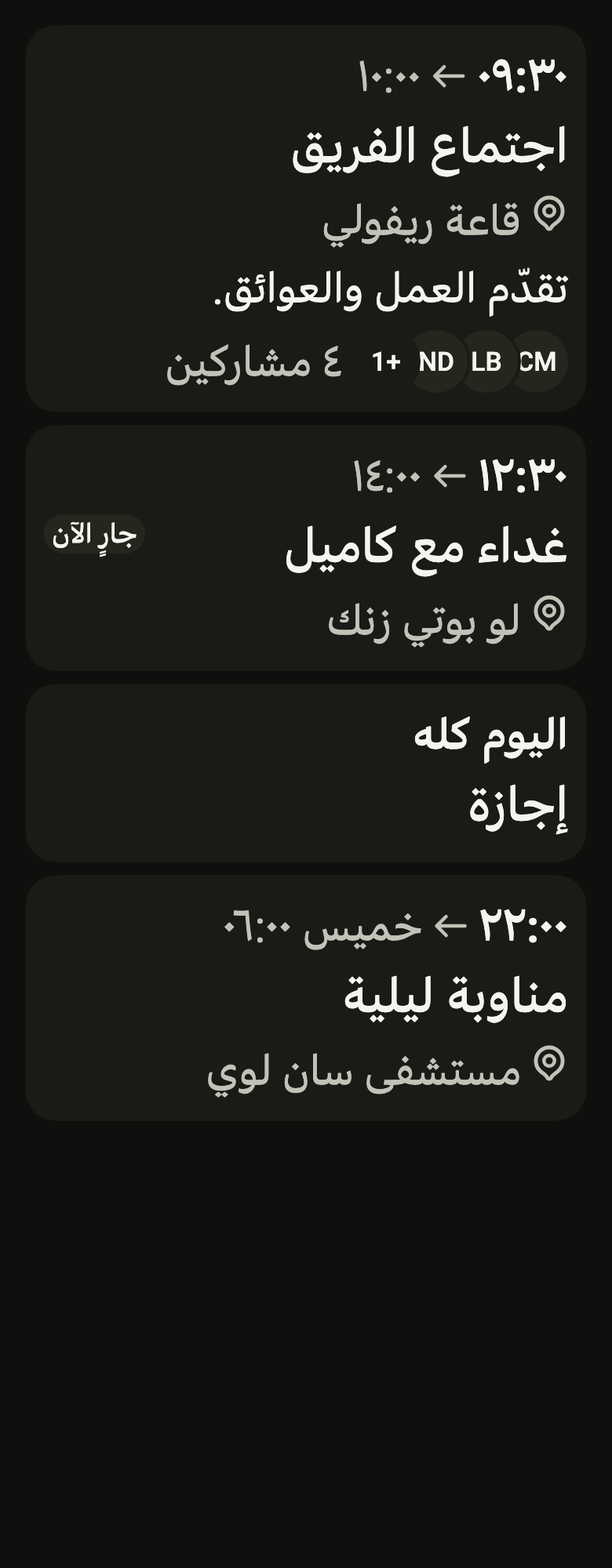
final example = ColoredBox(
  color: FlScope.of(context).colors.surface,
  child: SingleChildScrollView(
    padding: EdgeInsetsDirectional.all(FlScope.of(context).space.lg),
    child: Builder(
      builder: (context) {
        final width = FlEventCard.measureTimes(context, [
          (variant.dir == TextDirection.rtl ? "٠٩:٣٠" : "09:30"),
          (variant.dir == TextDirection.rtl ? "١٢:٣٠" : "12:30"),
          (variant.dir == TextDirection.rtl ? "اليوم كله" : "All day"),
          (variant.dir == TextDirection.rtl ? "٢٢:٠٠" : "22:00"),
          (variant.dir == TextDirection.rtl ? "١٠:٠٠" : "10:00"),
          (variant.dir == TextDirection.rtl ? "١٤:٠٠" : "14:00"),
          (variant.dir == TextDirection.rtl ? "خميس ٠٦:٠٠" : "Thu 06:00"),
        ]);
        return Column(
          crossAxisAlignment: CrossAxisAlignment.stretch,
          spacing: FlScope.of(context).space.sm,
          children: [
            FlEventCard(
              title: (variant.dir == TextDirection.rtl
                  ? "اجتماع الفريق"
                  : "Team check-in"),
              start: (variant.dir == TextDirection.rtl ? "٠٩:٣٠" : "09:30"),
              end: (variant.dir == TextDirection.rtl ? "١٠:٠٠" : "10:00"),
              timeLabel: (variant.dir == TextDirection.rtl
                  ? "من ٠٩:٣٠ إلى ١٠:٠٠"
                  : "from 09:30 to 10:00"),
              timeWidth: width,
              location: (variant.dir == TextDirection.rtl
                  ? "قاعة ريفولي"
                  : "Room Rivoli"),
              description: (variant.dir == TextDirection.rtl
                  ? "تقدّم العمل والعوائق."
                  : "Sprint progress and blockers."),
              attendees: [
                for (final initials in const ["CM", "LB", "ND", "TR"])
                  FlAvatar(initials: initials, variant: FlAvatarVariant.soft),
              ],
              attendeesLabel: (variant.dir == TextDirection.rtl
                  ? "٤ مشاركين"
                  : "4 attendees"),
              onPressed: () {},
            ),
            FlEventCard(
              title: (variant.dir == TextDirection.rtl
                  ? "غداء مع كاميل"
                  : "Lunch with Camille"),
              start: (variant.dir == TextDirection.rtl ? "١٢:٣٠" : "12:30"),
              end: (variant.dir == TextDirection.rtl ? "١٤:٠٠" : "14:00"),
              timeLabel: (variant.dir == TextDirection.rtl
                  ? "من ١٢:٣٠ إلى ١٤:٠٠"
                  : "from 12:30 to 14:00"),
              timeWidth: width,
              location: (variant.dir == TextDirection.rtl
                  ? "لو بوتي زنك"
                  : "The Corner Bistro"),
              currentLabel: (variant.dir == TextDirection.rtl
                  ? "جارٍ الآن"
                  : "In progress"),
              onPressed: () {},
            ),
            FlEventCard(
              title: (variant.dir == TextDirection.rtl ? "إجازة" : "Time off"),
              start: (variant.dir == TextDirection.rtl
                  ? "اليوم كله"
                  : "All day"),
              timeLabel: (variant.dir == TextDirection.rtl
                  ? "طوال اليوم"
                  : "all day"),
              timeWidth: width,
              onPressed: () {},
            ),
            FlEventCard(
              title: (variant.dir == TextDirection.rtl
                  ? "مناوبة ليلية"
                  : "Night shift"),
              start: (variant.dir == TextDirection.rtl ? "٢٢:٠٠" : "22:00"),
              end: (variant.dir == TextDirection.rtl
                  ? "خميس ٠٦:٠٠"
                  : "Thu 06:00"),
              timeLabel: (variant.dir == TextDirection.rtl
                  ? "من ٢٢:٠٠ إلى ٠٦:٠٠ يوم الخميس ٢٩ أكتوبر"
                  : "from 22:00 to 06:00 Thursday, October 29"),
              timeWidth: width,
              location: (variant.dir == TextDirection.rtl
                  ? "مستشفى سان لوي"
                  : "St Louis Hospital"),
              onPressed: () {},
            ),
          ],
        );
      },
    ),
  ),
);API
FlEventCardVariant: enum {row, tile}
FlEventCardVariant.row: static final FlEventCardVariant
FlEventCardVariant.tile: static final FlEventCardVariant
FlEventCard: class extends StatelessWidget
FlEventCard.new: const new({super.key, required String title, required String start, String? end, required String timeLabel, double? timeWidth, String? location, String? description, List<FlAvatar> attendees, String? attendeesLabel, String? currentLabel, VoidCallback? onPressed, String separator, FlEventCardVariant variant, Color? color})
FlEventCard.color: get Color?
FlEventCard.variant: get FlEventCardVariant
FlEventCard.title: get String
FlEventCard.start: get String
FlEventCard.end: get String?
FlEventCard.timeLabel: get String
FlEventCard.timeWidth: get double?
FlEventCard.location: get String?
FlEventCard.description: get String?
FlEventCard.attendees: get List<FlAvatar>
FlEventCard.attendeesLabel: get String?
FlEventCard.currentLabel: get String?
FlEventCard.onPressed: get VoidCallback?
FlEventCard.separator: get String
FlEventCard.measureTimes: static double(BuildContext context, Iterable<String> times)
FlEventCard.build: Widget(BuildContext context)Reference renders
The 16 images published with version 0.2.3, rendered by the shared harness on macOS with Flutter 3.47.7. fliin verify event-card compares your copy to them.
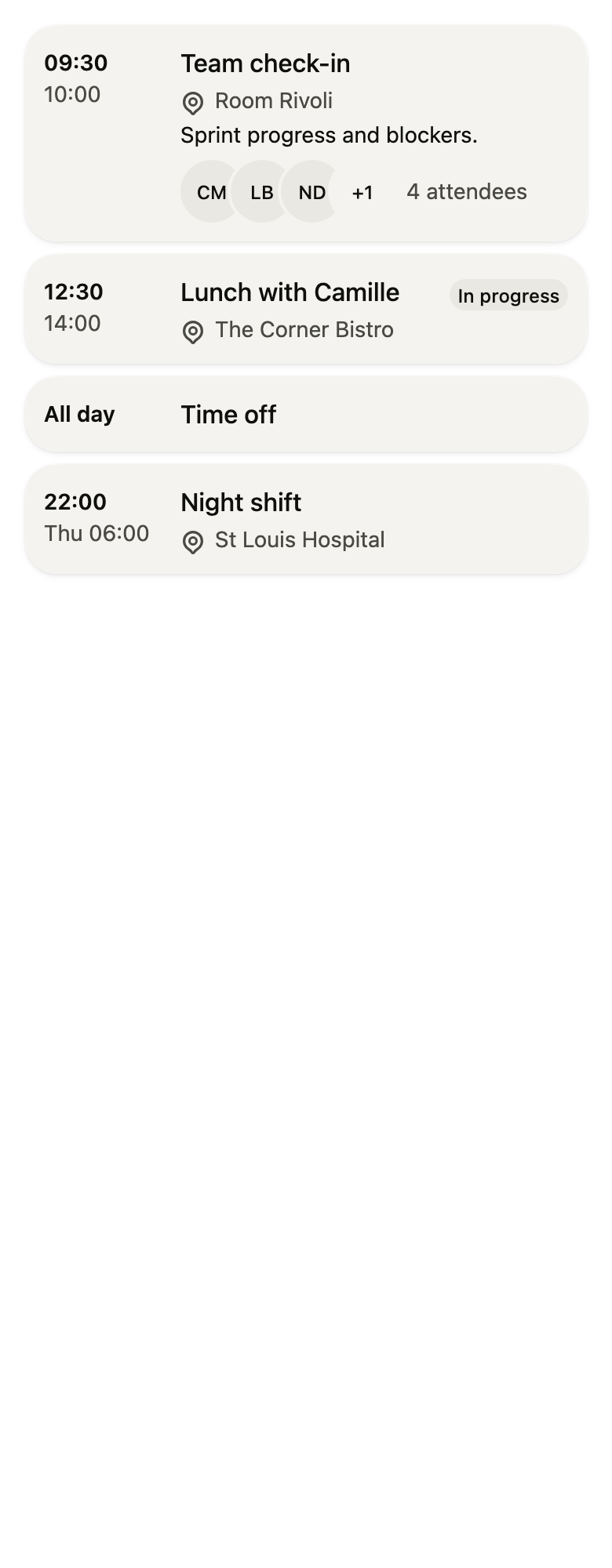
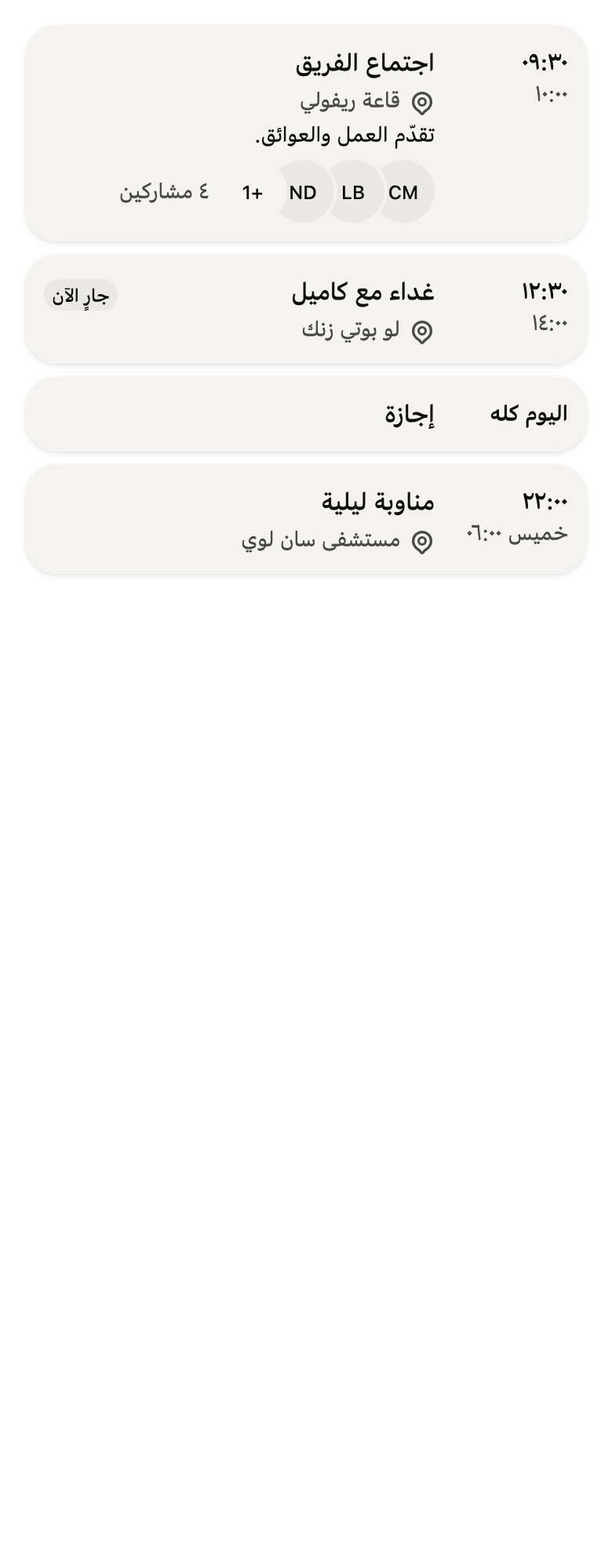
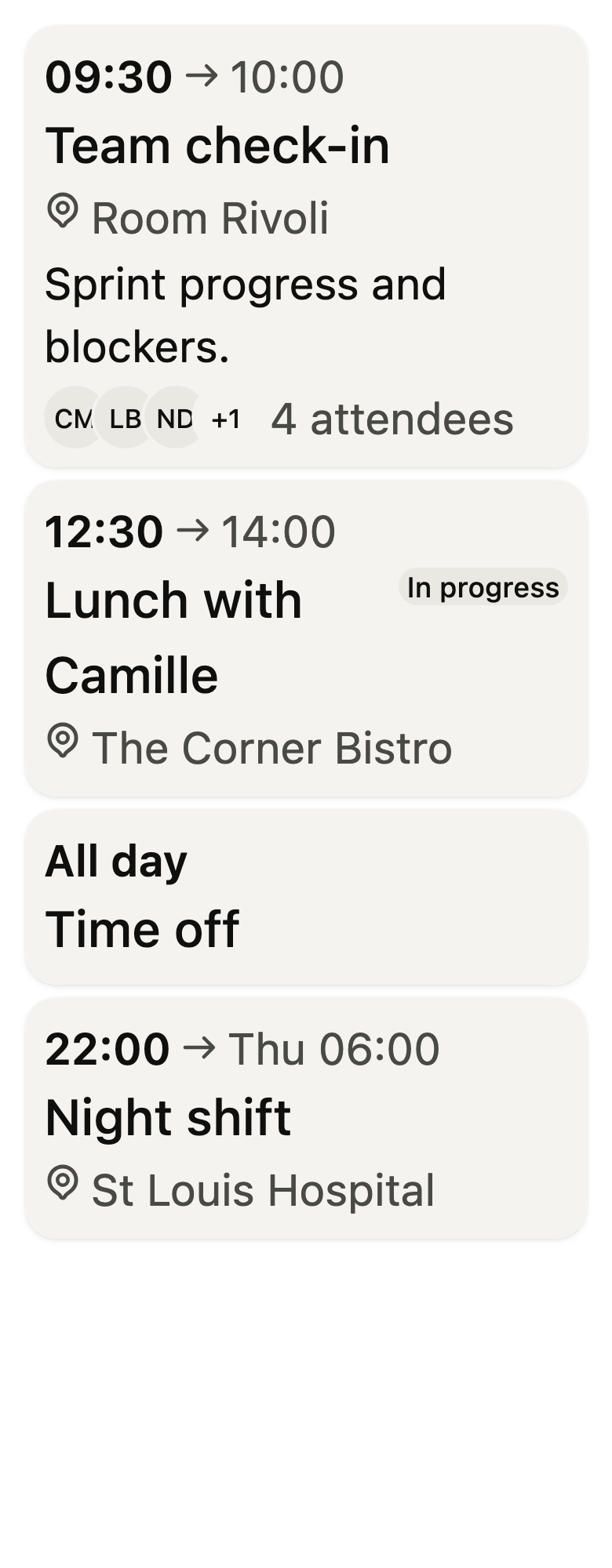
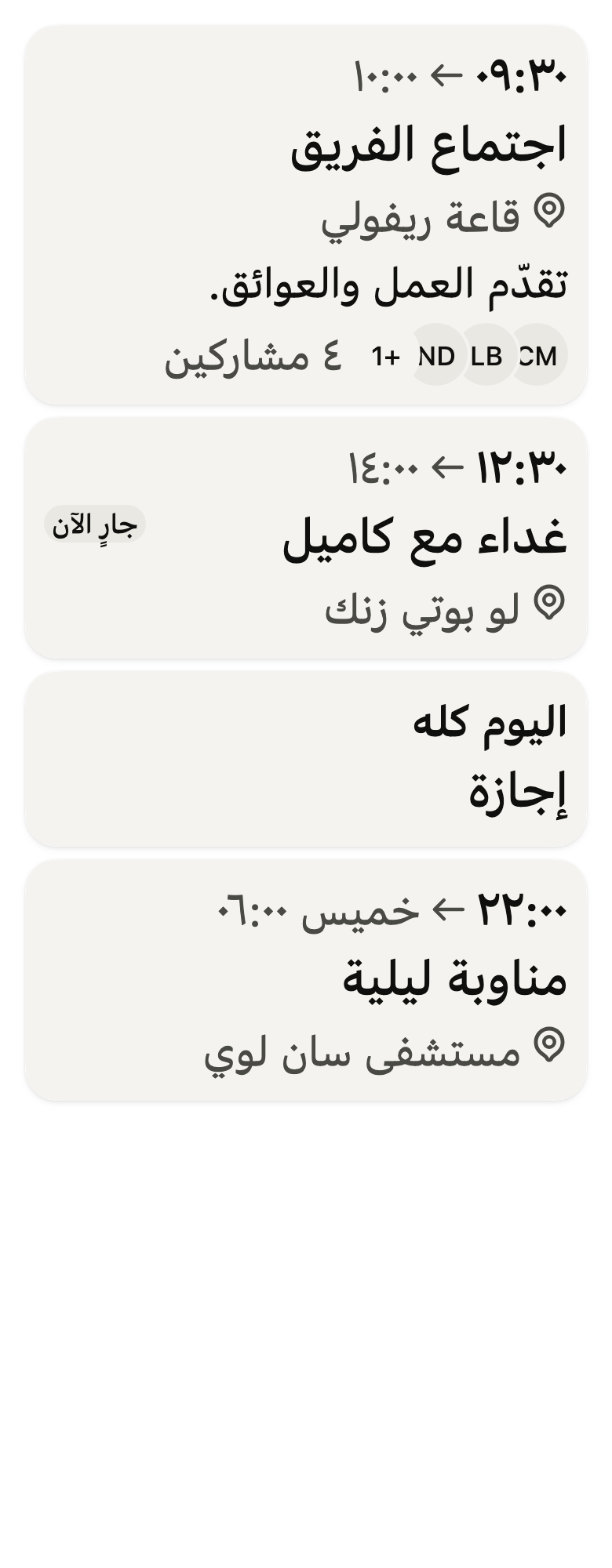
Use it to
- show a meeting in a card with its opening and closing times in a column
- show who attends a meeting with their avatars
- show the description or agenda of an event
- show which event is happening now
- open a calendar event from its card
- Not for
- an event in a grouped list with dividers: use the event row (event-row)
- the whole agenda for the day or week: use the agenda (agenda)
- a task to check off: use a task row (task-row)
- States