Screens / messaging
Post and comments
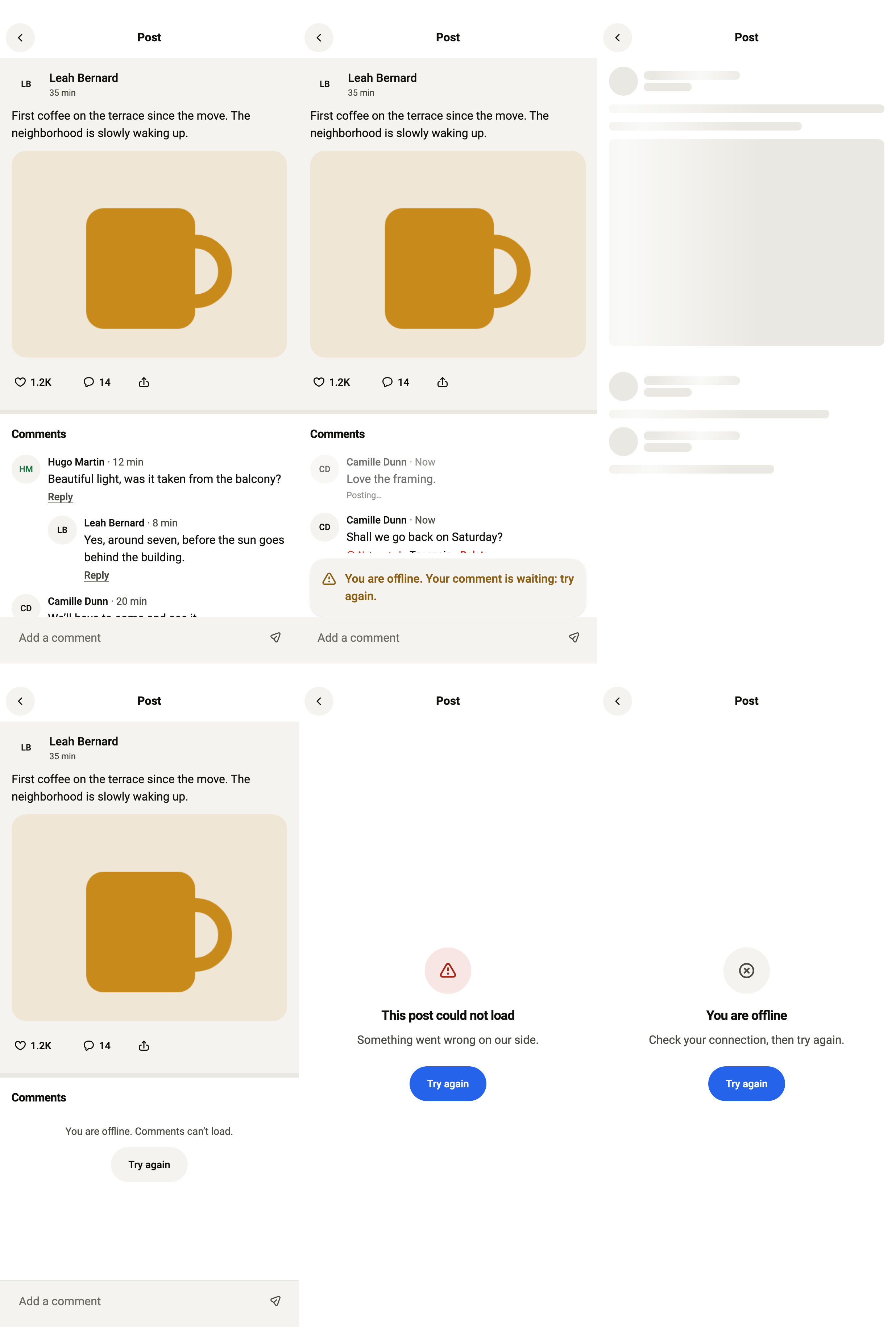
Shows one post with its paged comments and one level of replies, a composer that posts in order without waiting, retry, and deleting your own comments after confirmation.
Import
Post and comments is part of Fliin Pro. With a license key, sign in once with fliin login, then add it in a Flutter app where fliin init has run:
fliin login
fliin add post
Also installs: alert, app-bar, button, comment-row, composer, confirm-delete, core, empty-state, post-card, result-card, skeleton, spinner, text, menu, link-button, avatar
Examples
Loaded
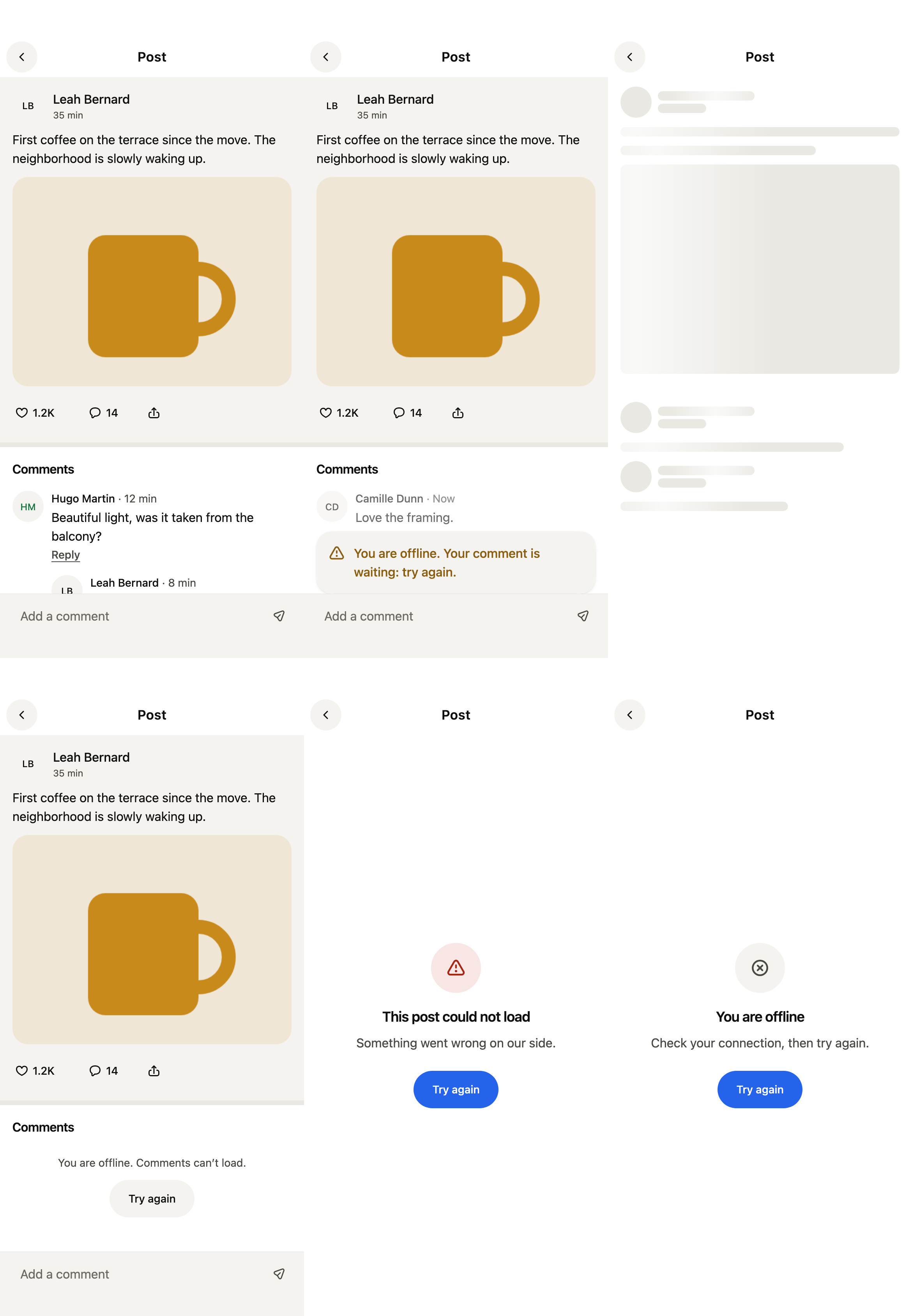
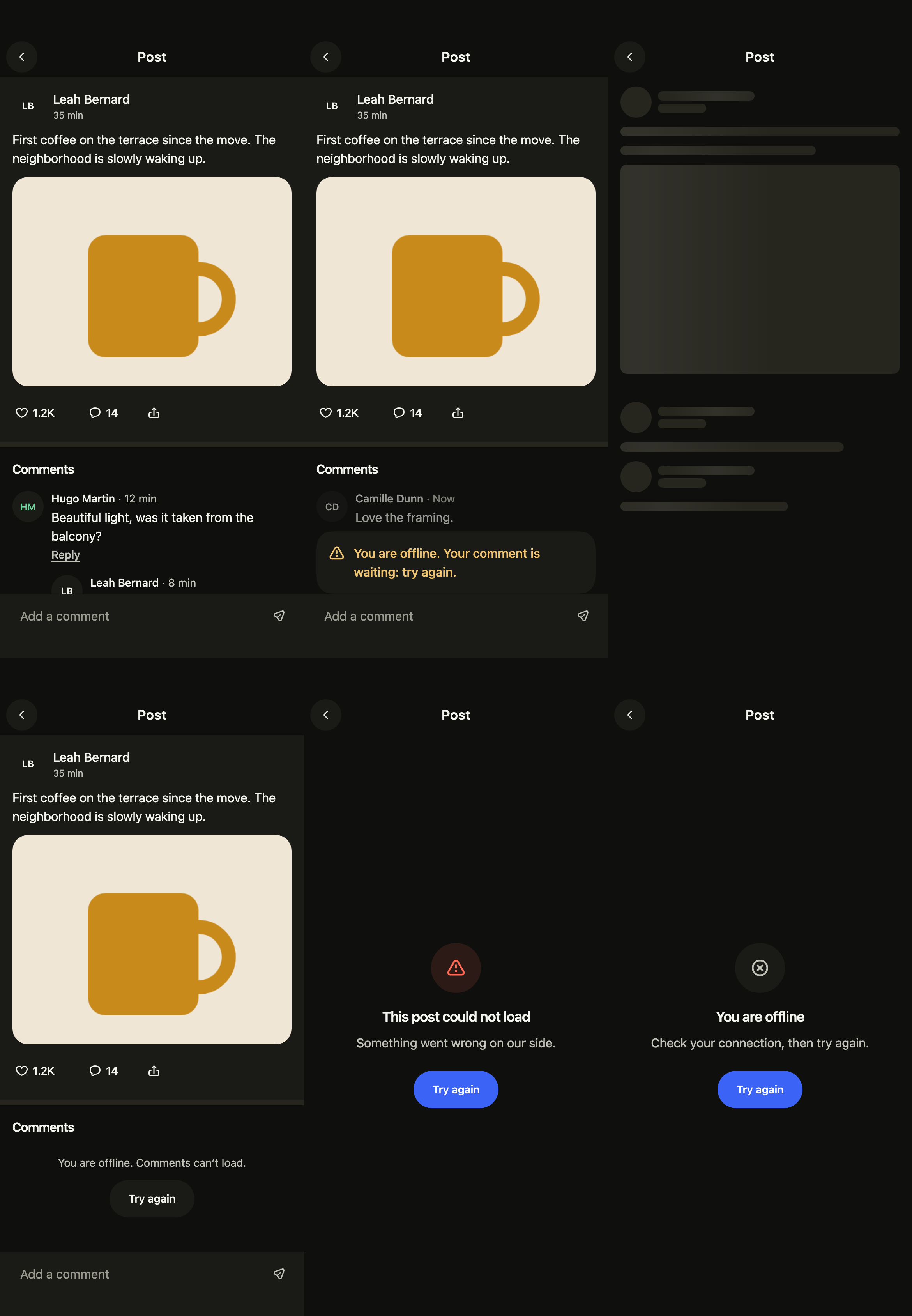
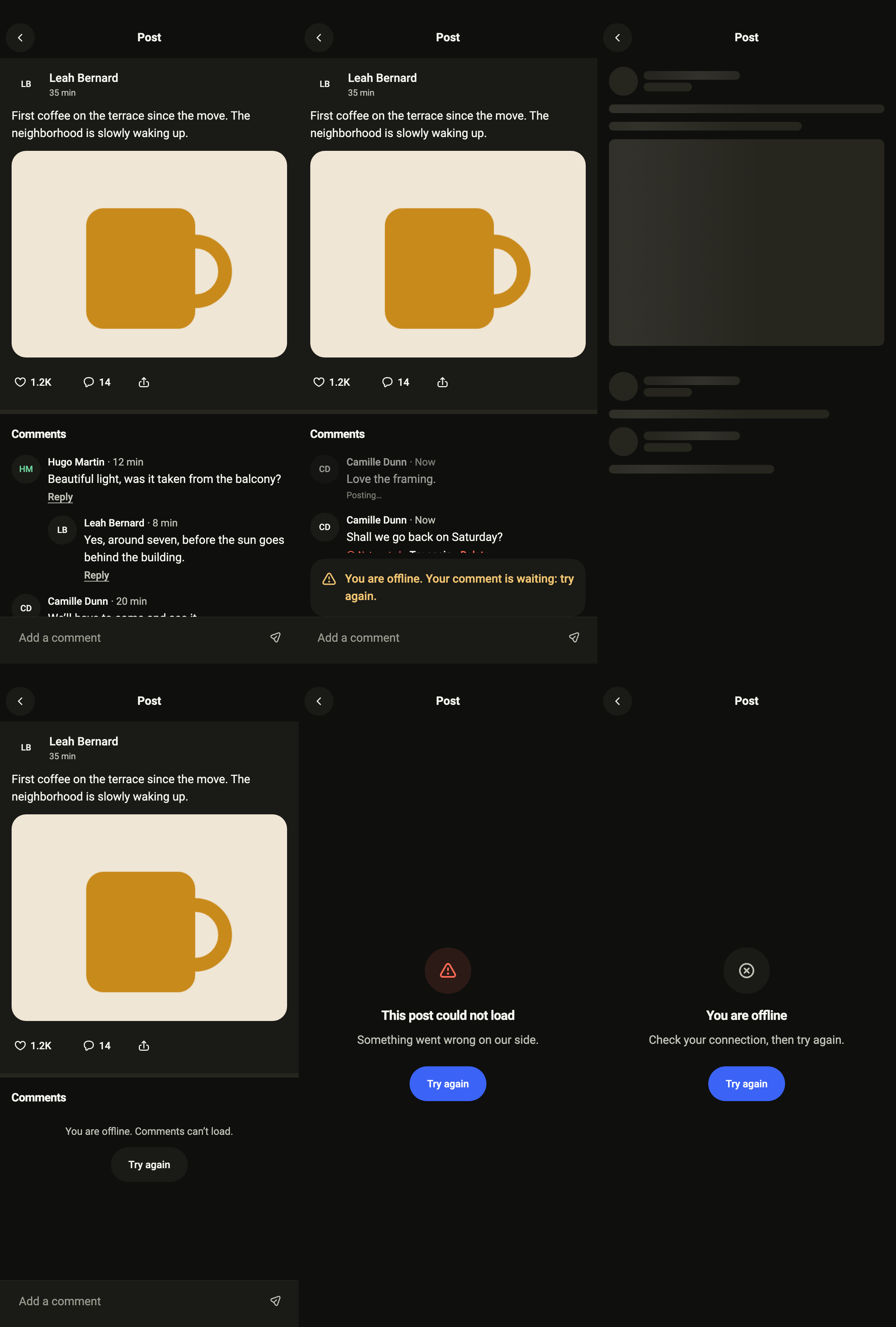
A post and its comments, more of them loaded while scrolling. standalone holds its own controller over the service you pass; give it yours to reach your backend.
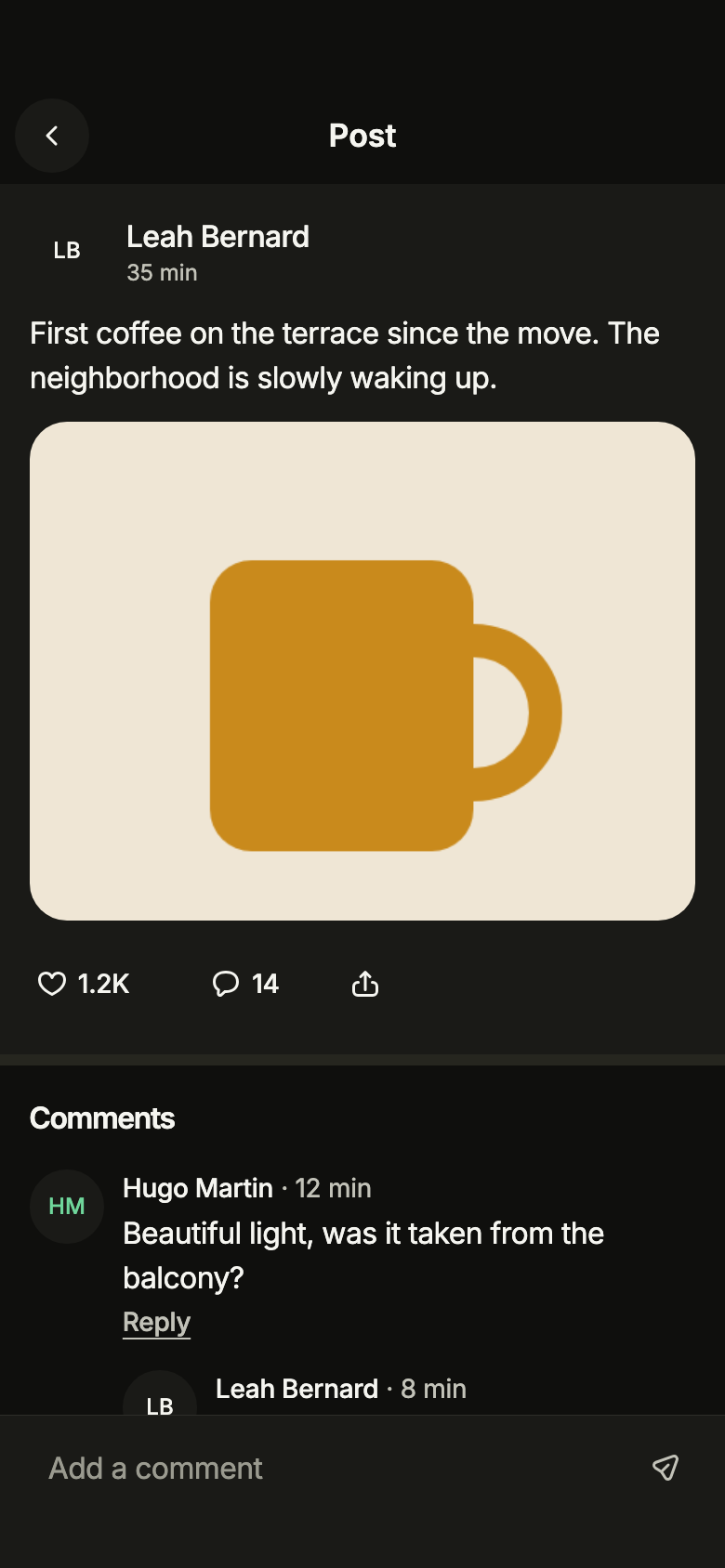
import 'package:your_app/ui/fliin/screens/post/post_controller.dart';
import 'package:your_app/ui/fliin/screens/post/post_data.dart';
import 'package:your_app/ui/fliin/screens/post/post_screen.dart';
import 'package:flutter/widgets.dart';

class PostLoadedExample extends StatelessWidget {
  const PostLoadedExample({super.key});

  @override
  Widget build(BuildContext context) {
    return PostScreen.standalone(
      service: SamplePostService(latency: const Duration(milliseconds: 600), now: () => samplePostNow),
      postId: samplePost.id,
      me: sampleMe,
      initial: PostLoaded(
        samplePost,
        threads: samplePostComments.take(6).toList(),
        more: const CommentsMoreAvailable('6'),
      ),
      now: () => samplePostNow,
      onBack: () {},
      onAuthor: (_) {},
      onShare: (_) {},
    );
  }
}Sending
Comments written offline wait at the top of the thread, and a notice says they will be posted once the connection is back.
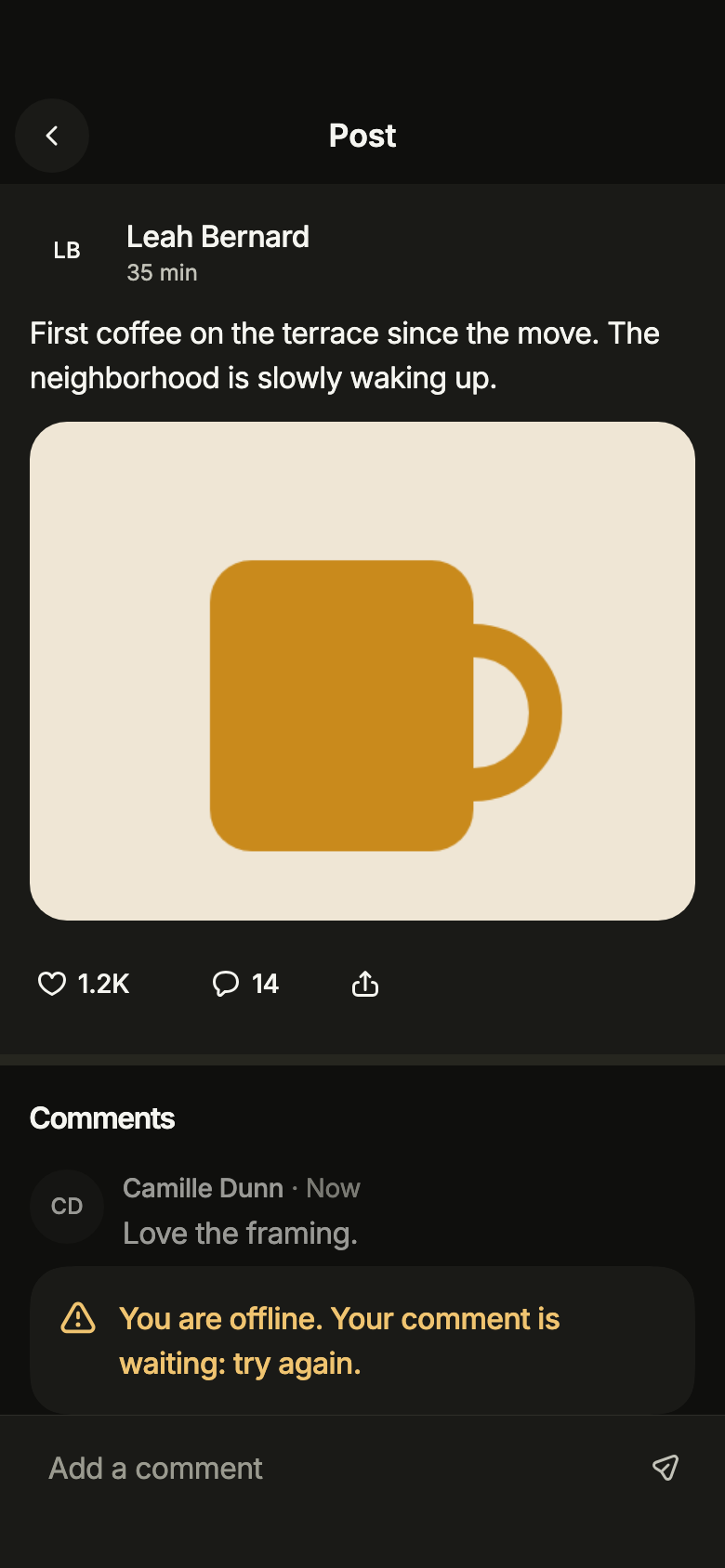
import 'package:your_app/ui/fliin/screens/post/post_controller.dart';
import 'package:your_app/ui/fliin/screens/post/post_data.dart';
import 'package:your_app/ui/fliin/screens/post/post_screen.dart';
import 'package:flutter/widgets.dart';

class PostSendingExample extends StatelessWidget {
  const PostSendingExample({super.key});

  @override
  Widget build(BuildContext context) {
    return PostScreen.standalone(
      service: SamplePostService(latency: const Duration(milliseconds: 600), now: () => samplePostNow),
      postId: samplePost.id,
      me: sampleMe,
      initial: PostLoaded(
        samplePost,
        threads: [...samplePostPending, ...samplePostComments.take(4)],
        more: const CommentsMoreAvailable('4'),
        notice: PostNotice.sendOffline,
      ),
      now: () => samplePostNow,
      onBack: () {},
      onAuthor: (_) {},
      onShare: (_) {},
    );
  }
}Loading
While the service answers, placeholders keep the shape of the post.
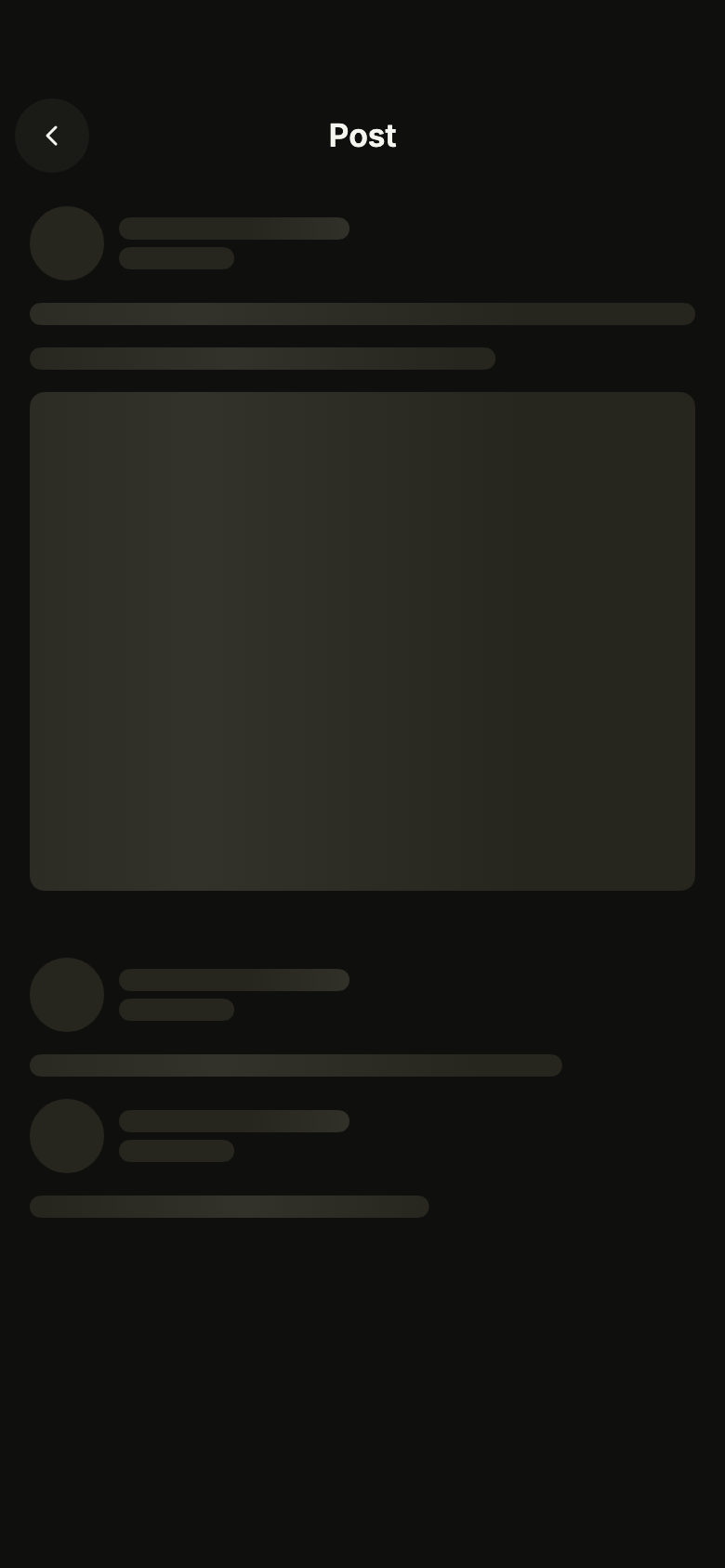
import 'package:your_app/ui/fliin/screens/post/post_controller.dart';
import 'package:your_app/ui/fliin/screens/post/post_data.dart';
import 'package:your_app/ui/fliin/screens/post/post_screen.dart';
import 'package:flutter/widgets.dart';

class PostLoadingExample extends StatelessWidget {
  const PostLoadingExample({super.key});

  @override
  Widget build(BuildContext context) {
    return PostScreen.standalone(
      service: SamplePostService(latency: const Duration(milliseconds: 600), now: () => samplePostNow),
      postId: samplePost.id,
      me: sampleMe,
      initial: const PostLoading(),
      now: () => samplePostNow,
      onBack: () {},
      onAuthor: (_) {},
      onShare: (_) {},
    );
  }
}Comments error
The post is there but its comments could not load: only that part offers to try again.
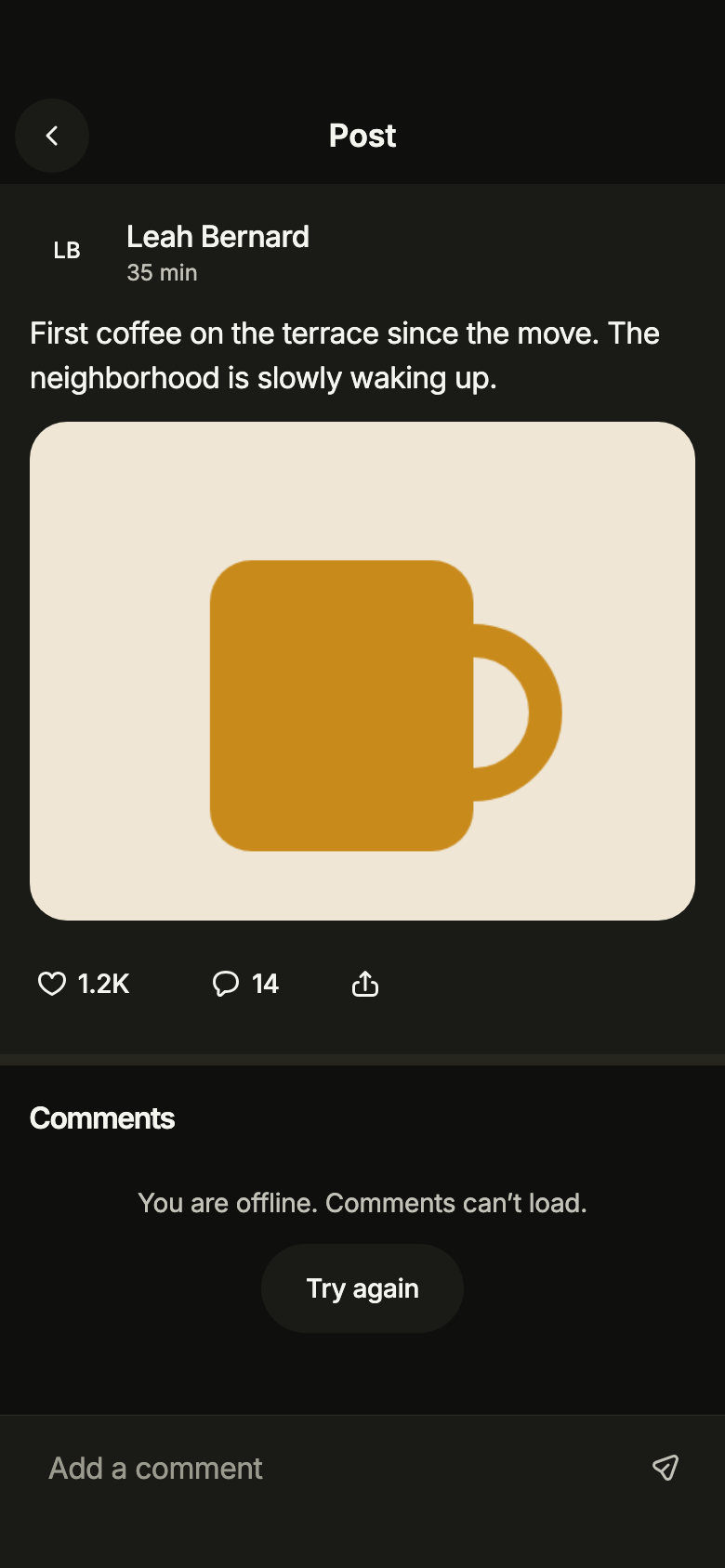
import 'package:your_app/ui/fliin/screens/post/post_controller.dart';
import 'package:your_app/ui/fliin/screens/post/post_data.dart';
import 'package:your_app/ui/fliin/screens/post/post_screen.dart';
import 'package:flutter/widgets.dart';

class PostCommentsErrorExample extends StatelessWidget {
  const PostCommentsErrorExample({super.key});

  @override
  Widget build(BuildContext context) {
    return PostScreen.standalone(
      service: SamplePostService(latency: const Duration(milliseconds: 600), now: () => samplePostNow),
      postId: samplePost.id,
      me: sampleMe,
      initial: PostLoaded(samplePost, more: const CommentsMoreFailed(null, offline: true)),
      now: () => samplePostNow,
      onBack: () {},
      onAuthor: (_) {},
      onShare: (_) {},
    );
  }
}Error
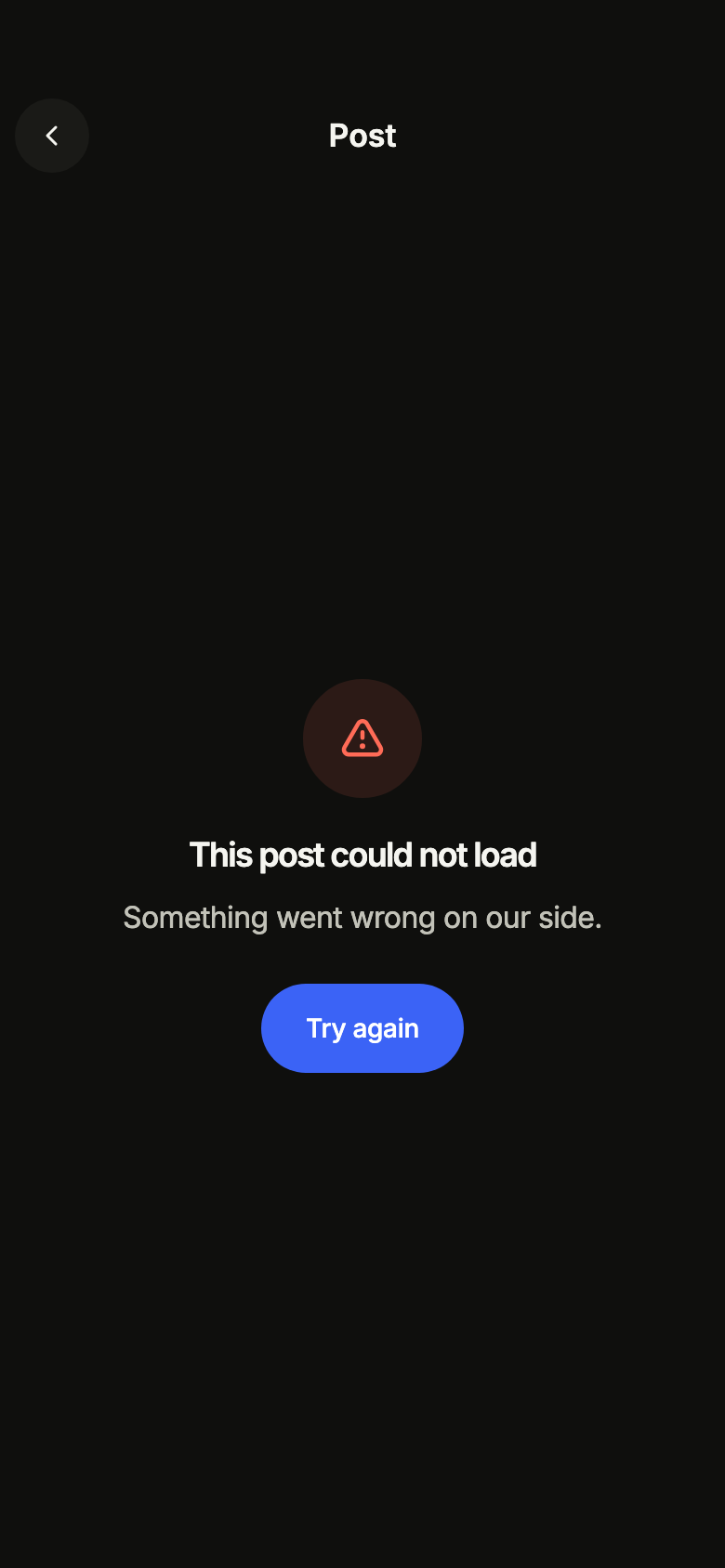
When loading fails, the screen says so and offers to try again.
import 'package:your_app/ui/fliin/screens/post/post_controller.dart';
import 'package:your_app/ui/fliin/screens/post/post_data.dart';
import 'package:your_app/ui/fliin/screens/post/post_screen.dart';
import 'package:flutter/widgets.dart';

class PostErrorExample extends StatelessWidget {
  const PostErrorExample({super.key});

  @override
  Widget build(BuildContext context) {
    return PostScreen.standalone(
      service: SamplePostService(latency: const Duration(milliseconds: 600), now: () => samplePostNow),
      postId: samplePost.id,
      me: sampleMe,
      initial: const PostFailed(),
      now: () => samplePostNow,
      onBack: () {},
      onAuthor: (_) {},
      onShare: (_) {},
    );
  }
}Offline
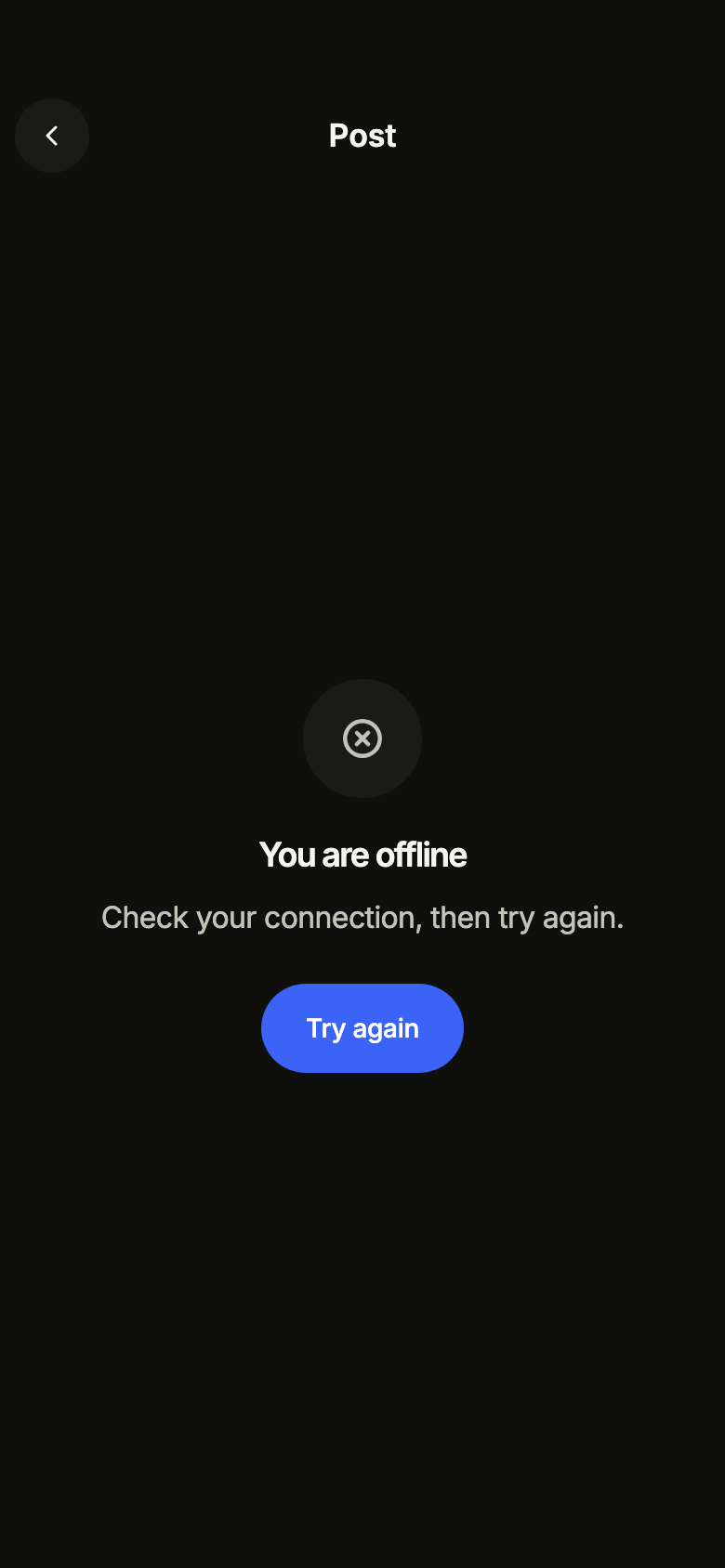
Without a connection, the screen asks to reconnect rather than showing an error.
import 'package:your_app/ui/fliin/screens/post/post_controller.dart';
import 'package:your_app/ui/fliin/screens/post/post_data.dart';
import 'package:your_app/ui/fliin/screens/post/post_screen.dart';
import 'package:flutter/widgets.dart';

class PostOfflineExample extends StatelessWidget {
  const PostOfflineExample({super.key});

  @override
  Widget build(BuildContext context) {
    return PostScreen.standalone(
      service: SamplePostService(latency: const Duration(milliseconds: 600), now: () => samplePostNow),
      postId: samplePost.id,
      me: sampleMe,
      initial: const PostOffline(),
      now: () => samplePostNow,
      onBack: () {},
      onAuthor: (_) {},
      onShare: (_) {},
    );
  }
}Closed
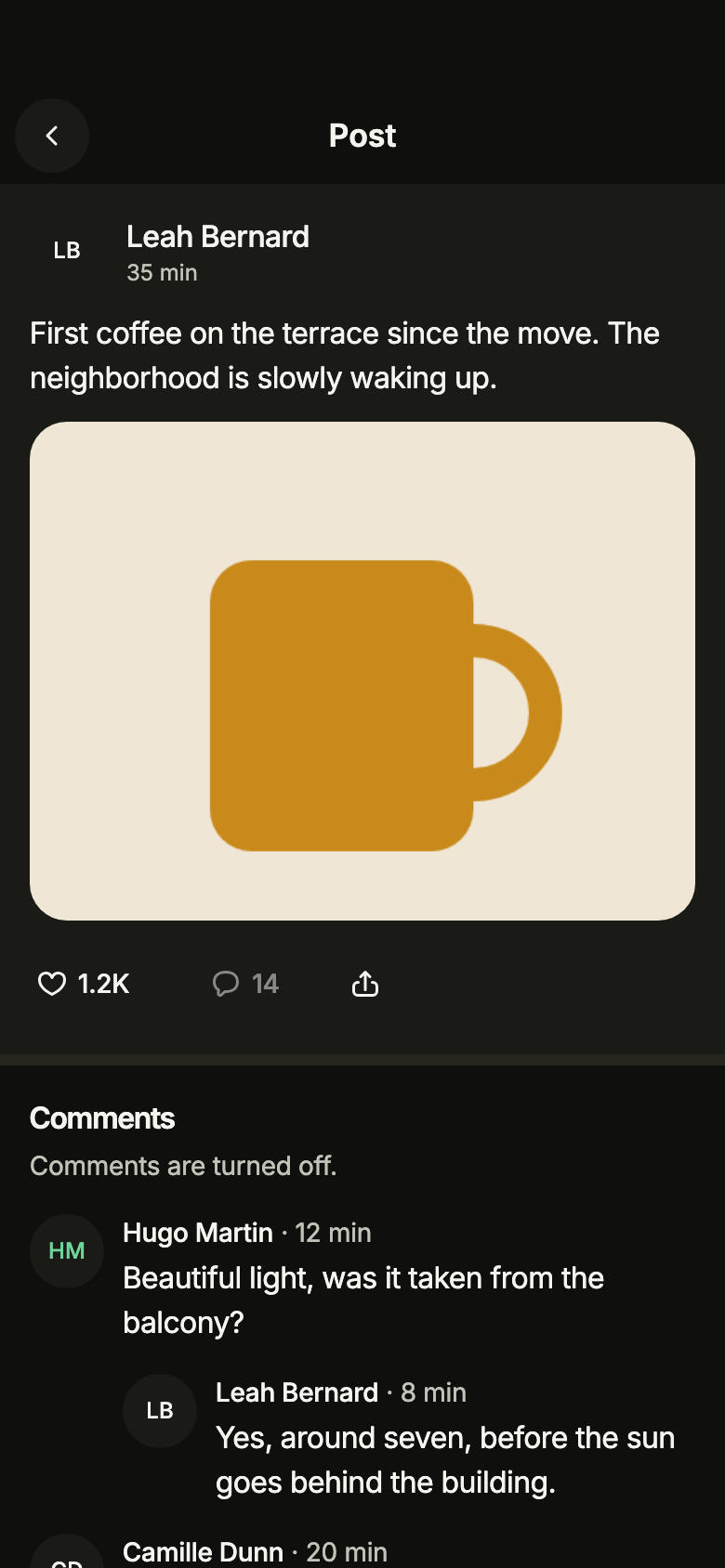
A post whose comments are closed: canComment: false removes the input bar and says so under "Comments"; the comments already there stay.
import 'package:your_app/ui/fliin/screens/post/post_controller.dart';
import 'package:your_app/ui/fliin/screens/post/post_data.dart';
import 'package:your_app/ui/fliin/screens/post/post_screen.dart';
import 'package:flutter/widgets.dart';

class PostClosedExample extends StatelessWidget {
  const PostClosedExample({super.key});

  @override
  Widget build(BuildContext context) {
    return PostScreen.standalone(
      service: SamplePostService(latency: const Duration(milliseconds: 600), now: () => samplePostNow),
      postId: samplePost.id,
      me: sampleMe,
      initial: PostLoaded(samplePost, threads: samplePostComments.take(6).toList(), more: const CommentsMoreEnd()),
      canComment: false,
      now: () => samplePostNow,
      onBack: () {},
      onAuthor: (_) {},
      onShare: (_) {},
    );
  }
}No replies
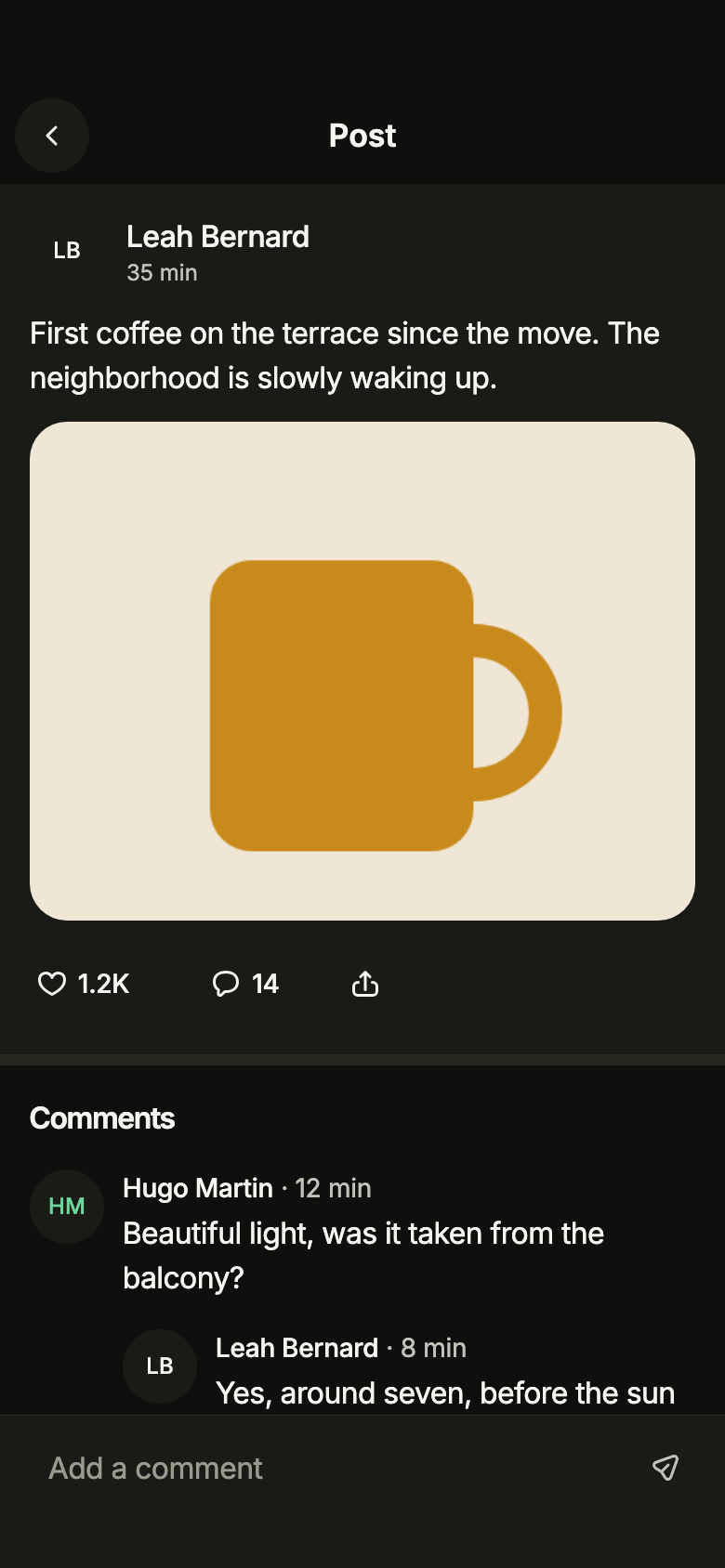
Comments on a single level: canReply: false removes "Reply" under each comment.
import 'package:your_app/ui/fliin/screens/post/post_controller.dart';
import 'package:your_app/ui/fliin/screens/post/post_data.dart';
import 'package:your_app/ui/fliin/screens/post/post_screen.dart';
import 'package:flutter/widgets.dart';

class PostNoRepliesExample extends StatelessWidget {
  const PostNoRepliesExample({super.key});

  @override
  Widget build(BuildContext context) {
    return PostScreen.standalone(
      service: SamplePostService(latency: const Duration(milliseconds: 600), now: () => samplePostNow),
      postId: samplePost.id,
      me: sampleMe,
      initial: PostLoaded(
        samplePost,
        threads: samplePostComments.take(6).toList(),
        more: const CommentsMoreAvailable('6'),
      ),
      canReply: false,
      now: () => samplePostNow,
      onBack: () {},
      onAuthor: (_) {},
      onShare: (_) {},
    );
  }
}Routing
fliin add post prints the route for the router it finds in your pubspec, a file next to the page that wires its navigation. Each of them:
go_router
// lib/post_route.dart, next to post_page.dart.
import 'package:go_router/go_router.dart';

import 'post_page.dart';

/// Add postRoute to the routes of your GoRouter.
final postRoute = GoRoute(
  path: '/post/:id',
  builder: (context, state) => PostPage(
    id: state.pathParameters['id']!,
    compose: state.uri.queryParameters['compose'] == 'true',
    // Alone in the stack (deep link, go): your app's home.
    onBack: () => context.canPop() ? context.pop() : context.go('/'),
    onAuthor: (author) => context.push('/profile/${Uri.encodeComponent(author.id)}'),
  ),
);navigator
// lib/post_route.dart, next to post_page.dart.
import 'package:flutter/material.dart';

import 'post_page.dart';
import 'profile_route.dart';

/// Opens “Post and comments”: `Navigator.of(context).push(postRoute(id))`.
Route<void> postRoute(String id, {bool compose = false}) => MaterialPageRoute<void>(
  builder: (context) => PostPage(
    id: id,
    compose: compose,
    onBack: () => Navigator.of(context).maybePop(),
    onAuthor: (author) => Navigator.of(context).push(profileRoute(author.id)),
  ),
);State
The controller is a ChangeNotifier from widgets.dart, with no package. fliin add post prints the page that holds it with the state management it finds, its imports written for your package; below they read your_app. Your backend implements the Service interface of the screen's _data.dart file:
none
// lib/post_page.dart
// Your backend: implement PostService (post_data.dart) and pass it instead of the sample service.
import 'package:your_app/ui/fliin/screens/post/post_data.dart';
import 'package:your_app/ui/fliin/screens/post/post_screen.dart';
import 'package:flutter/widgets.dart';

class PostPage extends StatelessWidget {
  const PostPage({
    super.key,
    required this.id,
    this.compose = false,
    required this.onBack,
    required this.onAuthor,
  });

  final String id;
  final bool compose;
  final VoidCallback onBack;
  final ValueChanged<PostAuthor> onAuthor;

  @override
  Widget build(BuildContext context) => PostScreen.standalone(
    service: SamplePostService(),
    postId: id,
    me: sampleMe,
    compose: compose,
    onBack: onBack,
    onAuthor: onAuthor,
  );
}provider
// lib/post_page.dart
// Your backend: implement PostService (post_data.dart) and pass it instead of the sample service.
import 'package:your_app/ui/fliin/screens/post/post_controller.dart';
import 'package:your_app/ui/fliin/screens/post/post_data.dart';
import 'package:your_app/ui/fliin/screens/post/post_screen.dart';
import 'package:flutter/widgets.dart';
import 'package:provider/provider.dart';

class PostPage extends StatelessWidget {
  const PostPage({
    super.key,
    required this.id,
    this.compose = false,
    required this.onBack,
    required this.onAuthor,
  });

  final String id;
  final bool compose;
  final VoidCallback onBack;
  final ValueChanged<PostAuthor> onAuthor;

  @override
  Widget build(BuildContext context) => ChangeNotifierProvider(
    create: (_) => PostController(service: SamplePostService(), postId: id, me: sampleMe)..load(),
    child: Builder(
      builder: (context) => PostScreen(
        controller: context.read<PostController>(),
        compose: compose,
        onBack: onBack,
        onAuthor: onAuthor,
      ),
    ),
  );
}riverpod
// lib/post_page.dart
// Your backend: implement PostService (post_data.dart) and pass it instead of the sample service.
import 'package:your_app/ui/fliin/screens/post/post_controller.dart';
import 'package:your_app/ui/fliin/screens/post/post_data.dart';
import 'package:your_app/ui/fliin/screens/post/post_screen.dart';
import 'package:flutter/widgets.dart';
import 'package:flutter_riverpod/flutter_riverpod.dart';

final postControllerProvider = Provider.autoDispose.family<PostController, String>((ref, id) {
  final controller = PostController(service: SamplePostService(), postId: id, me: sampleMe)..load();
  ref.onDispose(controller.dispose);
  return controller;
});

class PostPage extends ConsumerWidget {
  const PostPage({
    super.key,
    required this.id,
    this.compose = false,
    required this.onBack,
    required this.onAuthor,
  });

  final String id;
  final bool compose;
  final VoidCallback onBack;
  final ValueChanged<PostAuthor> onAuthor;

  @override
  Widget build(BuildContext context, WidgetRef ref) => PostScreen(
    controller: ref.watch(postControllerProvider(id)),
    compose: compose,
    onBack: onBack,
    onAuthor: onAuthor,
  );
}bloc
// lib/post_page.dart
// Your backend: implement PostService (post_data.dart) and pass it instead of the sample service.
import 'package:your_app/ui/fliin/screens/post/post_controller.dart';
import 'package:your_app/ui/fliin/screens/post/post_data.dart';
import 'package:your_app/ui/fliin/screens/post/post_screen.dart';
import 'package:flutter/widgets.dart';
import 'package:flutter_bloc/flutter_bloc.dart';

/// The screen's controller as a bloc, for your BlocListener and BlocBuilder:
/// one emission per controller notification. `version` tells them apart
/// when `state` does not change (mode, filters, text…, read them on
/// `controller`). The screen listens to the controller itself.
class PostCubit extends Cubit<({PostState state, int version})> {
  PostCubit(this.controller) : super((state: controller.state, version: 0)) {
    controller.addListener(_changed);
  }

  final PostController controller;

  void _changed() => emit((state: controller.state, version: state.version + 1));

  @override
  Future<void> close() {
    controller
      ..removeListener(_changed)
      ..dispose();
    return super.close();
  }
}

class PostPage extends StatelessWidget {
  const PostPage({
    super.key,
    required this.id,
    this.compose = false,
    required this.onBack,
    required this.onAuthor,
  });

  final String id;
  final bool compose;
  final VoidCallback onBack;
  final ValueChanged<PostAuthor> onAuthor;

  @override
  Widget build(BuildContext context) => BlocProvider(
    create: (_) => PostCubit(PostController(service: SamplePostService(), postId: id, me: sampleMe)..load()),
    child: Builder(
      builder: (context) => PostScreen(
        controller: context.read<PostCubit>().controller,
        compose: compose,
        onBack: onBack,
        onAuthor: onAuthor,
      ),
    ),
  );
}The snippets lead to profile: install these screens too and paste their snippets.
API
PostScreen: class extends StatefulWidget
PostScreen.new: const new({super.key, required PostController controller, bool compose, VoidCallback? onBack, ValueChanged<PostAuthor>? onAuthor, ValueChanged<PostDetail>? onShare, List<FlMenuEntry> Function(PostDetail post)? menu, DateTime Function() now, bool canComment, bool canReply})
PostScreen.standalone: const new({super.key, required PostService service, required String postId, required PostAuthor me, PostState? initial, bool compose, VoidCallback? onBack, ValueChanged<PostAuthor>? onAuthor, ValueChanged<PostDetail>? onShare, List<FlMenuEntry> Function(PostDetail post)? menu, DateTime Function() now, bool canComment, bool canReply})
PostScreen.controller: get PostController?
PostScreen.service: get PostService?
PostScreen.postId: get String?
PostScreen.me: get PostAuthor?
PostScreen.initial: get PostState?
PostScreen.compose: get bool
PostScreen.onBack: get VoidCallback?
PostScreen.onAuthor: get ValueChanged<PostAuthor>?
PostScreen.onShare: get ValueChanged<PostDetail>?
PostScreen.menu: get List<FlMenuEntry> Function(PostDetail post)?
PostScreen.now: get DateTime Function()
PostScreen.canComment: get bool
PostScreen.canReply: get bool
PostScreen.createState: State<PostScreen>()
PostState: sealed class permits {PostFailed, PostLoaded, PostLoading, PostOffline}
PostState.new: const new()
PostLoading: final class extends PostState
PostLoading.new: const new()
PostFailed: final class extends PostState
PostFailed.new: const new()
PostOffline: final class extends PostState
PostOffline.new: const new()
CommentsMore: sealed class permits {CommentsMoreAvailable, CommentsMoreEnd, CommentsMoreFailed, CommentsMoreLoading}
CommentsMore.new: const new()
CommentsMoreAvailable: final class extends CommentsMore
CommentsMoreAvailable.new: const new(String? after)
CommentsMoreAvailable.after: get String?
CommentsMoreLoading: final class extends CommentsMore
CommentsMoreLoading.new: const new(String? after)
CommentsMoreLoading.after: get String?
CommentsMoreFailed: final class extends CommentsMore
CommentsMoreFailed.new: const new(String? after, {required bool offline})
CommentsMoreFailed.after: get String?
CommentsMoreFailed.offline: get bool
CommentsMoreEnd: final class extends CommentsMore
CommentsMoreEnd.new: const new()
PostNotice: enum {sendOffline, sendFailed, deleteFailed, likeFailed}
PostNotice.sendOffline: static final PostNotice
PostNotice.sendFailed: static final PostNotice
PostNotice.deleteFailed: static final PostNotice
PostNotice.likeFailed: static final PostNotice
PostLoaded: final class extends PostState
PostLoaded.new: const new(PostDetail post, {List<CommentThread> threads, CommentsMore more, PostNotice? notice})
PostLoaded.post: get PostDetail
PostLoaded.threads: get List<CommentThread>
PostLoaded.more: get CommentsMore
PostLoaded.notice: get PostNotice?
PostController: class extends ChangeNotifier
PostController.new: new({required PostService service, required String postId, required PostAuthor me, PostState initial, DateTime Function() clock, String Function()? newLocalId})
PostController.service: get PostService
PostController.postId: get String
PostController.me: get PostAuthor
PostController.clock: get DateTime Function()
PostController.newLocalId: get String Function()
PostController.state: get PostState
PostController.load: Future<void>()
PostController.loadMore: Future<bool>()
PostController.toggleLike: bool()
PostController.send: Future<bool>(String text, {String? replyTo})
PostController.retry: Future<bool>(String id)
PostController.canDelete: bool(String id)
PostController.delete: Future<bool>(String id)
PostController.dispose: void()
PostAuthor: final class
PostAuthor.new: const new({required String id, required String name, required String initials, ImageProvider? avatar, FlAvatarColor color})
PostAuthor.id: get String
PostAuthor.name: get String
PostAuthor.initials: get String
PostAuthor.avatar: get ImageProvider?
PostAuthor.color: get FlAvatarColor
PostDetail: final class
PostDetail.new: const new({required String id, required PostAuthor author, required DateTime at, String text, List<ImageProvider> images, int likes, bool liked, int comments})
PostDetail.id: get String
PostDetail.author: get PostAuthor
PostDetail.at: get DateTime
PostDetail.text: get String
PostDetail.images: get List<ImageProvider>
PostDetail.likes: get int
PostDetail.liked: get bool
PostDetail.comments: get int
PostDetail.withLiked: PostDetail(bool liked)
PostDetail.withComments: PostDetail(int delta)
CommentDelivery: enum {sent, sending, failed}
CommentDelivery.sent: static final CommentDelivery
CommentDelivery.sending: static final CommentDelivery
CommentDelivery.failed: static final CommentDelivery
PostComment: final class
PostComment.new: const new({required String id, required PostAuthor author, required DateTime at, required String text, bool mine, CommentDelivery delivery})
PostComment.id: get String
PostComment.author: get PostAuthor
PostComment.at: get DateTime
PostComment.text: get String
PostComment.mine: get bool
PostComment.delivery: get CommentDelivery
PostComment.copyWith: PostComment({CommentDelivery? delivery, DateTime? at})
CommentThread: final class
CommentThread.new: const new(PostComment comment, {List<PostComment> replies})
CommentThread.comment: get PostComment
CommentThread.replies: get List<PostComment>
CommentPage: final class
CommentPage.new: const new(List<CommentThread> threads, {String? next})
CommentPage.threads: get List<CommentThread>
CommentPage.next: get String?
CommentDraft: final class
CommentDraft.new: const new({required String localId, required String postId, required String text, String? replyTo})
CommentDraft.localId: get String
CommentDraft.postId: get String
CommentDraft.text: get String
CommentDraft.replyTo: get String?
PostNoNetwork: final class implements Exception
PostNoNetwork.new: const new()
PostNoNetwork.toString: String()
PostService: abstract interface class
PostService.new: new()
PostService.load: abstract Future<PostDetail>(String postId)
PostService.comments: abstract Future<CommentPage>(String postId, {String? after})
PostService.setLiked: abstract Future<void>(String postId, bool liked)
PostService.send: abstract Future<PostComment>(CommentDraft draft)
PostService.delete: abstract Future<void>(String commentId)
sampleMe: const dynamic
samplePostNow: get DateTime
samplePost: get PostDetail
samplePostComments: get List<CommentThread>
samplePostPending: get List<CommentThread>
SamplePostService: final class implements PostService
SamplePostService.new: new({PostDetail? post, List<CommentThread>? threads, int pageSize, Duration latency, DateTime Function()? now})
SamplePostService.pageSize: get int
SamplePostService.latency: get Duration
SamplePostService.now: get DateTime Function()?
SamplePostService.load: Future<PostDetail>(String postId)
SamplePostService.comments: Future<CommentPage>(String postId, {String? after})
SamplePostService.setLiked: Future<void>(String postId, bool liked)
SamplePostService.send: Future<PostComment>(CommentDraft draft)
SamplePostService.delete: Future<void>(String commentId)
postL10n: const Map<String, Map<String, String>>
PostStrings: final class
PostStrings.new: const new(String language)
PostStrings.of: factory new(BuildContext context)
PostStrings.language: get String
PostStrings.title: get String
PostStrings.back: get String
PostStrings.more: get String
PostStrings.loading: get String
PostStrings.like: get String
PostStrings.liked: String(bool liked)
PostStrings.comment: get String
PostStrings.share: get String
PostStrings.author: String(String name)
PostStrings.likes: String(int count)
PostStrings.comments: String(int count)
PostStrings.photos: String(int count)
PostStrings.commentsTitle: get String
PostStrings.reply: get String
PostStrings.replyTo: String(String name)
PostStrings.replying: String(String name)
PostStrings.inReplyTo: String(String name)
PostStrings.cancelReply: get String
PostStrings.delete: get String
PostStrings.deleteComment: String(String text)
PostStrings.deleteTitle: get String
PostStrings.deleteMessage: get String
PostStrings.cancel: get String
PostStrings.deleted: get String
PostStrings.retry: get String
PostStrings.sending: get String
PostStrings.notSent: get String
PostStrings.message: get String
PostStrings.placeholder: get String
PostStrings.send: get String
PostStrings.sendOffline: get String
PostStrings.sendFailed: get String
PostStrings.deleteFailed: get String
PostStrings.likeFailed: get String
PostStrings.noComments: get String
PostStrings.commentsClosed: get String
PostStrings.loadingComments: get String
PostStrings.commentsFailed: get String
PostStrings.commentsOffline: get String
PostStrings.errorTitle: get String
PostStrings.errorMessage: get String
PostStrings.offlineTitle: get String
PostStrings.offlineMessage: get String
PostStrings.format: get FlCountFormat
PostStrings.count: FlPostCount(int count, String Function(int count) read)
PostStrings.age: String(FlPostAge age)Strings
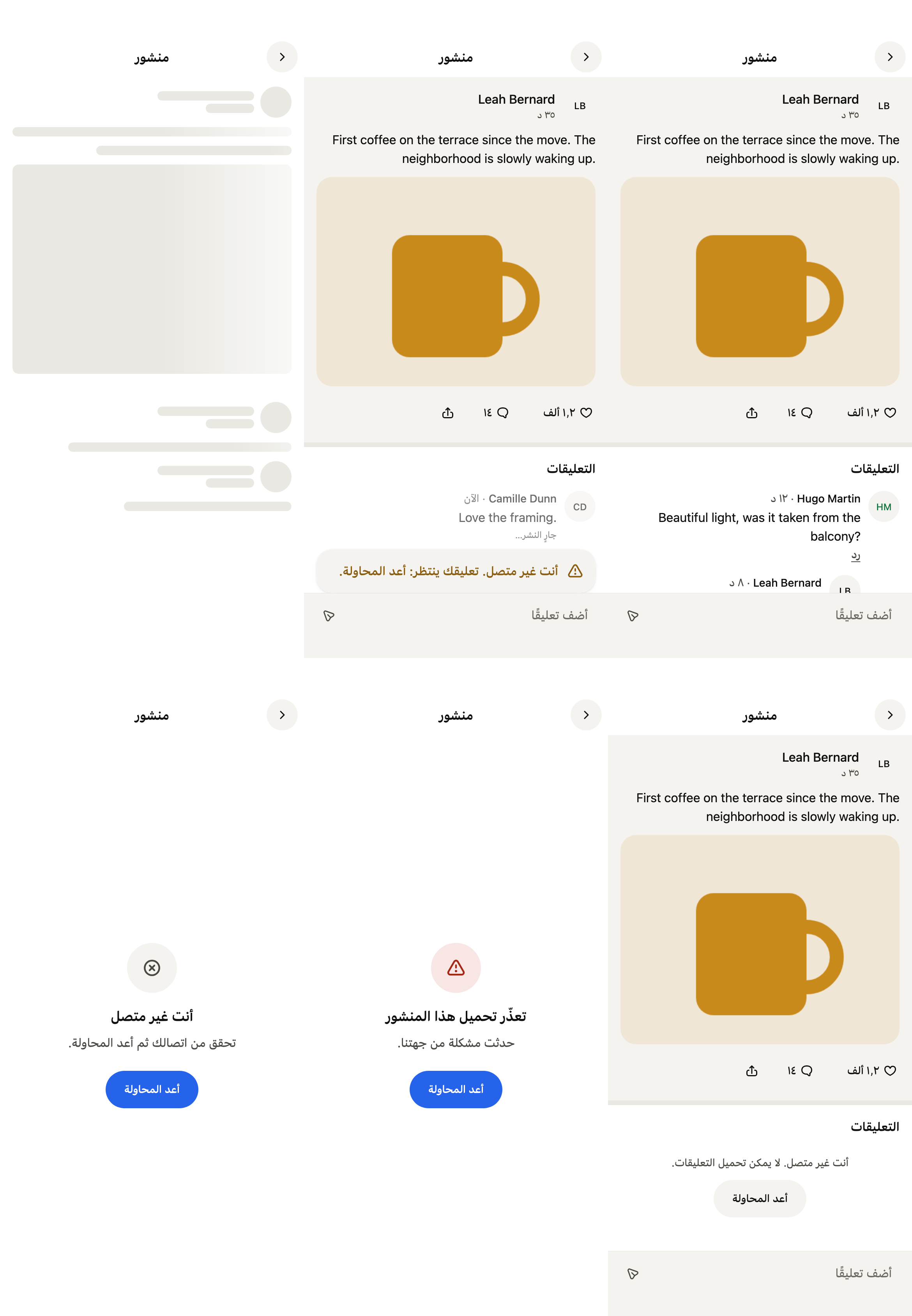
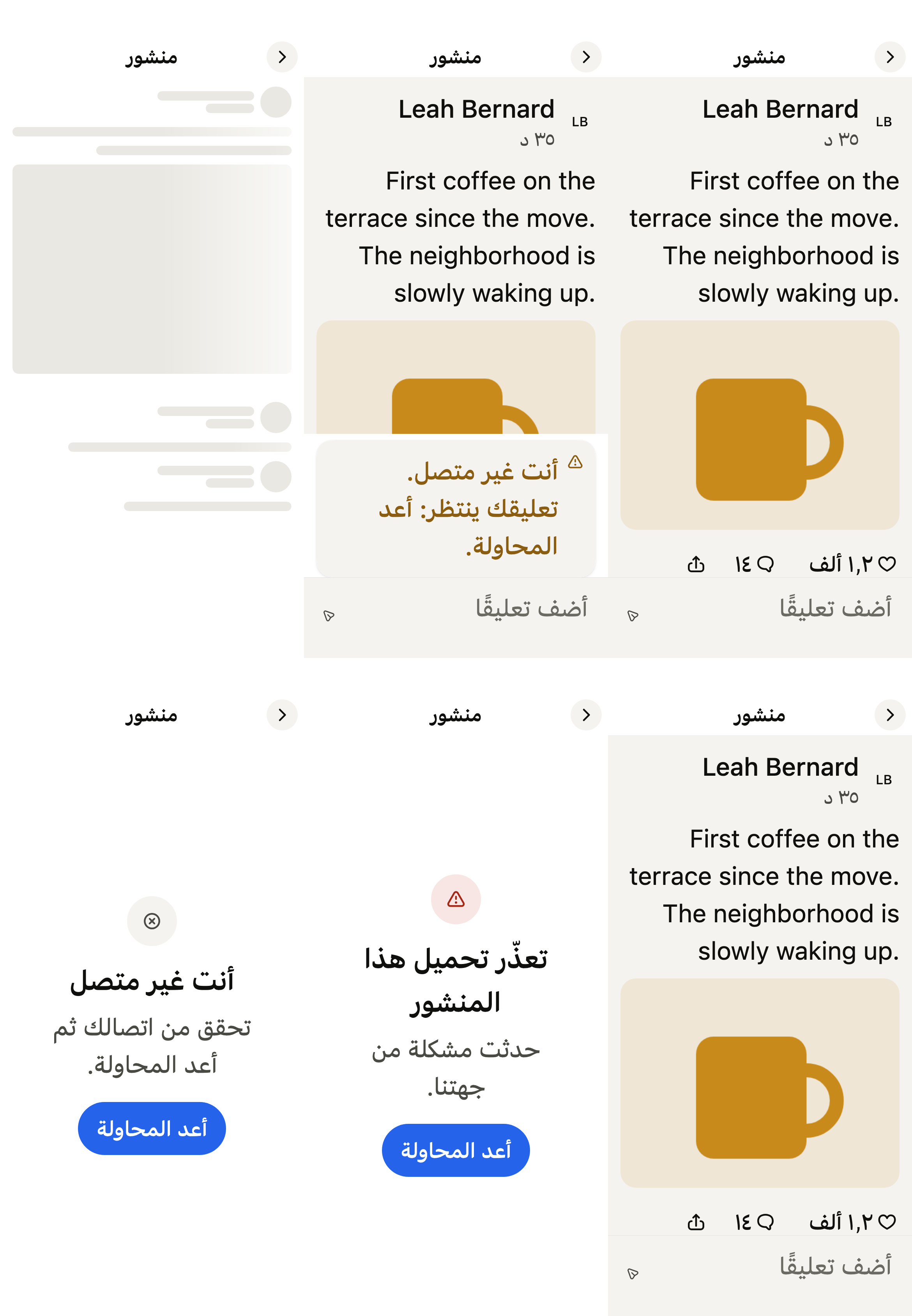
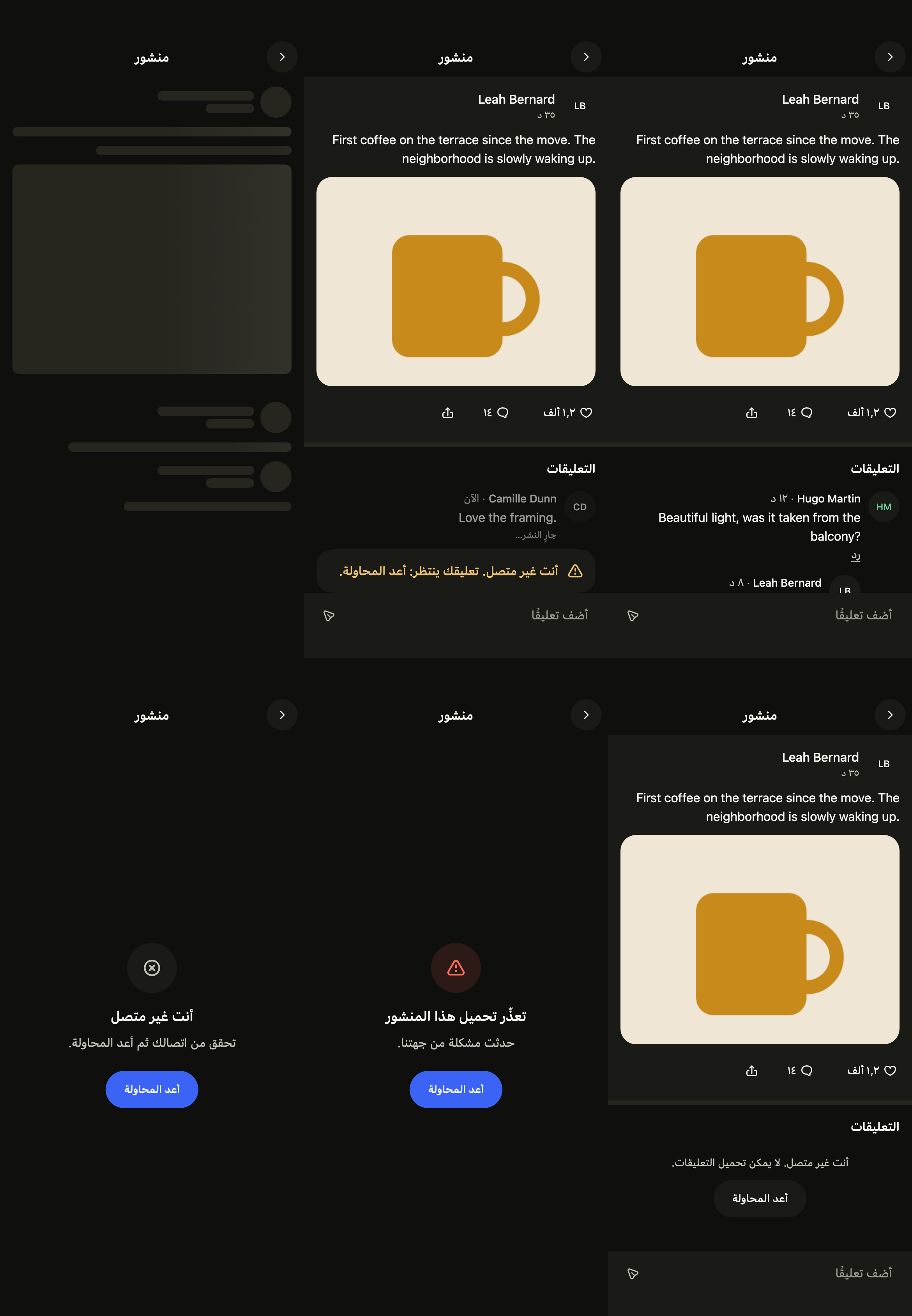
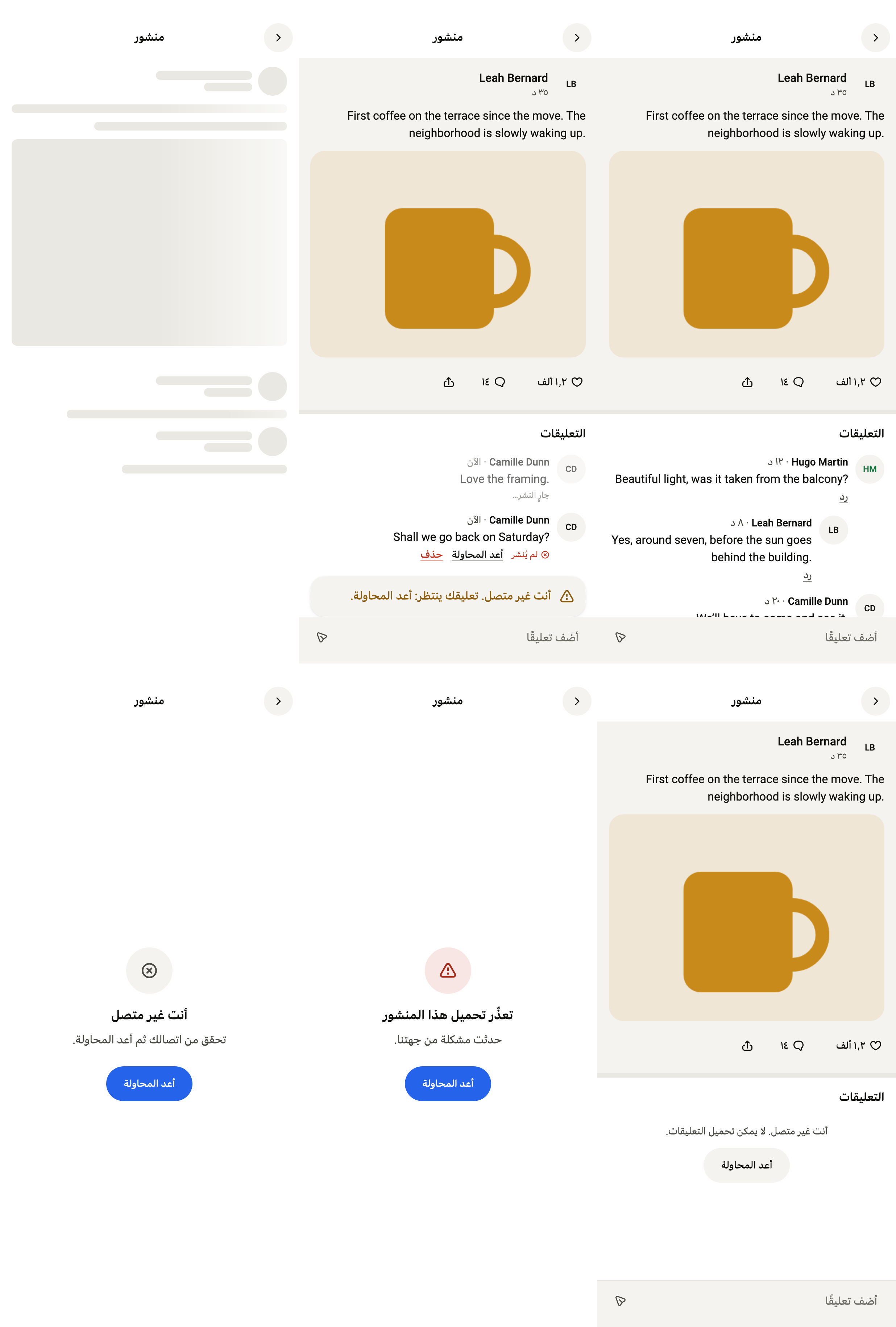
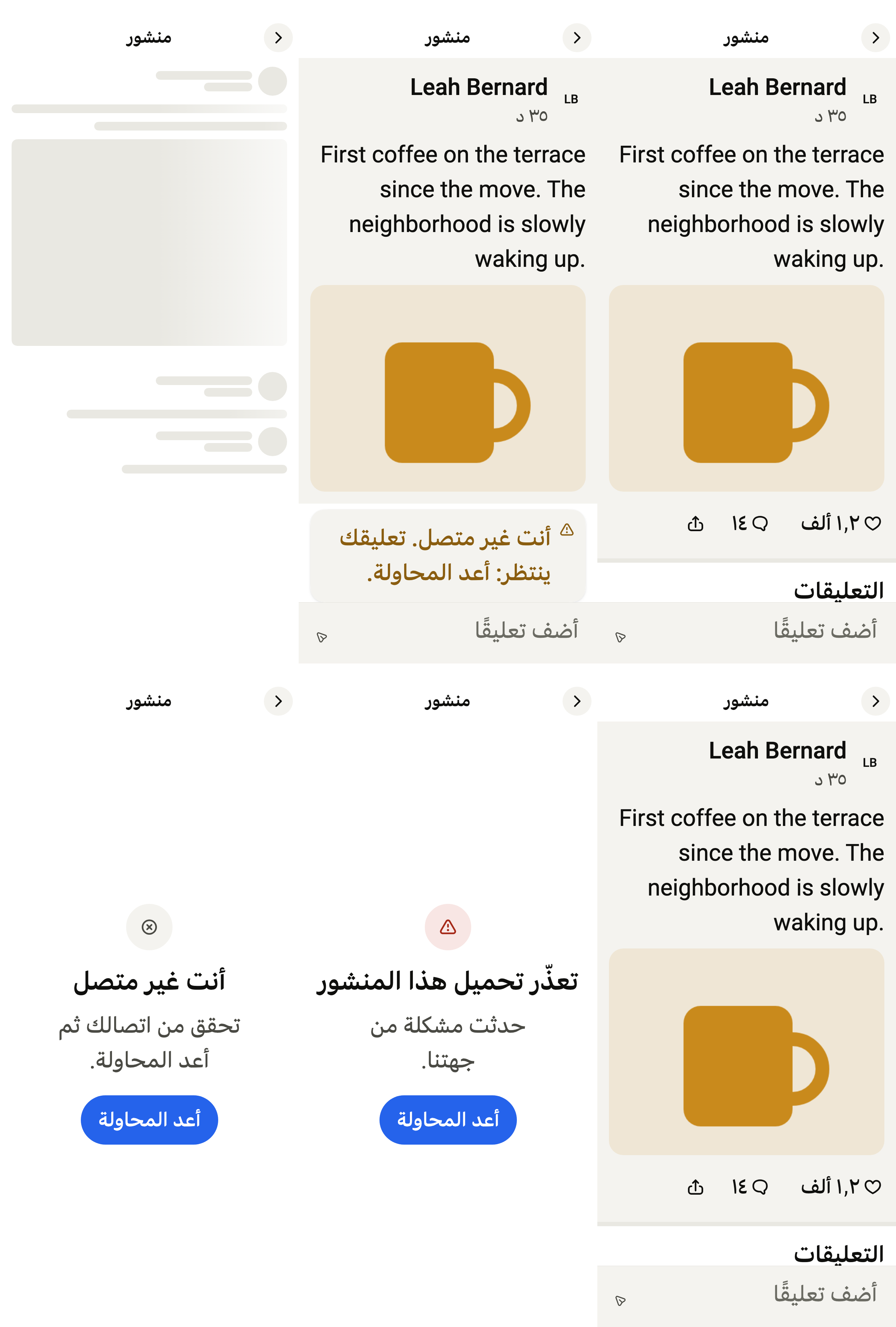
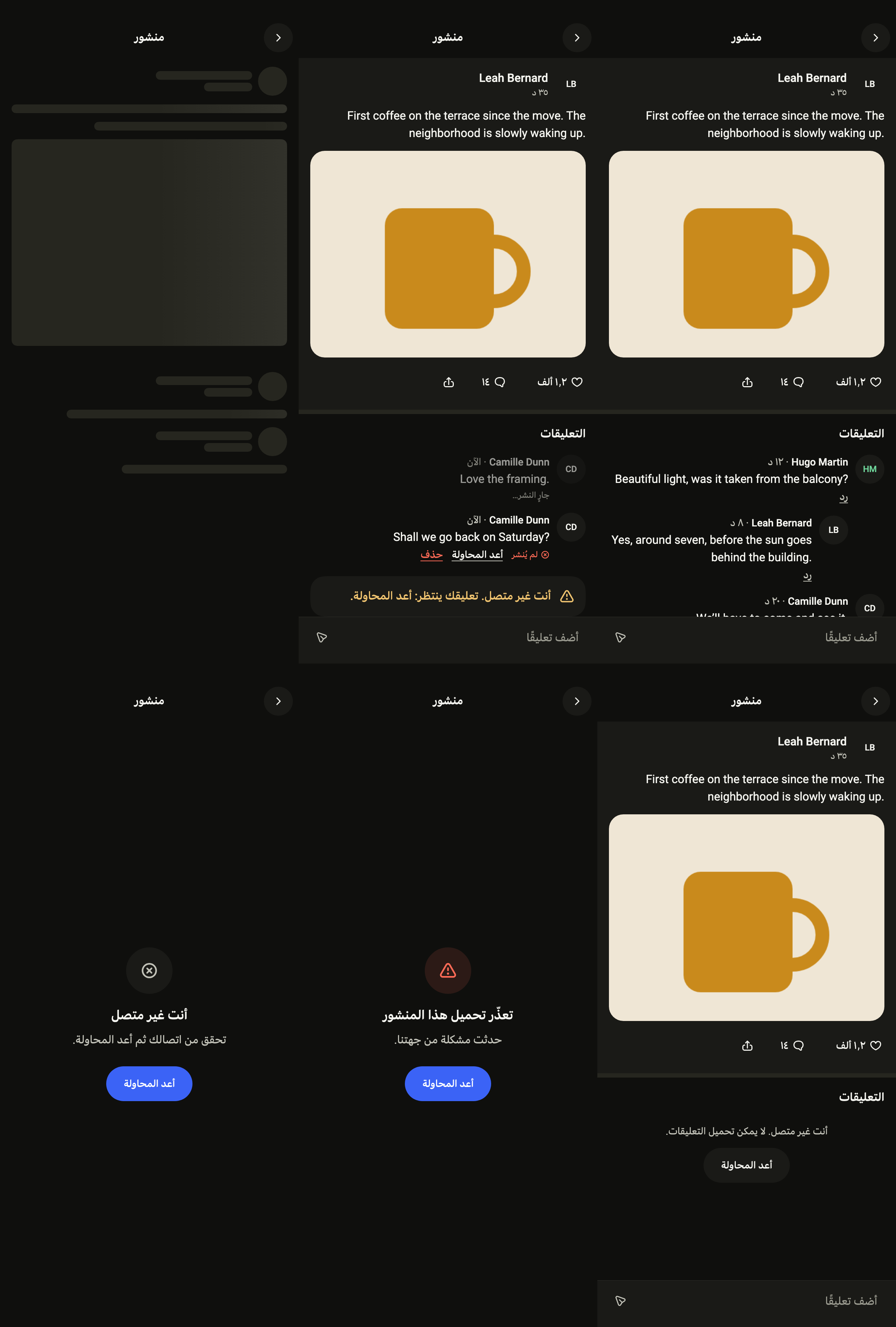
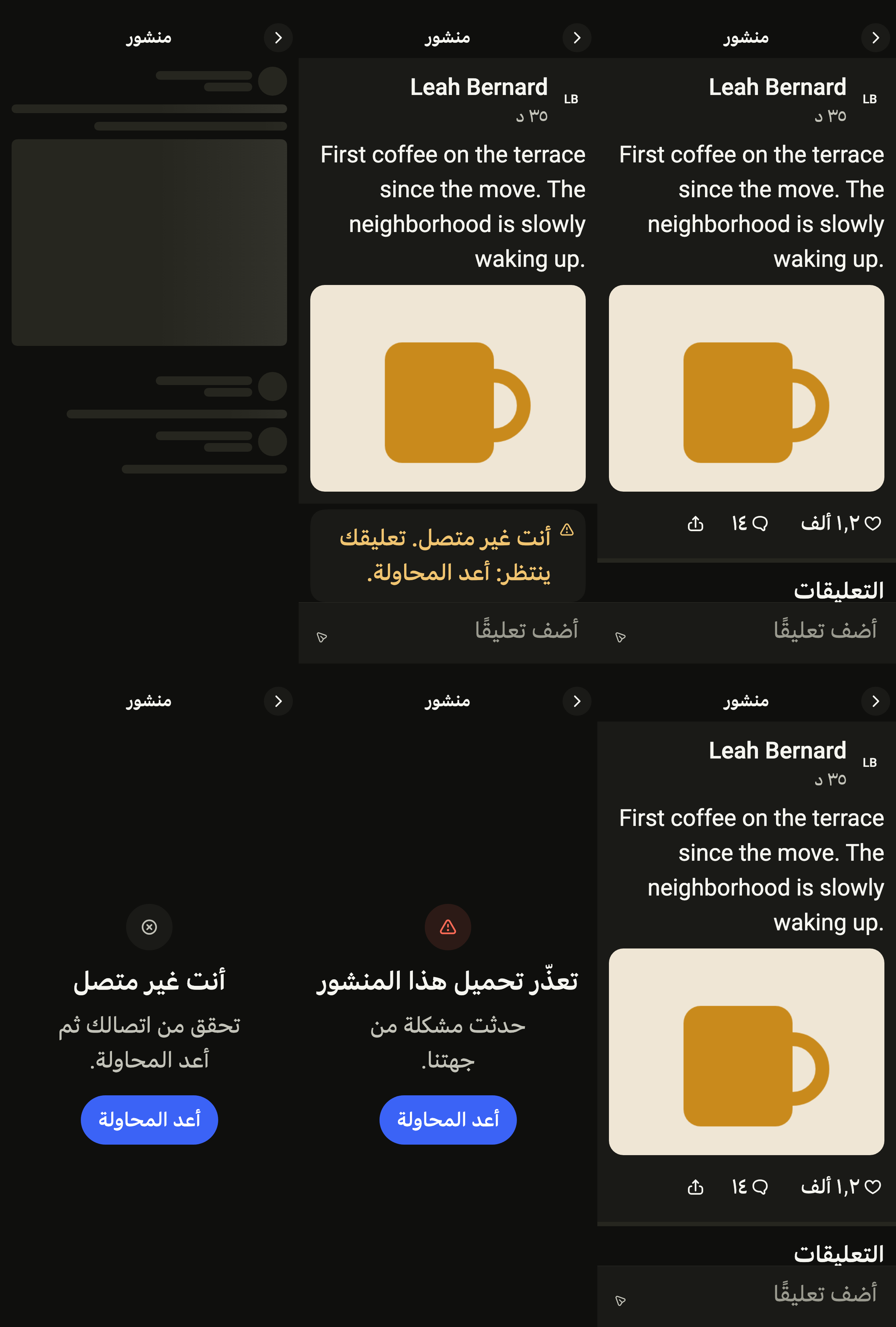
Every label in English, French and Arabic. The screen follows the closest Localizations; the same table is in the manifest, ready for your ARB files.
| Key | en | fr | ar |
|---|---|---|---|
postTitle | Post | Publication | منشور |
postBack | Back | Retour | رجوع |
postMore | More actions | Plus d’actions | مزيد من الإجراءات |
postLoading | Loading the post | Chargement de la publication | جارٍ تحميل المنشور |
postLike | Like | J’aime | إعجاب |
postLiked | Liked | J’aime ajouté | تم الإعجاب |
postUnliked | Like removed | J’aime retiré | أُلغي الإعجاب |
postComment | Comment | Commenter | تعليق |
postShare | Share | Partager | مشاركة |
postAuthor | Open the profile of {name} | Voir le profil de {name} | عرض الملف الشخصي لـ {name} |
postLikesOne | {count} like | {count} J’aime | إعجاب واحد |
postLikesMany | {count} likes | {count} J’aime | الإعجابات: {count} |
postCommentsOne | {count} comment | {count} commentaire | تعليق واحد |
postCommentsMany | {count} comments | {count} commentaires | التعليقات: {count} |
postPhotosOne | {count} photo | {count} photo | صورة واحدة |
postPhotosMany | {count} photos | {count} photos | الصور: {count} |
postCommentsTitle | Comments | Commentaires | التعليقات |
postReply | Reply | Répondre | رد |
postReplyTo | Reply to {name} | Répondre à {name} | رد على {name} |
postReplying | Replying to {name} | Réponse à {name} | رد على {name} |
postInReplyTo | In reply to {name} | En réponse à {name} | ردًا على {name} |
postCancelReply | Don’t reply | Ne pas répondre | إلغاء الرد |
postDelete | Delete | Supprimer | حذف |
postDeleteComment | Delete your comment “{text}” | Supprimer votre commentaire « {text} » | حذف تعليقك «{text}» |
postDeleteTitle | Delete this comment? | Supprimer ce commentaire ? | حذف هذا التعليق؟ |
postDeleteMessage | The comment and its replies will be erased for everyone. | Le commentaire et ses réponses seront effacés pour tout le monde. | سيُمحى التعليق وردوده لدى الجميع. |
postCancel | Cancel | Annuler | إلغاء |
postDeleted | Comment deleted | Commentaire supprimé | حُذف التعليق |
postRetry | Try again | Réessayer | أعد المحاولة |
postSending | Posting… | Publication… | جارٍ النشر… |
postNotSent | Not posted | Non publié | لم يُنشر |
postMessage | Comment | Commentaire | تعليق |
postPlaceholder | Add a comment | Ajouter un commentaire | أضف تعليقًا |
postSend | Post | Publier | نشر |
postSendOffline | You are offline. Your comment is waiting: try again. | Vous êtes hors ligne. Votre commentaire attend : réessayez. | أنت غير متصل. تعليقك ينتظر: أعد المحاولة. |
postSendFailed | Your comment wasn’t posted. Try again. | Votre commentaire n’a pas été publié. Réessayez. | لم يُنشر تعليقك. أعد المحاولة. |
postDeleteFailed | Couldn’t delete the comment. It’s back. | Impossible de supprimer le commentaire. Il est revenu. | تعذّر حذف التعليق. لقد عاد. |
postLikeFailed | Your like wasn’t saved. | Votre J’aime n’a pas été enregistré. | لم يُحفظ إعجابك. |
postNoComments | No comments yet. Be the first. | Aucun commentaire pour l’instant. Lancez la conversation. | لا تعليقات بعد. كن أول من يعلّق. |
postCommentsClosed | Comments are turned off. | Les commentaires sont désactivés. | التعليقات معطّلة. |
postLoadingComments | Loading comments | Chargement des commentaires | جارٍ تحميل التعليقات |
postCommentsFailed | Comments couldn’t load. | Les commentaires n’ont pas pu se charger. | تعذّر تحميل التعليقات. |
postCommentsOffline | You are offline. Comments can’t load. | Vous êtes hors ligne. Les commentaires ne peuvent pas se charger. | أنت غير متصل. لا يمكن تحميل التعليقات. |
postErrorTitle | This post could not load | Impossible de charger cette publication | تعذّر تحميل هذا المنشور |
postErrorMessage | Something went wrong on our side. | Un problème est survenu de notre côté. | حدثت مشكلة من جهتنا. |
postOfflineTitle | You are offline | Vous êtes hors ligne | أنت غير متصل |
postOfflineMessage | Check your connection, then try again. | Vérifiez votre connexion, puis réessayez. | تحقق من اتصالك ثم أعد المحاولة. |
postNow | Now | À l’instant | الآن |
postMinutes | {count} min | {count} min | {count} د |
postHours | {count} h | {count} h | {count} س |
postDays | {count} d | {count} j | {count} ي |
postDate | {month}/{day}/{year} | {day}/{month}/{year} | {day}/{month}/{year} |
postDecimal | . | , | ٫ |
postGroup | , | ٬ | |
postThousands | K | k | ألف |
postMillions | M | M | مليون |
postBillions | B | Md | مليار |
postDigits | 0123456789 | 0123456789 | ٠١٢٣٤٥٦٧٨٩ |
Reference renders
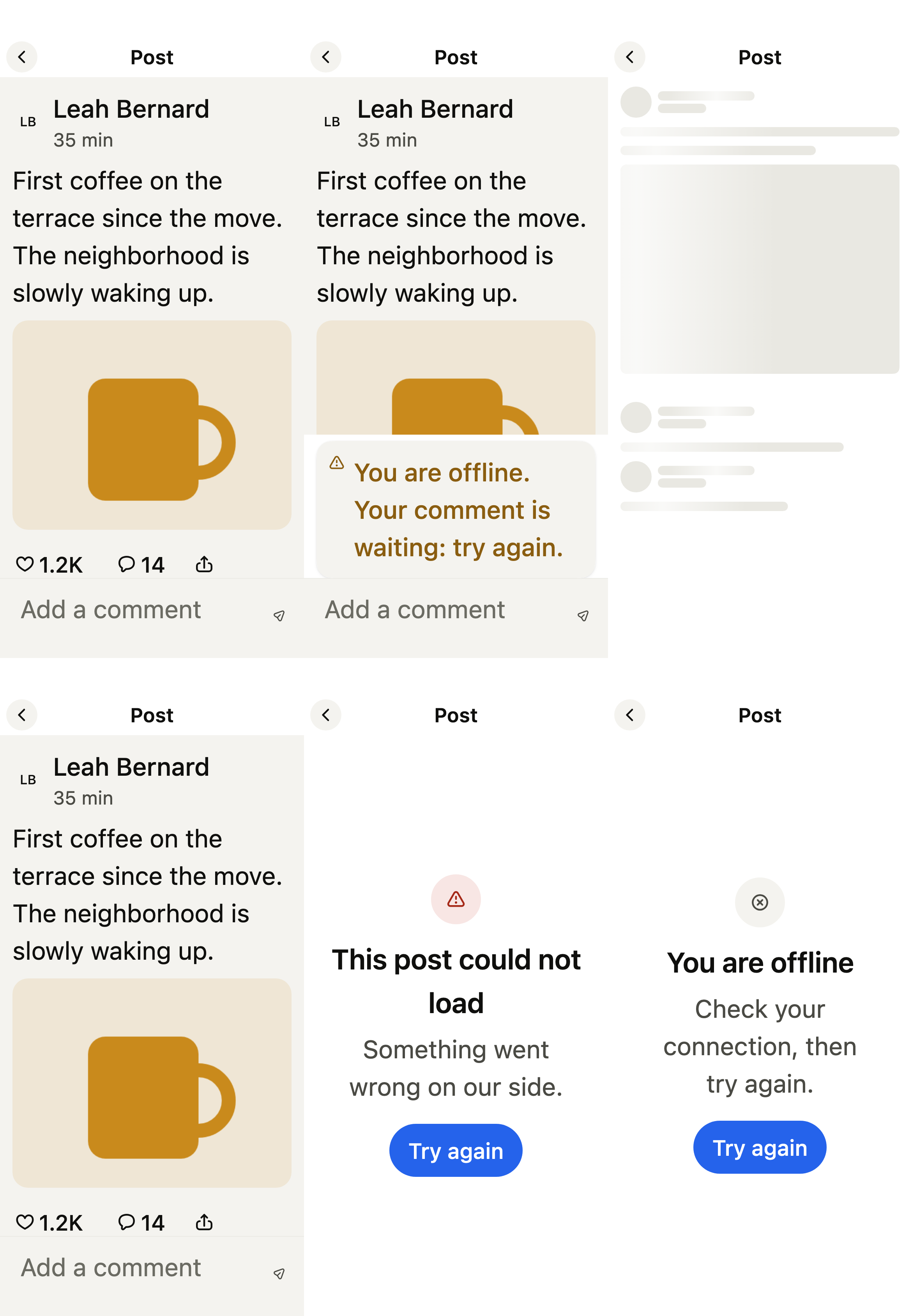
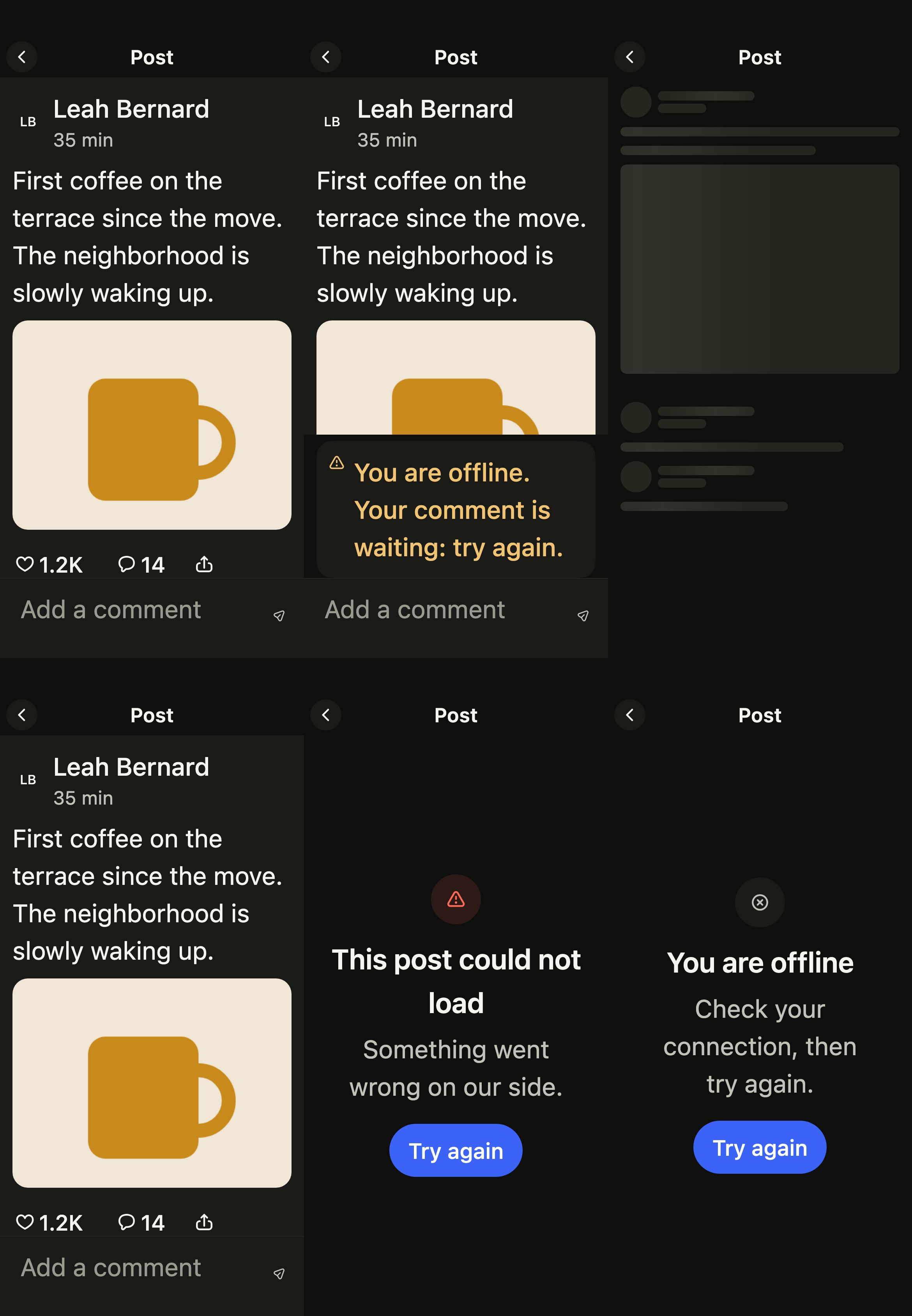
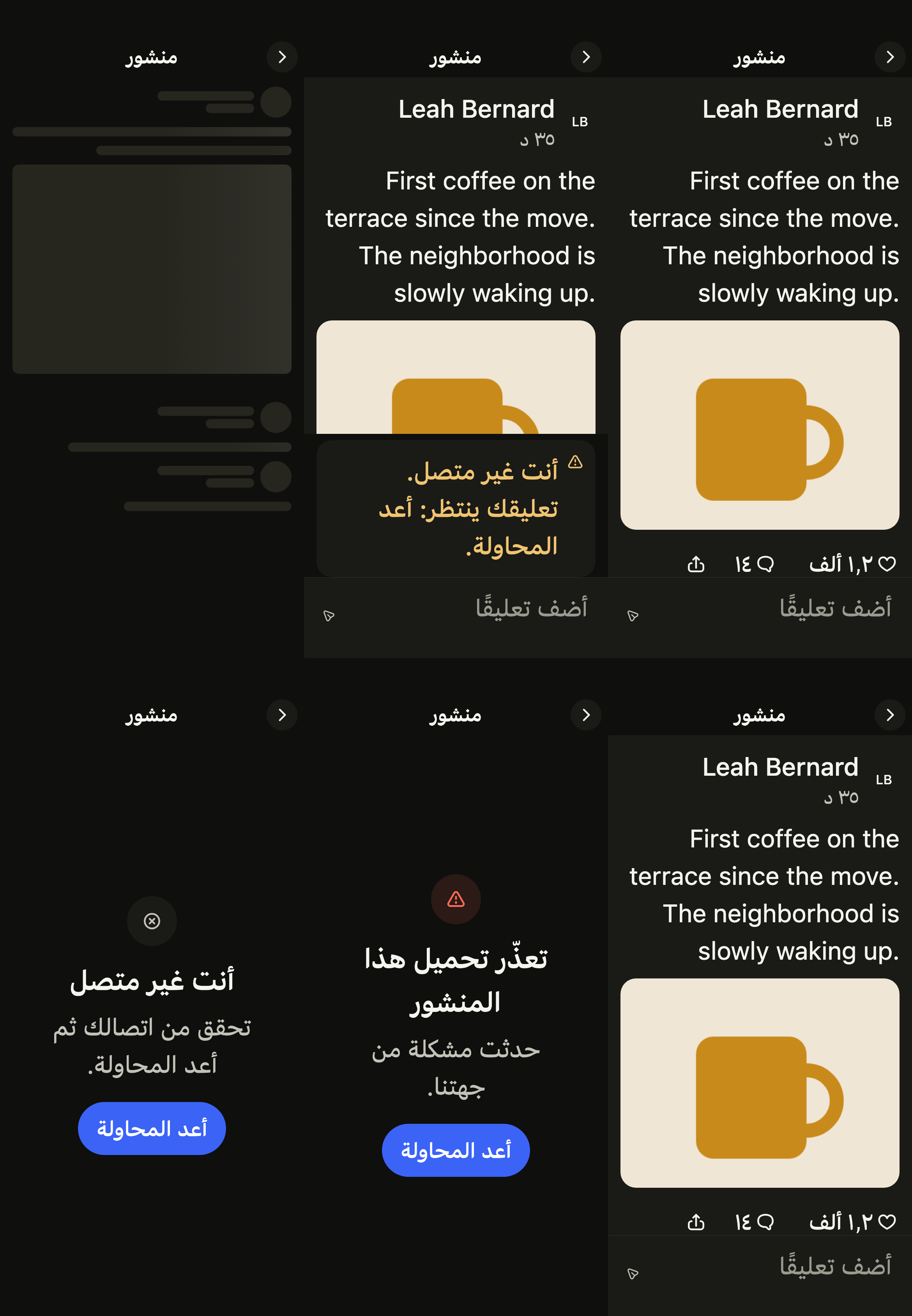
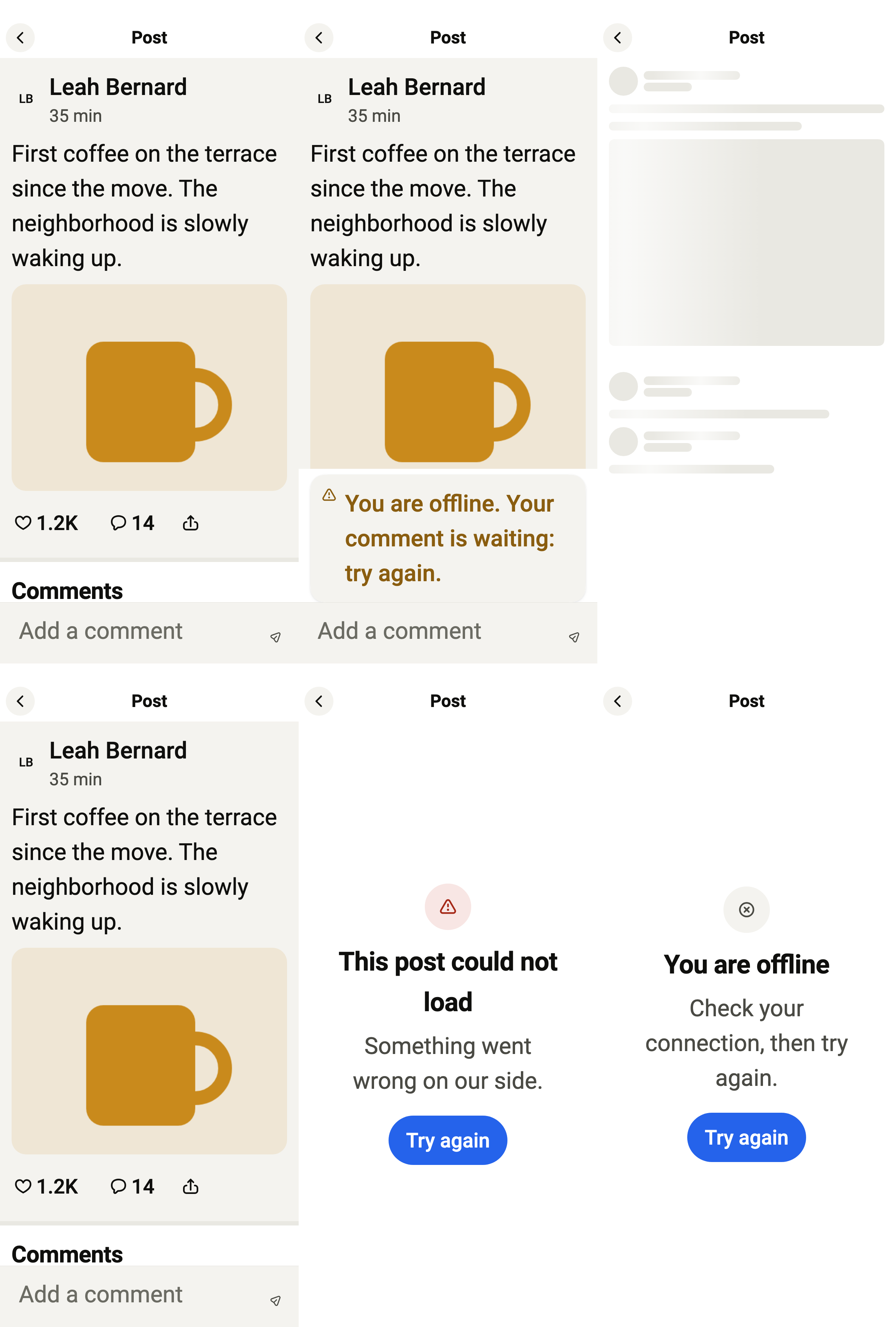
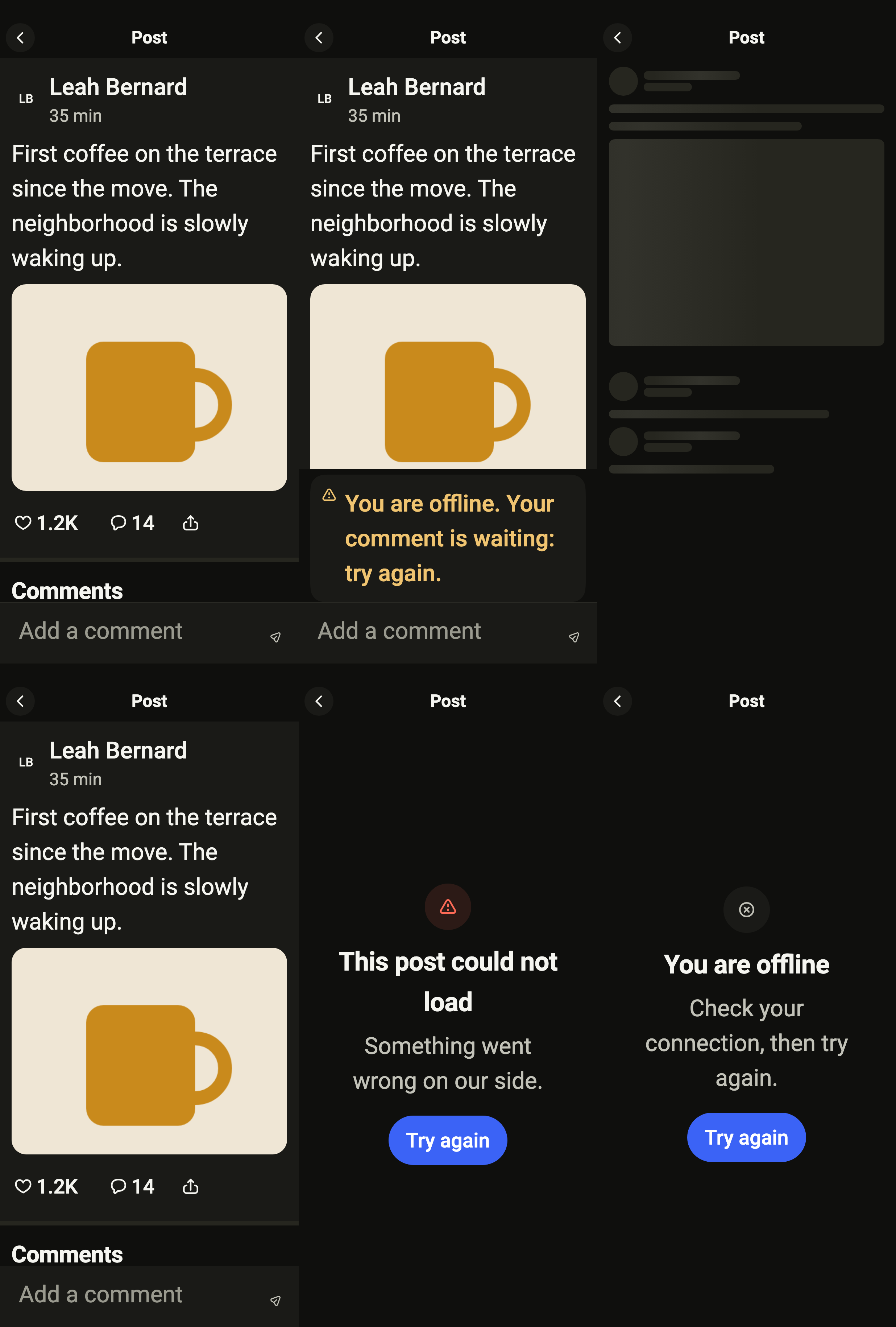
The 16 images published with version 0.2.5, rendered by the shared harness on macOS with Flutter 3.47.7. Each shows every state side by side, at the size of an iPhone (390 × 844) or of an Android phone (412 × 915). fliin verify post compares your copy to them.
Use it to
- show one post with the comments people left on it
- let people reply to one another in the comments of a post
- send a comment that shows up at once
- delete your own comment after confirmation
- keep loading older comments when scrolling down
- Not for
- a private conversation: use the chat thread (chat)
- a list of posts: use the social feed (feed)
- a single comment row: use a comment row (comment-row)
- States