Screens / auth
Forgot password
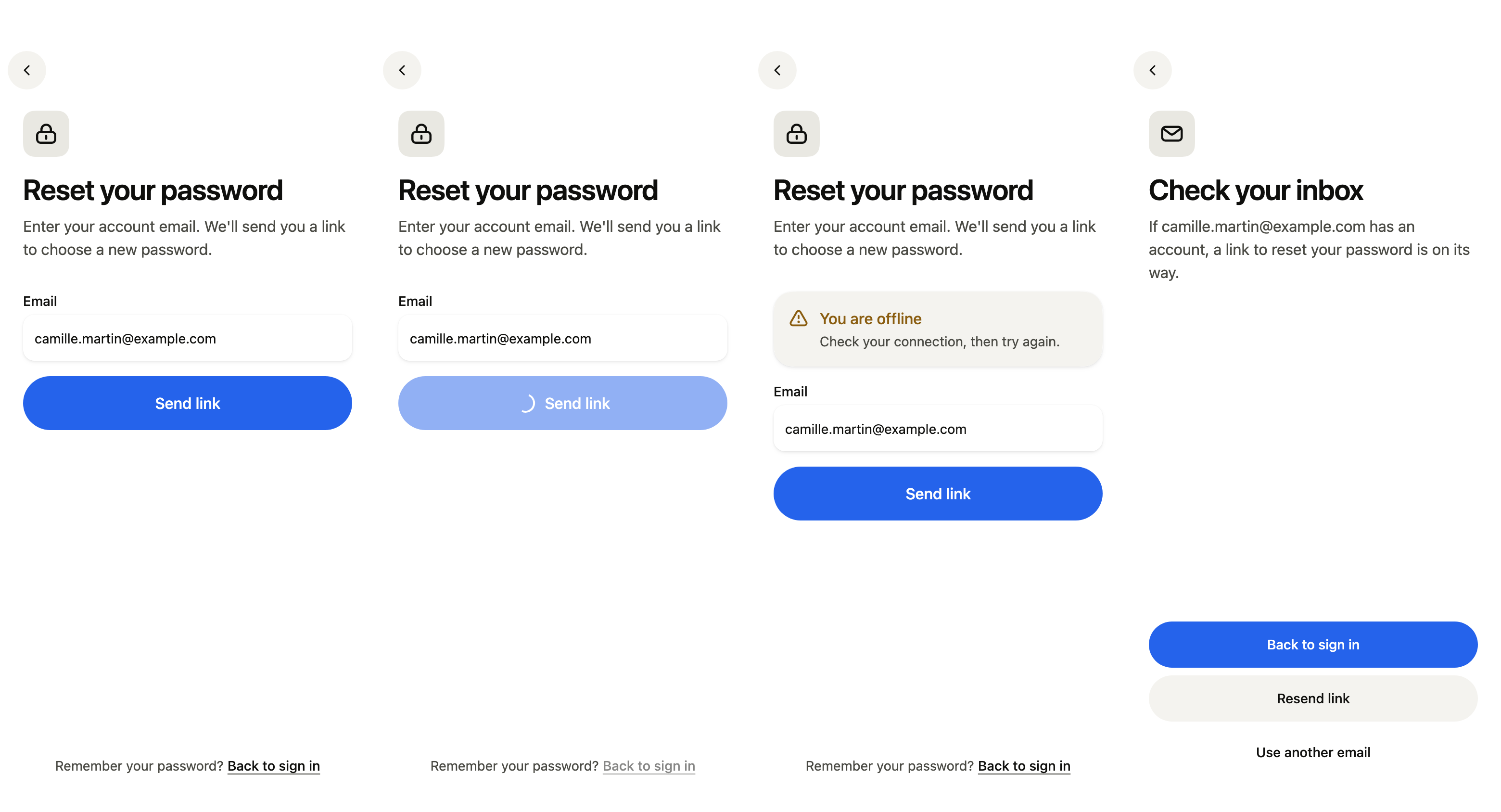
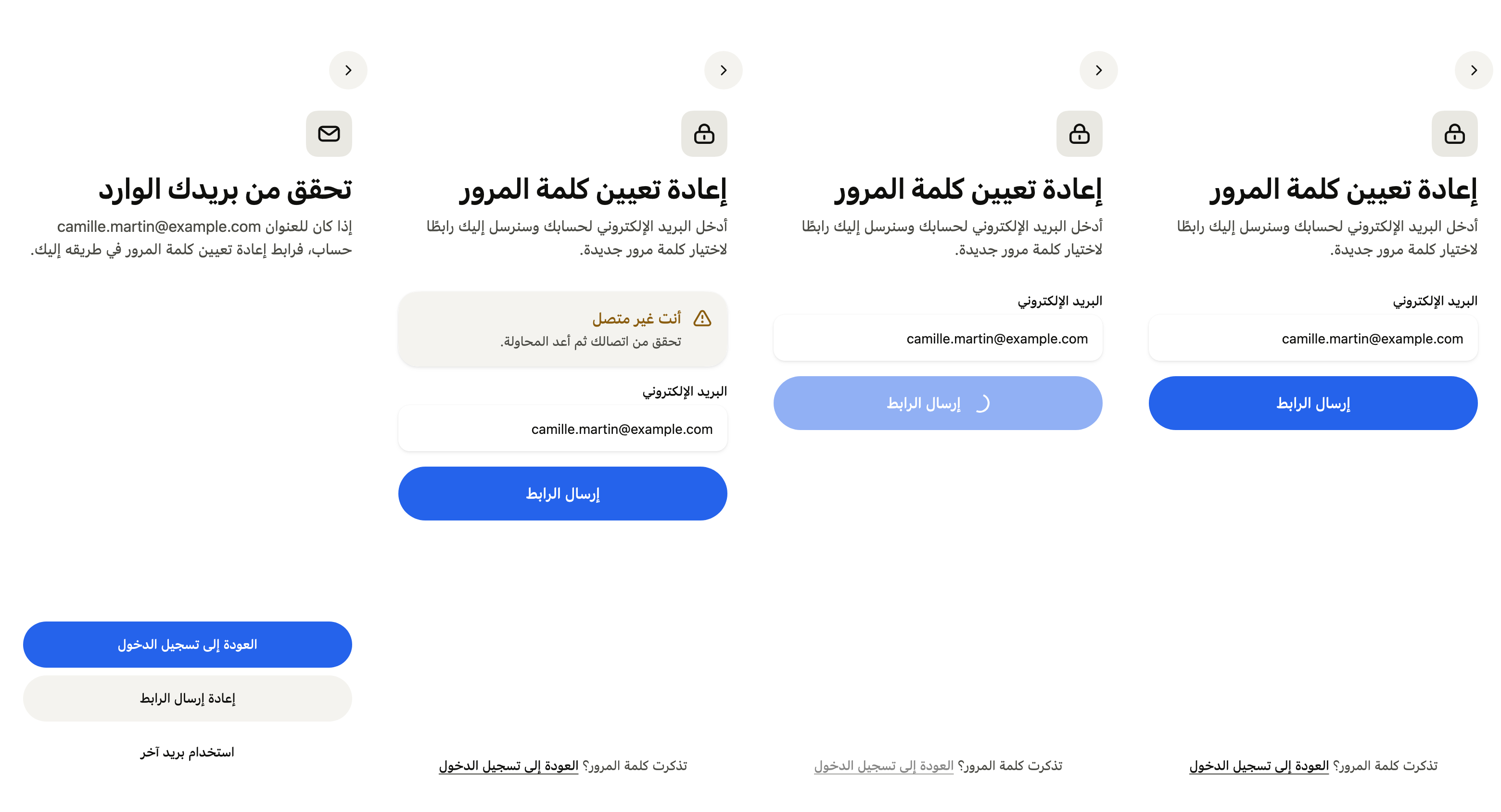
Lets people get an email link to choose a new password, then check their inbox, resend the link or go back to sign in, offline included.
Import
Forgot password is part of Fliin Pro. With a license key, sign in once with fliin login, then add it in a Flutter app where fliin init has run:
fliin login
fliin add forgot-password
Also installs: core, alert, app-bar, auth-form, auth-header, button, icons, page, text-field
Examples
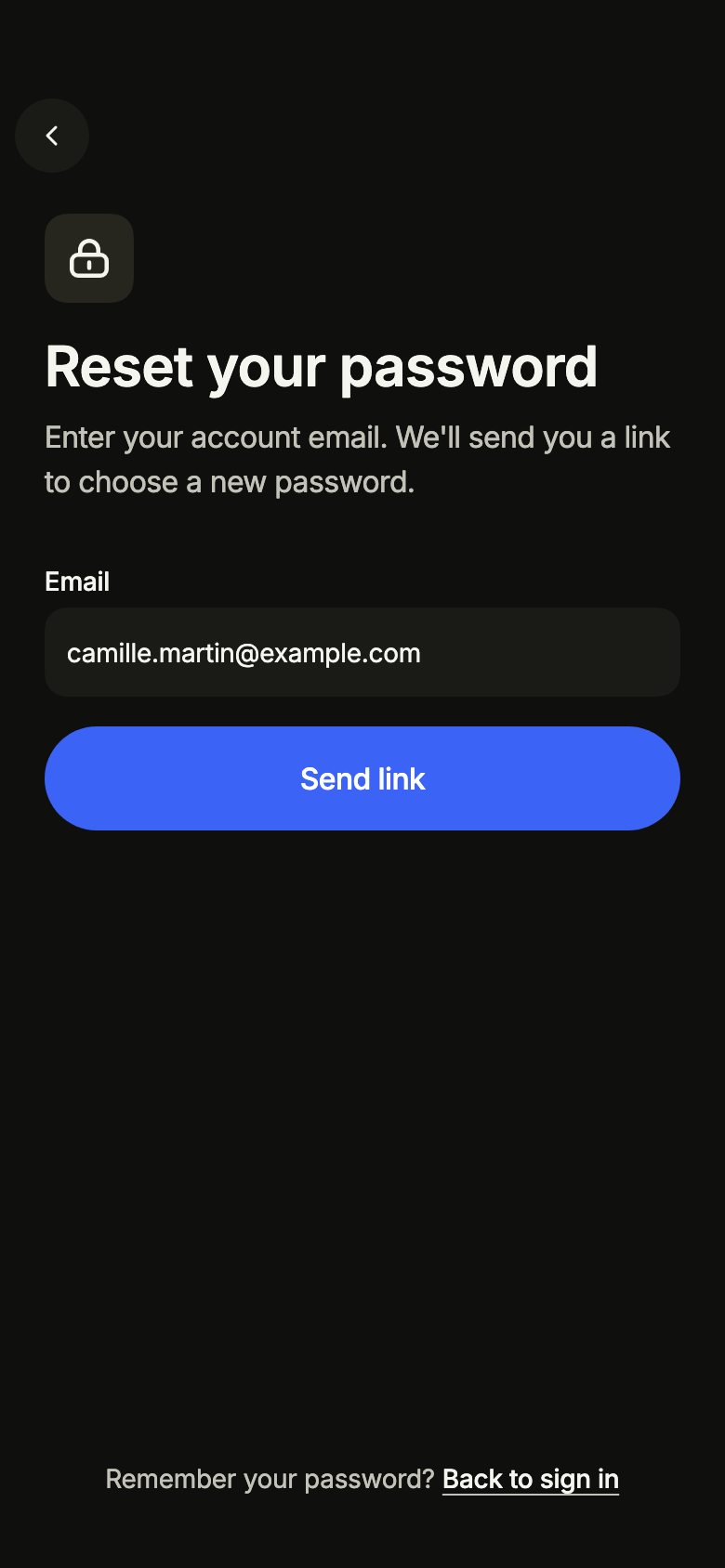
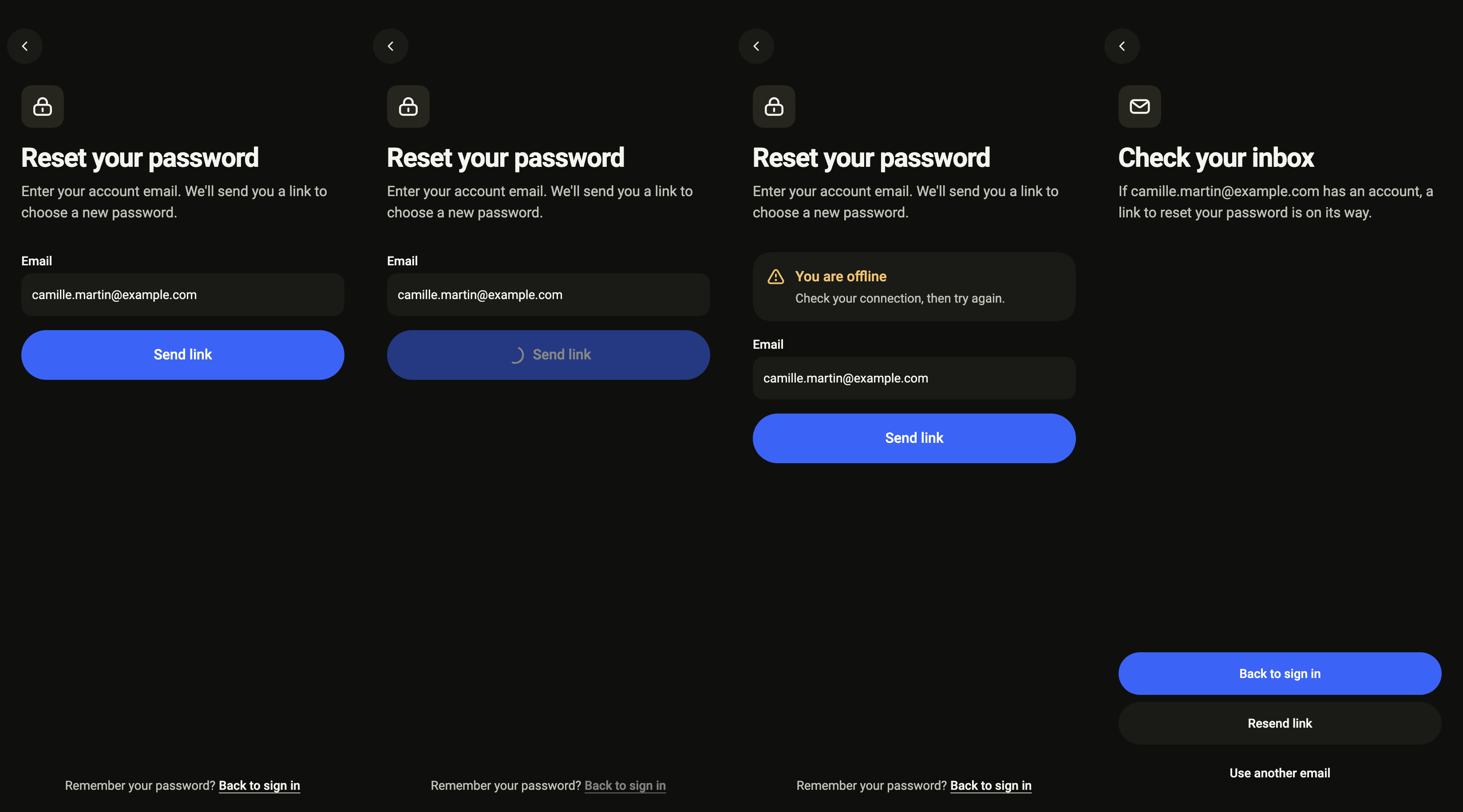
Ready
The email that receives the reset link, filled in from the sign-in form when there is one.
import 'package:your_app/ui/fliin/screens/forgot_password/forgot_password_controller.dart';
import 'package:your_app/ui/fliin/screens/forgot_password/forgot_password_data.dart';
import 'package:your_app/ui/fliin/screens/forgot_password/forgot_password_screen.dart';
import 'package:flutter/widgets.dart';

class ForgotPasswordReadyExample extends StatelessWidget {
  const ForgotPasswordReadyExample({super.key});

  @override
  Widget build(BuildContext context) {
    return ForgotPasswordScreen.standalone(
      service: const SampleForgotPasswordService(latency: Duration(milliseconds: 600)),
      initial: const ForgotPasswordReady(),
      email: '[email protected]',
      onBack: () {},
    );
  }
}Sending
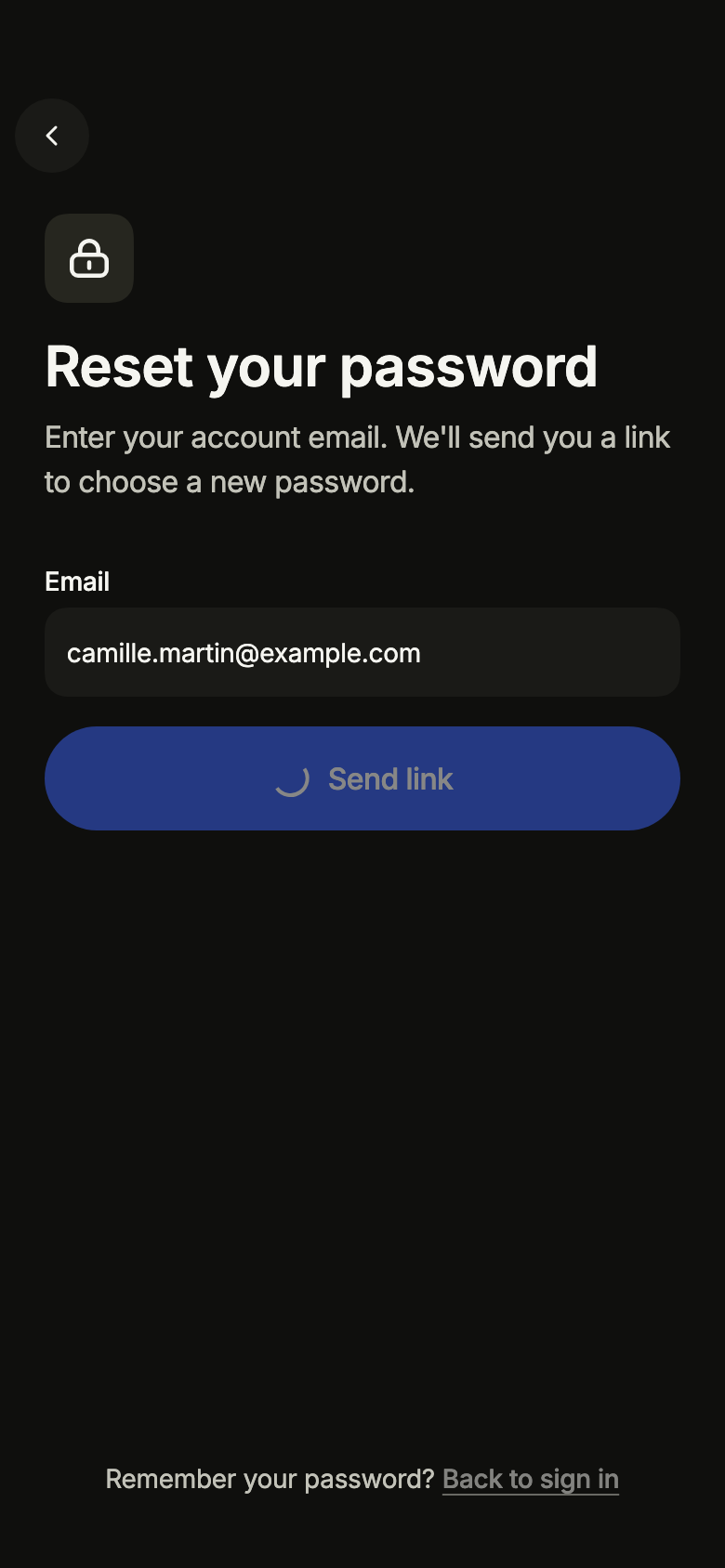
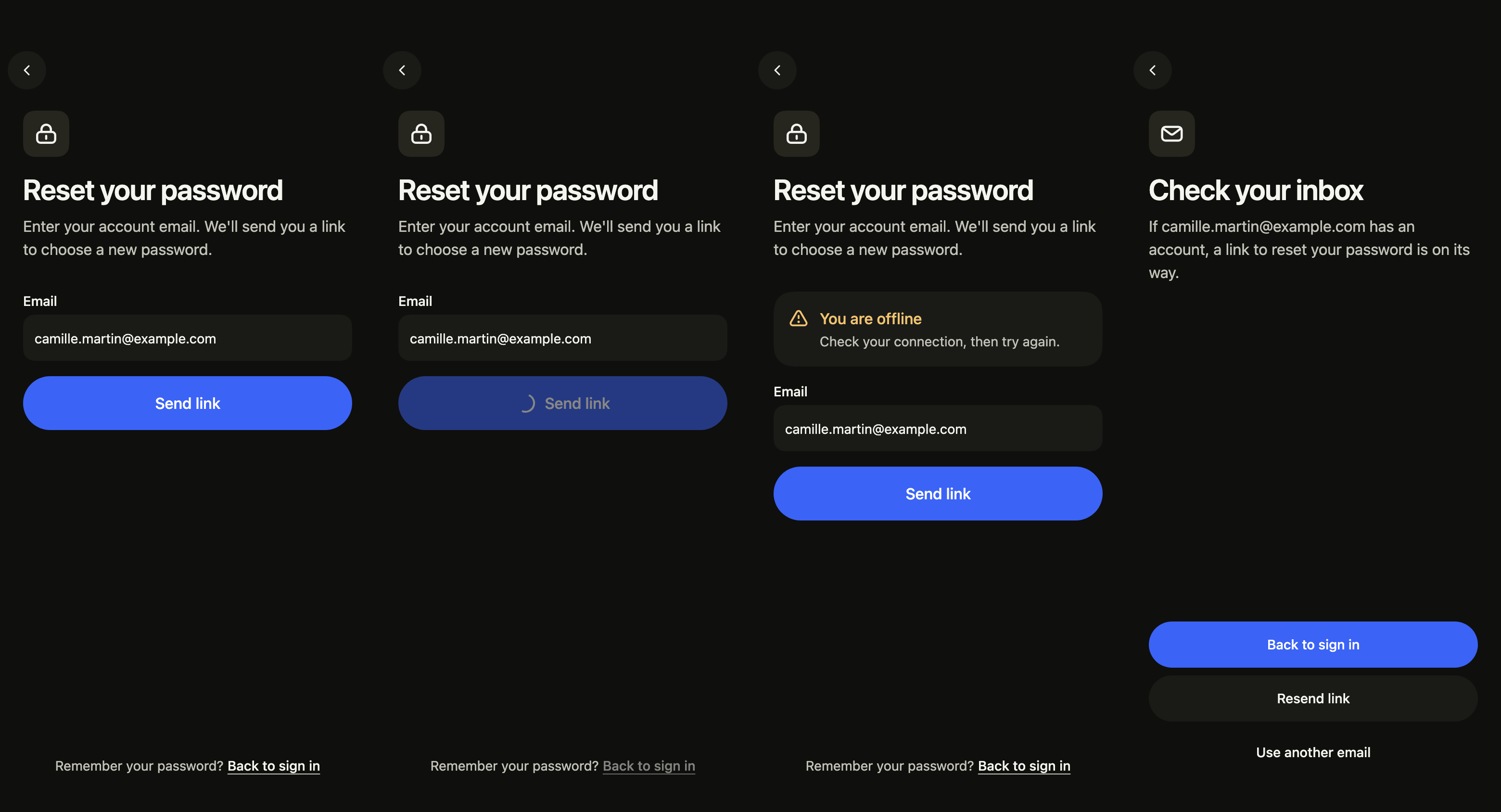
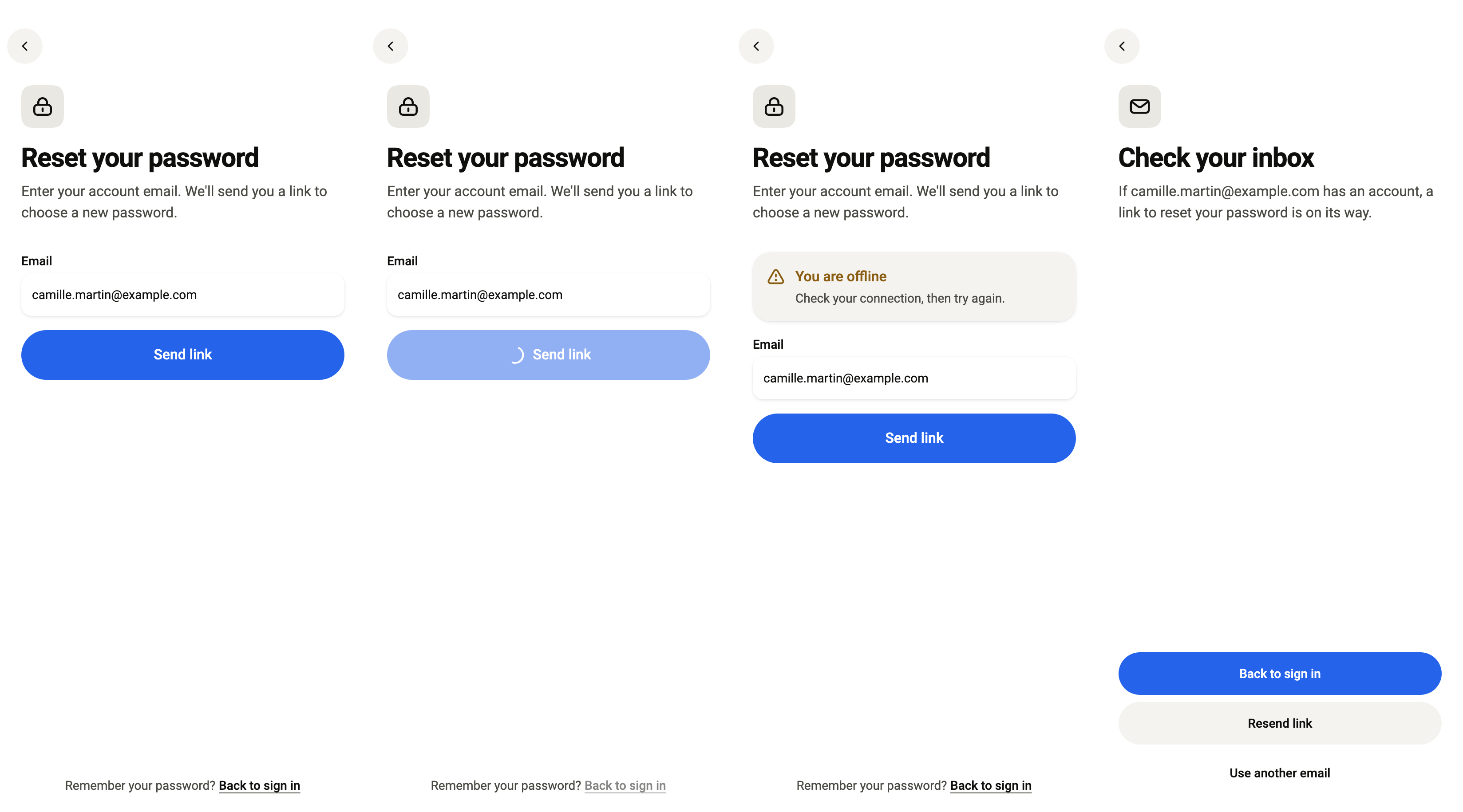
While the link is sent, the button shows its spinner.
import 'package:your_app/ui/fliin/screens/forgot_password/forgot_password_controller.dart';
import 'package:your_app/ui/fliin/screens/forgot_password/forgot_password_data.dart';
import 'package:your_app/ui/fliin/screens/forgot_password/forgot_password_screen.dart';
import 'package:flutter/widgets.dart';

class ForgotPasswordSendingExample extends StatelessWidget {
  const ForgotPasswordSendingExample({super.key});

  @override
  Widget build(BuildContext context) {
    return ForgotPasswordScreen.standalone(
      service: const SampleForgotPasswordService(latency: Duration(milliseconds: 600)),
      initial: const ForgotPasswordSending(),
      email: '[email protected]',
      onBack: () {},
    );
  }
}Offline
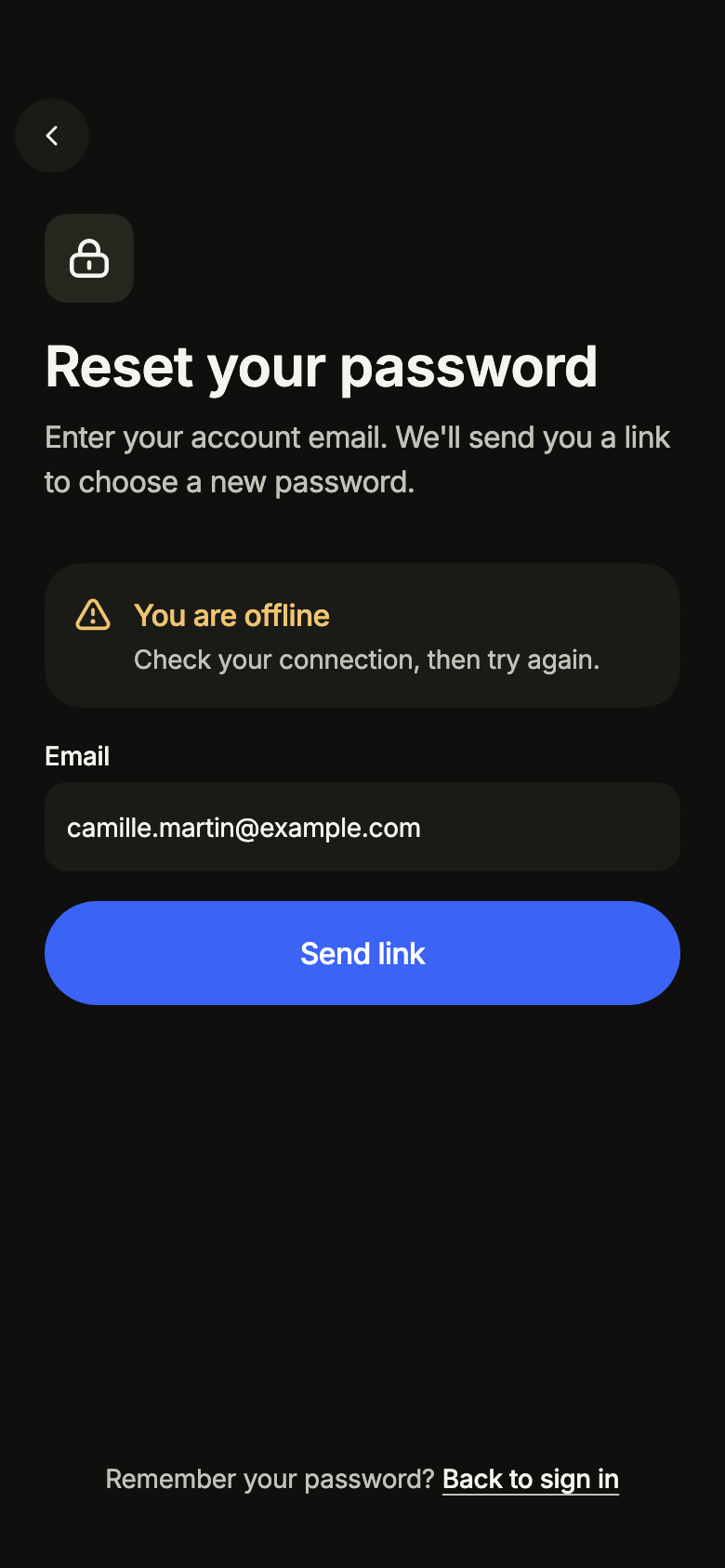
Without a connection, an alert asks to reconnect and keeps the email.
import 'package:your_app/ui/fliin/screens/forgot_password/forgot_password_controller.dart';
import 'package:your_app/ui/fliin/screens/forgot_password/forgot_password_data.dart';
import 'package:your_app/ui/fliin/screens/forgot_password/forgot_password_screen.dart';
import 'package:flutter/widgets.dart';

class ForgotPasswordOfflineExample extends StatelessWidget {
  const ForgotPasswordOfflineExample({super.key});

  @override
  Widget build(BuildContext context) {
    return ForgotPasswordScreen.standalone(
      service: const SampleForgotPasswordService(latency: Duration(milliseconds: 600)),
      initial: const ForgotPasswordReady(problem: ForgotPasswordProblem.offline),
      email: '[email protected]',
      onBack: () {},
    );
  }
}Sent
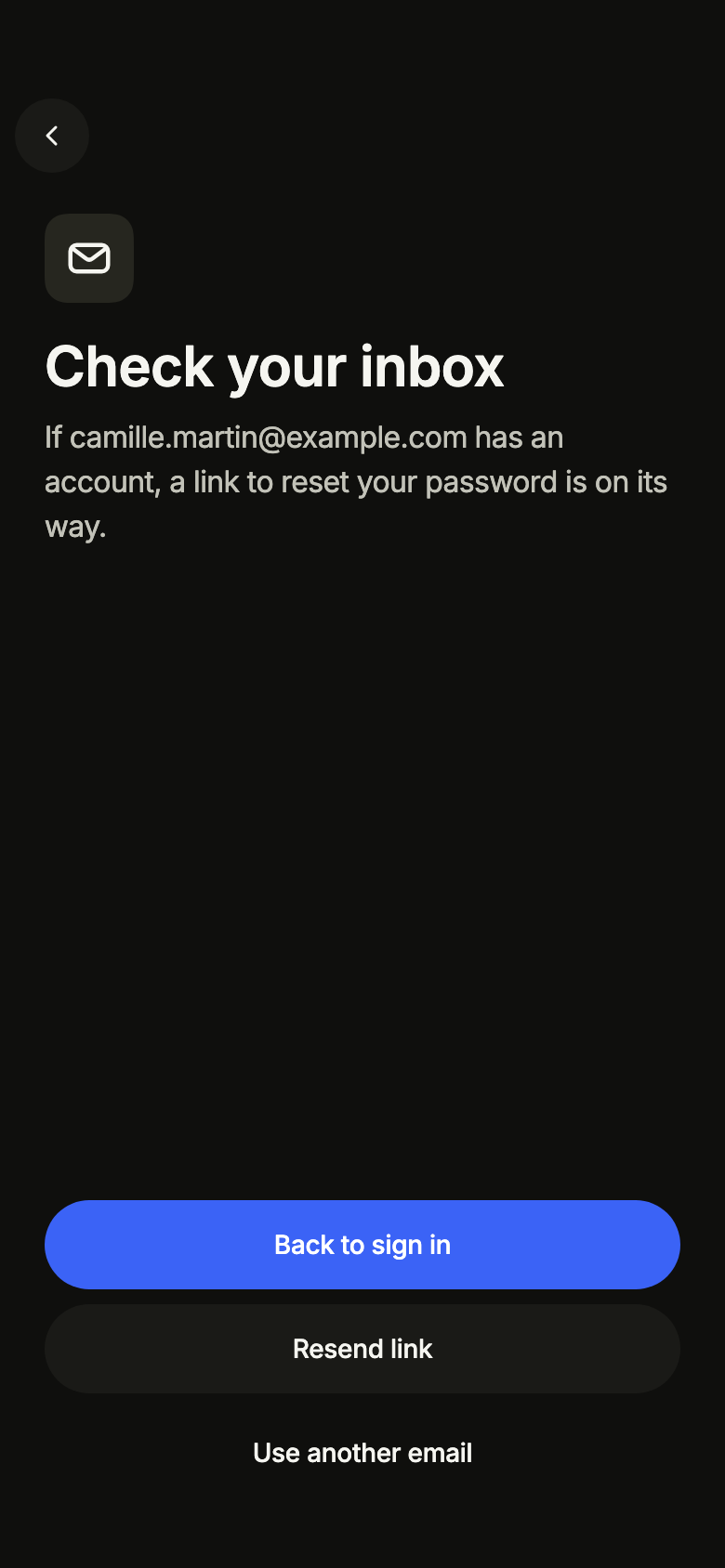
The link is on its way: the screen names the address, without saying whether it has an account.
import 'package:your_app/ui/fliin/screens/forgot_password/forgot_password_controller.dart';
import 'package:your_app/ui/fliin/screens/forgot_password/forgot_password_data.dart';
import 'package:your_app/ui/fliin/screens/forgot_password/forgot_password_screen.dart';
import 'package:flutter/widgets.dart';

class ForgotPasswordSentExample extends StatelessWidget {
  const ForgotPasswordSentExample({super.key});

  @override
  Widget build(BuildContext context) {
    return ForgotPasswordScreen.standalone(
      service: const SampleForgotPasswordService(latency: Duration(milliseconds: 600)),
      initial: const ForgotPasswordSent('[email protected]'),
      email: '[email protected]',
      onBack: () {},
    );
  }
}Routing
fliin add forgot-password prints the route for the router it finds in your pubspec, a file next to the page that wires its navigation. Each of them:
go_router
// lib/forgot_password_route.dart, next to forgot_password_page.dart.
import 'package:go_router/go_router.dart';

import 'forgot_password_page.dart';

/// Add forgotPasswordRoute to the routes of your GoRouter.
final forgotPasswordRoute = GoRoute(
  path: '/forgot-password',
  builder: (context, state) => ForgotPasswordPage(
    // Alone in the stack (deep link, go): your app's home.
    onBack: () => context.canPop() ? context.pop() : context.go('/'),
  ),
);navigator
// lib/forgot_password_route.dart, next to forgot_password_page.dart.
import 'package:flutter/material.dart';

import 'forgot_password_page.dart';

/// Opens “Forgot password”: `Navigator.of(context).push(forgotPasswordRoute())`.
Route<void> forgotPasswordRoute() => MaterialPageRoute<void>(
  builder: (context) => ForgotPasswordPage(
    onBack: () => Navigator.of(context).maybePop(),
  ),
);State
The controller is a ChangeNotifier from widgets.dart, with no package. fliin add forgot-password prints the page that holds it with the state management it finds, its imports written for your package; below they read your_app. Your backend implements the Service interface of the screen's _data.dart file:
none
// lib/forgot_password_page.dart
// Your backend: implement ForgotPasswordService (forgot_password_data.dart) and pass it instead of the sample service.
import 'package:your_app/ui/fliin/screens/forgot_password/forgot_password_data.dart';
import 'package:your_app/ui/fliin/screens/forgot_password/forgot_password_screen.dart';
import 'package:flutter/widgets.dart';

class ForgotPasswordPage extends StatelessWidget {
  const ForgotPasswordPage({
    super.key,
    required this.onBack,
  });

  final VoidCallback onBack;

  @override
  Widget build(BuildContext context) => ForgotPasswordScreen.standalone(
    service: const SampleForgotPasswordService(),
    onBack: onBack,
  );
}provider
// lib/forgot_password_page.dart
// Your backend: implement ForgotPasswordService (forgot_password_data.dart) and pass it instead of the sample service.
import 'package:your_app/ui/fliin/screens/forgot_password/forgot_password_controller.dart';
import 'package:your_app/ui/fliin/screens/forgot_password/forgot_password_data.dart';
import 'package:your_app/ui/fliin/screens/forgot_password/forgot_password_screen.dart';
import 'package:flutter/widgets.dart';
import 'package:provider/provider.dart';

class ForgotPasswordPage extends StatelessWidget {
  const ForgotPasswordPage({
    super.key,
    required this.onBack,
  });

  final VoidCallback onBack;

  @override
  Widget build(BuildContext context) => ChangeNotifierProvider(
    create: (_) => ForgotPasswordController(service: const SampleForgotPasswordService()),
    child: Builder(
      builder: (context) => ForgotPasswordScreen(
        controller: context.read<ForgotPasswordController>(),
        onBack: onBack,
      ),
    ),
  );
}riverpod
// lib/forgot_password_page.dart
// Your backend: implement ForgotPasswordService (forgot_password_data.dart) and pass it instead of the sample service.
import 'package:your_app/ui/fliin/screens/forgot_password/forgot_password_controller.dart';
import 'package:your_app/ui/fliin/screens/forgot_password/forgot_password_data.dart';
import 'package:your_app/ui/fliin/screens/forgot_password/forgot_password_screen.dart';
import 'package:flutter/widgets.dart';
import 'package:flutter_riverpod/flutter_riverpod.dart';

final forgotPasswordControllerProvider = Provider.autoDispose<ForgotPasswordController>((ref) {
  final controller = ForgotPasswordController(service: const SampleForgotPasswordService());
  ref.onDispose(controller.dispose);
  return controller;
});

class ForgotPasswordPage extends ConsumerWidget {
  const ForgotPasswordPage({
    super.key,
    required this.onBack,
  });

  final VoidCallback onBack;

  @override
  Widget build(BuildContext context, WidgetRef ref) => ForgotPasswordScreen(
    controller: ref.watch(forgotPasswordControllerProvider),
    onBack: onBack,
  );
}bloc
// lib/forgot_password_page.dart
// Your backend: implement ForgotPasswordService (forgot_password_data.dart) and pass it instead of the sample service.
import 'package:your_app/ui/fliin/screens/forgot_password/forgot_password_controller.dart';
import 'package:your_app/ui/fliin/screens/forgot_password/forgot_password_data.dart';
import 'package:your_app/ui/fliin/screens/forgot_password/forgot_password_screen.dart';
import 'package:flutter/widgets.dart';
import 'package:flutter_bloc/flutter_bloc.dart';

/// The screen's controller as a bloc, for your BlocListener and BlocBuilder:
/// one emission per controller notification. `version` tells them apart
/// when `state` does not change (mode, filters, text…, read them on
/// `controller`). The screen listens to the controller itself.
class ForgotPasswordCubit extends Cubit<({ForgotPasswordState state, int version})> {
  ForgotPasswordCubit(this.controller) : super((state: controller.state, version: 0)) {
    controller.addListener(_changed);
  }

  final ForgotPasswordController controller;

  void _changed() => emit((state: controller.state, version: state.version + 1));

  @override
  Future<void> close() {
    controller
      ..removeListener(_changed)
      ..dispose();
    return super.close();
  }
}

class ForgotPasswordPage extends StatelessWidget {
  const ForgotPasswordPage({
    super.key,
    required this.onBack,
  });

  final VoidCallback onBack;

  @override
  Widget build(BuildContext context) => BlocProvider(
    create: (_) => ForgotPasswordCubit(ForgotPasswordController(service: const SampleForgotPasswordService())),
    child: Builder(
      builder: (context) => ForgotPasswordScreen(
        controller: context.read<ForgotPasswordCubit>().controller,
        onBack: onBack,
      ),
    ),
  );
}API
ForgotPasswordScreen: class extends StatefulWidget
ForgotPasswordScreen.new: const new({super.key, required ForgotPasswordController controller, String? email, Widget? mark, String? title, String? subtitle, VoidCallback? onBack})
ForgotPasswordScreen.standalone: const new({super.key, required ForgotPasswordService service, ForgotPasswordState? initial, String? email, Widget? mark, String? title, String? subtitle, VoidCallback? onBack})
ForgotPasswordScreen.controller: get ForgotPasswordController?
ForgotPasswordScreen.service: get ForgotPasswordService?
ForgotPasswordScreen.initial: get ForgotPasswordState?
ForgotPasswordScreen.email: get String?
ForgotPasswordScreen.mark: get Widget?
ForgotPasswordScreen.title: get String?
ForgotPasswordScreen.subtitle: get String?
ForgotPasswordScreen.onBack: get VoidCallback?
ForgotPasswordScreen.createState: State<ForgotPasswordScreen>()
ForgotPasswordProblem: enum {offline, failed}
ForgotPasswordProblem.offline: static final ForgotPasswordProblem
ForgotPasswordProblem.failed: static final ForgotPasswordProblem
ForgotPasswordState: sealed class permits {ForgotPasswordReady, ForgotPasswordSending, ForgotPasswordSent}
ForgotPasswordState.new: const new()
ForgotPasswordReady: final class extends ForgotPasswordState
ForgotPasswordReady.new: const new({ForgotPasswordProblem? problem})
ForgotPasswordReady.problem: get ForgotPasswordProblem?
ForgotPasswordSending: final class extends ForgotPasswordState
ForgotPasswordSending.new: const new()
ForgotPasswordSent: final class extends ForgotPasswordState
ForgotPasswordSent.new: const new(String email, {bool resending, bool resent, ForgotPasswordProblem? problem})
ForgotPasswordSent.email: get String
ForgotPasswordSent.resending: get bool
ForgotPasswordSent.resent: get bool
ForgotPasswordSent.problem: get ForgotPasswordProblem?
ForgotPasswordController: class extends ChangeNotifier
ForgotPasswordController.new: new({required ForgotPasswordService service, ForgotPasswordState initial})
ForgotPasswordController.service: get ForgotPasswordService
ForgotPasswordController.state: get ForgotPasswordState
ForgotPasswordController.sendLink: Future<bool>(String email)
ForgotPasswordController.resend: Future<bool>()
ForgotPasswordController.changeEmail: void()
ForgotPasswordController.dispose: void()
ForgotPasswordEmailIssue: enum {missing, malformed}
ForgotPasswordEmailIssue.missing: static final ForgotPasswordEmailIssue
ForgotPasswordEmailIssue.malformed: static final ForgotPasswordEmailIssue
forgotPasswordEmailIssue: ForgotPasswordEmailIssue?(String email)
ForgotPasswordNoNetwork: final class implements Exception
ForgotPasswordNoNetwork.new: const new()
ForgotPasswordService: abstract interface class
ForgotPasswordService.new: new()
ForgotPasswordService.sendLink: abstract Future<void>(String email)
SampleForgotPasswordService: final class implements ForgotPasswordService
SampleForgotPasswordService.new: const new({Duration latency})
SampleForgotPasswordService.latency: get Duration
SampleForgotPasswordService.sendLink: Future<void>(String email)
forgotPasswordL10n: const Map<String, Map<String, String>>
ForgotPasswordStrings: final class
ForgotPasswordStrings.new: const new(String language)
ForgotPasswordStrings.of: factory new(BuildContext context)
ForgotPasswordStrings.language: get String
ForgotPasswordStrings.title: get String
ForgotPasswordStrings.subtitle: get String
ForgotPasswordStrings.email: get String
ForgotPasswordStrings.emailPlaceholder: get String
ForgotPasswordStrings.submit: get String
ForgotPasswordStrings.remember: get String
ForgotPasswordStrings.back: get String
ForgotPasswordStrings.previous: get String
ForgotPasswordStrings.emailMissing: get String
ForgotPasswordStrings.emailMalformed: get String
ForgotPasswordStrings.sentTitle: get String
ForgotPasswordStrings.sentMessage: String(String email)
ForgotPasswordStrings.sentAnnouncement: String(String email)
ForgotPasswordStrings.resend: get String
ForgotPasswordStrings.otherEmail: get String
ForgotPasswordStrings.resentTitle: get String
ForgotPasswordStrings.resentMessage: get String
ForgotPasswordStrings.offlineTitle: get String
ForgotPasswordStrings.offlineMessage: get String
ForgotPasswordStrings.failedTitle: get String
ForgotPasswordStrings.failedMessage: get StringStrings
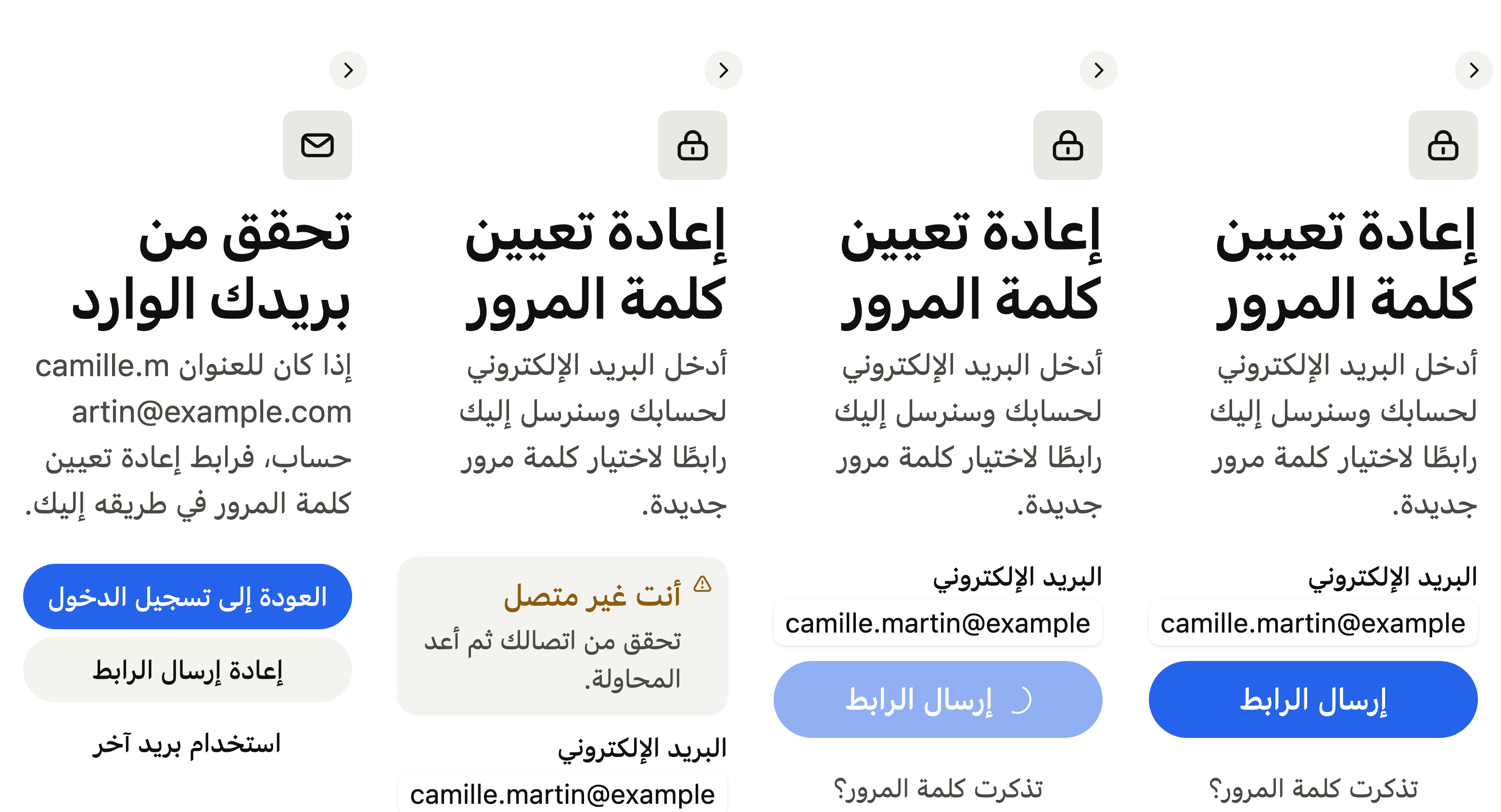
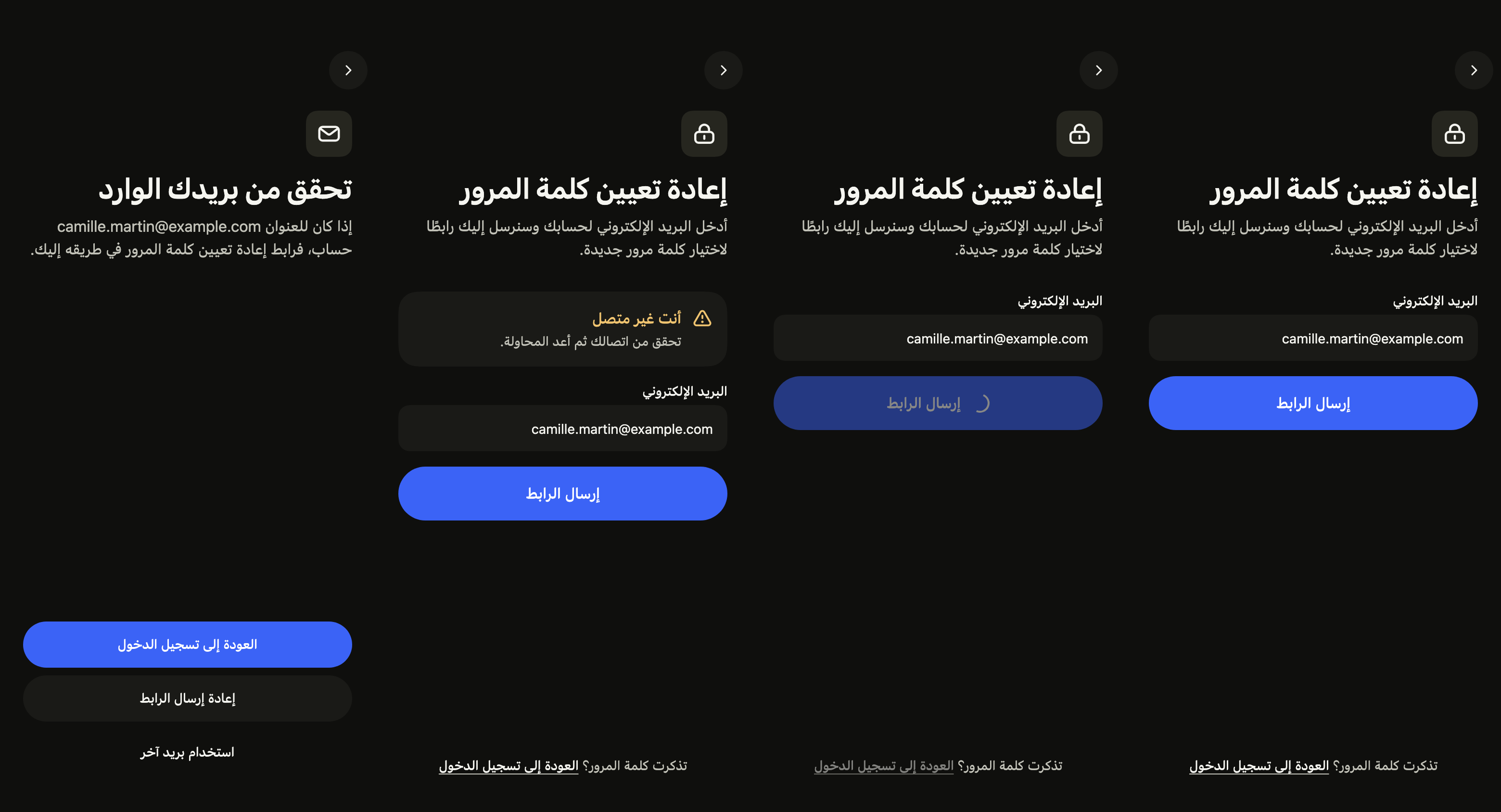
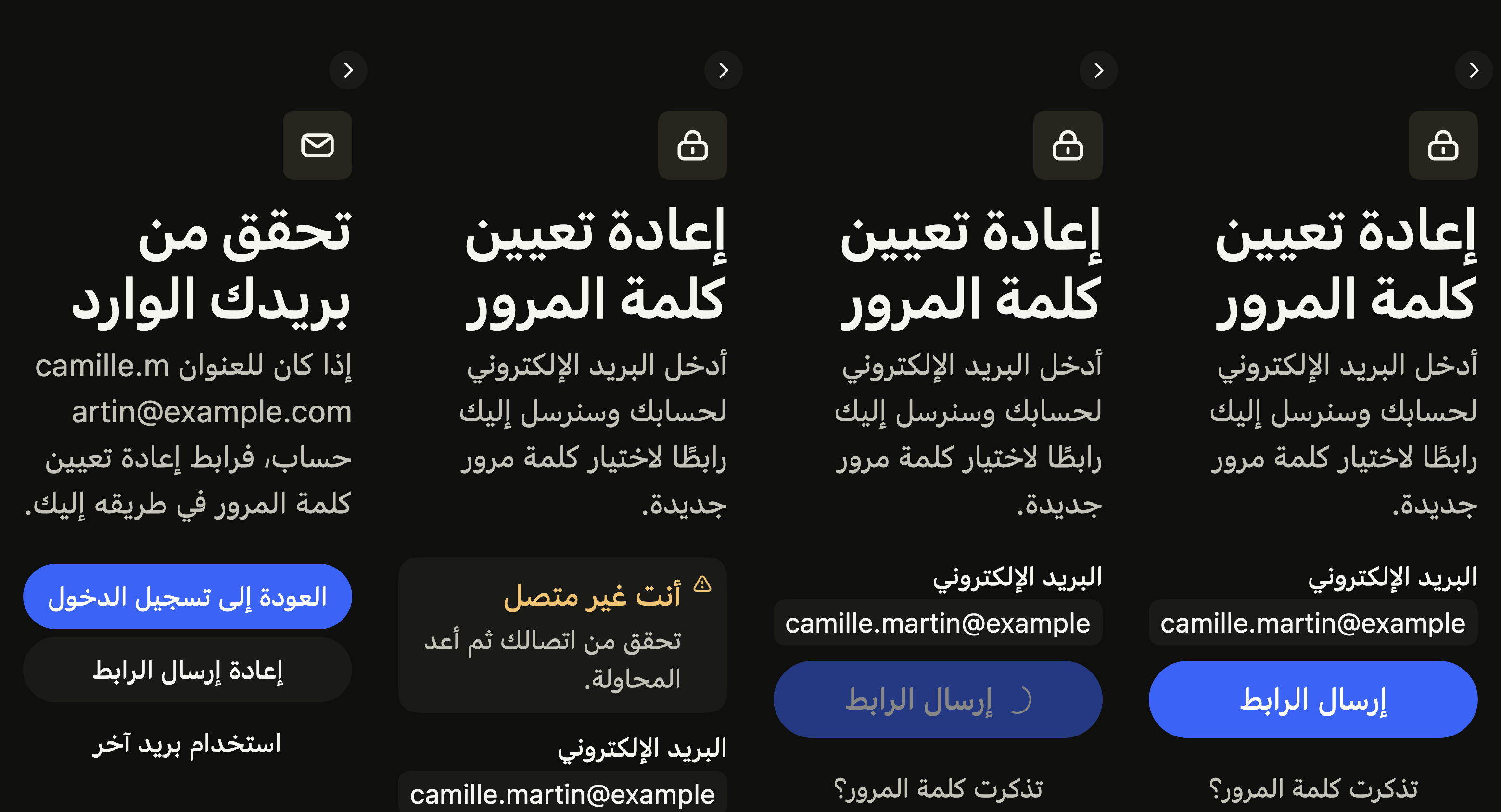
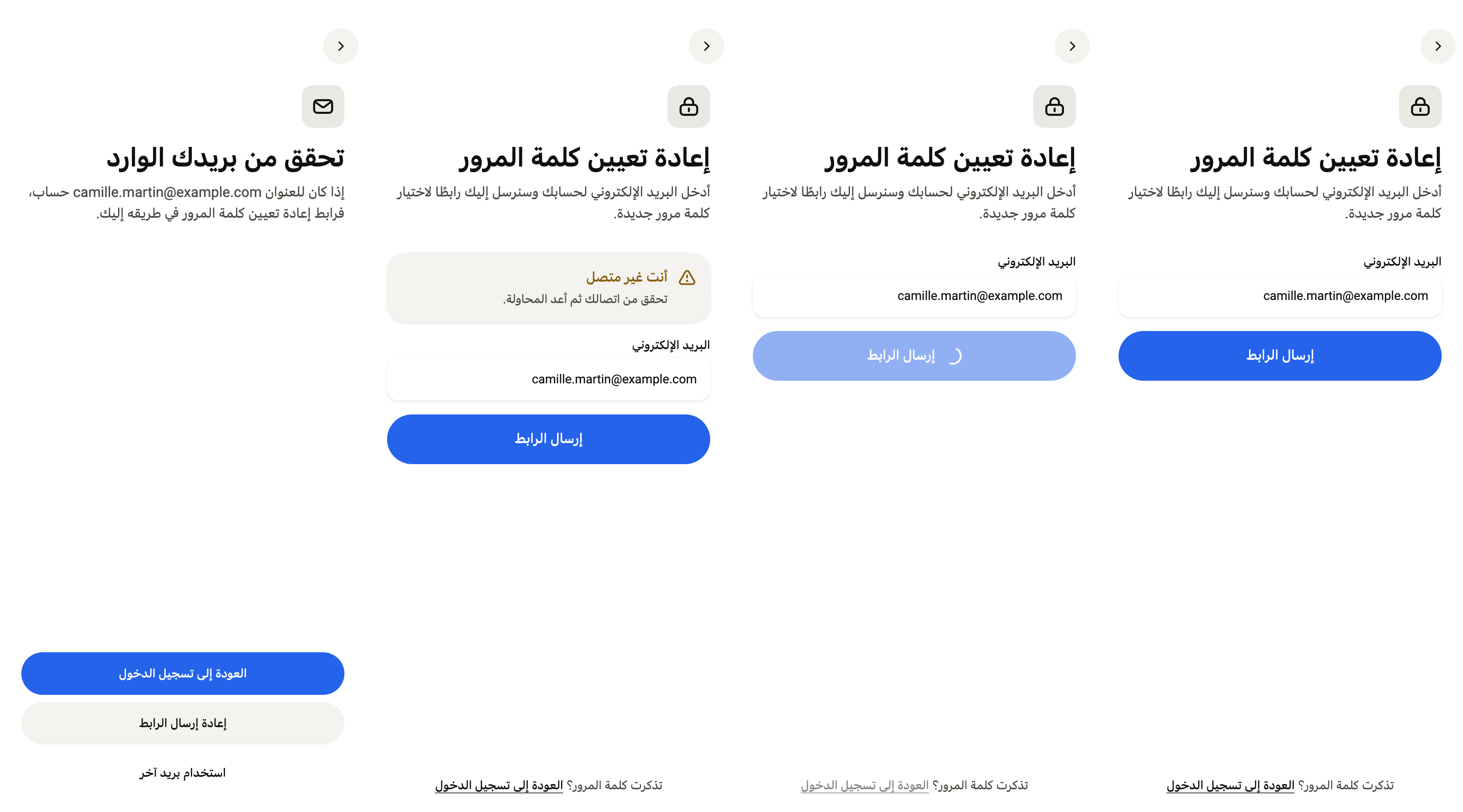
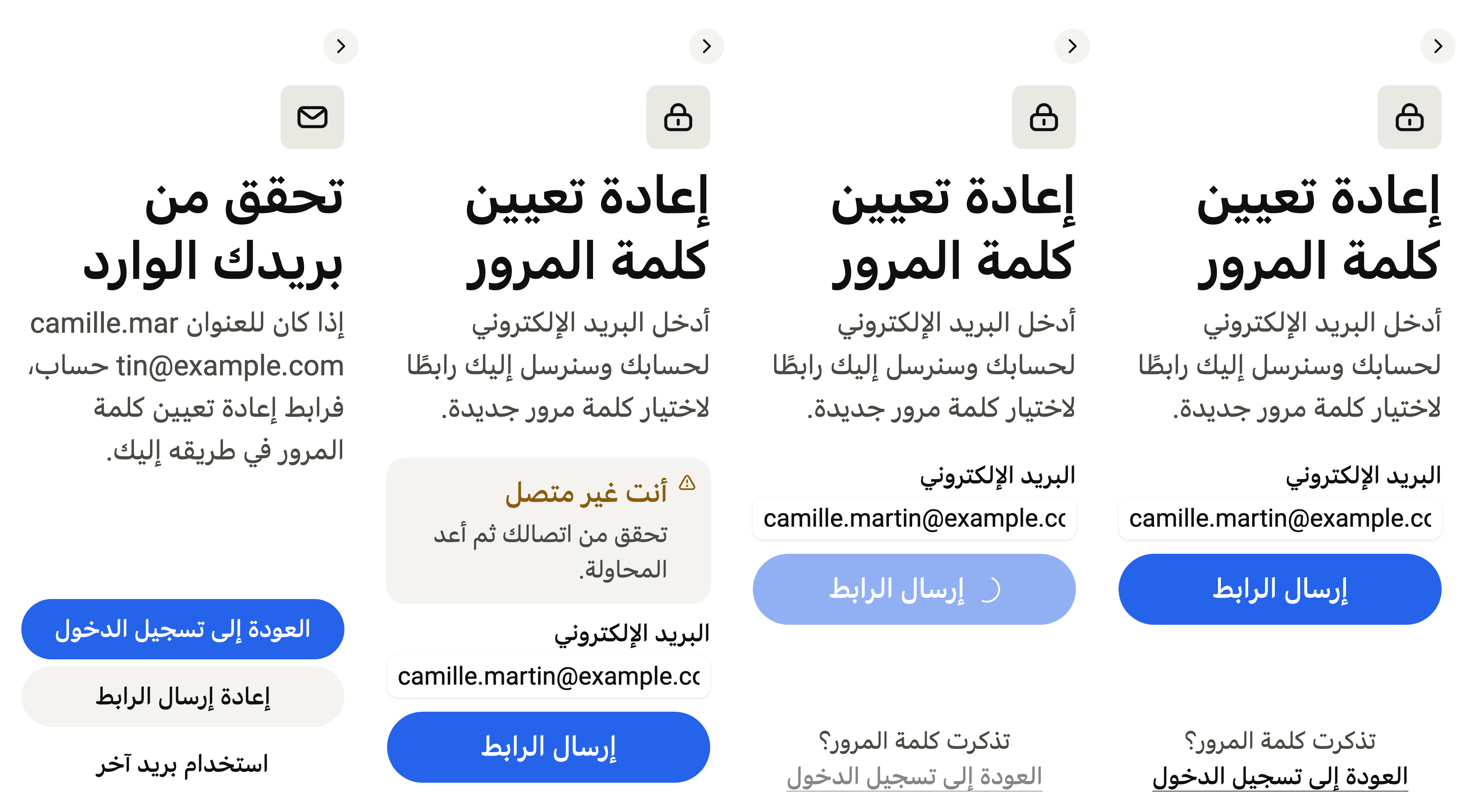
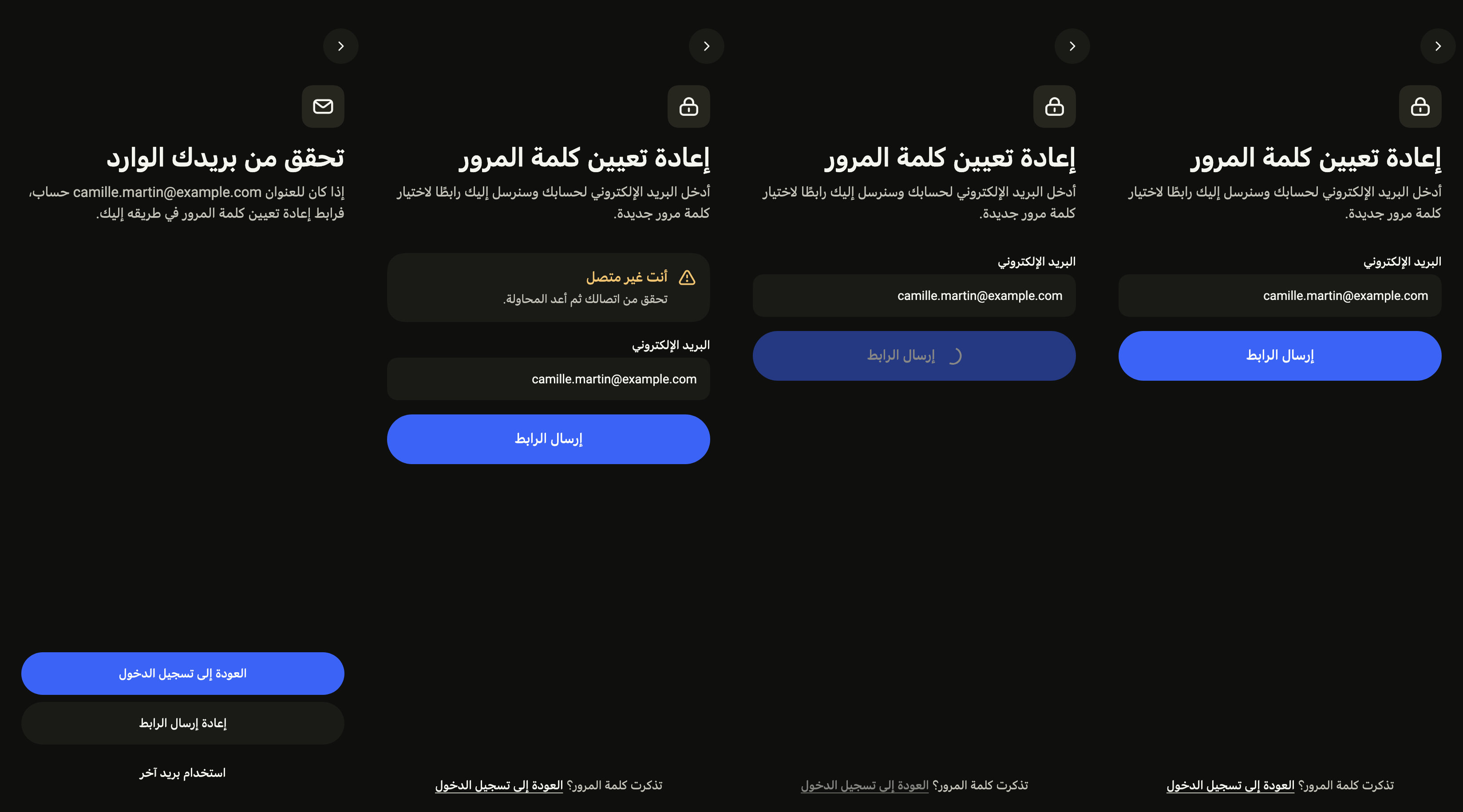
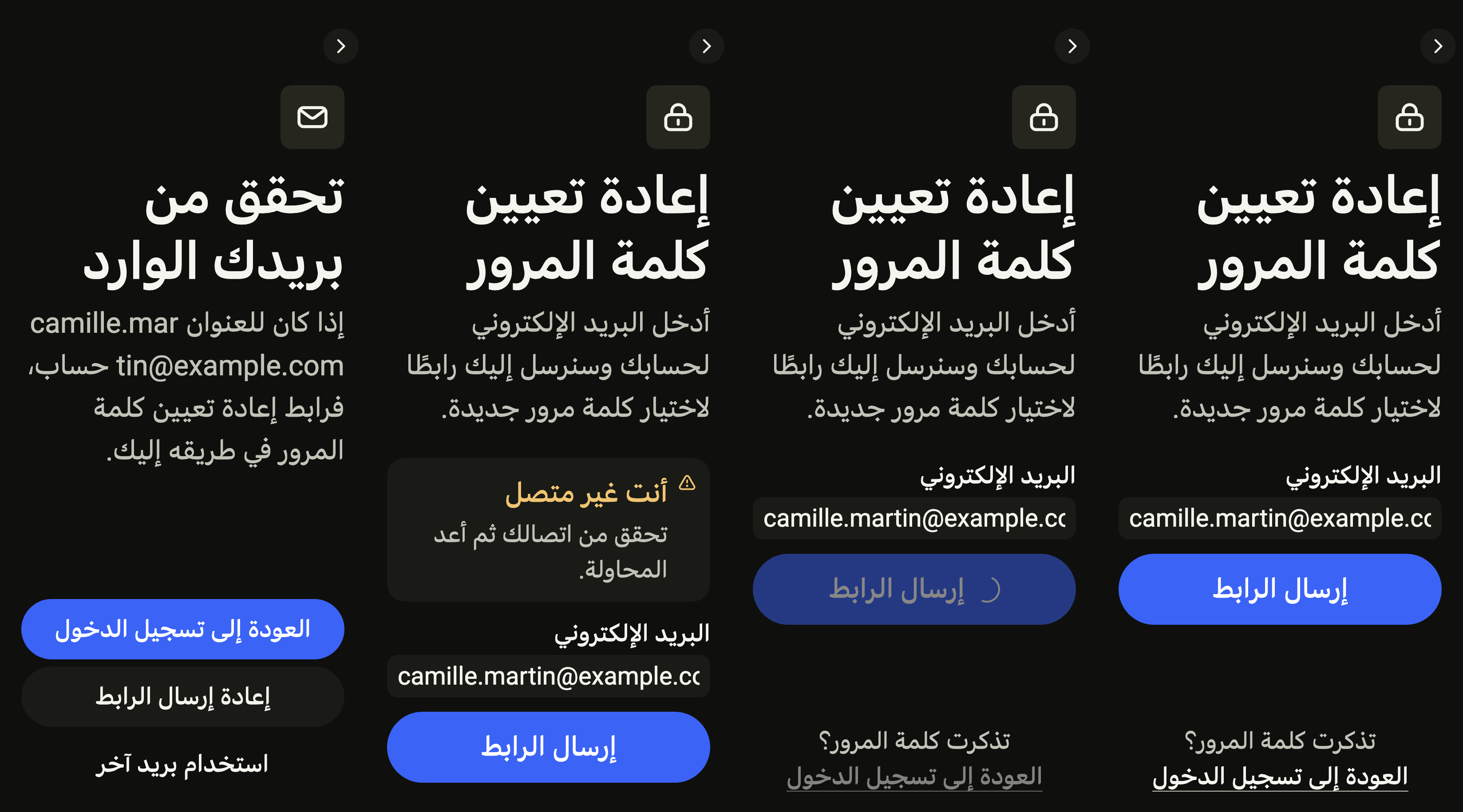
Every label in English, French and Arabic. The screen follows the closest Localizations; the same table is in the manifest, ready for your ARB files.
| Key | en | fr | ar |
|---|---|---|---|
forgotPasswordTitle | Reset your password | Réinitialiser le mot de passe | إعادة تعيين كلمة المرور |
forgotPasswordSubtitle | Enter your account email. We'll send you a link to choose a new password. | Saisissez l’adresse de votre compte. Nous vous enverrons un lien pour choisir un nouveau mot de passe. | أدخل البريد الإلكتروني لحسابك وسنرسل إليك رابطًا لاختيار كلمة مرور جديدة. |
forgotPasswordEmail | Adresse e-mail | البريد الإلكتروني | |
forgotPasswordEmailPlaceholder | [email protected] | [email protected] | [email protected] |
forgotPasswordSubmit | Send link | Envoyer le lien | إرسال الرابط |
forgotPasswordRemember | Remember your password? | Mot de passe retrouvé ? | تذكرت كلمة المرور؟ |
forgotPasswordBack | Back to sign in | Retour à la connexion | العودة إلى تسجيل الدخول |
forgotPasswordPrevious | Back | Retour | رجوع |
forgotPasswordEmailMissing | Enter your email. | Saisissez votre adresse e-mail. | أدخل بريدك الإلكتروني. |
forgotPasswordEmailMalformed | Enter an email such as [email protected]. | Saisissez une adresse comme [email protected]. | أدخل بريدًا مثل [email protected]. |
forgotPasswordSentTitle | Check your inbox | Vérifiez votre boîte de réception | تحقق من بريدك الوارد |
forgotPasswordSentAnnouncement | {title}. {message} | {title}. {message} | {title}. {message} |
forgotPasswordSentMessage | If {email} has an account, a link to reset your password is on its way. | Si {email} a un compte, un lien pour réinitialiser votre mot de passe est en route. | إذا كان للعنوان {email} حساب، فرابط إعادة تعيين كلمة المرور في طريقه إليك. |
forgotPasswordResend | Resend link | Renvoyer le lien | إعادة إرسال الرابط |
forgotPasswordOtherEmail | Use another email | Utiliser une autre adresse | استخدام بريد آخر |
forgotPasswordResentTitle | Link sent again | Lien renvoyé | أُعيد إرسال الرابط |
forgotPasswordResentMessage | If it does not arrive, check your spam folder. | S’il n’arrive pas, vérifiez vos courriers indésirables. | إن لم يصل، فتحقق من مجلد الرسائل غير المرغوب فيها. |
forgotPasswordOfflineTitle | You are offline | Vous êtes hors ligne | أنت غير متصل |
forgotPasswordOfflineMessage | Check your connection, then try again. | Vérifiez votre connexion, puis réessayez. | تحقق من اتصالك ثم أعد المحاولة. |
forgotPasswordFailedTitle | The link could not be sent | Impossible d’envoyer le lien | تعذّر إرسال الرابط |
forgotPasswordFailedMessage | Something went wrong on our side. Try again in a moment. | Un problème est survenu de notre côté. Réessayez dans un instant. | حدثت مشكلة من جهتنا. أعد المحاولة بعد قليل. |
Reference renders
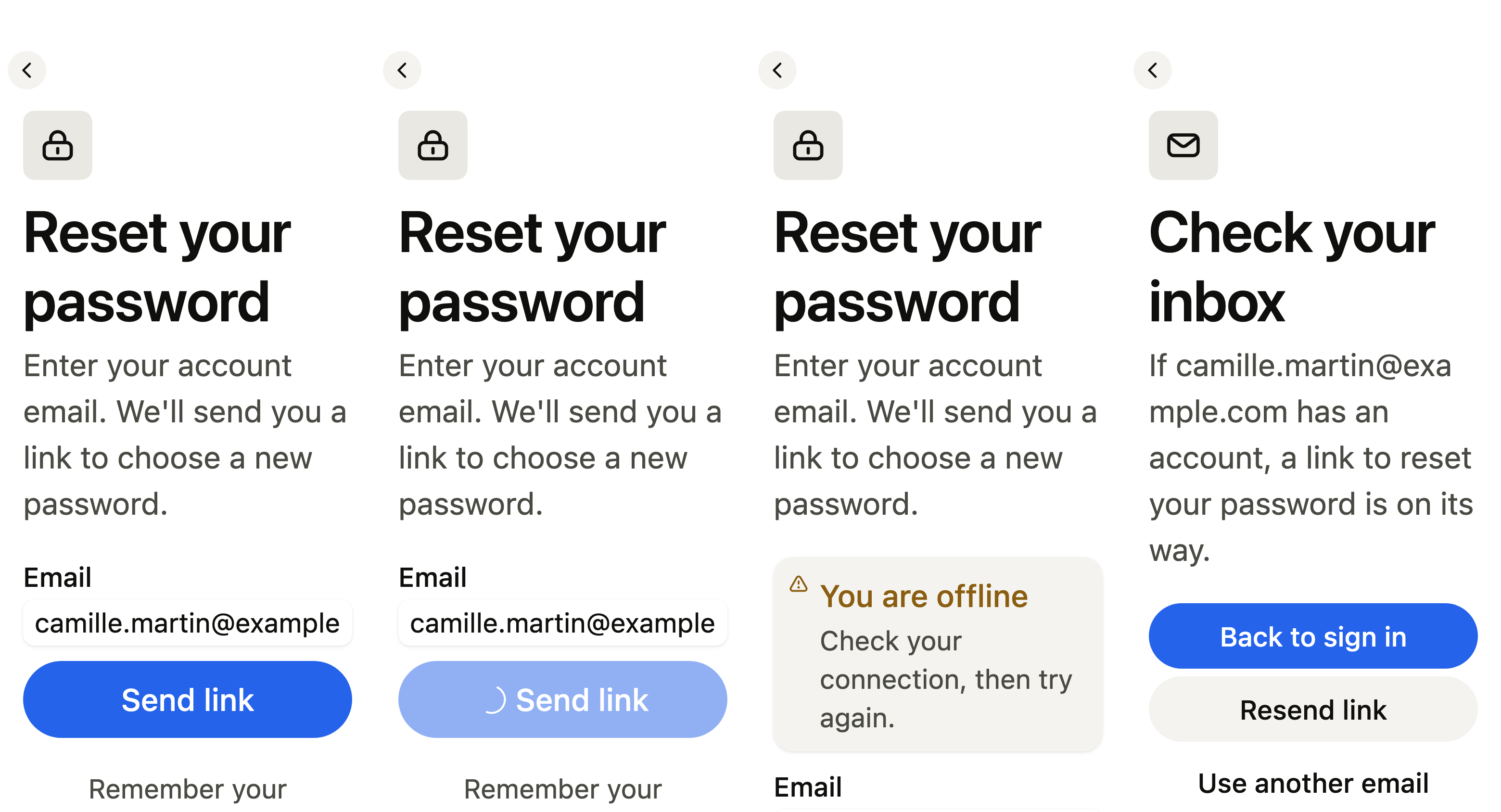
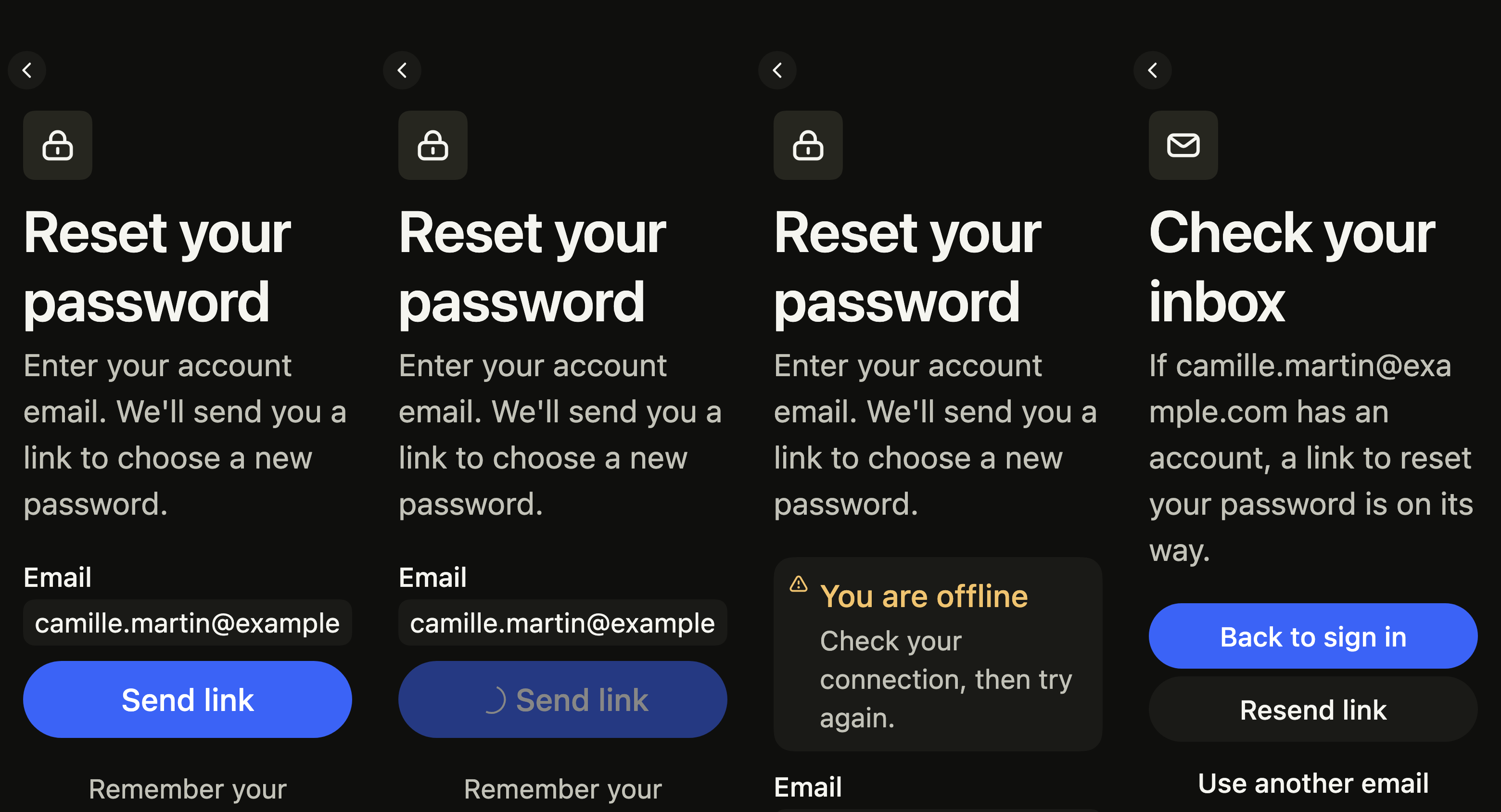
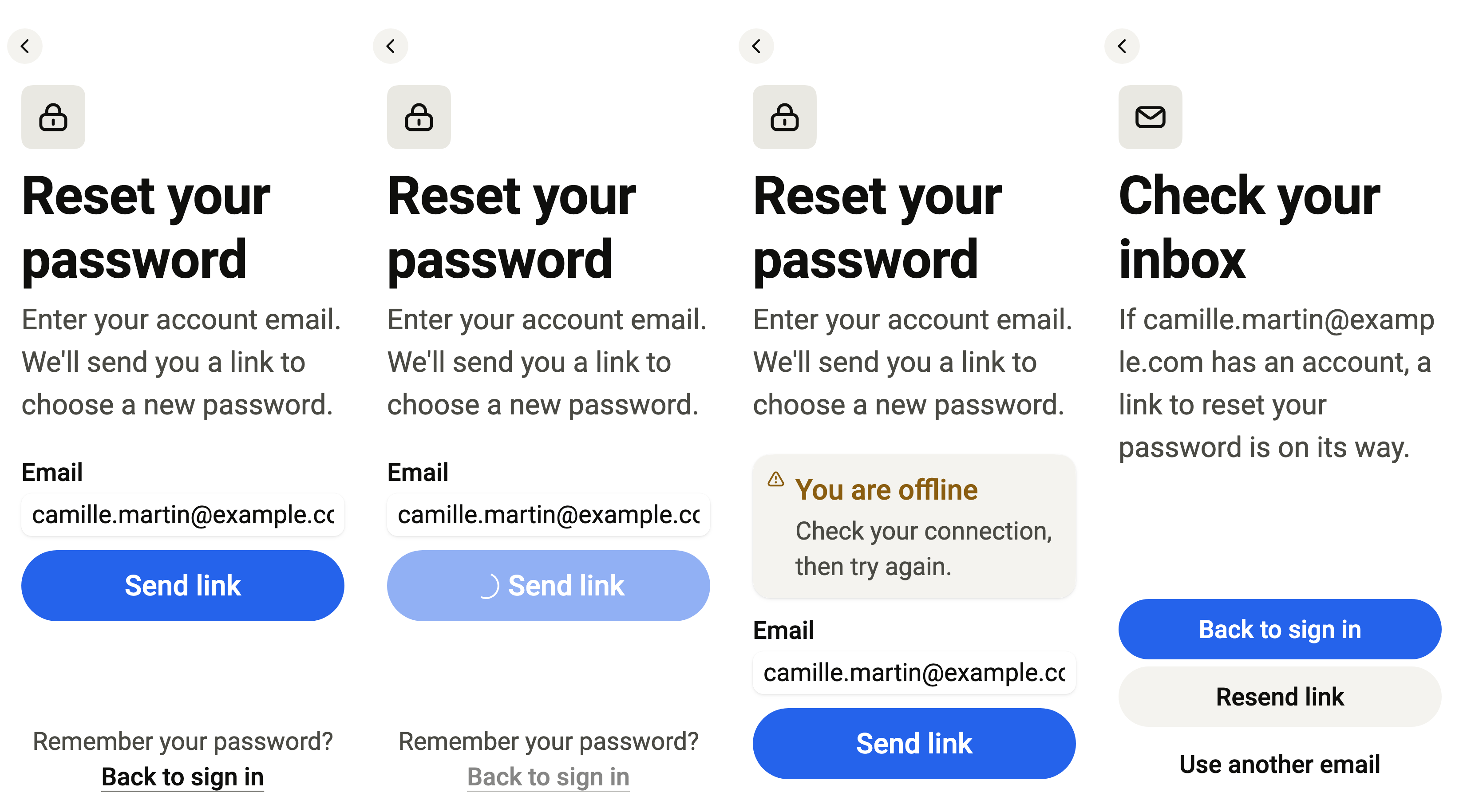
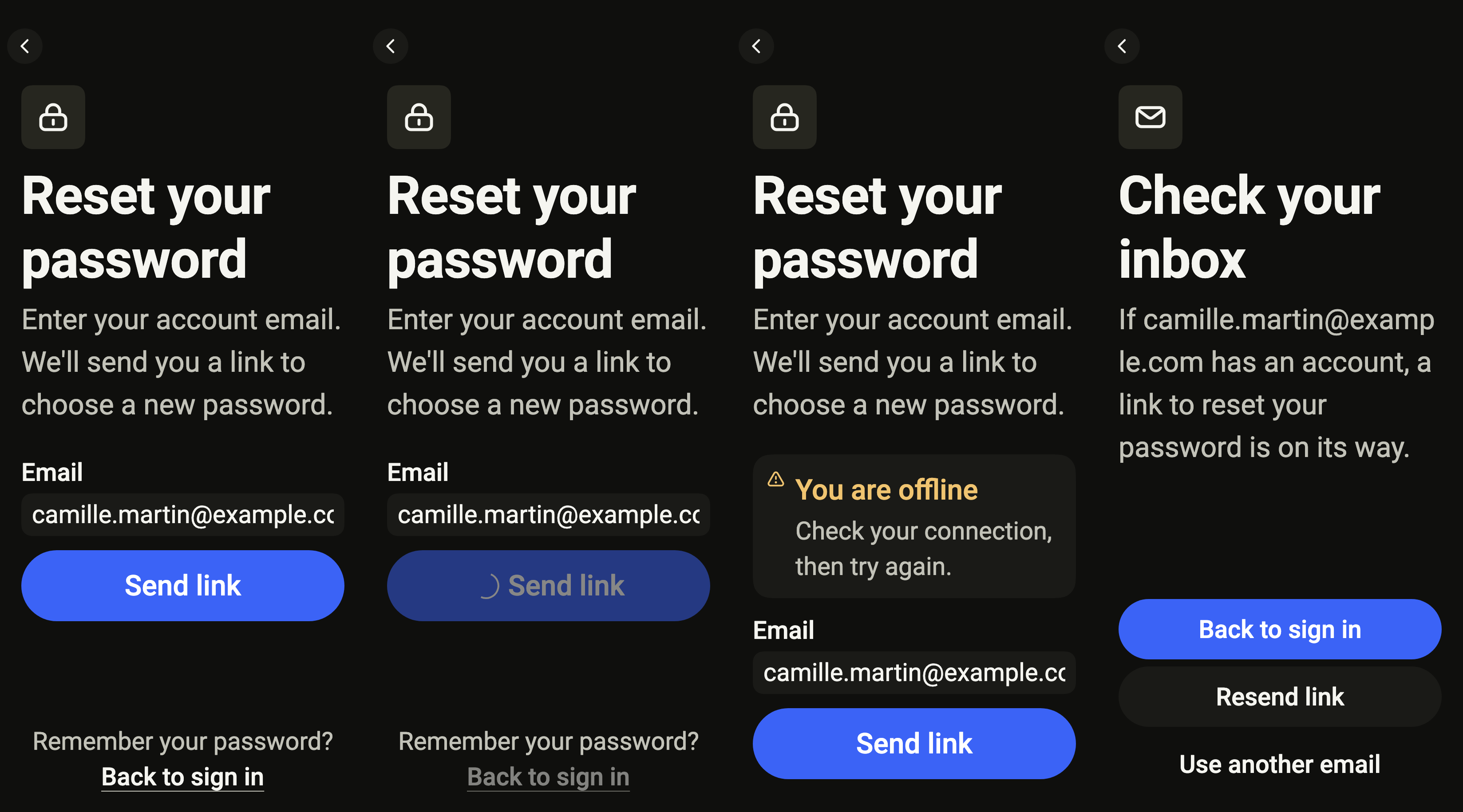
The 16 images published with version 0.2.5, rendered by the shared harness on macOS with Flutter 3.47.7. Each shows every state side by side, at the size of an iPhone (390 × 844) or of an Android phone (412 × 915). fliin verify forgot-password compares your copy to them.
Use it to
- send a link to reset a forgotten password
- ask for the email of the account whose password was lost
- confirm a reset link was sent without telling whether the account exists
- send the reset link again from the confirmation
- offer a way back to sign in after a password reset
- Not for
- signing in with a password: use the sign-in screen (sign-in)
- confirming an address with a code: use the verification code screen (verify-code)
- States