Screens / messaging
Notification center
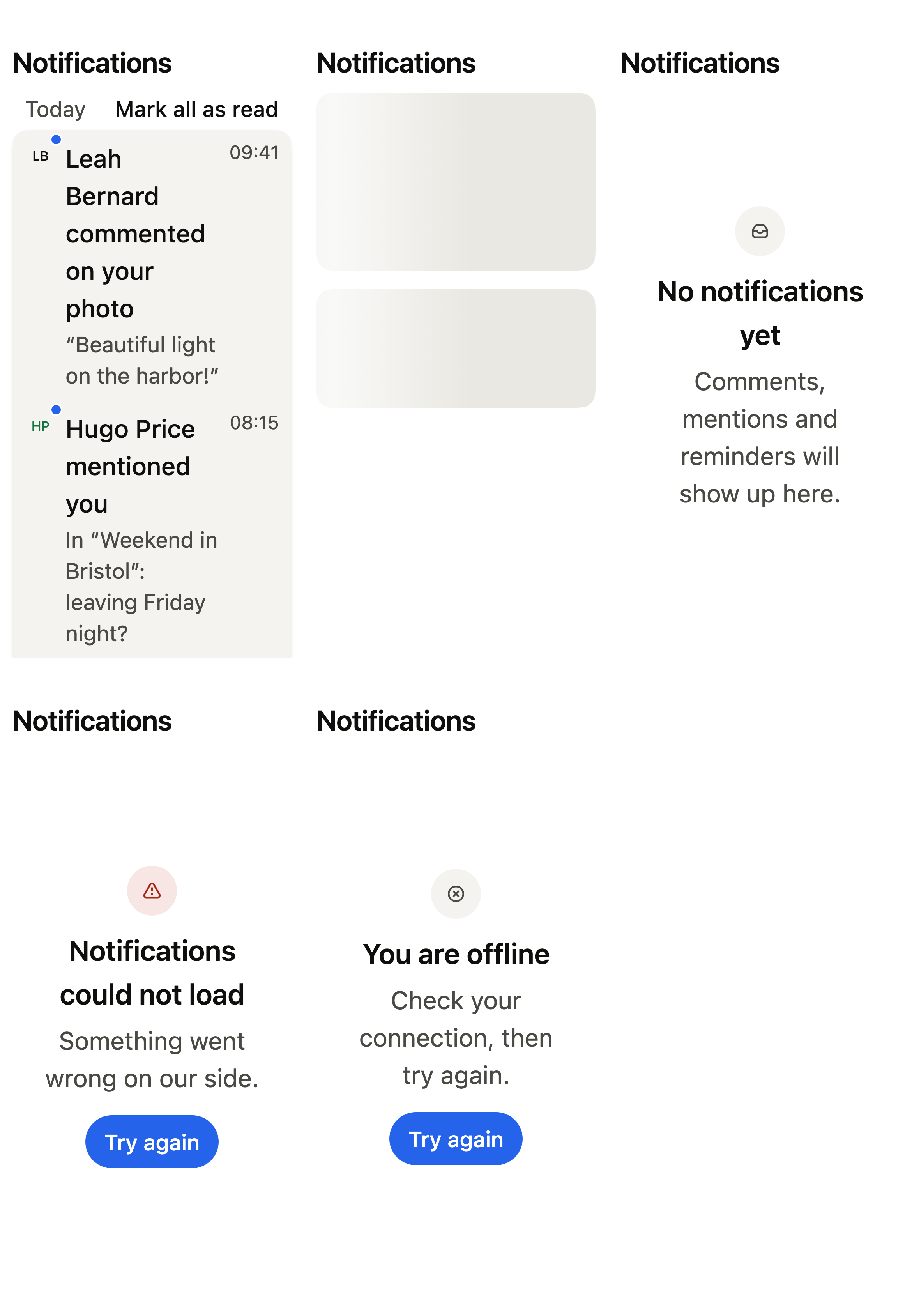
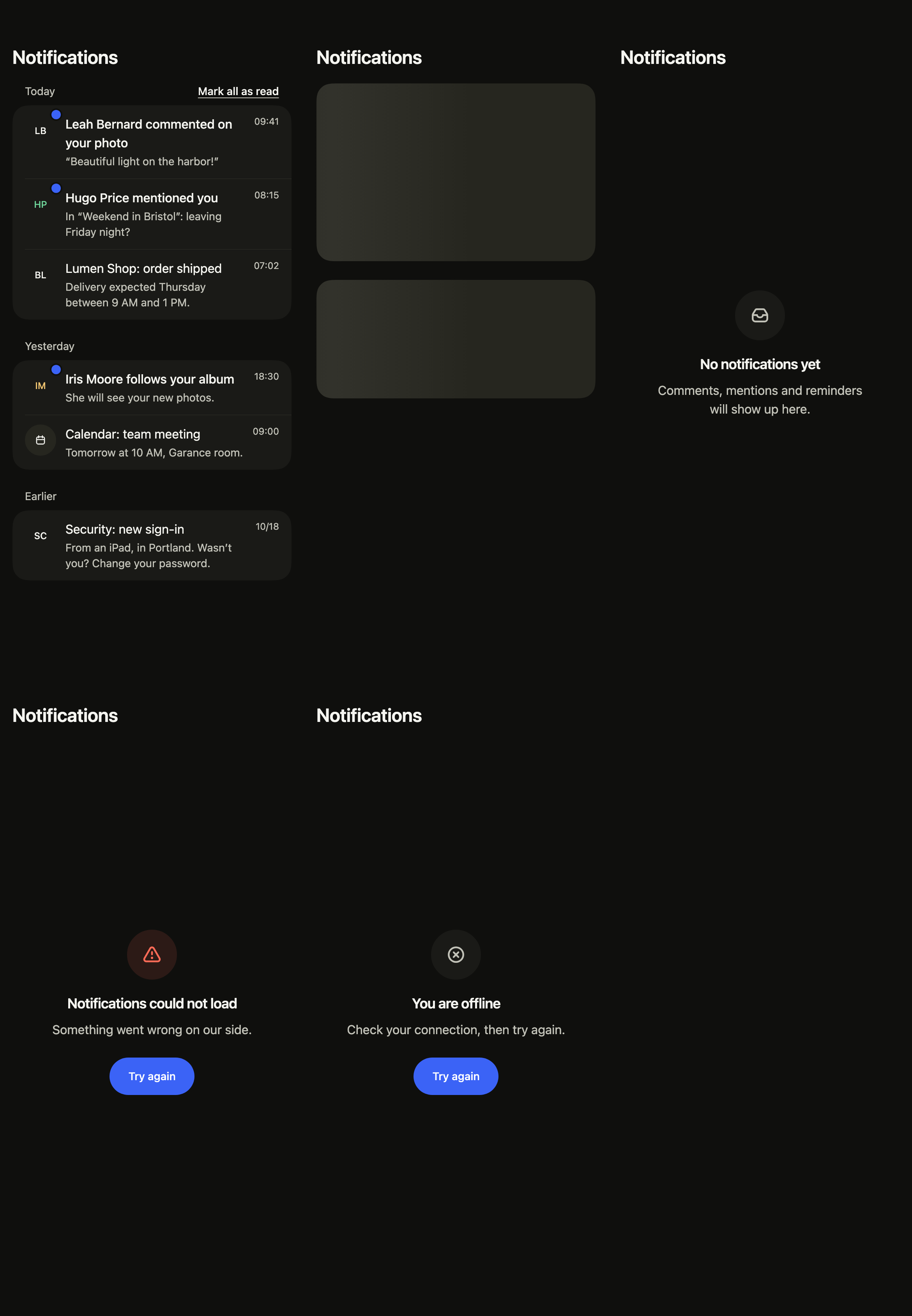
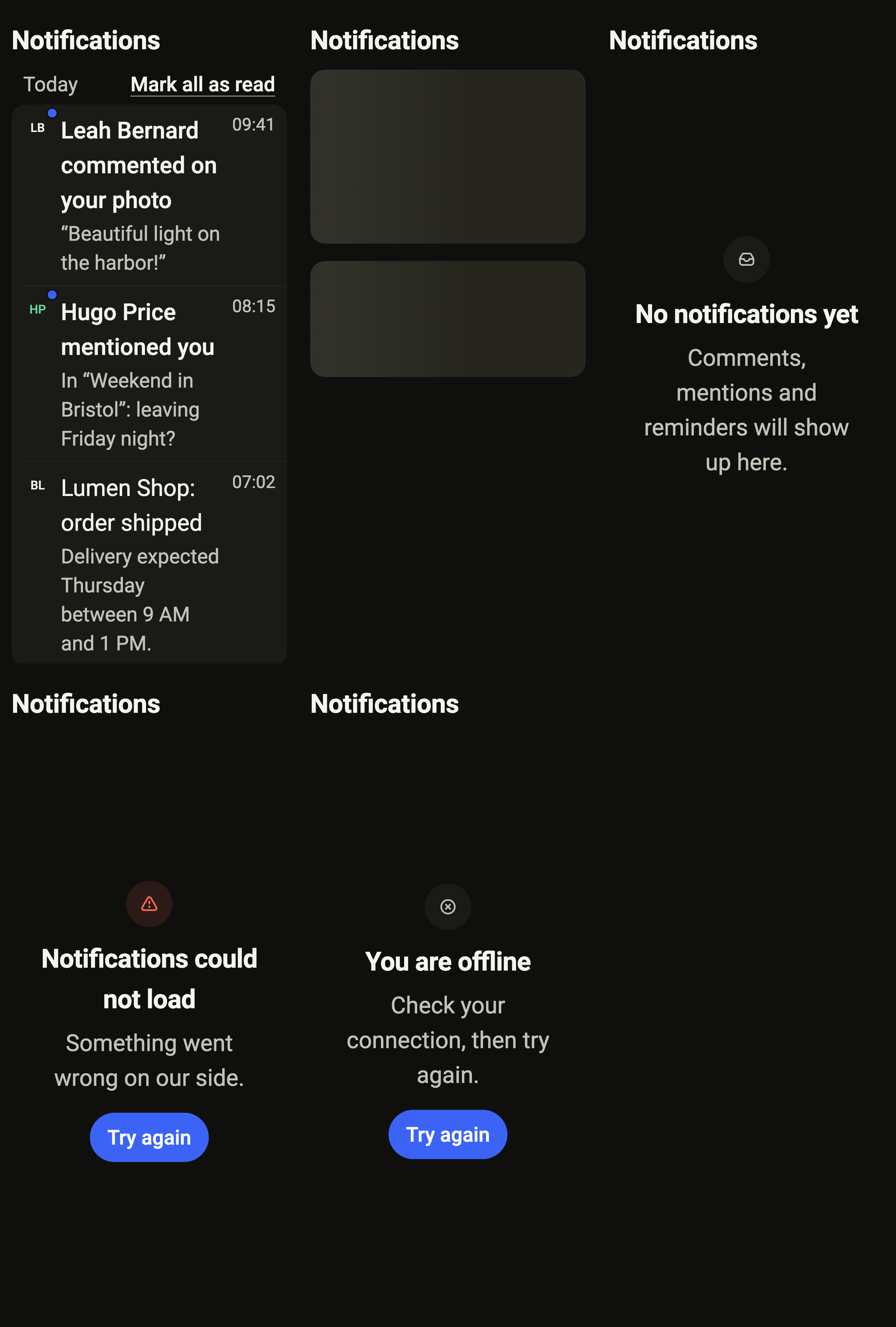
Groups received notifications by day, marks the unread ones and lets people mark all as read or refresh, with its empty, loading, error and offline states.
Import
Notification center is part of Fliin Pro. With a license key, sign in once with fliin login, then add it in a Flutter app where fliin init has run:
fliin login
fliin add notifications
Also installs: alert, app-bar, avatar, badge, core, empty-state, page, section-header, settings-section, skeleton, icons
Examples
Photos
The people's photos on their notifications (image, the initials until it loads), and a gear in the bar that opens your notification settings (onSettings).
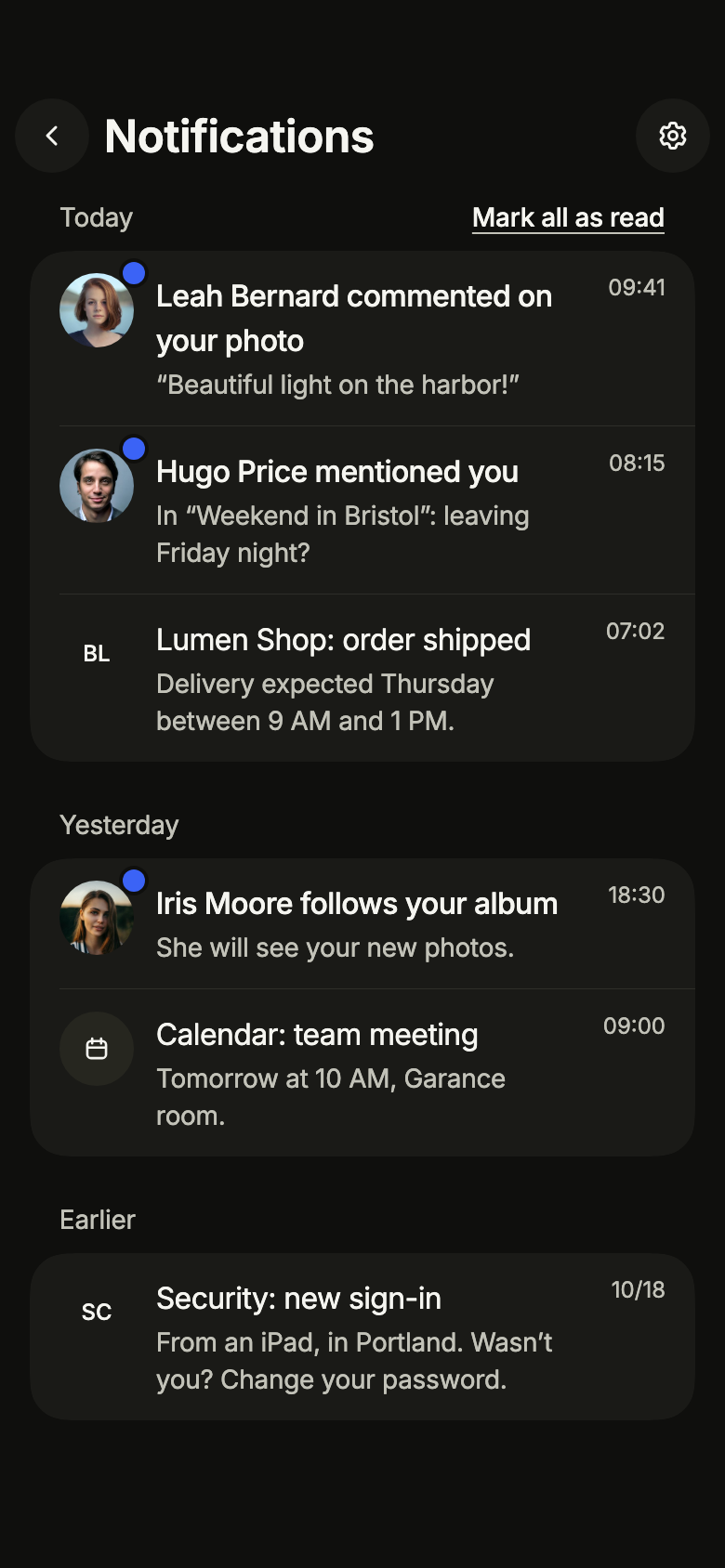
import 'package:your_app/ui/fliin/screens/notifications/notifications_controller.dart';
import 'package:your_app/ui/fliin/screens/notifications/notifications_data.dart';
import 'package:your_app/ui/fliin/screens/notifications/notifications_screen.dart';
import 'package:flutter/widgets.dart';

class NotificationsPhotosExample extends StatelessWidget {
  const NotificationsPhotosExample({super.key});

  /// The photo of each author, by notification.
  static const _photos = {'n1': 3, 'n2': 4, 'n4': 6};

  @override
  Widget build(BuildContext context) {
    final notifications = [
      for (final n in sampleNotifications)
        switch (_photos[n.id]) {
          final photo? => AppNotification(
            id: n.id,
            title: n.title,
            body: n.body,
            at: n.at,
            initials: n.initials,
            read: n.read,
            color: n.color,
            image: AssetImage('images/people/$photo.jpg'),
          ),
          null => n,
        },
    ];
    return NotificationsScreen.standalone(
      service: SampleNotificationsService(notifications: notifications, latency: const Duration(milliseconds: 600)),
      initial: NotificationsLoaded(notifications),
      now: sampleNotificationsNow,
      onBack: () {},
      onSettings: () {},
      onOpen: (_) {},
    );
  }
}Loaded
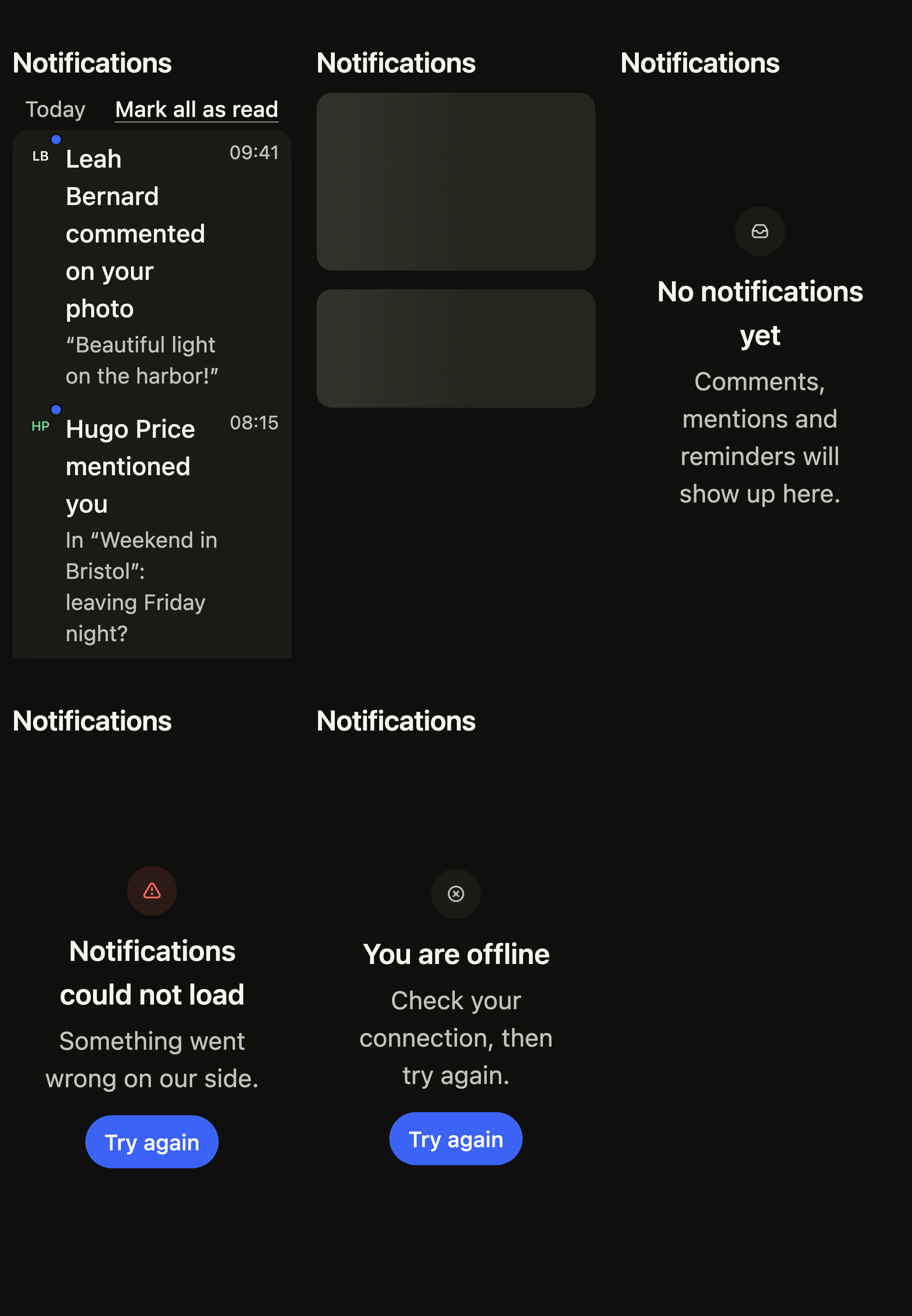
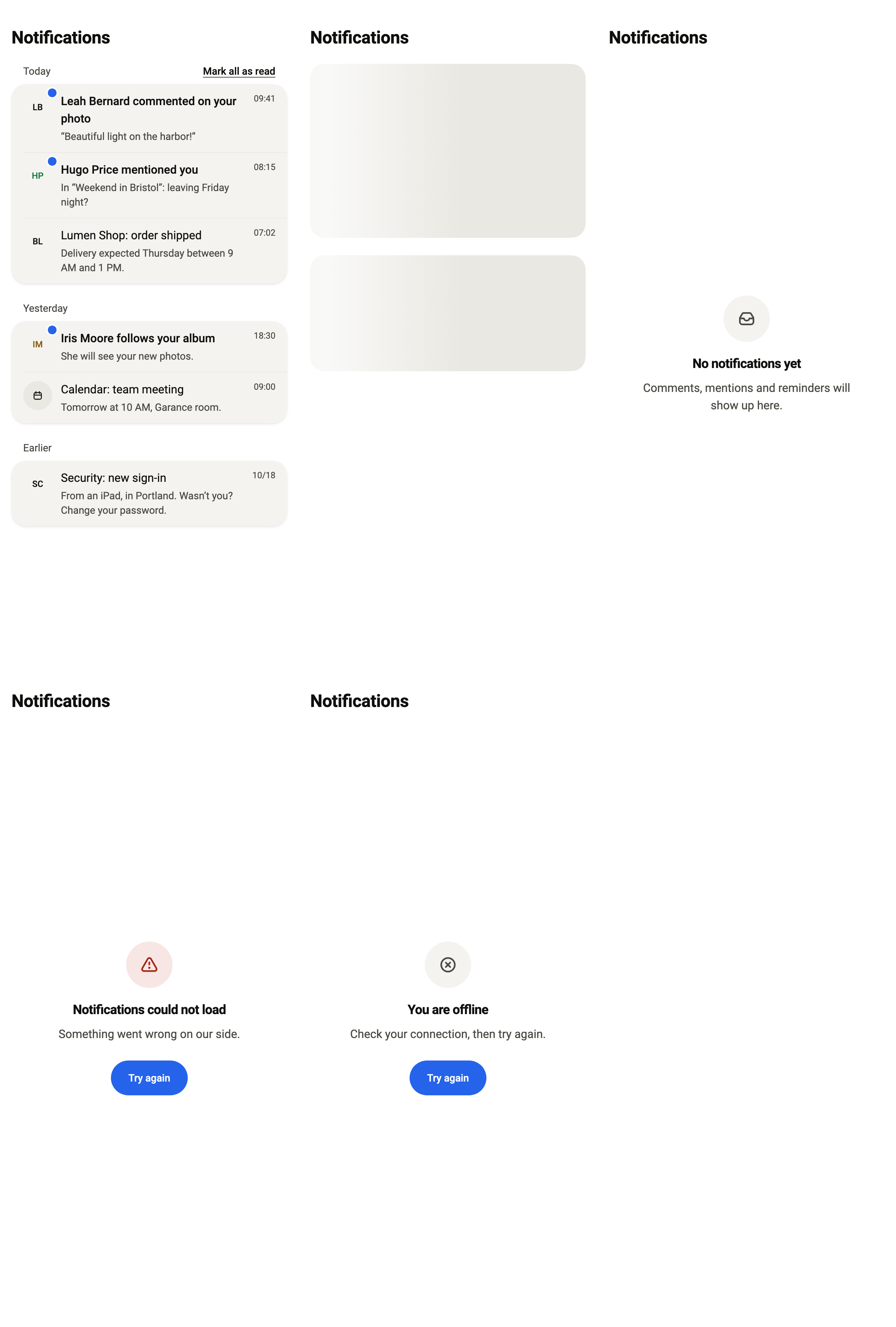
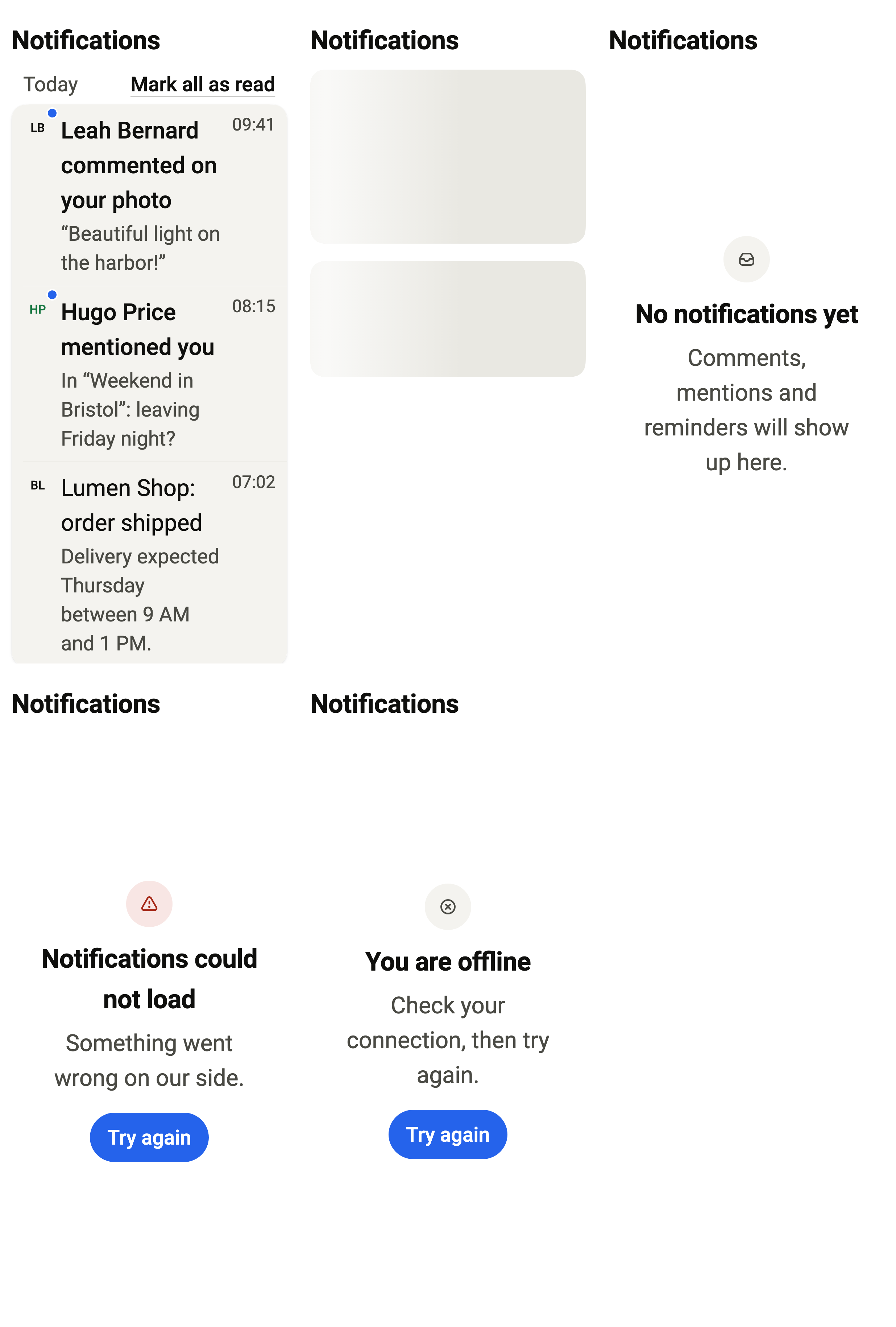
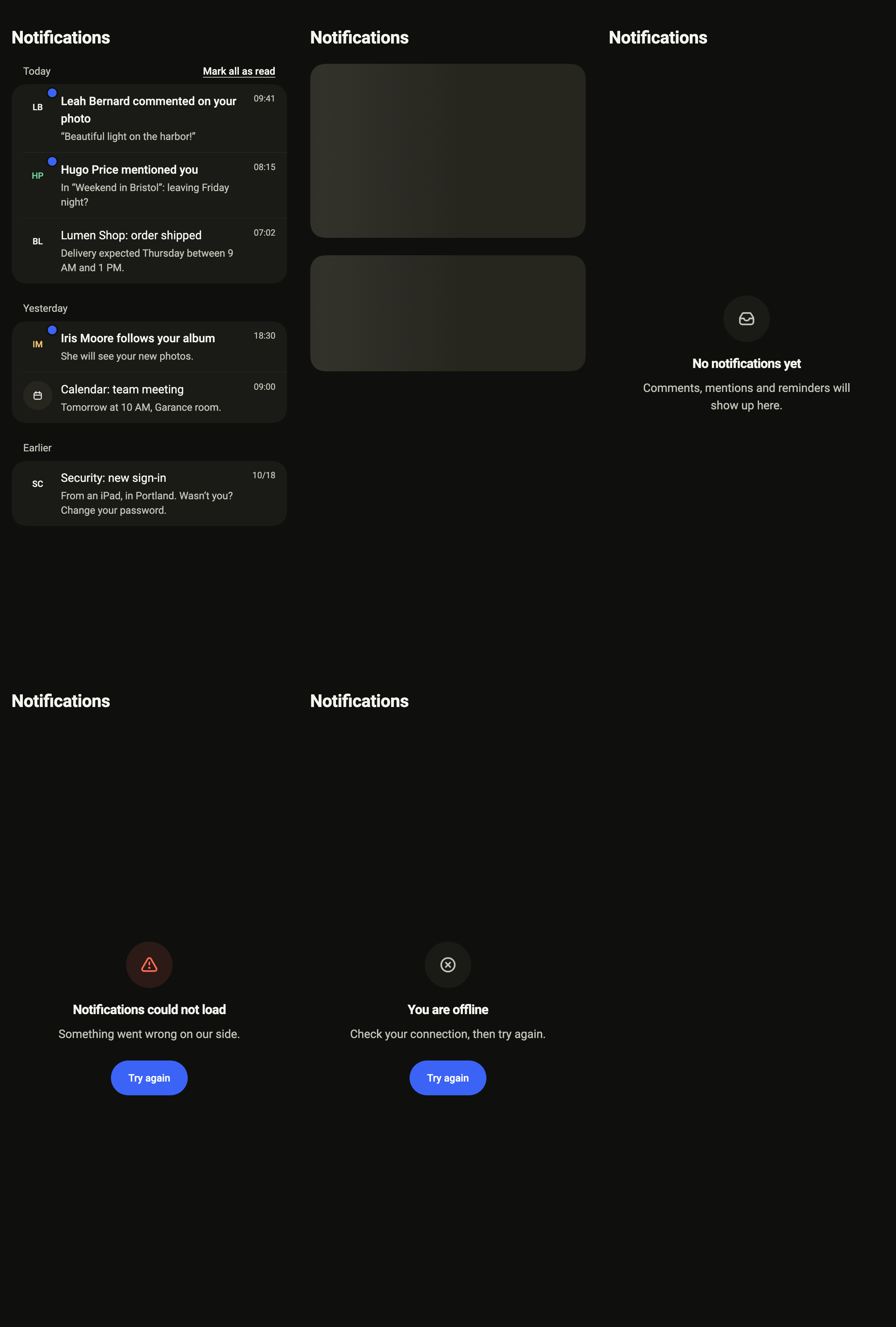
The notifications grouped by day, unread ones marked; now sets the moment their times are counted from.
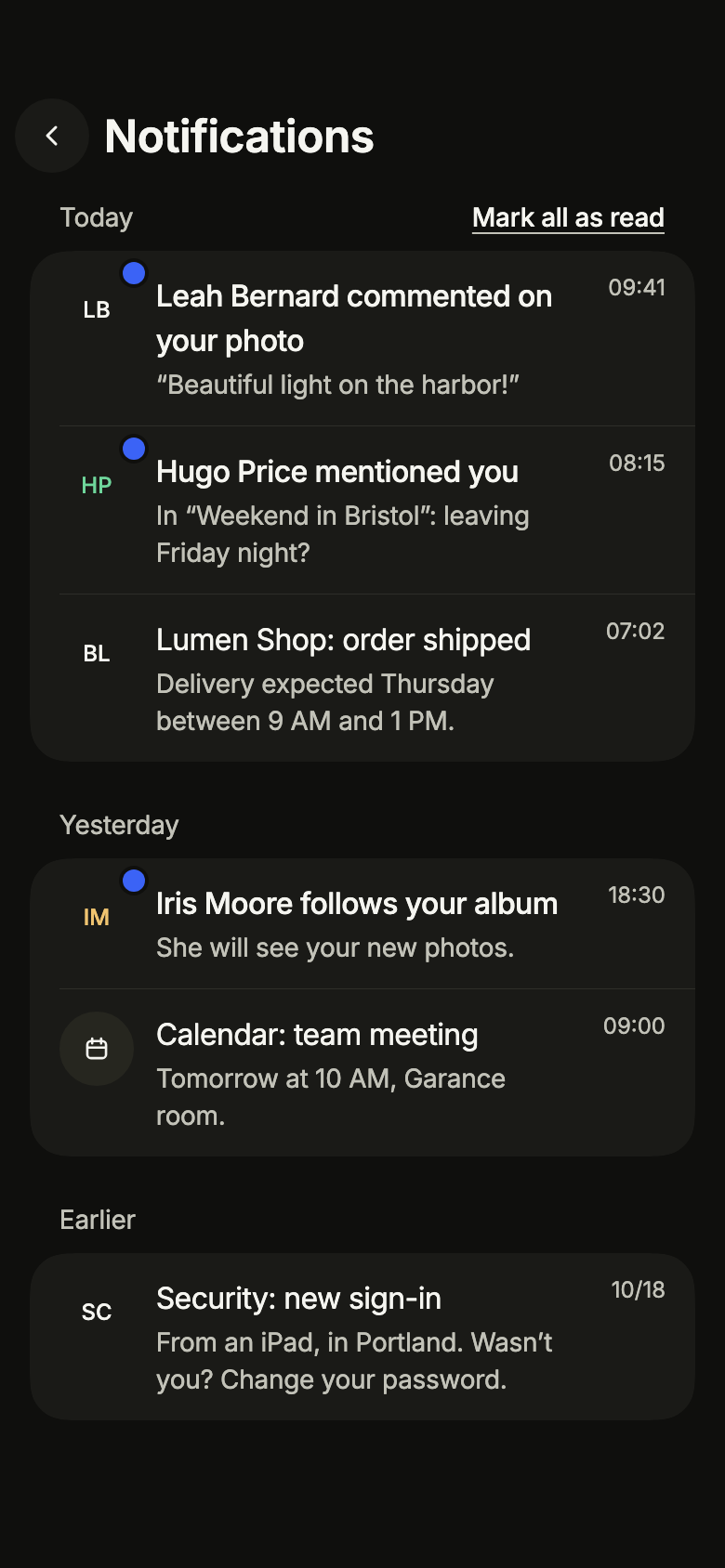
import 'package:your_app/ui/fliin/screens/notifications/notifications_controller.dart';
import 'package:your_app/ui/fliin/screens/notifications/notifications_data.dart';
import 'package:your_app/ui/fliin/screens/notifications/notifications_screen.dart';
import 'package:flutter/widgets.dart';

class NotificationsLoadedExample extends StatelessWidget {
  const NotificationsLoadedExample({super.key});

  @override
  Widget build(BuildContext context) {
    return NotificationsScreen.standalone(
      service: const SampleNotificationsService(latency: Duration(milliseconds: 600)),
      initial: NotificationsLoaded(sampleNotifications),
      now: sampleNotificationsNow,
      onBack: () {},
      onOpen: (_) {},
    );
  }
}Loading
While the service answers, placeholder rows hold the place of the list.
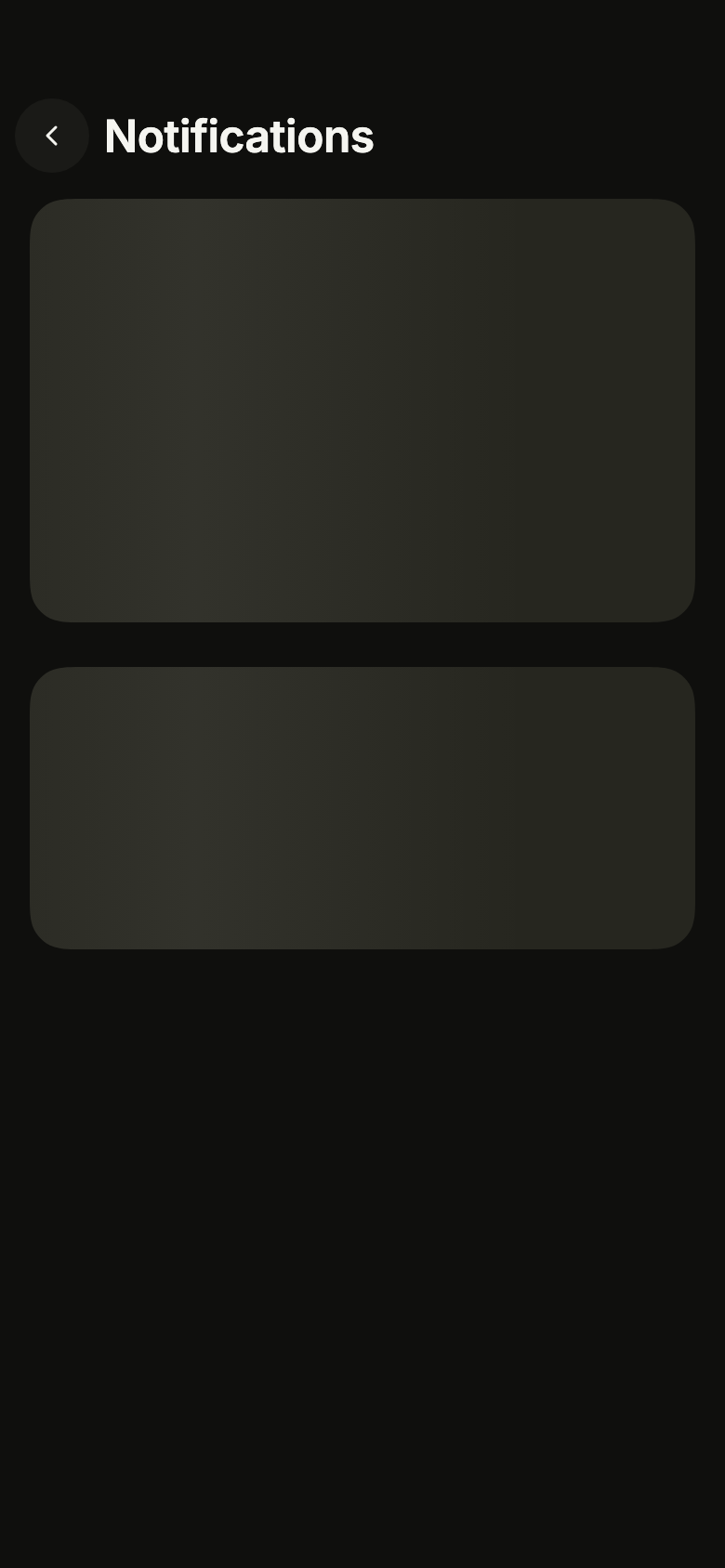
import 'package:your_app/ui/fliin/screens/notifications/notifications_controller.dart';
import 'package:your_app/ui/fliin/screens/notifications/notifications_data.dart';
import 'package:your_app/ui/fliin/screens/notifications/notifications_screen.dart';
import 'package:flutter/widgets.dart';

class NotificationsLoadingExample extends StatelessWidget {
  const NotificationsLoadingExample({super.key});

  @override
  Widget build(BuildContext context) {
    return NotificationsScreen.standalone(
      service: const SampleNotificationsService(latency: Duration(milliseconds: 600)),
      initial: const NotificationsLoading(),
      now: sampleNotificationsNow,
      onBack: () {},
      onOpen: (_) {},
    );
  }
}Empty
Nothing to show yet: the screen says so instead of an empty list.
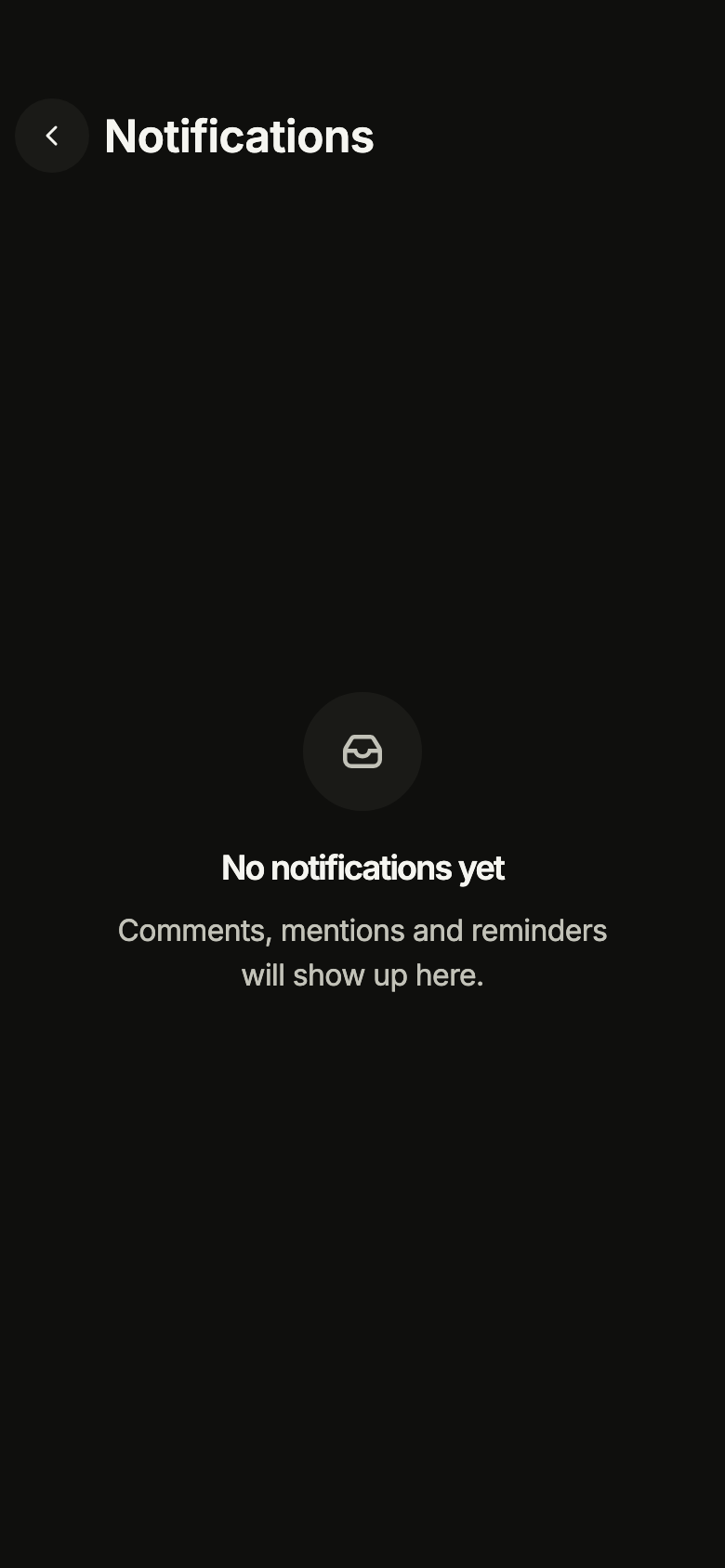
import 'package:your_app/ui/fliin/screens/notifications/notifications_controller.dart';
import 'package:your_app/ui/fliin/screens/notifications/notifications_data.dart';
import 'package:your_app/ui/fliin/screens/notifications/notifications_screen.dart';
import 'package:flutter/widgets.dart';

class NotificationsEmptyExample extends StatelessWidget {
  const NotificationsEmptyExample({super.key});

  @override
  Widget build(BuildContext context) {
    return NotificationsScreen.standalone(
      service: const SampleNotificationsService(latency: Duration(milliseconds: 600)),
      initial: const NotificationsEmpty(),
      now: sampleNotificationsNow,
      onBack: () {},
      onOpen: (_) {},
    );
  }
}Error
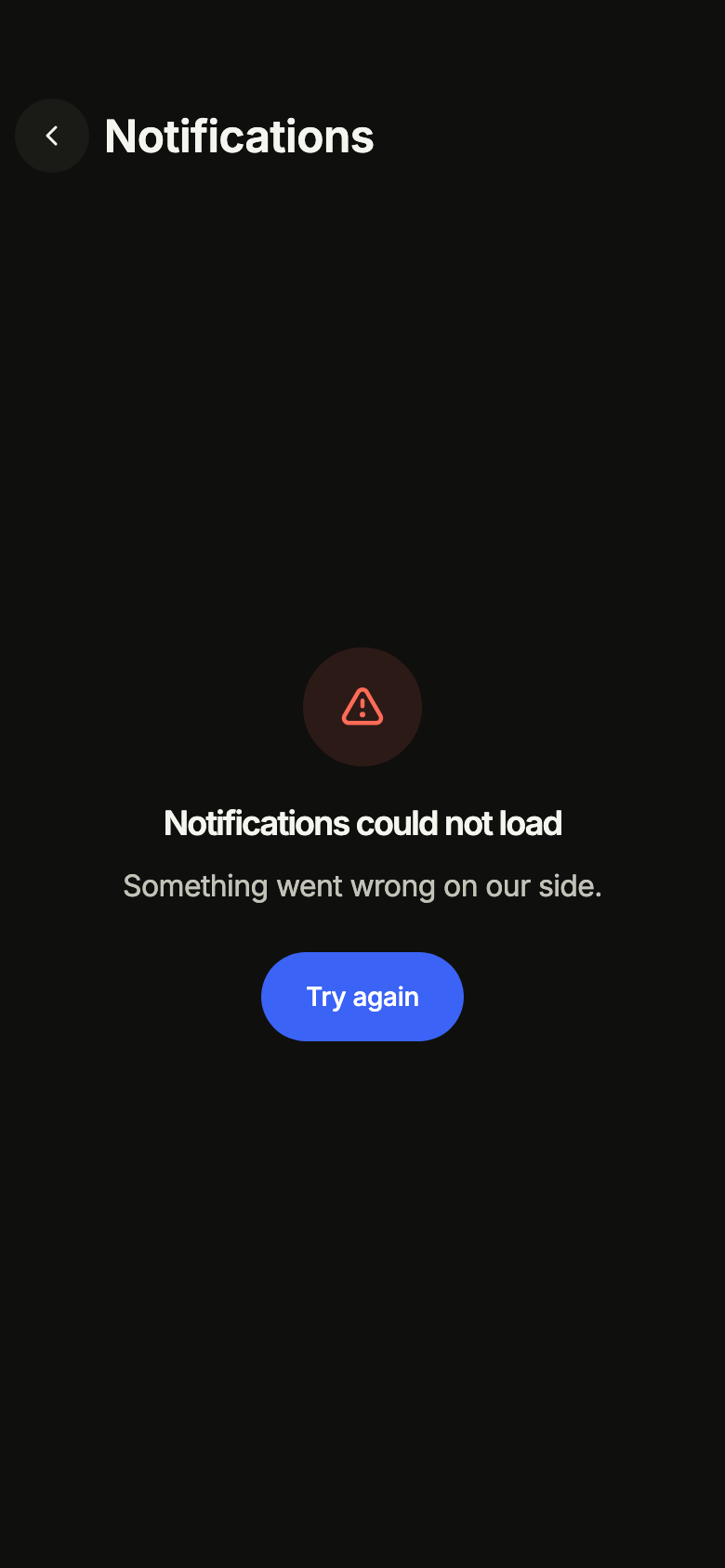
When loading fails, the screen says so and offers to try again.
import 'package:your_app/ui/fliin/screens/notifications/notifications_controller.dart';
import 'package:your_app/ui/fliin/screens/notifications/notifications_data.dart';
import 'package:your_app/ui/fliin/screens/notifications/notifications_screen.dart';
import 'package:flutter/widgets.dart';

class NotificationsErrorExample extends StatelessWidget {
  const NotificationsErrorExample({super.key});

  @override
  Widget build(BuildContext context) {
    return NotificationsScreen.standalone(
      service: const SampleNotificationsService(latency: Duration(milliseconds: 600)),
      initial: const NotificationsFailed(),
      now: sampleNotificationsNow,
      onBack: () {},
      onOpen: (_) {},
    );
  }
}Offline
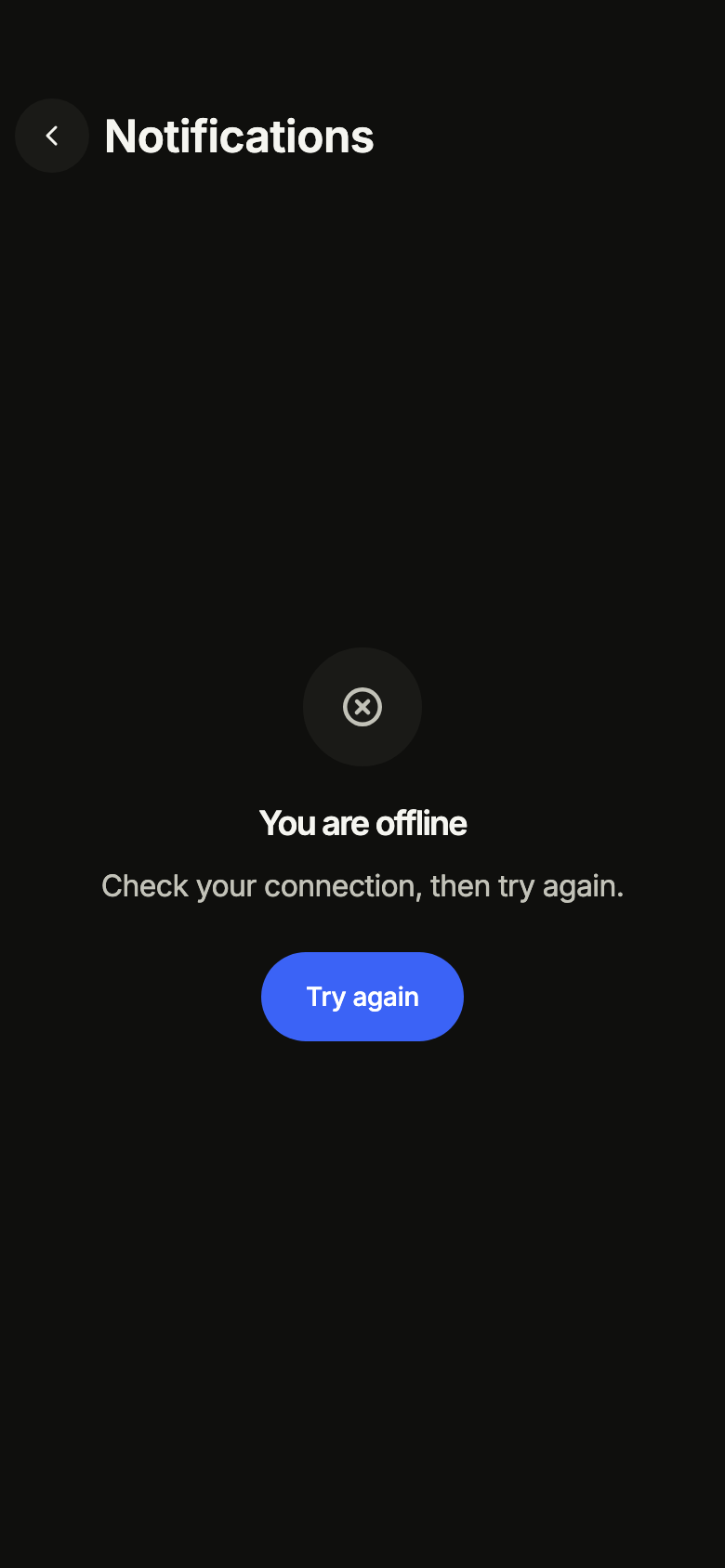
Without a connection, the screen asks to reconnect rather than showing an error.
import 'package:your_app/ui/fliin/screens/notifications/notifications_controller.dart';
import 'package:your_app/ui/fliin/screens/notifications/notifications_data.dart';
import 'package:your_app/ui/fliin/screens/notifications/notifications_screen.dart';
import 'package:flutter/widgets.dart';

class NotificationsOfflineExample extends StatelessWidget {
  const NotificationsOfflineExample({super.key});

  @override
  Widget build(BuildContext context) {
    return NotificationsScreen.standalone(
      service: const SampleNotificationsService(latency: Duration(milliseconds: 600)),
      initial: const NotificationsOffline(),
      now: sampleNotificationsNow,
      onBack: () {},
      onOpen: (_) {},
    );
  }
}Routing
fliin add notifications prints the route for the router it finds in your pubspec, a file next to the page that wires its navigation. Each of them:
go_router
// lib/notifications_route.dart, next to notifications_page.dart.
import 'package:go_router/go_router.dart';

import 'notifications_page.dart';

/// Add notificationsRoute to the routes of your GoRouter.
final notificationsRoute = GoRoute(
  path: '/notifications',
  builder: (context, state) => NotificationsPage(
    // Alone in the stack (deep link, go): your app's home.
    onBack: () => context.canPop() ? context.pop() : context.go('/'),
  ),
);navigator
// lib/notifications_route.dart, next to notifications_page.dart.
import 'package:flutter/material.dart';

import 'notifications_page.dart';

/// Opens “Notification center”: `Navigator.of(context).push(notificationsRoute())`.
Route<void> notificationsRoute() => MaterialPageRoute<void>(
  builder: (context) => NotificationsPage(
    onBack: () => Navigator.of(context).maybePop(),
  ),
);State
The controller is a ChangeNotifier from widgets.dart, with no package. fliin add notifications prints the page that holds it with the state management it finds, its imports written for your package; below they read your_app. Your backend implements the Service interface of the screen's _data.dart file:
none
// lib/notifications_page.dart
// Your backend: implement NotificationsService (notifications_data.dart) and pass it instead of the sample service.
import 'package:your_app/ui/fliin/screens/notifications/notifications_data.dart';
import 'package:your_app/ui/fliin/screens/notifications/notifications_screen.dart';
import 'package:flutter/widgets.dart';

class NotificationsPage extends StatelessWidget {
  const NotificationsPage({
    super.key,
    required this.onBack,
  });

  final VoidCallback onBack;

  @override
  Widget build(BuildContext context) => NotificationsScreen.standalone(
    service: const SampleNotificationsService(),
    onBack: onBack,
  );
}provider
// lib/notifications_page.dart
// Your backend: implement NotificationsService (notifications_data.dart) and pass it instead of the sample service.
import 'package:your_app/ui/fliin/screens/notifications/notifications_controller.dart';
import 'package:your_app/ui/fliin/screens/notifications/notifications_data.dart';
import 'package:your_app/ui/fliin/screens/notifications/notifications_screen.dart';
import 'package:flutter/widgets.dart';
import 'package:provider/provider.dart';

class NotificationsPage extends StatelessWidget {
  const NotificationsPage({
    super.key,
    required this.onBack,
  });

  final VoidCallback onBack;

  @override
  Widget build(BuildContext context) => ChangeNotifierProvider(
    create: (_) => NotificationsController(service: const SampleNotificationsService())..load(),
    child: Builder(
      builder: (context) => NotificationsScreen(
        controller: context.read<NotificationsController>(),
        onBack: onBack,
      ),
    ),
  );
}riverpod
// lib/notifications_page.dart
// Your backend: implement NotificationsService (notifications_data.dart) and pass it instead of the sample service.
import 'package:your_app/ui/fliin/screens/notifications/notifications_controller.dart';
import 'package:your_app/ui/fliin/screens/notifications/notifications_data.dart';
import 'package:your_app/ui/fliin/screens/notifications/notifications_screen.dart';
import 'package:flutter/widgets.dart';
import 'package:flutter_riverpod/flutter_riverpod.dart';

final notificationsProvider = Provider.autoDispose<NotificationsController>((ref) {
  final controller = NotificationsController(service: const SampleNotificationsService())..load();
  ref.onDispose(controller.dispose);
  return controller;
});

class NotificationsPage extends ConsumerWidget {
  const NotificationsPage({
    super.key,
    required this.onBack,
  });

  final VoidCallback onBack;

  @override
  Widget build(BuildContext context, WidgetRef ref) => NotificationsScreen(
    controller: ref.watch(notificationsProvider),
    onBack: onBack,
  );
}bloc
// lib/notifications_page.dart
// Your backend: implement NotificationsService (notifications_data.dart) and pass it instead of the sample service.
import 'package:your_app/ui/fliin/screens/notifications/notifications_controller.dart';
import 'package:your_app/ui/fliin/screens/notifications/notifications_data.dart';
import 'package:your_app/ui/fliin/screens/notifications/notifications_screen.dart';
import 'package:flutter/widgets.dart';
import 'package:flutter_bloc/flutter_bloc.dart';

/// The screen's controller as a bloc, for your BlocListener and BlocBuilder:
/// one emission per controller notification. `version` tells them apart
/// when `state` does not change (mode, filters, text…, read them on
/// `controller`). The screen listens to the controller itself.
class NotificationsCubit extends Cubit<({NotificationsState state, int version})> {
  NotificationsCubit(this.controller) : super((state: controller.state, version: 0)) {
    controller.addListener(_changed);
  }

  final NotificationsController controller;

  void _changed() => emit((state: controller.state, version: state.version + 1));

  @override
  Future<void> close() {
    controller
      ..removeListener(_changed)
      ..dispose();
    return super.close();
  }
}

class NotificationsPage extends StatelessWidget {
  const NotificationsPage({
    super.key,
    required this.onBack,
  });

  final VoidCallback onBack;

  @override
  Widget build(BuildContext context) => BlocProvider(
    create: (_) => NotificationsCubit(NotificationsController(service: const SampleNotificationsService())..load()),
    child: Builder(
      builder: (context) => NotificationsScreen(
        controller: context.read<NotificationsCubit>().controller,
        onBack: onBack,
      ),
    ),
  );
}API
NotificationsScreen: class extends StatefulWidget
NotificationsScreen.new: const new({super.key, required NotificationsController controller, VoidCallback? onBack, ValueChanged<AppNotification>? onOpen, DateTime? now, VoidCallback? onSettings})
NotificationsScreen.standalone: const new({super.key, required NotificationsService service, NotificationsState? initial, VoidCallback? onBack, ValueChanged<AppNotification>? onOpen, DateTime? now, VoidCallback? onSettings})
NotificationsScreen.controller: get NotificationsController?
NotificationsScreen.service: get NotificationsService?
NotificationsScreen.initial: get NotificationsState?
NotificationsScreen.onBack: get VoidCallback?
NotificationsScreen.onSettings: get VoidCallback?
NotificationsScreen.onOpen: get ValueChanged<AppNotification>?
NotificationsScreen.now: get DateTime?
NotificationsScreen.createState: State<NotificationsScreen>()
NotificationsState: sealed class permits {NotificationsEmpty, NotificationsFailed, NotificationsLoaded, NotificationsLoading, NotificationsOffline}
NotificationsState.new: const new()
NotificationsLoading: final class extends NotificationsState
NotificationsLoading.new: const new()
NotificationsNotice: enum {refreshFailed, refreshOffline, markFailed}
NotificationsNotice.refreshFailed: static final NotificationsNotice
NotificationsNotice.refreshOffline: static final NotificationsNotice
NotificationsNotice.markFailed: static final NotificationsNotice
NotificationsLoaded: final class extends NotificationsState
NotificationsLoaded.new: new(List<AppNotification> notifications, {NotificationsNotice? notice})
NotificationsLoaded.notifications: get List<AppNotification>
NotificationsLoaded.notice: get NotificationsNotice?
NotificationsLoaded.unread: get int
NotificationsEmpty: final class extends NotificationsState
NotificationsEmpty.new: const new()
NotificationsFailed: final class extends NotificationsState
NotificationsFailed.new: const new()
NotificationsOffline: final class extends NotificationsState
NotificationsOffline.new: const new()
NotificationsController: class extends ChangeNotifier
NotificationsController.new: new({required NotificationsService service, NotificationsState initial})
NotificationsController.service: get NotificationsService
NotificationsController.state: get NotificationsState
NotificationsController.load: Future<void>()
NotificationsController.refresh: Future<bool>()
NotificationsController.markRead: Future<bool>(String id)
NotificationsController.markAllRead: Future<bool>()
NotificationsController.dispose: void()
AppNotification: final class
AppNotification.new: const new({required String id, required String title, required String body, required DateTime at, required String initials, bool read, FlAvatarColor color, FlIconData? icon, ImageProvider? image})
AppNotification.id: get String
AppNotification.title: get String
AppNotification.body: get String
AppNotification.at: get DateTime
AppNotification.initials: get String
AppNotification.color: get FlAvatarColor
AppNotification.icon: get FlIconData?
AppNotification.image: get ImageProvider?
AppNotification.read: get bool
AppNotification.withRead: AppNotification(bool read)
NotificationDay: enum {today, yesterday, earlier}
NotificationDay.today: static final NotificationDay
NotificationDay.yesterday: static final NotificationDay
NotificationDay.earlier: static final NotificationDay
notificationDay: NotificationDay(DateTime at, DateTime now)
groupNotificationsByDay: List<(NotificationDay, List<AppNotification>)>(List<AppNotification> notifications, DateTime now)
NotificationsNoNetwork: final class implements Exception
NotificationsNoNetwork.new: const new()
NotificationsService: abstract interface class
NotificationsService.new: new()
NotificationsService.load: abstract Future<List<AppNotification>>()
NotificationsService.markRead: abstract Future<void>(String id)
NotificationsService.markAllRead: abstract Future<void>()
sampleNotificationsNow: get dynamic
sampleNotifications: get dynamic
SampleNotificationsService: final class implements NotificationsService
SampleNotificationsService.new: const new({List<AppNotification>? notifications, Duration latency})
SampleNotificationsService.notifications: get List<AppNotification>?
SampleNotificationsService.latency: get Duration
SampleNotificationsService.load: Future<List<AppNotification>>()
SampleNotificationsService.markRead: Future<void>(String id)
SampleNotificationsService.markAllRead: Future<void>()
notificationsL10n: const Map<String, Map<String, String>>
NotificationsStrings: final class
NotificationsStrings.new: const new(String language)
NotificationsStrings.of: factory new(BuildContext context)
NotificationsStrings.language: get String
NotificationsStrings.title: get String
NotificationsStrings.back: get String
NotificationsStrings.refresh: get String
NotificationsStrings.loading: get String
NotificationsStrings.today: get String
NotificationsStrings.yesterday: get String
NotificationsStrings.earlier: get String
NotificationsStrings.markAllRead: get String
NotificationsStrings.unread: get String
NotificationsStrings.emptyTitle: get String
NotificationsStrings.emptyMessage: get String
NotificationsStrings.errorTitle: get String
NotificationsStrings.errorMessage: get String
NotificationsStrings.offlineTitle: get String
NotificationsStrings.offlineMessage: get String
NotificationsStrings.retry: get String
NotificationsStrings.dayTitle: String(NotificationDay day)
NotificationsStrings.moment: String(DateTime at, NotificationDay day)
NotificationsStrings.refreshFailed: get String
NotificationsStrings.refreshOffline: get String
NotificationsStrings.markFailed: get String
NotificationsStrings.settings: get StringStrings
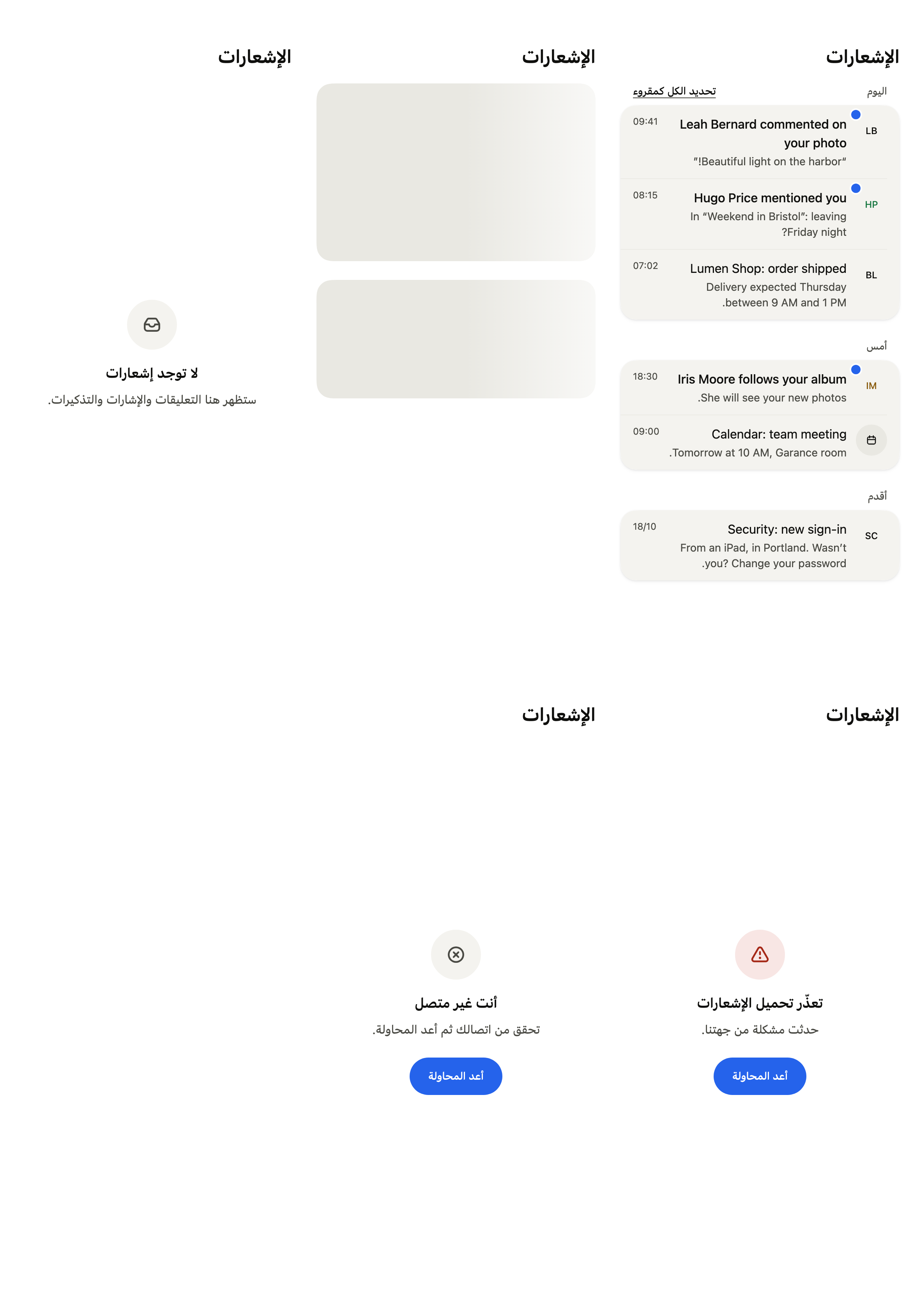
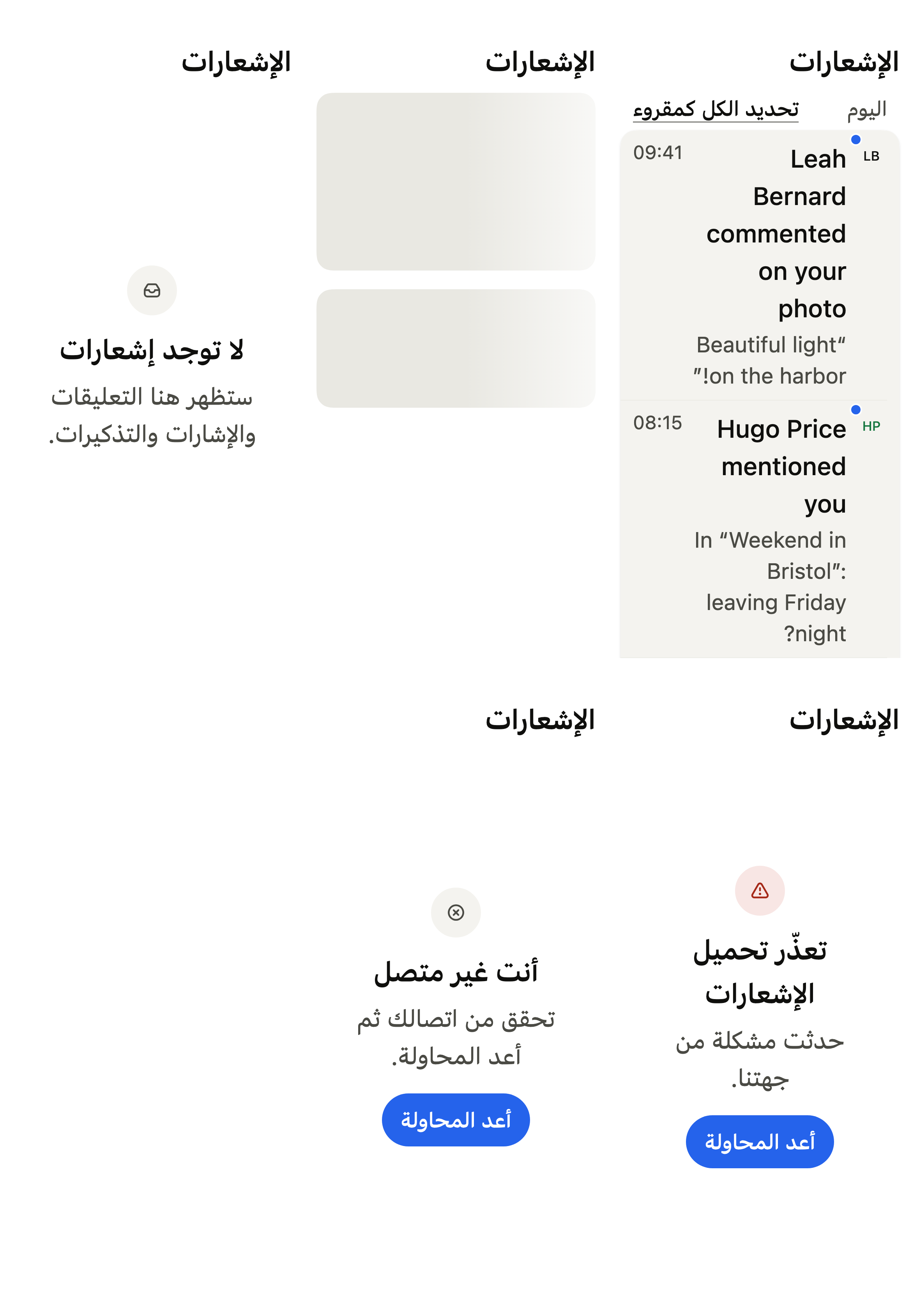
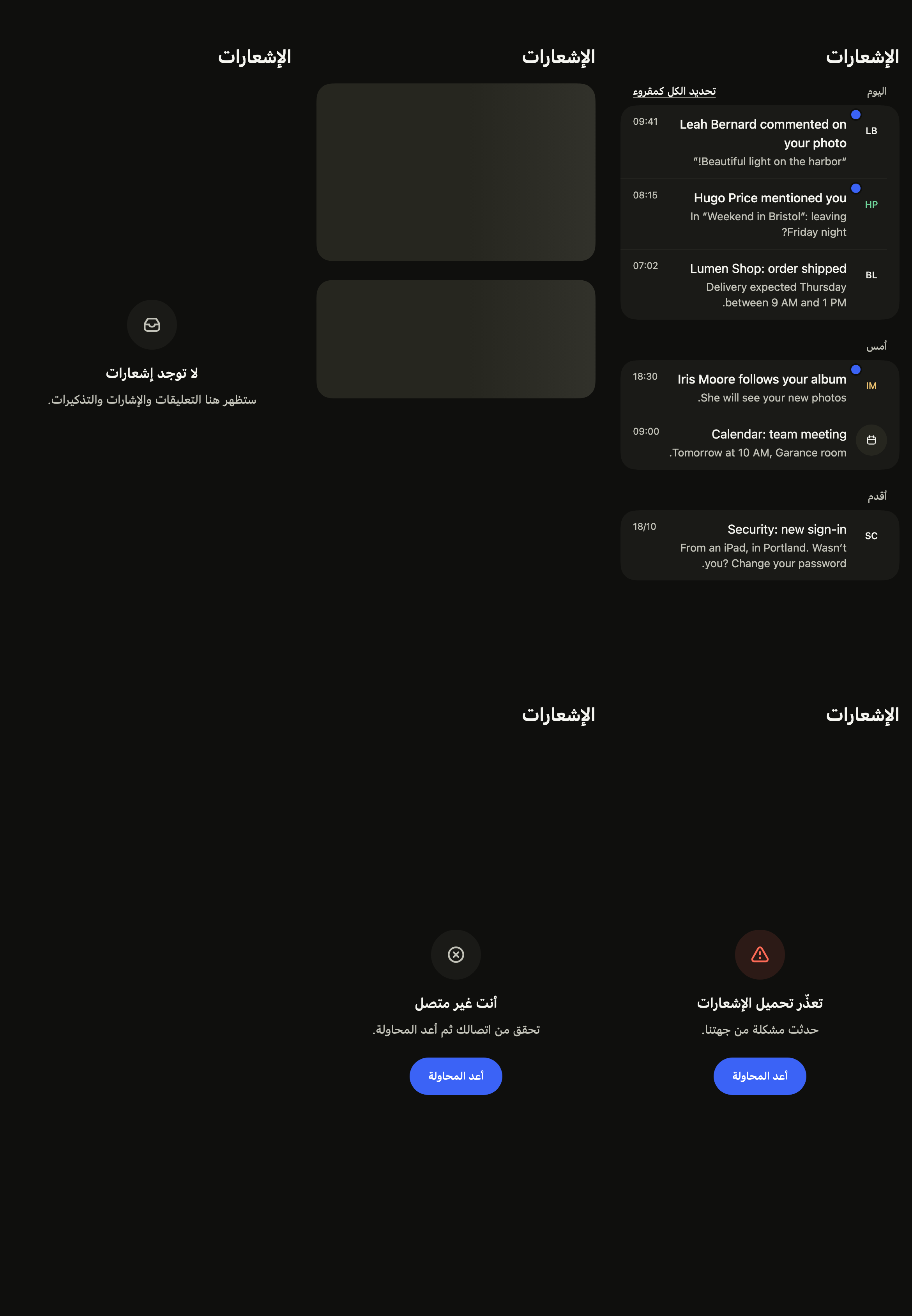
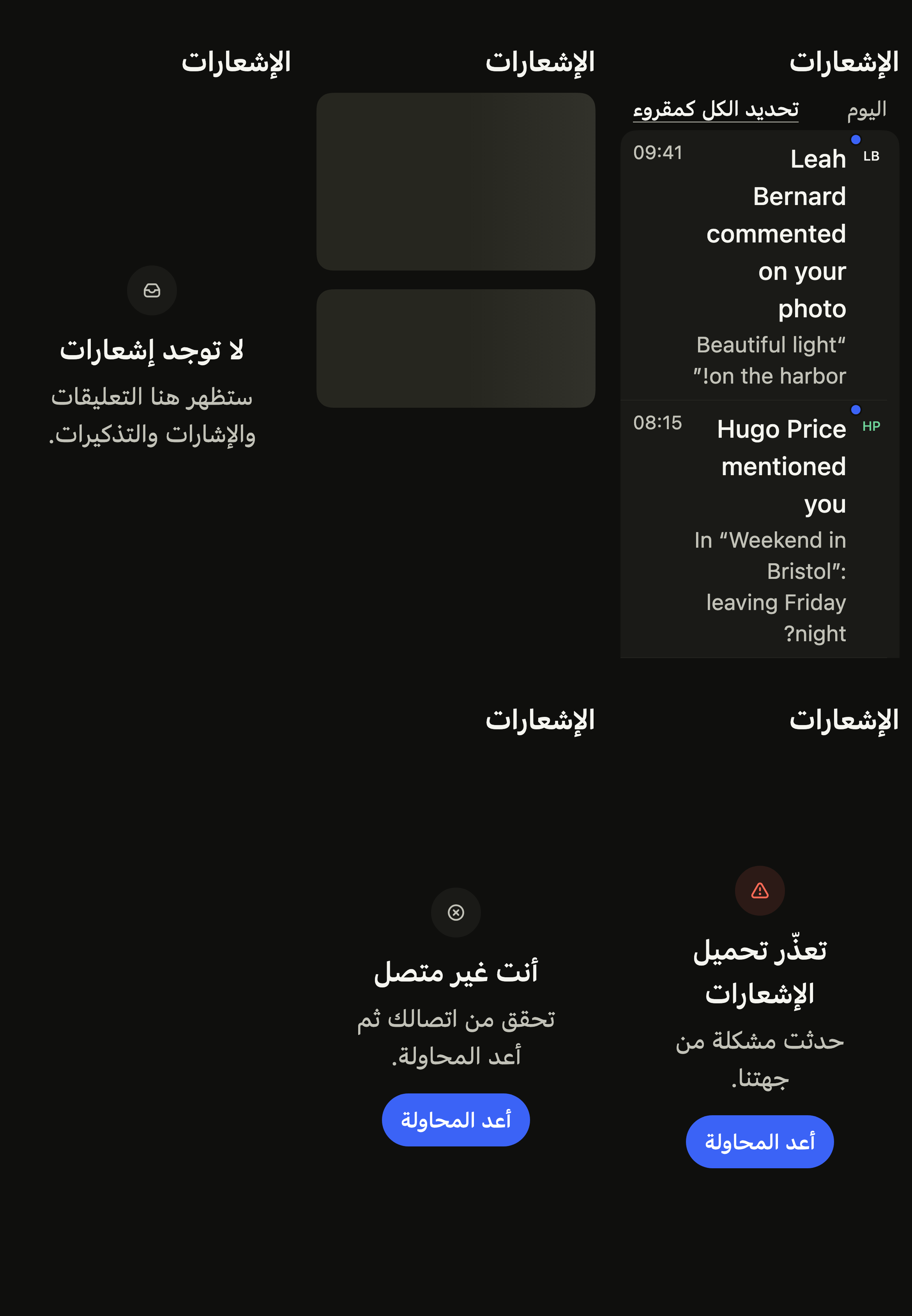
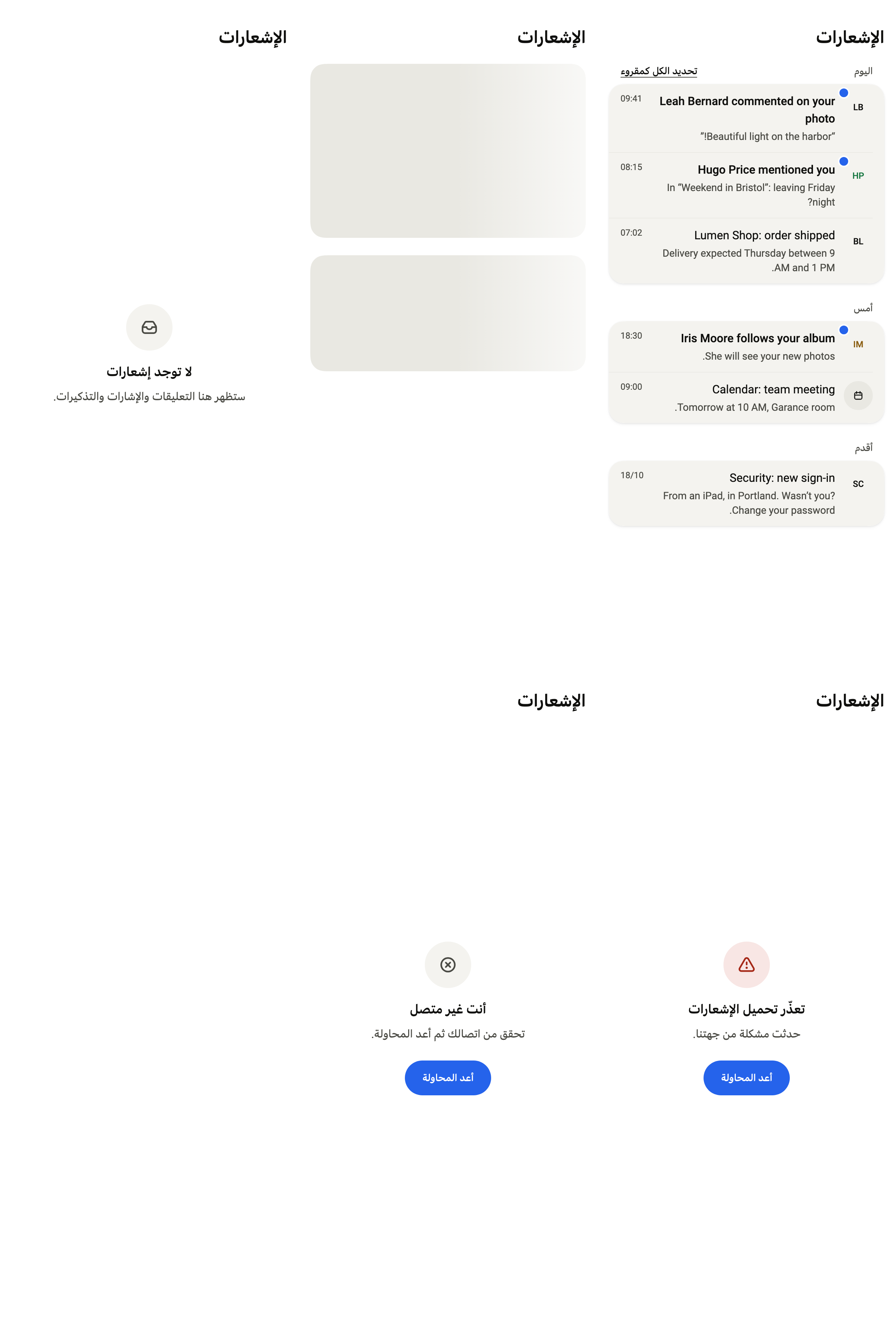
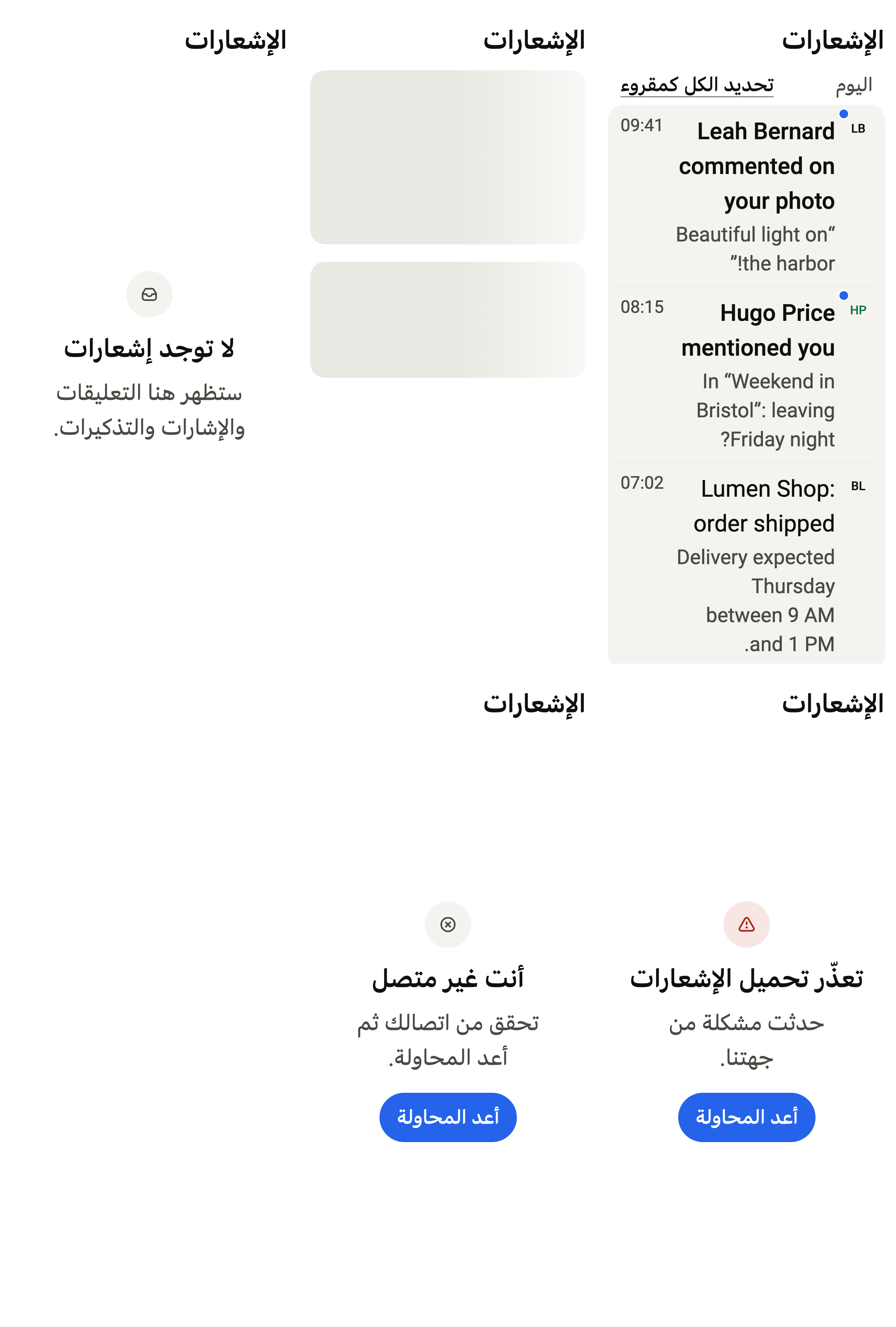
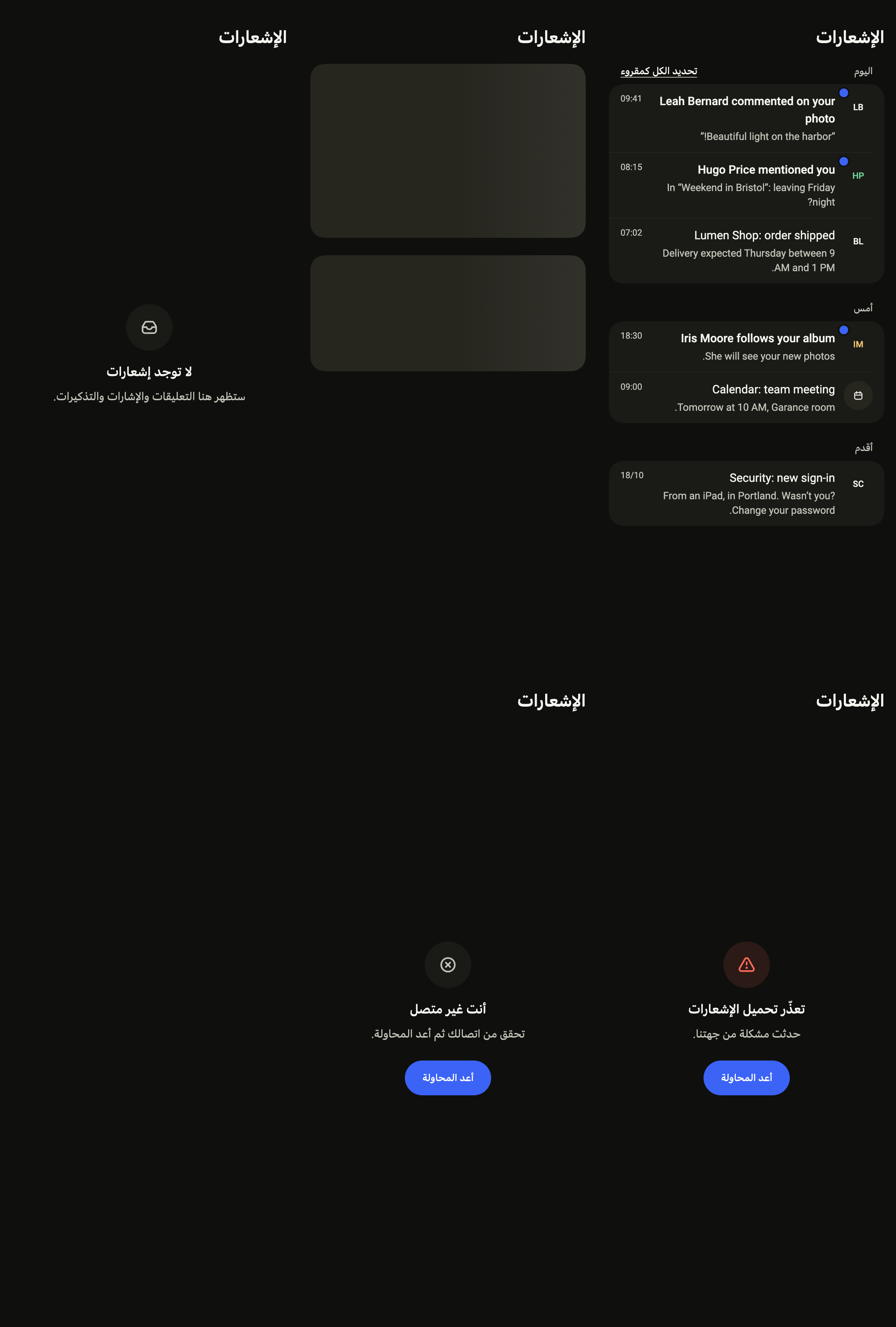
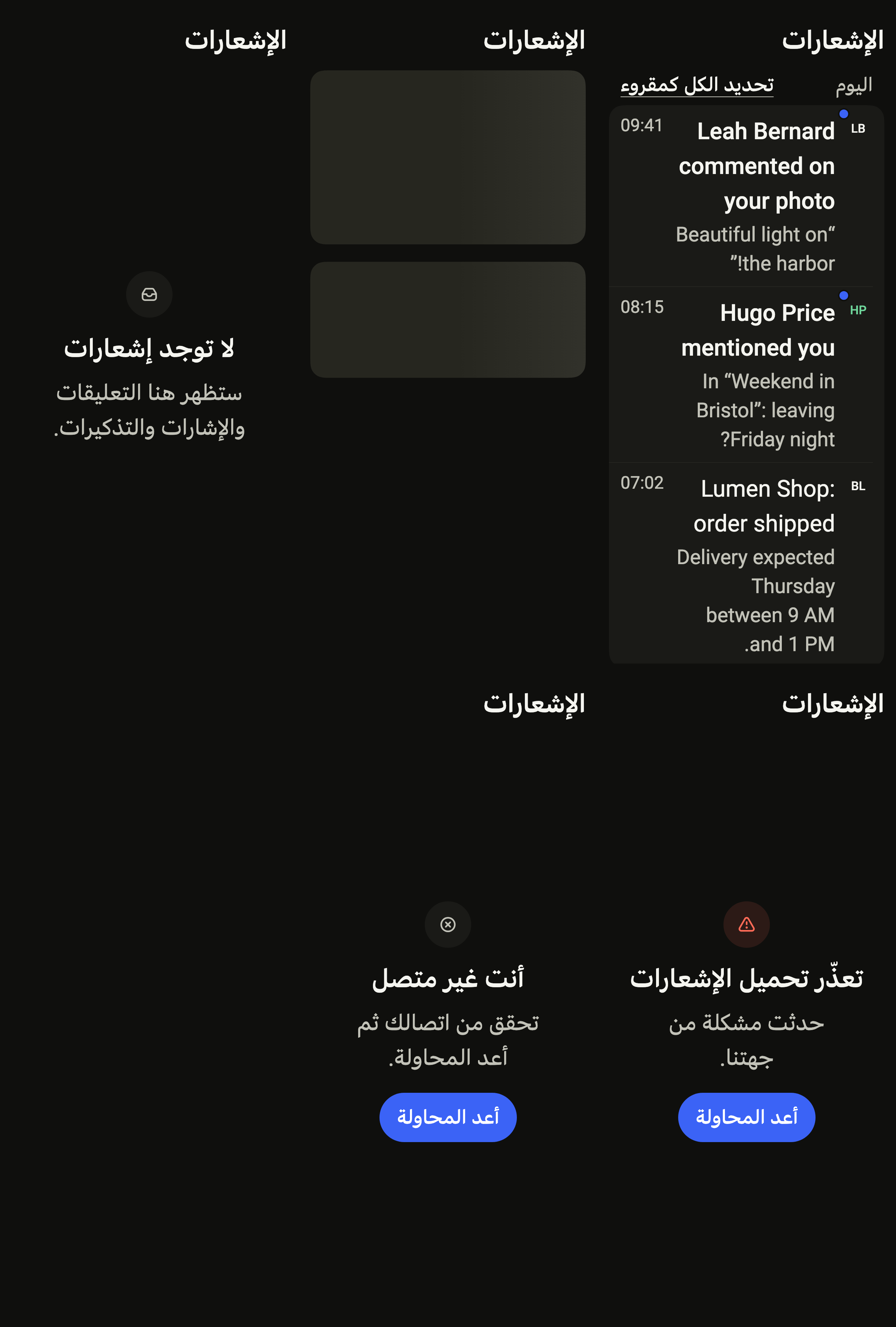
Every label in English, French and Arabic. The screen follows the closest Localizations; the same table is in the manifest, ready for your ARB files.
| Key | en | fr | ar |
|---|---|---|---|
notificationsTitle | Notifications | Notifications | الإشعارات |
notificationsBack | Back | Retour | رجوع |
notificationsRefresh | Refresh | Actualiser | تحديث |
notificationsLoading | Loading notifications | Chargement des notifications | جارٍ تحميل الإشعارات |
notificationsToday | Today | Aujourd’hui | اليوم |
notificationsYesterday | Yesterday | Hier | أمس |
notificationsEarlier | Earlier | Plus ancien | أقدم |
notificationsMarkAllRead | Mark all as read | Tout marquer comme lu | تحديد الكل كمقروء |
notificationsUnread | Unread | Non lue | غير مقروء |
notificationsDate | {month}/{day} | {day}/{month} | {day}/{month} |
notificationsEmptyTitle | No notifications yet | Aucune notification | لا توجد إشعارات |
notificationsEmptyMessage | Comments, mentions and reminders will show up here. | Les commentaires, mentions et rappels apparaîtront ici. | ستظهر هنا التعليقات والإشارات والتذكيرات. |
notificationsErrorTitle | Notifications could not load | Impossible de charger les notifications | تعذّر تحميل الإشعارات |
notificationsErrorMessage | Something went wrong on our side. | Un problème est survenu de notre côté. | حدثت مشكلة من جهتنا. |
notificationsOfflineTitle | You are offline | Vous êtes hors ligne | أنت غير متصل |
notificationsOfflineMessage | Check your connection, then try again. | Vérifiez votre connexion, puis réessayez. | تحقق من اتصالك ثم أعد المحاولة. |
notificationsRetry | Try again | Réessayer | أعد المحاولة |
notificationsRefreshFailed | Couldn't refresh. The list may be out of date. | Actualisation impossible. La liste n’est peut-être plus à jour. | تعذّر التحديث. قد لا تكون القائمة محدّثة. |
notificationsRefreshOffline | You are offline. The list may be out of date. | Vous êtes hors ligne. La liste n’est peut-être plus à jour. | أنت غير متصل. قد لا تكون القائمة محدّثة. |
notificationsMarkFailed | Couldn't mark as read. Try again. | Impossible de marquer comme lu. Réessayez. | تعذّر التحديد كمقروء. أعد المحاولة. |
notificationsSettings | Notification settings | Réglages des notifications | إعدادات الإشعارات |
Reference renders
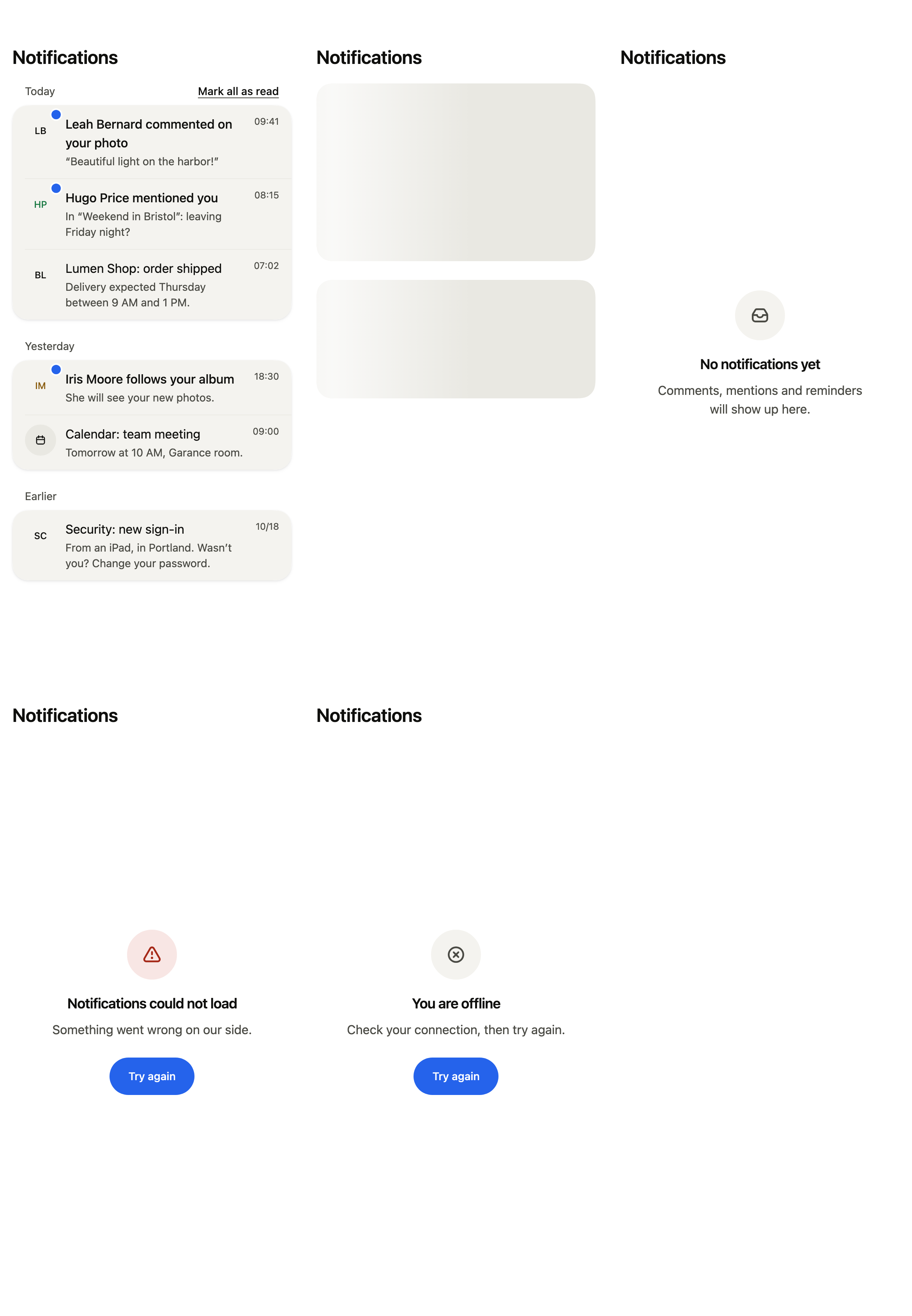
The 16 images published with version 0.2.5, rendered by the shared harness on macOS with Flutter 3.47.7. Each shows every state side by side, at the size of an iPhone (390 × 844) or of an Android phone (412 × 915). fliin verify notifications compares your copy to them.
Use it to
- show received notifications grouped by day
- turn every notification to read at once
- show which notifications are still unread
- open what a tapped notification is about
- make the list fetch new notifications when pulled down
- Not for
- notification preferences (push, email): use account settings (account-settings)
- a brief message that disappears on its own: use a toast (toast)
- States